

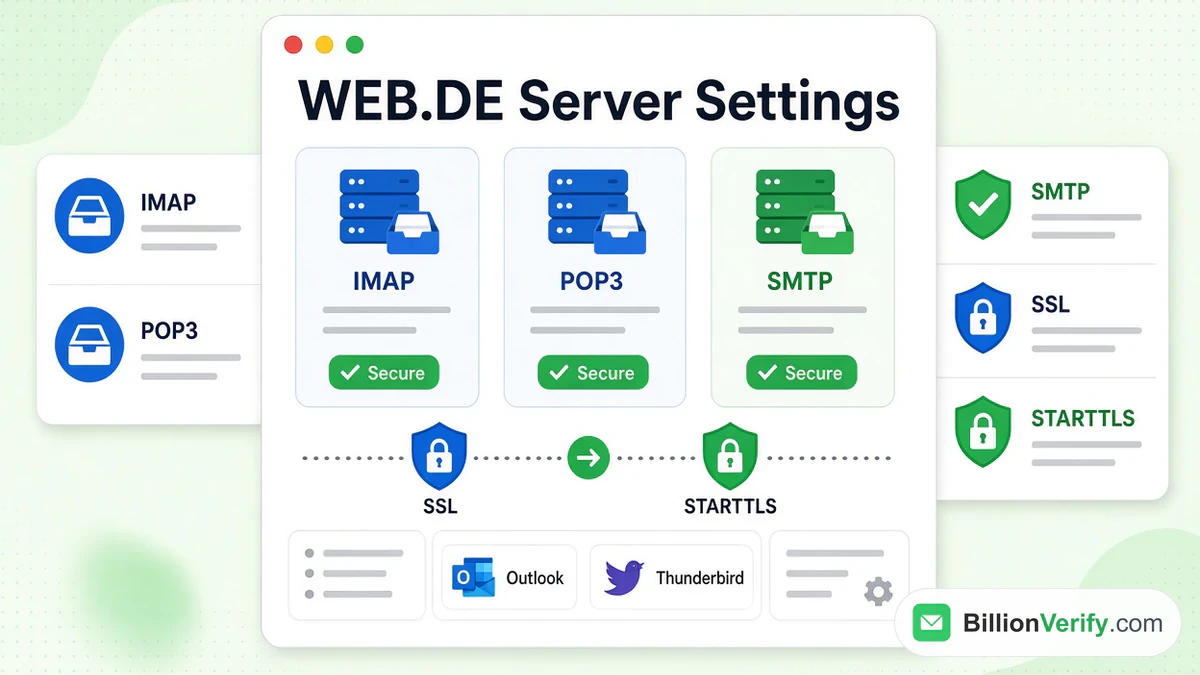
Quick answer: the WEB.DE IMAP server is imap.web.de on port 993 with SSL. The WEB.DE SMTP server is smtp.web.de on port 587 with STARTTLS. The WEB.DE POP3 server is pop3.web.de on port 995.
None of this works until you switch on outside access in your account. WEB.DE leaves it off by default.
This guide lists every value in one table. After that come the switch and four ways to connect. All facts come from hilfe.web.de, read in October 2026. We are not affiliated with WEB.DE. BillionVerify is an email verification service. For a short definition of the first protocol, see our IMAP glossary entry. The second has an SMTP glossary entry.
Cannot even open webmail? Start with our WEB.DE login guide. If nothing connects at all, check whether WEB.DE is down.
Key facts (checked October 2026):
- The WEB.DE IMAP server for incoming mail is imap.web.de, with port 993 and SSL, per hilfe.web.de.
- The WEB.DE SMTP server for sending is smtp.web.de, with port 587 and STARTTLS and port 465 as the second route, per hilfe.web.de.
- Access for outside programs is off by default. It also switches itself off again when unused for long, per WEB.DE.
- WEB.DE no longer supports TLS 1.0 and 1.1, so a program needs TLS 1.2 or 1.3, per hilfe.web.de.
- WEB.DE requires an app password for access from countries outside Europe, the USA and Canada, per hilfe.web.de.
- BillionVerify gives 20 free credits on each day you use it, up to 600 a month, for vetting a list before a campaign.
WEB.DE IMAP, POP3 and SMTP Server Settings
WEB.DE publishes one set of hosts for every mailbox. Source: WEB.DE Hilfe, "Serverdaten für IMAP und SMTP" and "Serverdaten für POP3 und SMTP". The WEB.DE SMTP settings are the same for IMAP and POP3 mailboxes.
| Use | Server | Port | Encryption | User name |
|---|---|---|---|---|
| WEB.DE IMAP server | imap.web.de | 993 | SSL | Your address |
| WEB.DE IMAP server, fallback | imap.web.de | 143 | STARTTLS | Your address |
| WEB.DE POP3 server | pop3.web.de | 995 | SSL | Your address |
| WEB.DE SMTP server | smtp.web.de | 587 | STARTTLS, TLS or "Verschlüsselung" | Your address |
| WEB.DE SMTP server, second route | smtp.web.de | 465 | SSL | Your address |
WEB.DE names the address and the password as login data. That is why the last column shows the address.
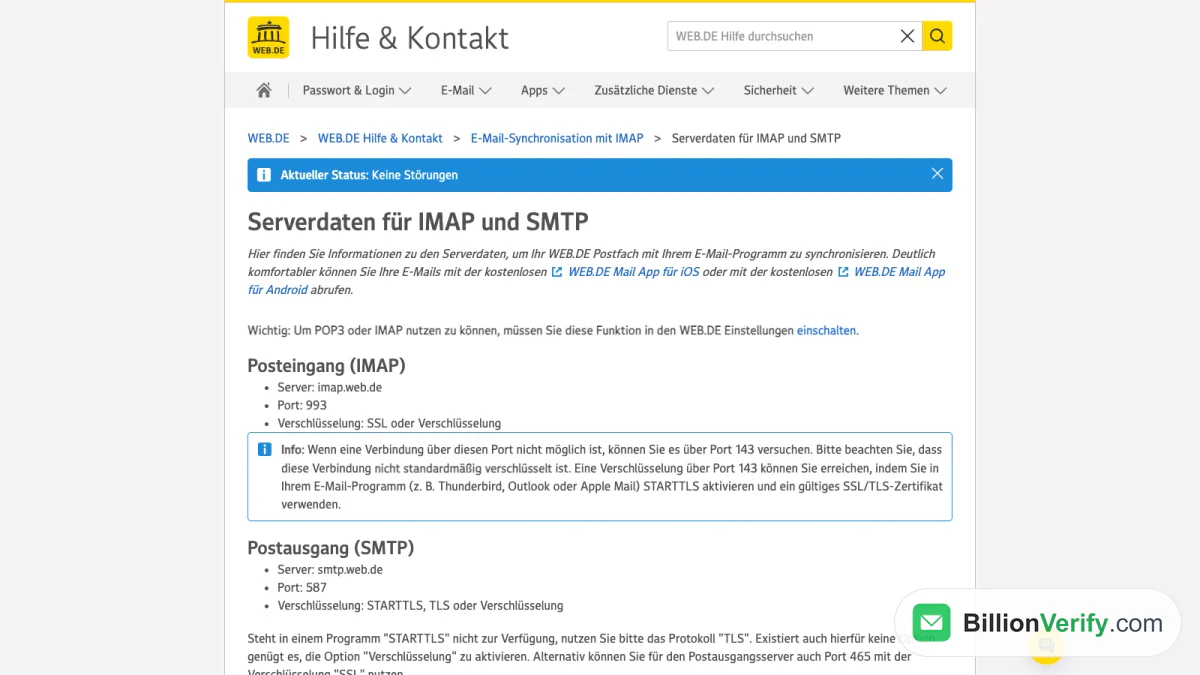
Screenshot: WEB.DE Hilfe, incoming IMAP and outgoing SMTP values.
Notes on Ports and Encryption
- "SSL" and "Verschlüsselung" both mean a protected link.
- Port 143 is not encrypted by default. Turn on STARTTLS in the program, and the host needs a valid certificate.
- If a program has no STARTTLS option, choose TLS. If it has neither, tick "Verschlüsselung".
- SMTP-after-POP is gone. Outgoing mail always needs a login.
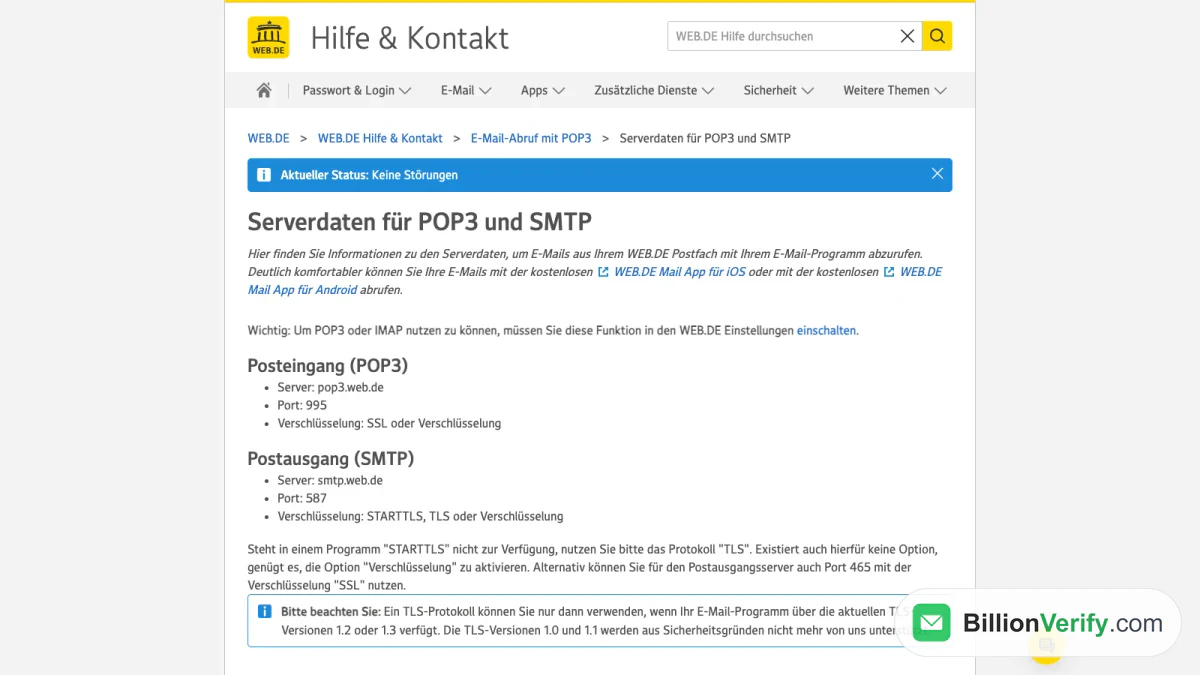
Screenshot: WEB.DE Hilfe, POP3 values for fetching mail.
Turn On POP3 and IMAP in WEB.DE First
External programs and other providers' apps need this switch. Do it before you touch the program.
- Log in on www.web.de on a PC or laptop.
- Click the round icon with your initials in the top bar.
- Choose "E-Mail-Einstellungen".
- Under "E-Mail empfangen", choose "POP3/IMAP".
- Under "POP3-/IMAP-Abruf", set the slider to "POP3- und IMAP-Zugriff erlauben".
- Solve the security question. Slide the two symbols on top of each other.
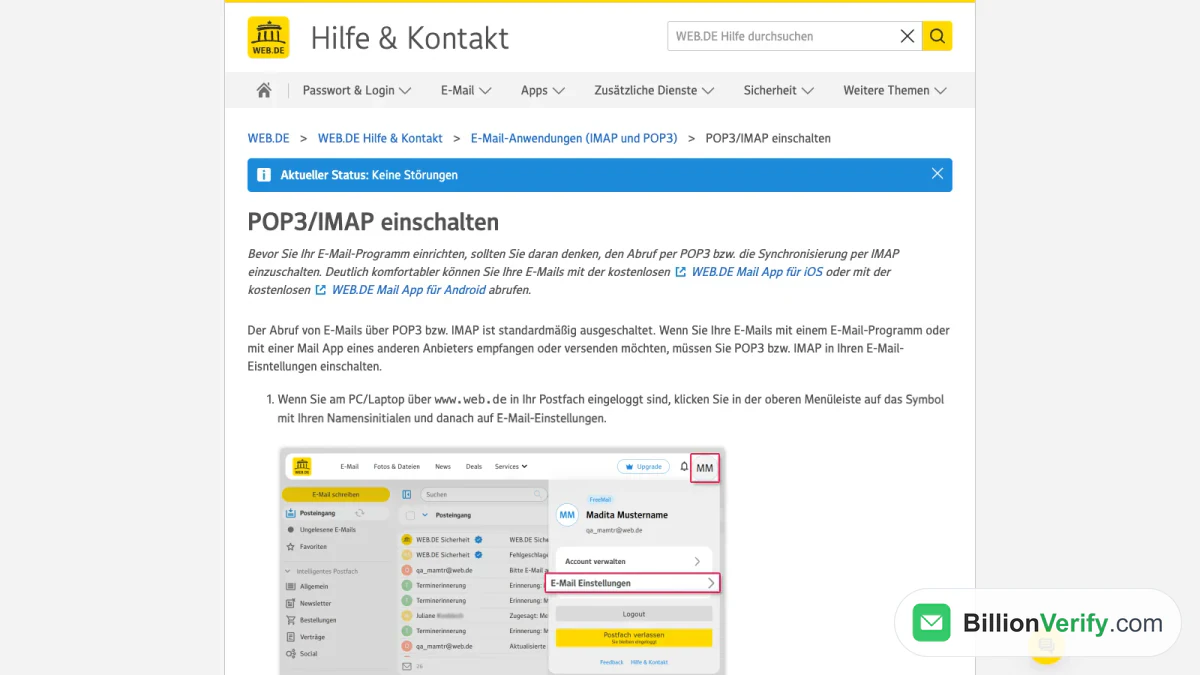
Screenshot: WEB.DE Hilfe, where the switch sits in the menu.
Some pages on hilfe.web.de still describe an older route. It starts with the gear icon at the bottom left, then "POP3/IMAP Abruf". There you tick the box and press "Speichern".
WEB.DE adds one warning. If you do not use the program for a long time, the switch turns itself off for security reasons. A program that worked for months and now fails needs this switch checked first.
Set Up WEB.DE in Outlook, Thunderbird, Apple Mail and Phones
Each section follows the matching page on hilfe.web.de. Switch on POP3 and IMAP first.
WEB.DE IMAP Settings in Outlook
WEB.DE describes the manual route for Outlook 2016.
- Open "Datei", then "Informationen", then "Konto hinzufügen".
- Type your address.
- Open "Erweiterte Optionen" and tick "Ich möchte mein Konto manuell einrichten".
- Choose "IMAP".
- For incoming mail, enter the WEB.DE IMAP server imap.web.de and port 993. Tick "Server erfordert eine verschlüsselte Verbindung (SSL/TLS)".
- For sending, enter the WEB.DE SMTP server smtp.web.de and port 587. Choose STARTTLS, which WEB.DE marks as recommended.
- Press "Verbinden" and type your password.
Outlook 2013 and 2010 use a longer form with the same values. On the tab "Postausgangsserver", tick that the outgoing server needs authentication. On the tab "Erweitert", set 993 with SSL for incoming mail and 587 with TLS for outgoing mail.
WEB.DE IMAP Settings in Thunderbird
Thunderbird finds the right values by itself.
- Choose "E-Mail".
- Choose "Überspringen und meine existierende E-Mail-Adresse verwenden".
- Type your name, address and password. Tick "Passwort speichern" and press "Weiter".
- Thunderbird detects the settings. Choose IMAP and press "Fertig".
- Press "Abrufen" to sync.
For WEB.DE POP3, choose POP3 at step 4. To keep copies in the mailbox, press "Manuell bearbeiten" and open the advanced settings. Tick "Nachrichten auf dem Server belassen".
WEB.DE IMAP Settings in Apple Mail
On a Mac, the steps are short.
- In the menu bar, choose "Mail", then "Account hinzufügen".
- Choose "Anderer Mail-Account", then "Fortfahren".
- Enter your full name, your address and your password, then press "Anmelden".
- Mail checks the login in the background. It builds an IMAP account with matching values.
- Pick the apps for the account and press "Fertig".
To link folders, select a folder. Open the "Postfach" menu and choose "Dieses Postfach verwenden für".
WEB.DE on iPhone
WEB.DE's own mail app for iOS is free in the App Store. You log in with your user name and password. The app needs no server values.
The iPhone's built-in Mail app belongs to Apple, and WEB.DE has no page for it. If you add WEB.DE there as an "Other" account, enter the table values. That route is our note, not a WEB.DE instruction.
WEB.DE on Android
WEB.DE's mail app for Android is free in Google Play. You log in the same way, and the app handles the hosts.
Another Android mail app works too. When it asks for WEB.DE IMAP settings, use the table values. No WEB.DE page covers third-party apps, so the menus differ by app.
WEB.DE POP3 or IMAP: Which One to Use
WEB.DE describes the two incoming protocols plainly. With IMAP, every action happens in the mailbox itself. Every device shows the same state.
With the WEB.DE POP3 server, messages are fetched once and, unless you change that, deleted from the server. Fetched mail can be read offline, but only in that program. By default, only the inbox and the folder "Freunde & Bekannte" are fetched.
IMAP fits most people. Choose POP3 only if you want mail stored on one computer. To keep copies on the server, change the account setting:
- In Outlook, tick the box that leaves a copy of every message on the server. It sits on the "Erweitert" tab.
- In Apple Mail, remove the tick at "Nach Erhalt einer E-Mail Kopie vom Server löschen".
- In Thunderbird, find the same option under "Server-Einstellungen".
App Password and Two-Factor Login
With two-factor login on, WEB.DE blocks logins by outside programs. Your normal password stops working in them. WEB.DE issues a separate password for each program.
- Log in on the website and open the menu behind your initials.
- Choose "Account verwalten". The Kundencenter opens.
- Click "Login & Sicherheit" on the left.
- Scroll down and click "App-Passwörter (für externe Apps)".
- Click "Neues App-Passwort erstellen".
- Type a name, such as the program's name, and press "Weiter".
WEB.DE shows the new password once. Note it at once. Paste it into the program in place of your normal password. You can delete it later and create a new one.
A second case works the same way. Anywhere else in the world, outside programs also need an app password.
Common WEB.DE Connection Errors and Fixes
WEB.DE lists its own causes for each failure. Work through them in order.
Setup Fails or Nothing Connects
- POP3 and IMAP are still switched off.
- A temporary block waits in the mailbox. Log in on a PC or Mac through web.de and read what appears. A program may hide such errors.
- A host name or port is wrong. Compare it with the table.
- The address or password is wrong. Test both on web.de, then reset the password if needed.
- The program built the account itself with wrong values. Delete the account and add it again by hand.
- A virus scanner or firewall blocks the connection.
- The program is outdated. WEB.DE suggests the free Mozilla Thunderbird.
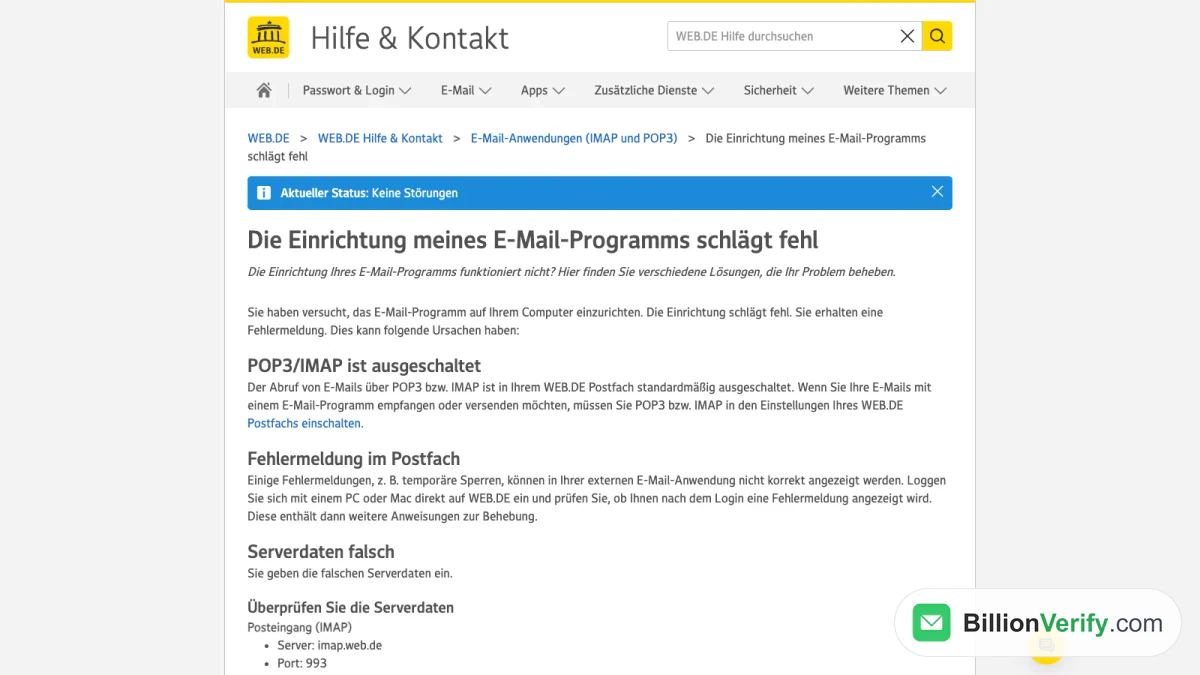
Screenshot: the help article for a failed program setup.
Receiving Fails
- The account in the program is damaged. Back up WEB.DE POP3 mail first. Then delete the account and set it up again.
- A filter rule in the program or in the mailbox moves or deletes the mail.
- WEB.DE sorted the message into Spam. Add the sender to the Erwünscht-Liste.
- The home router blocks the port. Or its list of allowed servers lacks imap.web.de, pop3.web.de or smtp.web.de.
Sending Fails
- The switch turned itself off after a long break.
- The mailbox or the IP address is blocked, for example after spam misuse. The reason usually appears right after login on the website.
- The WEB.DE SMTP settings are wrong or old, or the program relies on SMTP-after-POP.
- The account asks for a second step, so the program needs an app password.
- The mailbox is full. Full storage stops sending, and the Papierkorb counts too.
The "Unauthorized Sender Address" Message
WEB.DE checks the sender address before it sends. It must belong to the mailbox: the main address, a second address or a fun domain. A foreign sender is a known spam sign, and WEB.DE no longer allows it.
To fix the error, enter your own address in the WEB.DE SMTP settings. Or send that other address through its own provider's server.
Messages Come Back as Undeliverable
A returned message comes from "WEB.DE Mailer Daemon". The error text names the cause. WEB.DE lists typing errors ("Unknown User"), a full recipient mailbox ("Mailbox full") and an attachment over the recipient's quota ("maildir over quota").
WEB.DE Sending Limits
WEB.DE states one hard number on the pages we read:
- FreeMail allows attachments up to 20 MB per message.
- Club and MailPlus allow up to 100 MB.
For bigger files, WEB.DE points to a share link from its online storage.
WEB.DE also says it may restrict sending for a while after many messages in a short time. This stops spam. Try again later, and sending works as usual. The pages give no count of messages per day, so this guide gives none.
Clean Your List Before You Send From a WEB.DE Account
WEB.DE's page on mailing many recipients lists tips against failures. The first is to clean your address lists. Remove addresses that cause returns. Remove unknown or deactivated WEB.DE addresses too. It also points to the Certified Senders Alliance.
BillionVerify's bulk email verification takes a CSV or Excel file and sorts each address. It has no row limit, and one file can be up to 20 GB. Our servers are in France (EU), and a DPA can be signed. For a single contact, BillionVerify Email Checker runs a live SMTP check and flags disposable, role and catch-all risk.
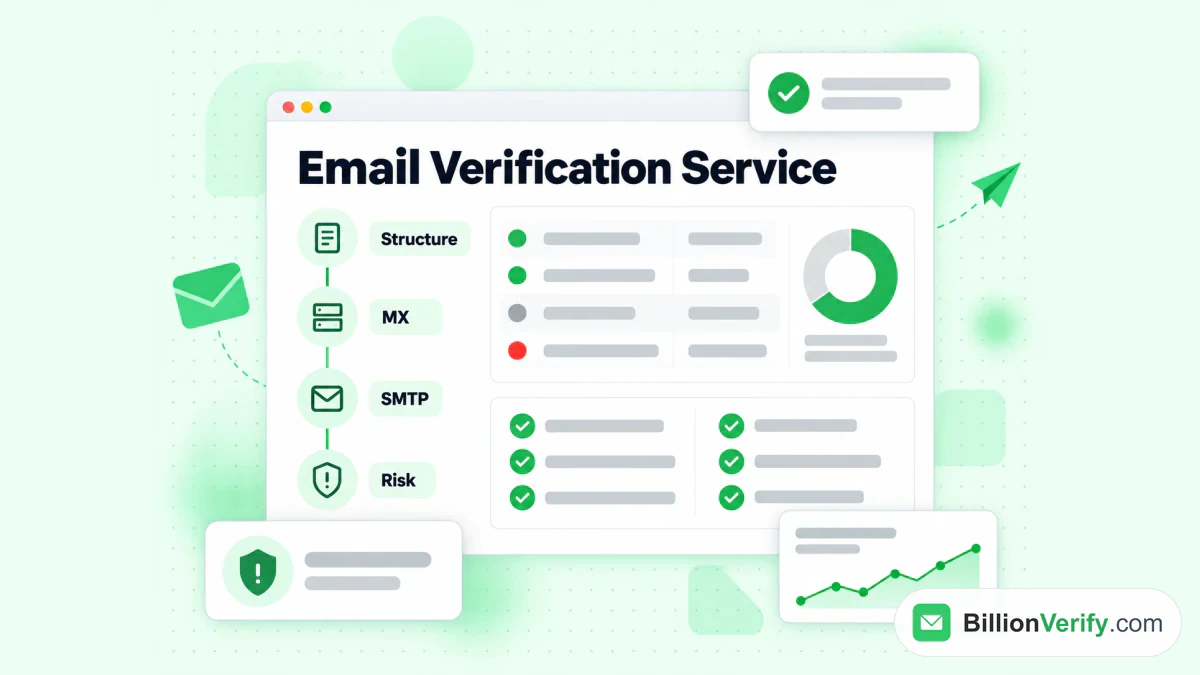
BillionVerify checks a whole list in one upload.
What to know before you upload:
- Valid and invalid results cost 1 credit each, and unknown results are free.
- A free re-check is available within 24 hours.
- A catch-all address gets its own label and is never counted as valid.
- Daily use earns 20 free credits, capped at 600 a month. They never expire, and no card is needed.
- A REST API, an MCP server and 25+ integrations are available.
Two more free tools help with the rest of a sheet. Use reverse email lookup to learn about an address you do not recognize. Use verify phone numbers to check whether a number is valid for its country.
FAQs
What is the WEB.DE IMAP server address?
The incoming host is imap.web.de. Use port 993, protected by SSL. WEB.DE names port 143 as a fallback, and that port needs STARTTLS to be encrypted.
What are the WEB.DE SMTP settings?
Sending goes through smtp.web.de, on the STARTTLS port 587. The second route is port 465 with SSL. The program must log in to that server as well.
What is the WEB.DE POP3 server address?
POP3 mail comes from pop3.web.de, and SSL protects port 995. The access is off by default, so switch it on under POP3/IMAP in the account settings first.
Why does a mail program reject my normal WEB.DE password?
A mail program rejects the normal password when two-factor login is on. WEB.DE blocks outside programs then, and an app password takes its place. Make one under Login & Sicherheit.
Why did a working program suddenly stop fetching WEB.DE mail?
WEB.DE switches the outside access off when it sits unused for long. Log in on web.de, open the POP3/IMAP setting and switch it on again. A temporary block can also hide behind the failure, and the website shows it after login.
Does WEB.DE publish a daily sending limit?
WEB.DE does not give a daily number on the help pages we read. It lists attachment limits and warns that bursts of mail can restrict sending.
Watch: How to Verify an Email: Single, Bulk, File and API
Watch: How to Validate a Phone Number: Free Phone Number Validator
