


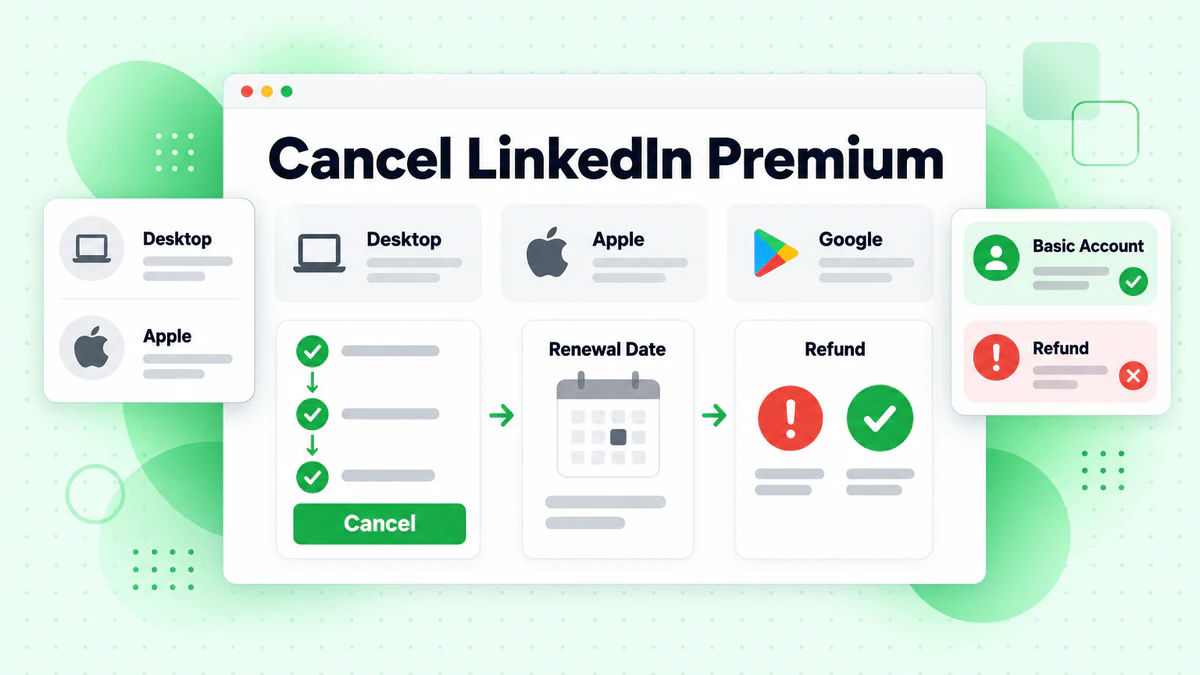
To cancel LinkedIn Premium, open the Me menu, choose Premium features, then Manage subscription. LinkedIn sends you to its account pages. There you pick Purchases, select the active subscription and click Cancel subscription. Paid access continues until the billing cycle ends. A free trial stops at once.
The right path depends on where you bought Premium. A subscription bought on LinkedIn.com is cancelled on LinkedIn. A subscription billed through an app store has its own route. This guide covers every route, the LinkedIn Premium refund rules and what you lose. Each step and rule comes from LinkedIn's Help Center, checked in October 2026.
Key facts (checked October 2026):
- A cancelled LinkedIn Premium subscription keeps working until its current billing cycle ends, per LinkedIn Help.
- Ending a LinkedIn Premium trial removes access right away and blocks another trial for a year or more.
- LinkedIn reviews refund requests made within a week of a charge when Premium was not used.
- People in the US and Germany can stop some Premium subscriptions through a LinkedIn web form, no sign-in needed.
- Apple, not LinkedIn, handles any refund for Premium bought in the LinkedIn iOS app.
- BillionVerify confirms whether an inbox accepts mail and gives every active account free daily credits.
We are not affiliated with LinkedIn. BillionVerify is an email verification service. Many of our users sell on LinkedIn, so we put the cancellation rules in one place.
How to Cancel LinkedIn Premium: The Quick Answer
Most members can cancel LinkedIn Premium subscription payments in about two minutes once they know who billed them. The table below matches each billing source to the place where you end it.
| Who billed you | Where you cancel |
|---|---|
| LinkedIn (bought on a computer) | The LinkedIn website on a computer |
| LinkedIn (bought on its mobile website) | A computer, or LinkedIn for Android |
| Apple (iOS app purchase) | LinkedIn on an iPhone or iPad, or iOS Settings |
| Google (Android app purchase) | LinkedIn on any device, or Google's own pages |
Not sure which one applies? Check your bank statement. A charge from Apple or Google means a store billed you. A charge from LinkedIn means you paid LinkedIn directly.
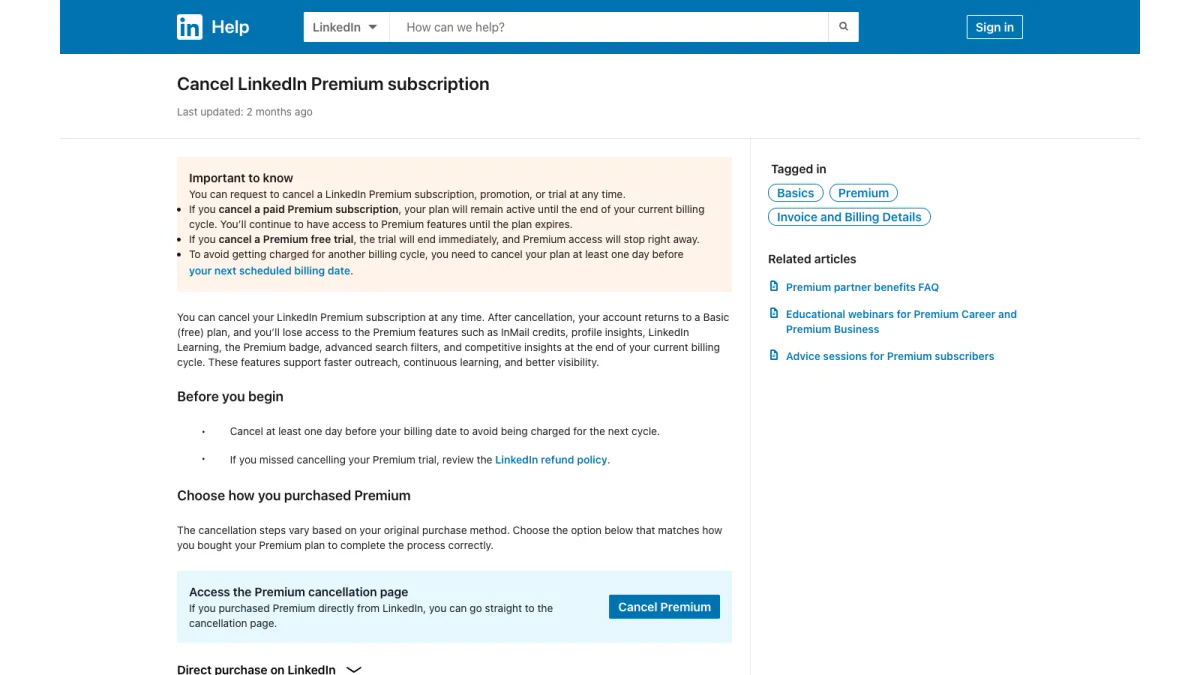
Screenshot: the LinkedIn Help article on cancelling a Premium subscription.
Before You Cancel LinkedIn Premium Subscription Access
A few checks now can save you a charge or a lost discount later.
Find your renewal date
LinkedIn renews Premium on the same date each cycle. To avoid another bill, the Help Center asks you to cancel "at least one day before your next scheduled billing date." The renewal date is listed on the Purchases page.
Use up your InMail credits
They do not survive. The cancellation FAQ warns that saved credits "can't be credited back." Send the messages you planned before the cycle ends.
Know what happens to your discount
A cancelled promotion is gone for good. LinkedIn's FAQ states you "will lose your discounted price" if you cancel a promotion or a retired plan. Upgrading, downgrading or changing billing frequency during a promotion also forfeits it.
Consider a downgrade
Some members only need fewer features. A switch to a cheaper tier is possible for some subscriptions. The downgrade section below covers the rules.
Save your receipts
LinkedIn does not email receipts. You download them from the Transactions tab. Grab any you need for expenses while you still have the subscription.
How to Cancel LinkedIn Premium Subscription on Desktop
Most members bought Premium on LinkedIn.com. These are the official steps for a computer:
- Click the Me icon at the top of your LinkedIn homepage.
- Select Premium features from the dropdown.
- Click Manage subscription under Plan Details.
- You land in the LinkedIn Admin Center.
- Click Purchases on the left.
- Select your Active subscription.
- Click Cancel subscription under Actions.
- Click Confirm cancel.
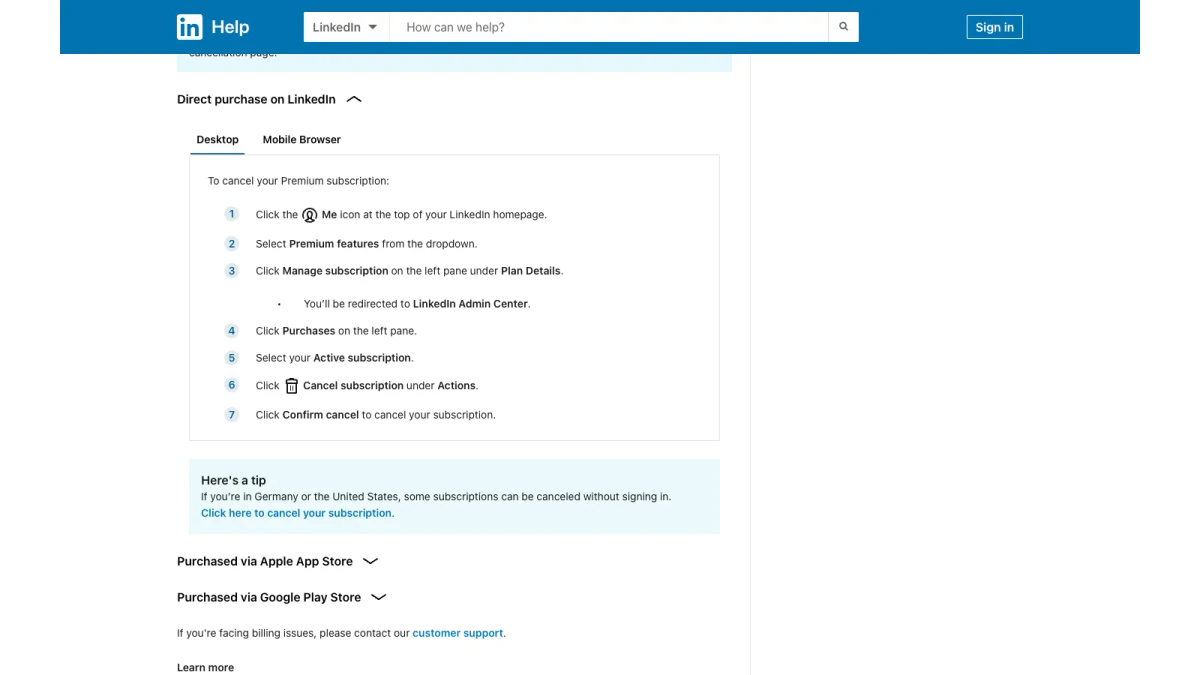
Screenshot: desktop steps for a subscription bought directly from LinkedIn.
The Help article also has a Cancel Premium button. If you paid LinkedIn directly, it opens the cancellation page without the menu clicks.
Confirm the cancellation worked
Go back to Purchases. The subscription should now show an end date instead of a renewal. If it still shows as renewing, repeat the steps. Keep a screenshot of the confirmation for your records.
Cancel LinkedIn Premium Subscription on Android or Mobile Web
Mobile cancellation works, with one catch for iPhone owners. Per LinkedIn's FAQ, a direct purchase can be cancelled only "from the LinkedIn desktop website or through the LinkedIn mobile app on an Android device."
On Android, the steps are short:
- Tap your profile photo.
- Tap Premium features.
- Tap Manage your subscription.
- On the Manage Premium account settings page, tap the cancel option.
- Follow the prompts.
Billed by Google
Google purchases offer the most choice. The Help Center lists four places to end them: the LinkedIn website, the LinkedIn app, Google's store on a computer and Google's store app. One gap: LinkedIn cannot show purchase history for Google purchases. Those orders live in Google's order history.
How to Cancel LinkedIn Premium on iPhone
To cancel LinkedIn Premium on iPhone, first work out who billed you.
Billed by Apple
If Apple billed you, open LinkedIn on your iPhone or iPad. The steps match Android: profile photo, Premium features, Manage your subscription, then the cancel option.
You can also stop it through iOS. Apple's support page gives four steps:
- Open Settings and tap your name.
- Tap Subscriptions.
- Tap the LinkedIn subscription.
- Tap Cancel Subscription.
There is a useful check. If there is no Cancel button, or you see an expiration message in red text, "the subscription is already canceled." For trials, Apple advises ending them "at least 24 hours before the trial ends."
Apple controls these payments. LinkedIn "can't provide any billing support for Apple App Store purchases." Payment questions go to Apple support.
Paid on LinkedIn's mobile website
This case trips people up. If you used LinkedIn's mobile site on an iPhone to pay, LinkedIn processed the payment, not Apple. You then finish on a computer, "since cancellation isn't available in the iOS app."
Buying again later
After an Apple cancellation, access runs to the end of the cycle. You must wait for that cycle to finish before buying Premium again.
Cancel Premium on LinkedIn Without Signing In
Locked out of your account? In some places you can still stop billing. The cancellation FAQ notes that "in certain jurisdictions such as Germany and United States" members can cancel without logging in. The Help article links a form for this.
The form covers Premium only; LinkedIn's sales and recruiting tools still need a sign-in. For the sales side, our guide to LinkedIn Sales Navigator explains how LinkedIn's sales tools work.
What Happens After Cancelling LinkedIn Premium
Your account does not disappear. You "return to a Basic (free) account and retain your profile, connections, and other data," according to the FAQ.
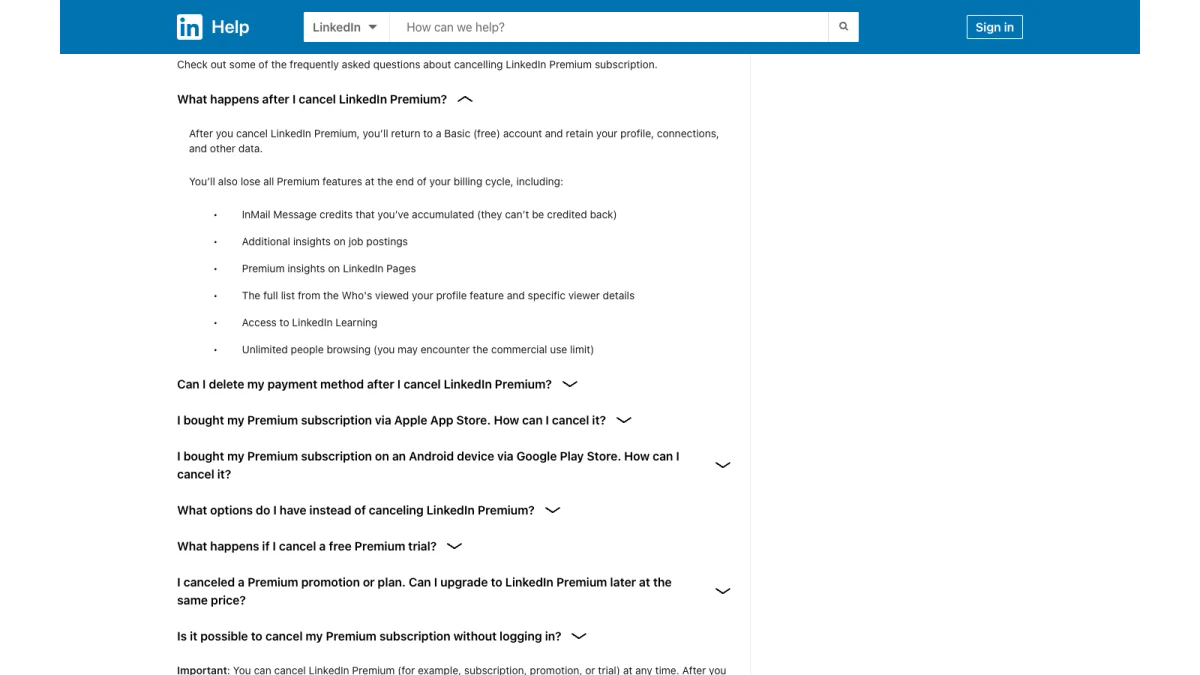
Screenshot: the FAQ answer on what changes after a cancellation.
When the cycle ends, the FAQ lists what you lose:
- Your unused InMail balance.
- Extra insights on job postings.
- Premium insights on LinkedIn Pages.
- The full Who's viewed your profile list, with viewer details.
- Access to LinkedIn Learning.
- Unlimited people browsing. Basic accounts may hit the commercial use limit.
The main article adds the Premium badge, advanced search filters and competitive insights. Plan around any of these you use for prospecting.
Your payment method
You can remove your card once the cycle ends. While paid access is active, LinkedIn will not let you delete it.
Closing your whole account
Want to delete your LinkedIn account entirely? End the subscription first. An active subscription must end before you close a personal account.
How Long Premium Lasts After You Cancel
Access after a cancellation depends on what you were paying for.
- Paid subscription. Premium keeps working until the cycle you paid for is over. Then the account drops to Basic.
- Free trial. Premium stops the moment you cancel. There is no grace period.
- Apple purchase. Premium lasts through the current period, and a new purchase has to wait until it closes.
- Downgrade. The cheaper tier starts at once, and a fresh cycle begins that day.
Plan your last InMail messages, saved searches and profile checks around these dates. Once the account is Basic, those Premium tools are gone until you subscribe again.
Cancelling LinkedIn Premium During a Free Trial
Trials follow stricter rules than paid subscriptions.
- Access ends at once. Ending a trial means "the trial will end immediately," per the main Help article.
- One trial per year. You "won't be eligible to sign up for another free trial for at least 12 months."
- The charge comes after one month. The trial card is "automatically charged one month from the date you signed up."
- Act a day early. LinkedIn needs the request "at least one day prior to the auto-renewal billing date."
Reminders and time zones
LinkedIn emails a reminder before a desktop trial converts. Mobile purchases get no LinkedIn reminder, although the app stores may send their own. Billing times use local US time zones for US members using LinkedIn in English. Everyone else is billed on UTC.
A tip: end a trial near its last day, not on day one. You keep Premium only while the trial runs, so cancelling early cuts your free month short.
LinkedIn Premium Refund Policy
The LinkedIn Premium refund policy is short. Premium subscriptions, including Career, Business, All-in-One and Recruiter Lite, "may be refundable within 7 days from the date the subscription is charged without Premium usage." A past refund may affect eligibility.
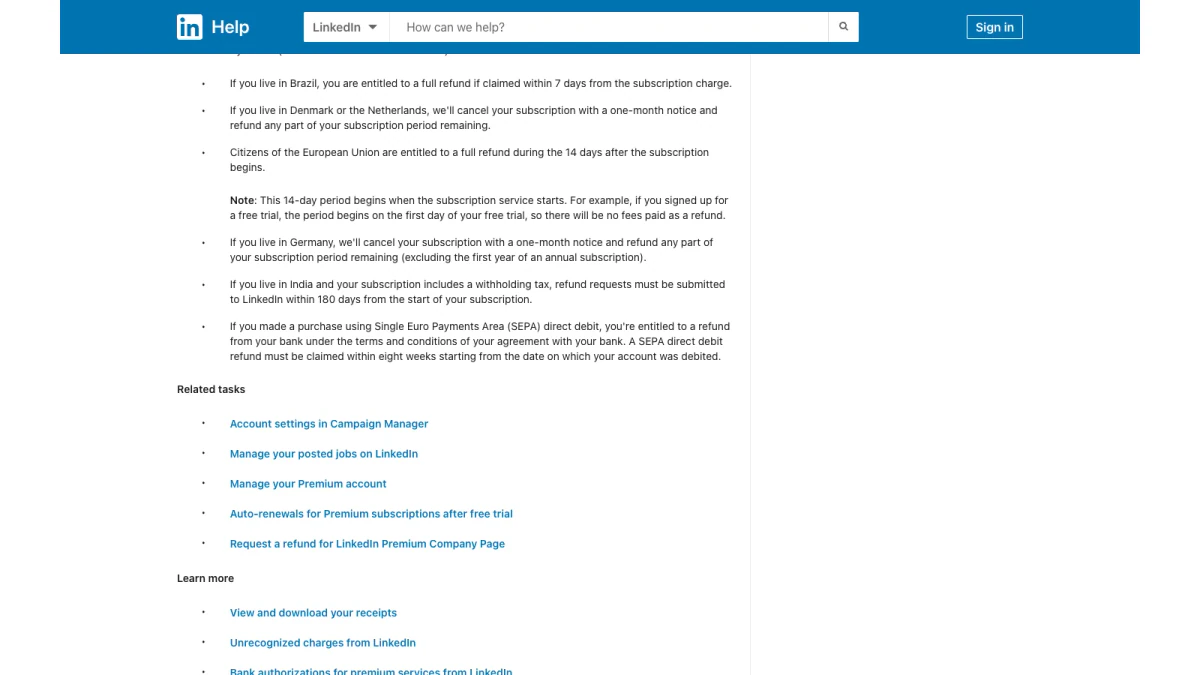
Screenshot: the regional section of LinkedIn's refund rules.
Regional rules for personal subscribers
Local law can give you more. The policy lists these cases for members buying for themselves, not a business:
| Location | Rule in the LinkedIn Premium refund policy |
|---|---|
| Brazil | Full refund if claimed in the first week after the charge |
| European Union | Full refund within 14 days after the subscription begins |
| Germany | One month's notice and a refund for the unused period, except the first year of an annual subscription |
| Denmark and the Netherlands | One month's notice plus a refund of what remains |
| India (with withholding tax) | Requests within 180 days of the subscription start |
| SEPA direct debit | Refund claimed from your bank within eight weeks of the debit |
For the EU rule, the 14 days start when the service starts. If you began with a free trial, the clock starts on its first day.
iOS app purchases
Bought Premium in the iOS app? The policy says "all iOS refunds must be issued by Apple." Ask Apple for that LinkedIn Premium refund, not LinkedIn.
How to request a LinkedIn Premium refund
The policy page has a Request a Refund link. Have the charge date and amount ready. If you never used Premium after the charge, say so plainly. Then cancel LinkedIn Premium subscription renewals too, so the next cycle does not bill while your request is open.
What makes a LinkedIn Premium refund less likely
The LinkedIn Premium refund policy names two limits. Any Premium use following the charge can rule out the seven-day refund. A refund you received before may also count against you. Regional rights above still apply where they cover you.
Downgrade Instead of Cancelling LinkedIn Premium
A downgrade keeps some features and lowers the price. The rules:
- Computer only. Downgrades happen on the LinkedIn website, not in the apps.
- Eligible subscriptions. Premium Business, plus the Core tier and the single-seat Advanced tier of Sales Navigator.
- Not eligible. You "cannot downgrade if you have a Premium Career subscription."
- New billing cycle. The cycle restarts the day you switch, at the new price.
To downgrade, open your active subscription under Purchases, click Switch plans and choose a cheaper tier.
LinkedIn Premium Subscription Receipts and Renewals
Billing questions often come up right before people cancel. Here is how LinkedIn handles them.
- Receipts. LinkedIn does not send receipts by email. You download each one from the Transactions tab.
- Invoices. LinkedIn does not issue invoices for Premium. Receipts are the only record.
- iOS receipts. Apple keeps receipts for iOS purchases in iTunes, not on LinkedIn.
- Google receipts. Google keeps those records, not LinkedIn.
- Failed renewals. If a renewal payment fails, update your payment details within five days. Otherwise LinkedIn downgrades the account.
If your company pays you back for Premium, download every receipt before the subscription ends.
Unrecognized LinkedIn Premium Charges
A charge you do not recognize is often a trial that converted. Before contacting LinkedIn, the Help Center suggests checking these:
- A colleague, former employee, relative or friend used your card on LinkedIn.
- A free trial or promotion ended and turned into a paid subscription.
- You have an active subscription, job post or ad.
- Your bank placed an authorization hold for a recent purchase or trial.
You can only see receipts for your own account. If the charge still makes no sense, LinkedIn points you to its refund rules. Note that cancelling LinkedIn Premium stops future renewals, but it does not reverse a past charge.
Checklist Before You Unsubscribe From LinkedIn Premium
Run through this list first:
- Note who billed you: LinkedIn, Apple or Google.
- Write down the next renewal date.
- Send any InMail messages you still need.
- Download receipts for expenses.
- Note the profile viewers you want to follow up.
- Decide between a downgrade and a full cancellation.
- Cancel LinkedIn Premium subscription renewal at least a day early.
- Check that Purchases now shows an end date.
Common Mistakes When Cancelling LinkedIn Premium
These slip-ups cause most surprise charges.
- Deleting the app. Removing the app does not end a subscription.
- Using the wrong device. An iOS mobile-web purchase must be ended on a computer.
- Waiting until renewal day. Late requests still bill the next cycle.
- Ending a trial on day one. You lose the rest of your free month.
- Forgetting promotions. A cancelled discount cannot be restored.
- Ignoring other products. LinkedIn Learning and the sales tools have their own steps.
Is It Easy to Cancel LinkedIn Premium?
For most members, yes. Cancelling LinkedIn Premium takes eight clicks on a computer for a direct purchase. Trouble starts when the billing source and the device do not match. A member who bought Premium on the mobile website from an iPhone cannot finish in the iOS app. A member billed by Apple gets no payment help from LinkedIn.
Timing is the second trap. Requests made on renewal day can still trigger a charge. The safest habit is to unsubscribe from LinkedIn Premium a few days early and then confirm the end date.
After Premium: Keep Your Outreach Working
Many members buy Premium for InMail. Once it ends, email becomes the main channel for the same prospects. That move only works if the addresses you send to are real.
Contact data goes stale fast. People change jobs, and old inboxes close. If you collected addresses while on Premium, check them before your first campaign. A batch of bounces can hurt your sender reputation.
Your connections stay after the account returns to Basic, so the relationships you built are not lost. What changes is reach: InMail to people outside your network goes away with Premium.
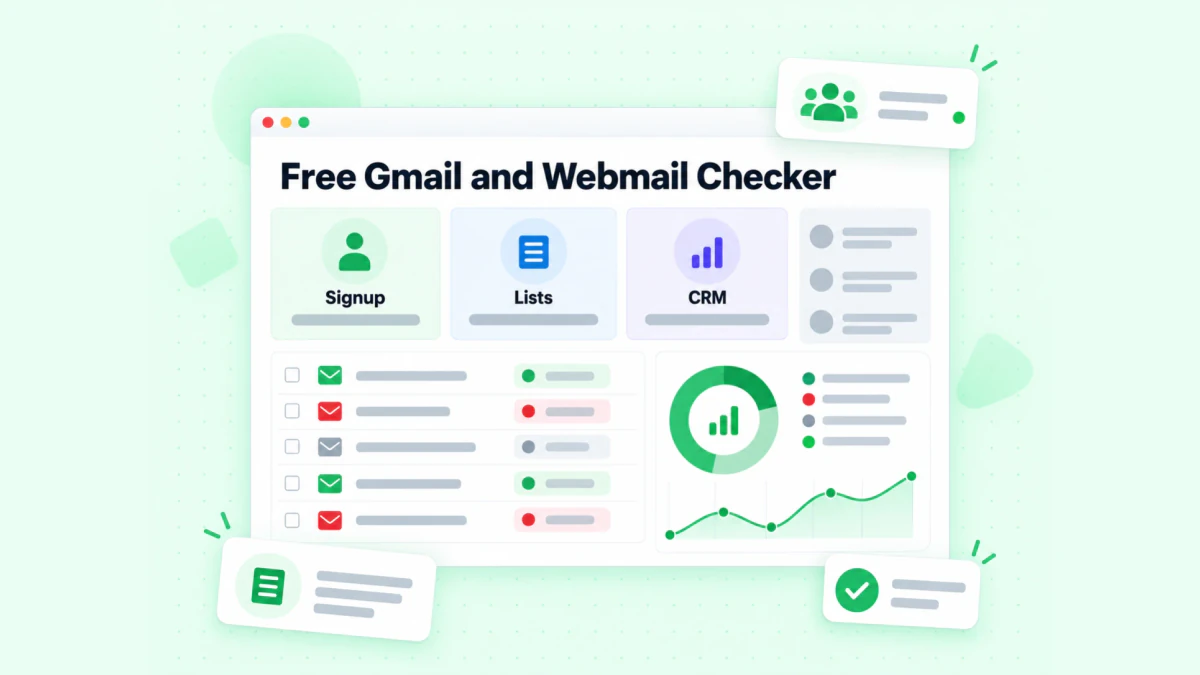
BillionVerify's free webmail checker separates personal webmail from company domains.
A few free tools help:
- Our reverse email lookup reads the domain, organisation and public profile signals behind an address.
- Our phone number validator checks whether a number is valid for its country and shows its line type.
- Our free webmail checker tells you whether an address uses Gmail, Yahoo, Outlook.com or another personal provider.
If your leads came from LinkedIn's sales tool, see our page on verifying Sales Navigator emails. BillionVerify checks syntax, domain, mail server and mailbox. You get 20 free credits each day you use your account, up to 600 a month, and unknown results are free.
Content still matters after Premium ends. Posts keep your name in front of buyers. To study a video post you liked, save it with our free LinkedIn video downloader.
FAQs
How do I cancel LinkedIn Premium?
You cancel LinkedIn Premium from the Me menu: Premium features, Manage subscription, Purchases, then Cancel subscription. Store purchases follow their own routes.
Can I cancel LinkedIn Premium anytime?
LinkedIn lets members end Premium at any time. Paid access lasts until the current cycle is over, and a trial ends immediately.
How do I cancel LinkedIn Premium on iPhone?
To cancel LinkedIn Premium on iPhone when Apple billed you, use the LinkedIn app or iOS Settings. A purchase made on LinkedIn's mobile website must be cancelled on a computer instead.
How do I cancel my LinkedIn Premium subscription if I forgot my password?
Without your password, members in the US and Germany can cancel LinkedIn Premium through LinkedIn's no-sign-in cancellation form. Elsewhere, you need to regain account access first.
Will LinkedIn refund my Premium subscription?
The LinkedIn Premium refund policy allows a request within a week of the charge if you did not use Premium. Some regions, such as the EU and Brazil, add rights under local law.
What happens to my InMail credits when I cancel?
Unused InMail credits are lost when LinkedIn Premium ends. LinkedIn says accumulated credits cannot be credited back.
Does cancelling LinkedIn Premium delete my profile?
Cancelling LinkedIn Premium does not delete your profile. You go back to a free Basic account and keep everything you built.
Can I cancel Premium on LinkedIn if I'm locked out?
Members in places such as the US and Germany can cancel Premium on LinkedIn through a no-login form. LinkedIn's sales and hiring tools still require sign-in.
How do I unsubscribe from LinkedIn Premium on Android?
To unsubscribe from LinkedIn Premium on Android, open the LinkedIn app, go to Premium features and choose to manage the subscription, then cancel. On a computer, the Me menu leads to the same option.
Can I get the same discount if I come back?
A cancelled LinkedIn Premium promotional price cannot be bought again. LinkedIn says a cancelled promotion or retired plan loses its discount for good.
How do I check that my next outreach list is safe to email?
Run the list through an email verifier before you send. BillionVerify checks each mailbox, flags catch-all and disposable addresses, and does not charge for unknown results.