

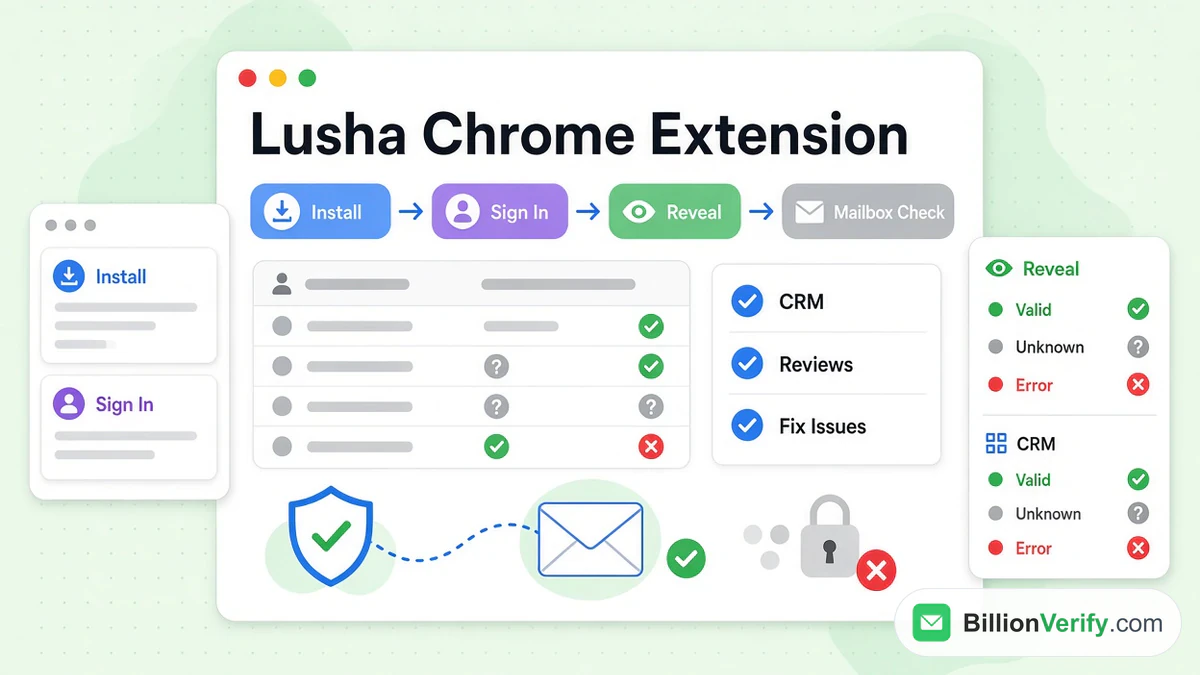
The Lusha Chrome extension is a browser extension that shows verified contact details while you work on LinkedIn, Sales Navigator, your CRM, Gmail or a company website. You click the Lusha icon, and a panel shows a work mailbox, a phone number or both, for a price in credits. This guide explains how to install the Lusha extension on Chrome or Edge, how the Lusha login works inside it, where it runs, what each reveal costs, how bulk enrichment of lead tables works, what Lusha reviews of the extension say, and how to fix the problems the vendor lists. Every fact comes from the vendor's own extension listing and documentation, read in November 2026. We are not affiliated with Lusha. BillionVerify is an email verification service, and the last section covers what to check before you write to people you found with the extension.
Key facts (checked November 2026):
- The extension listing shows a 4.3 rating on the Chrome Web Store and says the tool works on professional networks, Navigator, CRMs and supported company sites.
- The install guide covers Chrome and Edge, and says Safari lacks full support.
- A Lusha login with a password adds a code step, and an unlock costs 1 credit for a mailbox and 5 for a phone number, with repeat views of a revealed contact free.
- The free tier carries 40 credits each month, so it covers a small number of reveals, and the 4.3 store rating is the number most Lusha reviews quote.
- Lusha says the extension does not automate any browsing on LinkedIn and does not break any terms of service.
- BillionVerify bills 1 credit for each valid or invalid result, and unknown results are free.
What the Lusha Extension Does
The Lusha extension adds a panel to the places where you research prospects. Open a LinkedIn profile, press the blue Lusha icon on the right side of the screen, and the panel loads the person's contact details, company information, intent signals and colleagues, depending on your plan. A badge counter on the icon shows whether Lusha holds anything for the current screen before you open it, and a job change indicator appears when a contact recently moved roles.
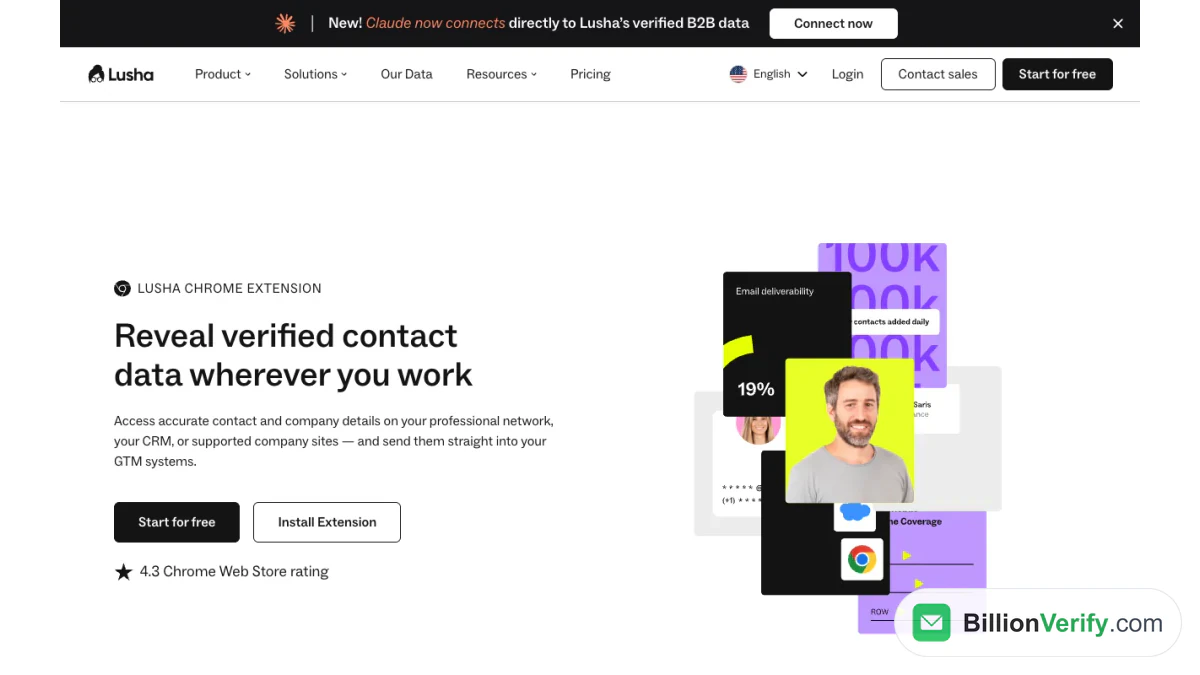
Screenshot: the extension listing on lusha.com.
The vendor describes three steps. First, sign up and add the Lusha Chrome extension in one press. Second, reveal verified details on your professional network, your CRM or company sites. Third, send the result where it belongs by saving contacts to lists, sequences or your CRM.
Where the Lusha extension works
These places appear on the listing and in the documentation:
- LinkedIn: profiles, search results and company pages.
- Navigator: lead and account tables, with bulk unlocking.
- LinkedIn Recruiter: a guide for recruiters who unlock candidate details from search results and profiles.
- Your CRM: Salesforce and HubSpot, where the extension enriches contact and account records without leaving the CRM.
- Gmail: prospecting by company, with a guide for reading recipient details.
- Any B2B website: a feature called Lusha Everywhere shows a table of employees when you open the plug-in on a company's site.
Lusha Everywhere is a setting. Turn it on in the panel under More and Settings before you use it on other sites.
Installing the Lusha Chrome Extension
The install takes a few presses, and the guide splits it by browser.
On Chrome
- Open the Chrome store listing and look up Lusha Extension, or follow the link in the guide.
- Choose Add to Chrome.
- Choose Add extension to confirm.
- Lusha sends you to LinkedIn and shows a privacy pop-up. Accept it with "Got it, let's go."
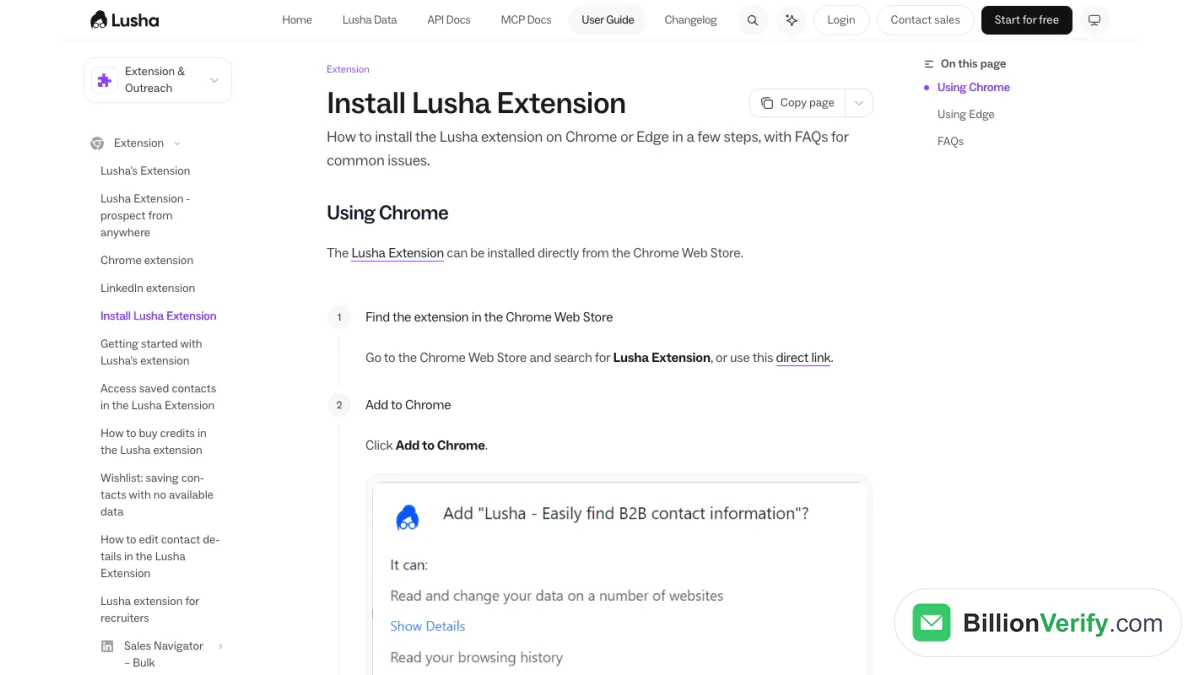
Screenshot: the install guide for both browsers.
On Edge
The Lusha extension is also in the Microsoft Edge Add-ons store. Search for Lusha, choose Get, then Add extension, and confirm the same privacy pop-up. The getting started guide steers you toward either browser and says full functionality is not supported on Safari.
What the permission prompt means
Chrome asks whether Lusha may "read and change your data on all websites." A help article explains that this permission is what makes the tool usable across the network, Navigator, CRM screens and other sites. The vendor says it reads page details only when you open the panel and that it does not store or sell browsing history. The privacy notice has the full wording.
Lusha Login Inside the Extension
A Lusha login comes before the first reveal. Sign in to the web app first, then go to a LinkedIn profile, a results list or a company profile and select the icon. If the panel shows a Sign In button, press it and enter the same details. You need a Lusha profile, and the free tier works, so you can try the extension before you pay.
Which Lusha login button to press
The sign-in screen at auth.lusha.com offers a password form plus Google, Office 365 and SSO buttons. Use the route that matches how the profile was created, because the wrong button simply fails and the form gives no hint. SSO covers Google, Microsoft, Okta, Azure and custom SAML, and it suits teams that manage staff in a directory, which turns a leaver's Lusha login off when the directory profile closes.
Codes and the 90-day check on every Lusha login
Paid users who sign in with a password must pass two-factor authentication. After the password, a numeric code of six digits arrives at the mailbox on file and stays valid for 10 minutes. Verification is tied to the browser and device and repeats once every 90 days, so a Lusha login in a second browser, or in incognito mode, asks again. Requesting many codes in a short time triggers a temporary limit. SSO users are exempt.
Lusha login for teams and admins
Every teammate needs their own login. Top-ups from the extension pop-up are an admin task, and per-user credit caps exist only on Scale plans. On a Scale account an admin can set the inactivity timeout to 90 days under Settings and Account Settings, which keeps the Lusha login alive between sessions. A shared Lusha login breaks the code check, because the code goes to whoever owns that profile's mailbox.
When the Lusha login loops
Sometimes the panel asks for a Lusha login even though the web app is open. The vendor has a separate article for that case. The usual first steps are to allow cookies, sign out of the dashboard, close the browser fully and sign back in. If you lost access to the mailbox that receives the codes, the documented order is to ask your admin, then to create a new profile with an updated address, and finally to contact support. A code that arrives when you did not attempt a Lusha login means someone tried your password, so change it at once.
What a Reveal Costs
Every unlock uses credits, and the panel shows the cost before you press. The credit guide prices the platform and the tool together:
| Action | Credits |
|---|---|
| Reveal a mailbox | 1 |
| Reveal a phone number | 5 |
| Unlock both together | Up to 6 |
| Re-view a contact you already revealed | 0 |
| Search, filter or view company information | 0 |
A contact is charged once, even across sessions. The free tier grants 40 per month, which is 40 mailboxes or 8 phone numbers. Our Lusha pricing article lists every plan and the cost per contact.
When the balance runs out
At the limit the Lusha extension shows a pop-up. Only admins can top up from it, by pressing Add credits and choosing how, without leaving the network, Salesforce, HubSpot or Lusha Everywhere. A user who is not an admin sees the limit message and has to ask.
Working With Reveals
After a reveal, you can act on the result without leaving the screen. You can save the contact to a table, with an optional tag, or export it to your CRM. Connected CRMs appear at the top of the list, and others show as not connected. You can also add contacts to a sequence from the extension, edit a contact's details, and open saved contacts from any table.
Wishlist for missing details
Not every person has anything in Lusha. When nothing is available, the wishlist saves the contact to your tables or CRM, and Lusha notifies you when something appears. That spares you from paying for a reveal that returns nothing.
Bulk enrichment on Navigator
Bulk enrichment reveals details for many people at once from a lead or account table. Open the table, select the Lusha icon at the top right, pick contacts one by one or pick all visible rows, and choose Show details. Each unlock draws from your plan, so a list of 25 leads with mailboxes and phones can spend up to 150 credits.
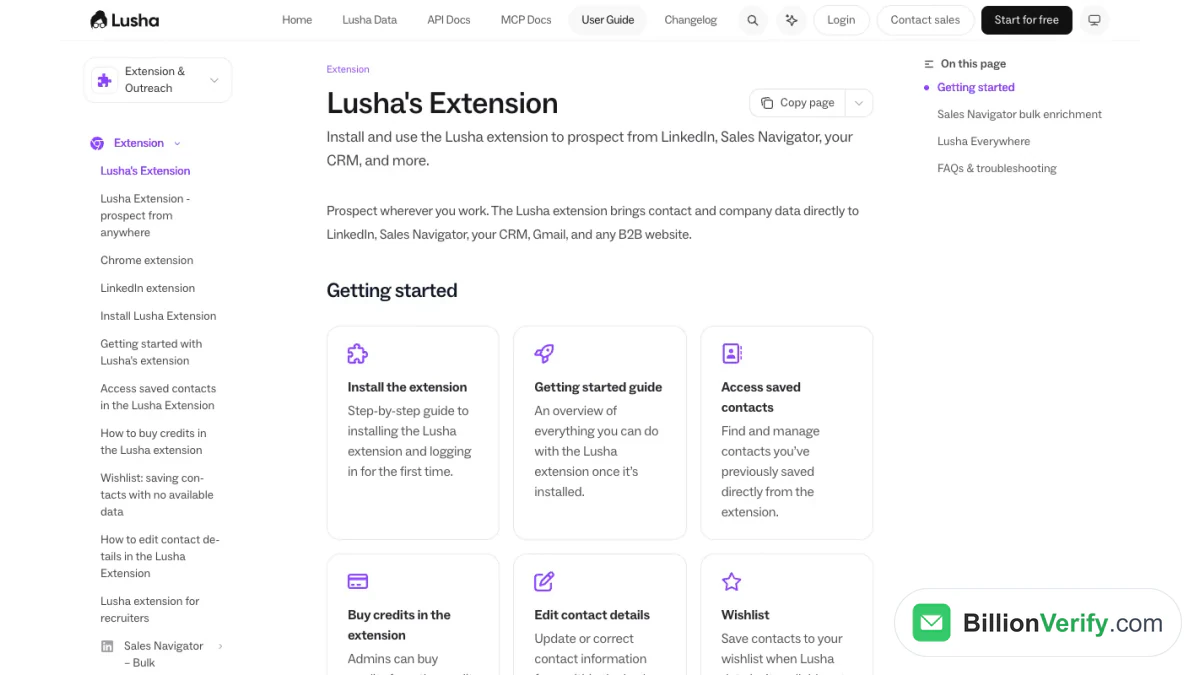
Screenshot: the documentation hub for the extension.
The plug-in also offers bulk save to a table and bulk save to a CRM from Navigator, so you can collect and export in a few presses.
Lusha Reviews: What Users Say About It
The store listing rates the Lusha extension at 4.3, and the vendor's own page repeats it. Ratings there mix casual and heavy users, so read Lusha reviews as signals about particular parts of the experience rather than as a verdict on the whole product.
What Lusha reviews usually describe
Reviews that mention a blank panel point to cookies or an outdated extension, and the fixes below cover them. Complaints about running out of credits concern the plan, not the extension. Remarks about missing phone numbers concern coverage, which the documentation says varies a great deal by country. Notes about a pop-up asking for broad site access concern the permission explained earlier.
How to read each of the reviews
Check the date on every review, because the extension and the plans change. Check the browser as well, since the vendor treats Safari as unsupported. A fair review also says which site it was used on: the network, Navigator and Gmail behave differently from a CRM. Finally, see whether the writer judged the tool by the reveal or by the mail that later reached an inbox, because those are different questions.
Reviews depend on the plan
Reviews from a free profile describe a month of 40. The pricing screen lists 400 credits a month for Starter, 600 for Pro and 3,400 for Premium, so reviews by heavy users describe a different experience. Compare like with like before you trust a complaint about running dry.
Testing the claims in Lusha reviews
The cheapest test is the no-charge tier. A free profile gets 40 monthly, enough for roughly forty mailboxes or eight numbers. Pick ten prospects you already know, reveal them, and compare the answers with what you hold. Then run the mailboxes through a verifier. Your own ten results will tell you more than any pile of reviews, and the same test shows whether the extension suits your target region.
Troubleshooting the Lusha Extension
The troubleshooting guide says the Lusha extension usually recovers in a few minutes. It names six causes. You are not signed in. The plug-in needs an update. A browser conflict or cache issue blocks it. The screen you are on is not supported. The balance is empty. Or corrupted storage causes a reload loop.
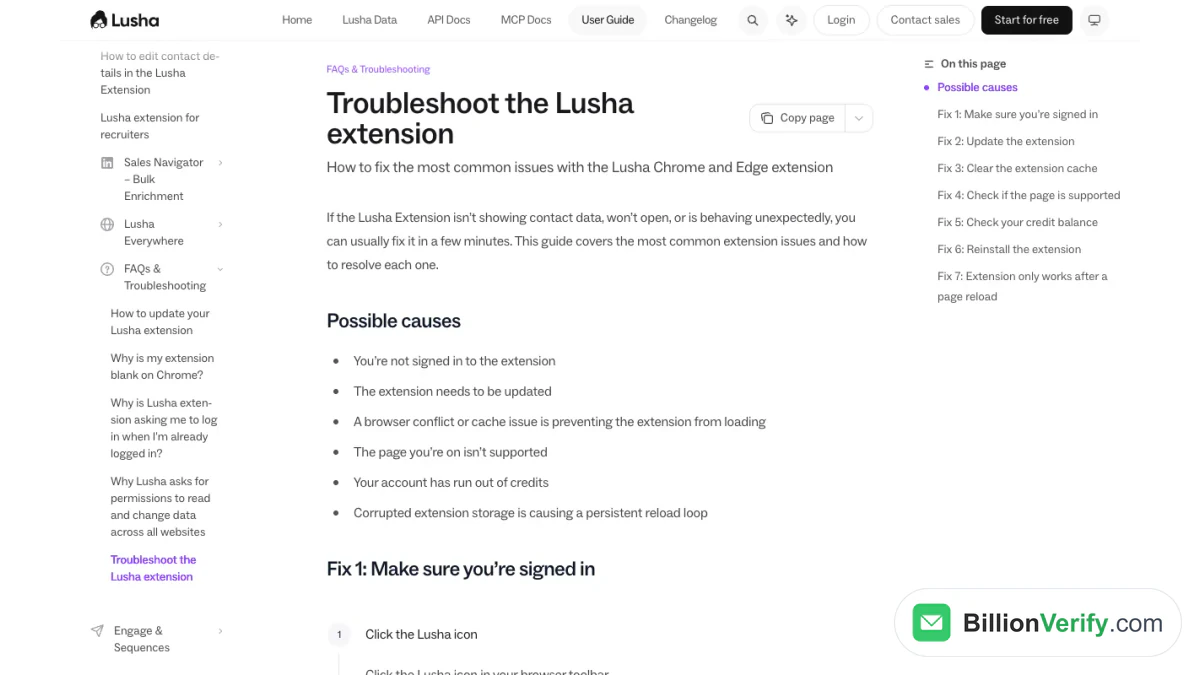
Screenshot: the troubleshooting guide.
Fixes in the order Lusha lists them
- Sign in. Press the Lusha icon in the toolbar, sign in if prompted, refresh and try again.
- Update the extension. In Chrome, open chrome://extensions, turn on Developer mode and choose Update. In Edge, use edge://extensions with the same steps.
- Clear the cache. The guide walks through the Manage extension screen.
- Check the screen. Confirm that the site you are on is supported.
- Check the balance. An empty one blocks reveals.
- Reinstall if nothing else works.
- Reload the screen if the extension only works after a reload, which the vendor treats as its own case.
A blank panel or no results
The vendor says a blank or grey panel on Chrome often relates to cookie settings. Open chrome://settings/cookies and select Allow all cookies. Then go to the dashboard, log out, restart the browser and log back in.
Will it get my LinkedIn profile banned?
The install guide's FAQ addresses ban worries. The vendor states that nothing is automated and that LinkedIn's terms stay unbroken. That is the vendor's statement, so read LinkedIn's current terms for your own use. The wording covers the tool, not what you do with the details afterwards.
Checking Mailboxes You Find With the Extension
Each revealed mailbox gets a confidence rating, and the documentation advises leading with the high ones. The rating is included in the 1-credit price. Medium means the mailbox follows a known pattern but has not been fully verified. Low means verification is limited. The rating is a statement of evidence at one moment, not a live test.
BillionVerify's email extractor page covers browser extensions that collect addresses.
A fast pace of reveals makes it easy to build a large list, so check the list before it goes into a sending tool. BillionVerify tests each address with syntax, DNS, MX and SMTP checks and reports catch-all addresses as their own class. It charges for conclusive verdicts only, re-checks the same address free within 24 hours, and gives new users 20 free credits on each day of use, up to 600 monthly, with no card. Paste a single unlock into the email verifier, or export the table and upload it to bulk email verification. The free BillionVerify Email Checker also marks disposable and role addresses without an account.
If a person has nothing in Lusha, a reverse email lookup helps you confirm who owns an address you found another way. Our email finder returns only verified work emails for a name and a company domain, on paid accounts only. Before you call a number you paid five credits to reveal, run it through a phone number validator.
Sending still follows the CAN-SPAM Act in the United States, which requires accurate sender information, an honest subject line, a postal address and a working opt-out. Our CAN-SPAM guide explains each rule, and what Lusha is covers where its records come from and how to opt out.
FAQs
How is the Lusha Chrome extension installed?
Open the store listing, find Lusha Extension, use the Add button and confirm. Lusha opens the network, where you accept the privacy pop-up.
Does the Lusha extension work on Edge and Safari?
It works on Edge through Microsoft's own extension store. Safari is not fully supported, according to the vendor.
Is the Lusha Chrome extension free?
Installing it is free, and the no-charge tier includes 40 monthly. Each reveal still costs credits, so paid plans are needed for volume.
Why does my Lusha login keep asking for a code?
A new browser, a new device or an incognito session triggers the check again, and a verified session lapses after 90 days. Rapid repeat requests also trip a brief cap. SSO users skip the code, and the sign-in for the extension is the same one as the web app.
Where is the Lusha login for the extension?
There is no separate one. Sign in at auth.lusha.com, then press Sign In in the panel if it asks.
Which sites does the Lusha extension support?
On LinkedIn, Navigator, Salesforce, HubSpot, Gmail and, with Lusha Everywhere turned on, any B2B company site. A version for recruiters is documented too.
What do Lusha reviews say about this tool?
Most Lusha reviews cluster around four themes: a blank panel, an empty balance, thin coverage in some countries and the permission pop-up. Read reviews by date and by browser, and test the no-charge tier on your own prospects.
Why is my Lusha extension blank?
Common causes are not being signed in, an outdated plug-in, cookie settings, an unsupported screen and an empty balance. Loosen cookie settings, sign out and back in, update the tool and look at your balance.
Does the extension put my LinkedIn profile at risk?
The vendor says no browsing is automated. Check LinkedIn's current rules for how you use the details.
Do I need to verify the mailboxes the extension shows?
Check them before you send. Lusha rates each one by confidence, but the rating is not a live test. A verifier removes dead addresses before they cause bounces.
Watch: Bulk Email Verification: How to Verify an Email List From a File
Watch: How to Export Past Email Finder Results From Find History
