

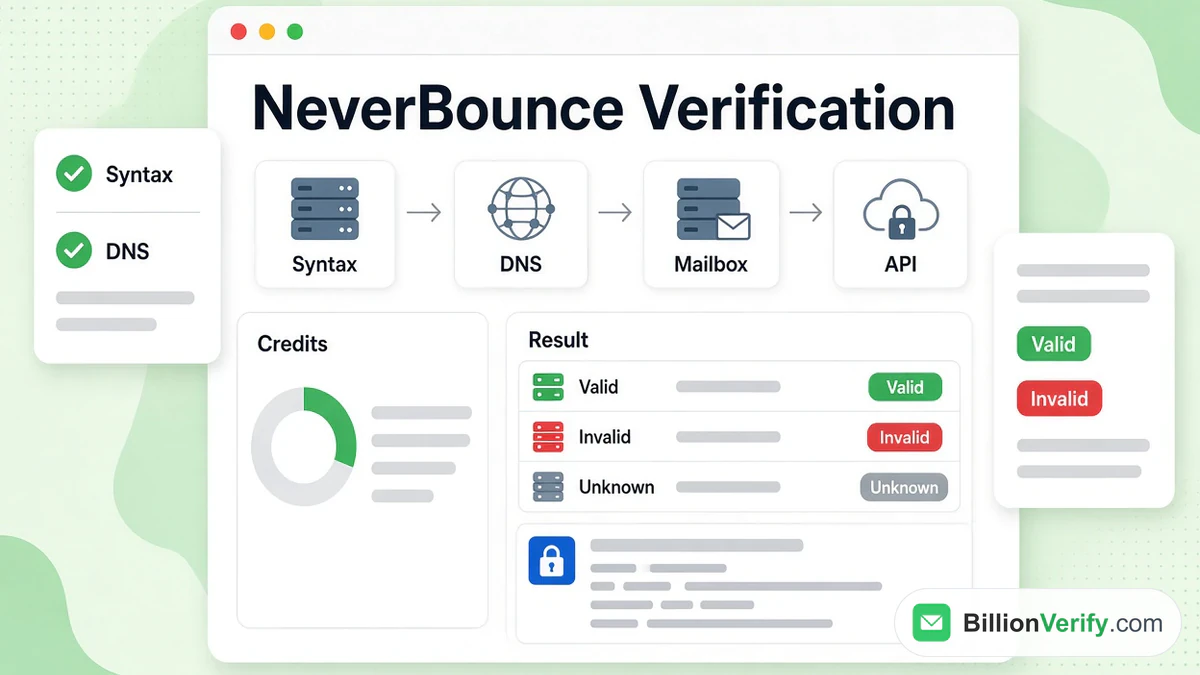
NeverBounce is an email verification service: you hand it a mailbox, a spreadsheet or a form field, and it returns a verdict. Teams use it to keep bad entries out of a database before mail goes out. The company dates from 2014 and now belongs to ZoomInfo.
This guide covers the product, its codes, the developer interface, the plans and the limits. Facts come from neverbounce.com and its documentation, as listed on its site in October 2026. We are not affiliated with NeverBounce. BillionVerify sells a competing product, so a single section compares the two.
Key facts (checked October 2026):
- NeverBounce is owned by ZoomInfo and was established in 2014 in Cleveland, Ohio, according to its company screen.
- The same screen counts 150,000 clients, a billion cleaned emails and more than eighty integrations.
- Its API sorts every input into five values: valid, invalid, disposable, catchall or unknown, as the /check reference lists.
- Prepaid packs sell at $8 per thousand and lapse a year later, according to the pricing screen.
- The Growth plan runs $49 monthly for up to 10,000 cleaned emails, with two hundred leads picked by AI each month.
- BillionVerify bills one credit for a valid or invalid result, charges nothing for unknown, and grants 20 credits on each day you use the account.
What Is NeverBounce?
The task is narrow. A verifier decides whether a mailbox exists, whether the domain accepts mail, and whether the entry deserves a send. Marketers run a clean ahead of a launch. Sales teams run their own on an export. Developers wire a check into a signup form so garbage never reaches the database.
NeverBounce has done that work for over a decade. Its own copy calls the tool an email checker, a bounce remover and a cleaning platform at once. All three labels describe the same product.
Ownership sits with ZoomInfo. Every footer carries a ZoomInfo copyright line, while the brand and the interface still read NeverBounce.
The Two Spellings, NeverBounce and Never Bounce
Plenty of people write the name as two words. The logo splits it that way, which is where the habit starts. Both forms reach the same site, the same account and the same prices.
What the Platform Includes
Four products sit under the brand, each aimed at a different moment:
- Clean: bulk uploads with a column picker and downloadable results.
- Verify: real-time checks from a dashboard, a JavaScript widget or the API.
- Sync: scheduled cleaning that keeps a CRM or warehouse current.
- n8n automation: prebuilt workflows for no-code teams.
AI scoring and a feature called GTM Guard joined the lineup later. Scoring ranks contacts by likely engagement. GTM Guard feeds clean inputs to the agents that run outreach.
Who Uses It
The About page names more than 150,000 customers and over a billion messages cleaned. Most are marketers who send at volume. A second group is developers who need a verification call inside a product.
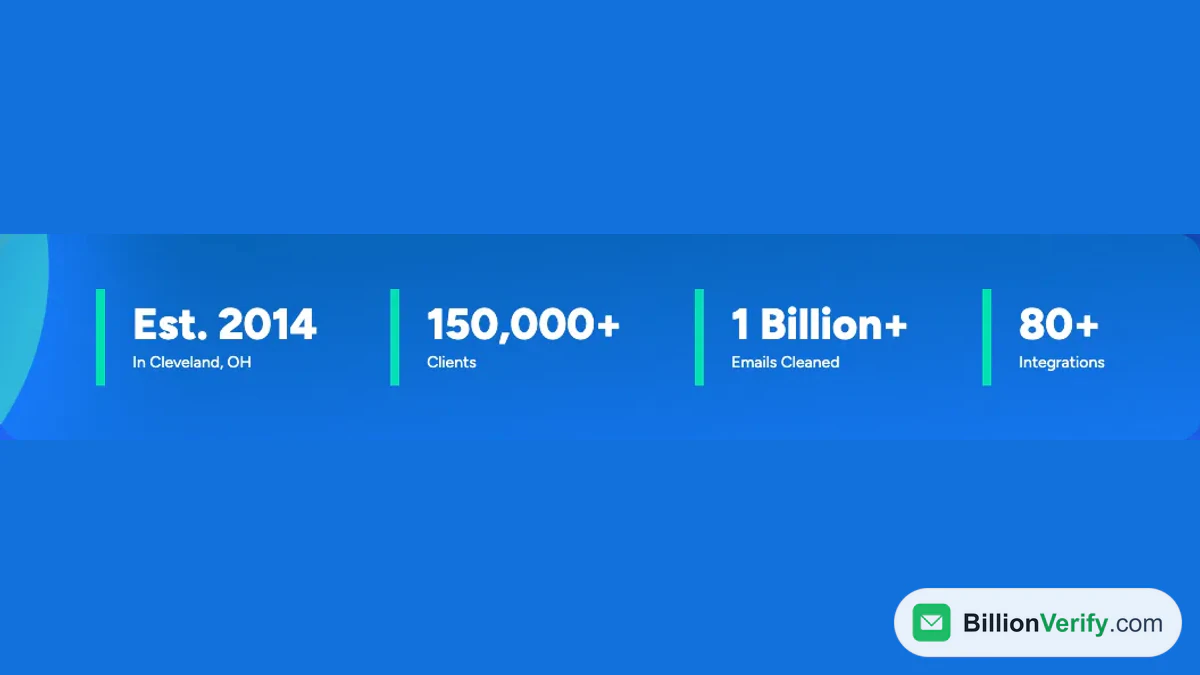
Screenshot: the company figures on NeverBounce's About page.
Case studies lean toward email platforms and agencies. iContact, for instance, describes embedding the checker in its own product for its customers.
How Does NeverBounce Email Verification Work?
NeverBounce email verification runs in layers. Syntax comes first, then DNS records, then the mail exchanger, then a live exchange with the receiving server. The site describes a 20+ step process, with each email tested up to 75 times across servers in several regions.
A hard bounce says the mailbox does not exist. A soft bounce says the inbox is full or the host is busy. Verification tells the two apart before you send. That depth matters because mailbox answers change: a provider may throttle a probe and answer the next. NeverBounce calls its method hybrid verification: accept-all detection combined with a live probe at the moment of the request, so one address may see several probes before a verdict lands.
Three routes reach the same engine. A dashboard upload suits a spreadsheet. A widget suits a signup page. The API suits a product or a nightly job.
Single Checks at the Point of Entry
The verifier screen carries a box labelled "Give it a shot. Verify an email address!" A visitor pastes one and presses Validate. That flow needs no account.
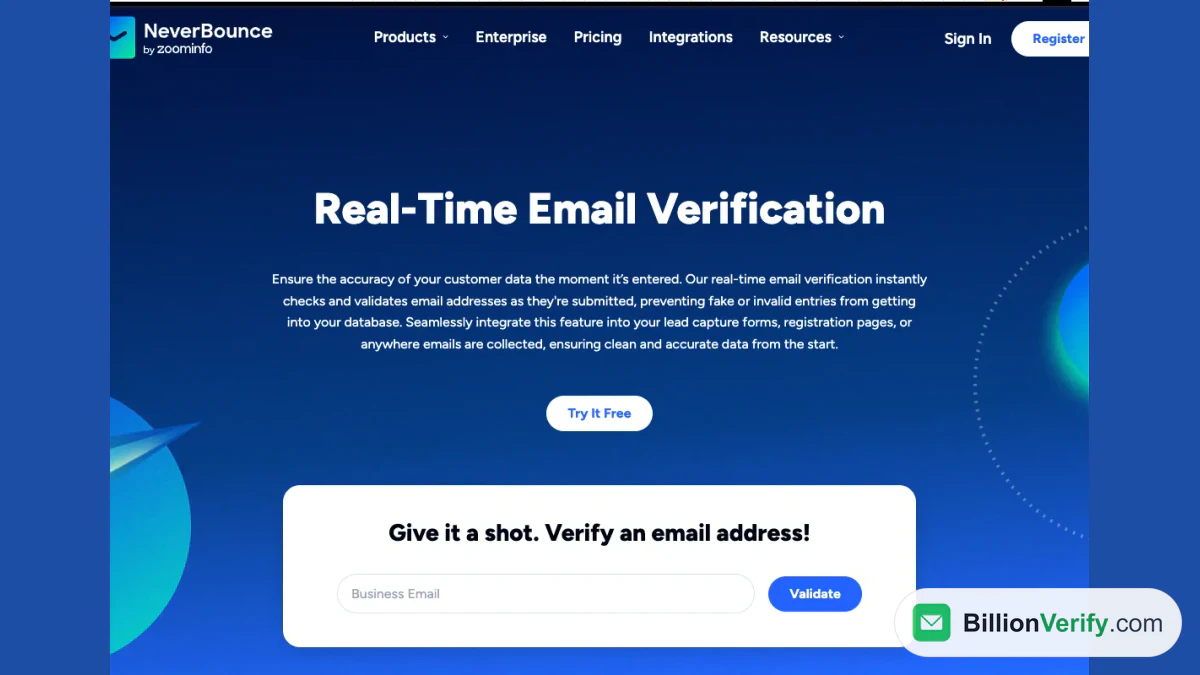
Screenshot: the live checking page on NeverBounce's site.
Real-time email verification suits a form, where a slow answer costs a signup. For that job the documentation is specific: let anything but an invalid or disposable answer through. Unknowns turn up more often on single probes than on bulk runs, so a strict form can turn away real people. The same notes suggest a client timeout near ten seconds, with any timeout read as unknown.
Bulk Cleaning by Upload
Bulk email verification follows a fixed path:
- Sign in and open Clean.
- Upload a spreadsheet or delimited export, then pick the column with the mailboxes.
- Start the job and leave the tab open or come back later.
- Watch progress until the job reports complete.
- Download the output, which splits rows by outcome.
The verification pass splits a file into groups, and each group deserves its own decision. The download places a result code in the last column of every row. Never reuse a cleaned file for a campaign a year later, since mailboxes die faster than most teams expect, and a list will not stay clean for long. Deduplication happens before the bill. The documentation says a list is indexed and deduped first, and the status payload carries a duplicate count beside the totals.
A list that bounces heavily is usually old, and the pattern repeats on role accounts, so a stale file rarely improves on its own. The status payload also carries a bounce estimate, which most senders read before they download anything. Volume is not a problem for the pipeline. The vendor claims ten thousand entries can clear in about three minutes.
The Sample Run Ahead of a Full Pass
You do not have to pay to learn whether a file is healthy. A sample returns an estimated bounce rate between 0.0 and 100.0, and the notes publish the reading:
- Under 2.0 is usually safe to send.
- From 2.0 to 8.0 may need a clean, depending on the sender.
- Above 8.0 should always be verified.
A high bounce count deserves a second look ahead of any purchase. The forecast is a guess, not a promise, so treat the number as a reason to look closer. That figure moves with the domain mix, so compare like with like. Verification is the step that turns an estimate into a decision, and teams use it to judge whether a full pass deserves the spend.
The API Path
Developers get an endpoint per task. A bulk job is opened, polled and downloaded through three calls. The notes recommend polling every five to ten seconds for files under 50,000 rows, and less often above that.
Jobs start on their own unless told otherwise. That detail bites during testing: a list submitted through the endpoint begins spending balance right away, so the notes suggest batches of under ten contacts while an integration is fresh.
What Do the Result Codes Mean?
Every email verification ends in a short string. The API reference lists five outcomes, and each implies a different action.
| Code | What the reference says |
|---|---|
| valid | Verified as a real address. |
| invalid | Verified as not valid. |
| disposable | A temporary, disposable address. |
| catchall | A domain-wide setting, also called accept-all and marked unverifiable. |
| unknown | The server cannot be reached. |
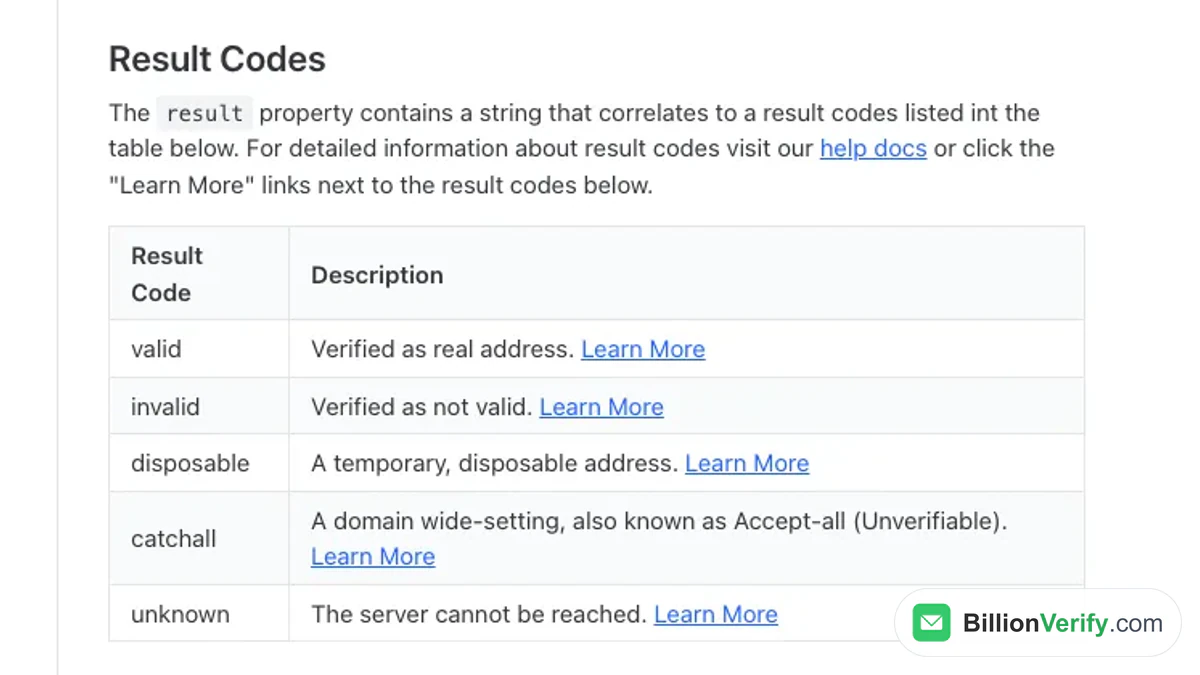
Screenshot: the result code table in NeverBounce's API reference.
Catchall Domains and the Accept-All Label
A server that accepts every name answers yes to everything, so no probe can prove a mailbox exists. NeverBounce tags that outcome catchall and adds the gloss "Accept-all (Unverifiable)". The label is honest: the email may work, and no test can say so with confidence.
Never mail such a list without a plan for the replies. Senders handle this group in different ways. Some mail it and watch engagement. Some drop it. Some score it and keep the top slice. The reference gives the verdict, not the policy.
Unknown Results and Retries
A hard bounce rarely returns, while a soft one often does. Unresolved answers come from three places: a dead server, a greylist, or a probe that timed out. The notes ask for patience here, since the email itself may be fine and only the reply was late.
A reading under 2.0 is the usual target, and the sample tells you where a list sits. For unknowns, the notes point to a repeat run rather than a hard block, and the same advice works on a form. A timeout or a greylist is never evidence that the mailbox is dead, so silence should not cost a signup.
The Flags Behind a Verdict
A verdict arrives with flags that explain it. The reference lists more than twenty, among them has_dns, has_dns_mx, bad_syntax, role_account, disposable_email, free_email_host, spelling_mistake, accepts_all and smtp_connectable.
Flags are the useful part for triage. A role account such as sales@ is a real mailbox that rarely deserves a cold send. A free mail host says something about the list, not about a fault in the email.
What Are the NeverBounce API and Integrations?
The NeverBounce API speaks REST over HTTPS and returns JSON, and the current revision is 4.2. Keys are not global. Since version 4, an account can hold several, each tied to a custom integration, which keeps reporting separate for every product or client.
That design suits agencies, and each client app gets its own key, its own traffic and its own stats. Verification logs also serve as an audit trail when a client asks what was cleaned and when.
Endpoints and Parameters
The NeverBounce API covers both working styles with a short list of calls:
GET /single/checktests a mailbox and returns a code plus flags.POST /jobs/createopens a bulk job from a remote CSV or from rows sent in the body.GET /jobs/statusreports totals, progress and an estimated bounce.GET /jobs/downloadreturns the finished file as CSV.POST /jobs/startbegins a job that was created as a sample.
A single check accepts a timeout argument. Anything unresolved at that point returns unknown, which keeps a form from hanging on a slow provider.
SDKs, Wrappers and the Widget
Client libraries for the NeverBounce API exist for Python, .NET, Java and Node.js. The Node package needs version 18 or newer and ships with type definitions. Wrappers for PHP, Ruby and Go come from the community.
A JavaScript widget covers the browser case without exposing a NeverBounce API key. The documentation warns against calling the service from client code, since a credential inside a page bundle hands your account to anyone who opens the console. The widget avoids that by proxying the request.
Integrations
The plan screen points to more than eighty integrations. Direct connections cover the big email platforms, and Zapier, n8n, HubSpot and Mailchimp appear in the marketing copy.
The practical gain is small for a single campaign and large for a recurring one. Sync keeps a client database current without anyone remembering to push a fresh export.

An illustration from BillionVerify's email verification API page.
NeverBounce Pricing: Credits, Plans and Expiry
NeverBounce sells checks in three shapes. A prepaid pack suits one-off cleans, a monthly plan suits a running pipeline, and a contract suits volume. The figures below follow its pricing page, checked in October 2026.
| Plan | Price | What the screen lists |
|---|---|---|
| Pay as you go | $8 per 1,000 checks, $0.008 each | Ten lists at once, typo fixing, company names, GTM Guard |
| Growth | $49 a month | Up to 10,000 emails, AI scoring, 200 AI-picked leads, CRM sync |
| Enterprise | Custom | Typically for 250,000+ emails a month |
What a Credit Buys
A single credit covers a single checked mailbox. The prepaid screen adds two extras at no charge: a typo fix such as gmai to gmail, and a company name pulled from the domain.
Duplicates come without a fee on the Growth plan. The copy says you pay only for new, unique entries, which matters when a sync runs nightly against a growing CRM.
Expiry and the Free Start
Anything prepaid lapses a year after purchase. That rule shapes buying: a small team should size a pack to twelve months of real use, not to a discount tier. Never buy a pack larger than a year of steady work.
New accounts start without a card. The rate card promises a sample run plus a few starter checks, which is enough to inspect a list before paying anything.
Comparing the Cost per Email
At the base rate, a thousand checks cost eight dollars. The unit price falls as the pack grows, and the Growth plan bundles 10,000 for $49, so the monthly route wins for anyone who cleans more than a few thousand entries a month.
Enterprise pricing is quoted, not listed. Teams at that scale should expect a contract and a security review.
Ownership, Data Handling and the Delivery Guarantee
Facts about the company matter when a list is your customer database. NeverBounce answers most of the obvious questions on its own pages.
The Company That Owns It
The About page gives a founding year of 2014 and a home in Cleveland, Ohio. It also names ZoomInfo as the company behind the product.
Size claims sit there too: a client base in the six figures, a billion addresses cleaned and 80+ integrations. Treat them as vendor figures, not audited counts.
Privacy and Message Behaviour
Two statements stand out. The site says it follows GDPR rules and keeps contact data private. It also says the service never sends mail to your contacts during a check, which separates it from tools that test a mailbox by mailing it.
Team accounts share a credit pool. Owners and admins can grant access to stored lists and usage data, which helps an agency that runs several brands.
The Delivery Guarantee
Every bounce that reaches an inbox costs a send and a little trust. The marketing screen promises up to 99% delivery on a cleaned file and a refund for the gap above 3%. That is a commercial promise with conditions, so read the terms before relying on it.
No verifier can reach a zero bounce rate. Mail servers change between a check and a send, so a good process accepts the gap and keeps a schedule.
Support Channels
Help runs on three channels: chat, phone and email during East Coast business hours, with a self-service help desk that stays open around the clock. That desk groups articles by topic, from result codes to billing, and service incidents land on the ZoomInfo status page.
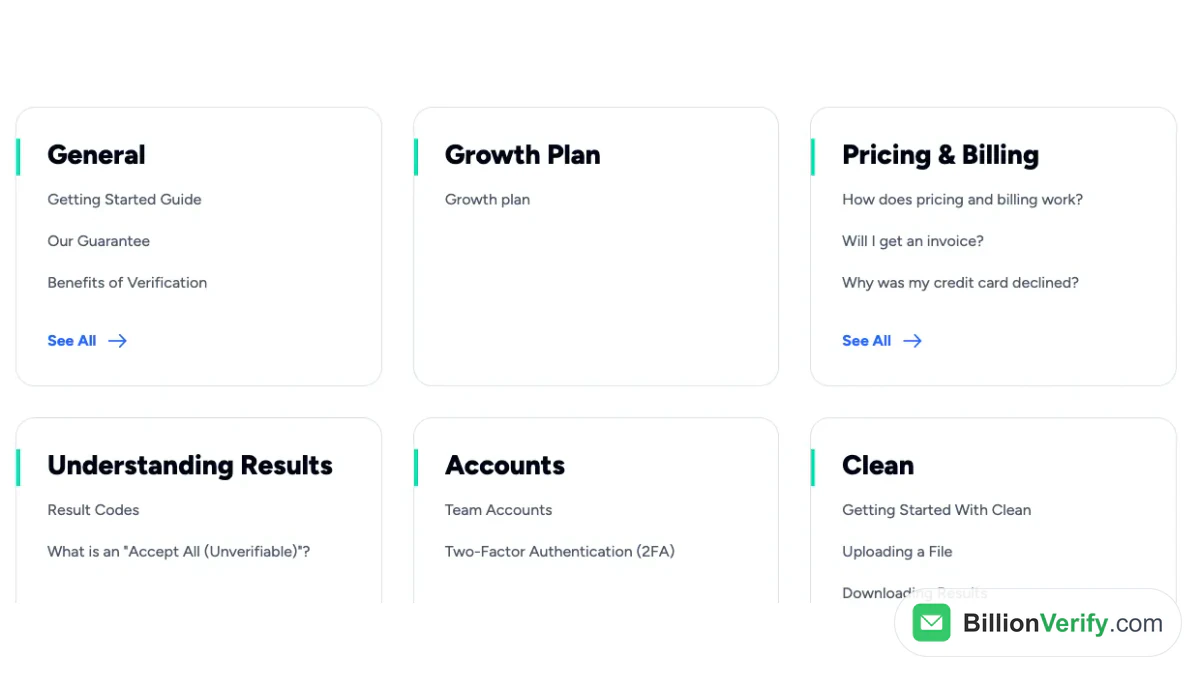
Screenshot: the help desk categories on NeverBounce's support site.
Which Teams Look for NeverBounce Alternatives, and Why
Most searches for NeverBounce alternatives start with a mismatch, not a defect. The product works; the fit does not.
A buyer scanning NeverBounce alternatives usually has four complaints, and cost sits near the top of the list. A prepaid balance expires after twelve months, which punishes seasonal senders. A monthly plan is priced for a pipeline, not for a single big clean. A team that wants each catchall address tested rather than labelled looks elsewhere. And a buyer who wants a per-email rate below a cent at small volume will find cheaper options.
Smaller signals exist too. A bounce trend that climbs month over month is one of them. Some teams want a European data region. Some want an agent-facing interface. Some want a trial that asks for no payment details.
What to Compare Before Switching
A switch costs time, so compare on the items that change the bill:
- How unknown and catch-all results are billed.
- Whether a balance expires.
- What the upload ceiling is per run.
- Which checks run beyond syntax and DNS.
- Whether a recheck is free after a bad verdict.
Any tool that answers those five plainly is worth a trial. A cheap verifier does not repair a bad offer, so price is only one input. Our own pricing summary lists the same five for BillionVerify.
When the Gap Is Finding Emails
Email verification assumes you already hold a mailbox. If the real gap is a missing email for a named person at a company, a verifier will not help.
BillionVerify's email finder takes a name and a company domain and returns a verified work email. A hit costs 10 credits and a miss costs nothing. The finder tools need a paid account. Already have the address? Then check an email address before you send and see its SMTP result for free.
NeverBounce vs BillionVerify
This section compares two services. BillionVerify is our product, and its figures come from our own pages. The NeverBounce figures come from the screens cited above.
| Item | NeverBounce | BillionVerify |
|---|---|---|
| Valid and invalid results | 1 credit each | 1 credit each |
| Unknown results | Not itemised in its pricing copy | No charge |
| Catchall | Its own code, labelled unverifiable | Its own class, never counted as valid |
| Free allowance | Trial credits, a sample job | 20 credits per active day, 600 a month |
| Expiry | Prepaid packs last 12 months | Credits never expire |
| Recheck | Re-run the job | Free within 24 hours |
| Interface | REST API, widget, 80+ integrations | REST API, MCP server, 25+ integrations |
Billing and Allowances
Both services charge for the two outcomes that cost real work: a valid email and one that fails. The third outcome is where the rules part. Our price list leaves an unresolved answer unbilled, while the NeverBounce screens never say how they treat that case, so ask before a large buy.
Our free tier renews on days you log in, and an unused balance stays put. NeverBounce starts new accounts with a sample instead.
Catchall and Unknown Handling
NeverBounce labels such a domain unverifiable and hands you the group plus an optional score. That is a fair answer, and the choice of what to do stays with the sender.
We report catchall as a separate class and never fold it into valid. The group stays visible, and seeing it costs nothing extra.
Scale, API and Data Region
Our upload path takes large files without a row cap, and results can be exported as CSV, Excel or JSON. The API is REST, and an MCP server connects agents directly. Servers sit in France, inside the EU, and we sign a DPA on request.
NeverBounce has a clear strength: breadth. It adds a browser widget, a longer integration list and a decade of public documentation, which keeps the cleaning close to the sending tool. For a team already inside ZoomInfo, that ecosystem is the stronger argument.
Where Each Product Fits
NeverBounce makes sense when you want a settled brand, a wide integration catalogue and a monthly bundle that includes lead discovery and scoring.
BillionVerify makes sense when the price per check matters, when a balance should not expire, and when catch-all answers must stay a separate class. Anyone weighing NeverBounce alternatives should test one file on each tool before committing. For the full breakdown, see our NeverBounce comparison page.
How Do You Start with NeverBounce?
The first run takes minutes and costs nothing.
- Register an account and confirm the email you signed up with.
- Open Clean, then upload a file and choose the column that holds the mailboxes.
- Run the sample if you only want a bounce preview.
- Start the full job when the estimate looks bad enough to justify it.
- Download the results and keep the codes with the original rows.
Bounced rows go into their own sheet, and the rest can go out. A verifier that labels a file is only half the job; the follow-up decides what happens to each group.
For a product integration, the path is different. Create a custom integration, copy its key, then call the single endpoint from your server. Test with a handful of mailboxes before pointing a live form at it.
NeverBounce FAQs
Does NeverBounce give free credits?
A new account gets a small starter balance and a single sample, and the rate card says no card is needed for a first clean. The amount is small, so treat it as a trial rather than a working balance.
What does an unknown result mean?
An unknown verdict says the test could not finish, not that the mailbox is missing. A slow host, a filter or a request that ran out of time produces it, and a second pass often resolves the email.
Do purchased credits expire?
Yes. A prepaid balance dies twelve months after purchase, and the pricing screen states the rule beside the price selector. Monthly plans bill on a cycle instead.
Can I check one email without uploading a file?
The site keeps a no-cost box on its verification screen for exactly that. Paste an address, press the button, read the verdict. No account is required for the test.
Which languages have official libraries?
Supported SDKs for Node.js, Python, Java and .NET ship from the vendor. Alongside those, community projects wrap PHP, Go and Ruby, and the browser case is handled by a JavaScript widget.
Does it fix typos in a domain?
A misspelled domain such as gmal.com can come back with a suggestion, and the prepaid plan advertises automatic correction. The suggestion is advice, not a rewrite of your file.
What if a cleaned list still shows a bounce?
The company offers a refund once a send bounces above 3%, described on its marketing screen as a delivery guarantee. Keep the cleaned file and the send report, since a claim needs both.
Are Never Bounce and NeverBounce the same company?
Both names belong to the same company and the same product. The logo separates the two halves of the name, and both spellings resolve to the same domain and the same sign-in.
How much cheaper is BillionVerify?
We bill per checked email that resolves either way, add nothing for an unresolved answer, and never expire a balance. A direct comparison depends on volume, which is why the plans sit on one page.
What are the main NeverBounce alternatives?
ZeroBounce, MillionVerifier, Kickbox, Emailable and Snov.io all sell address checks, and each differs on catch-all handling, trial terms and API depth. Our ZeroBounce write-up covers that tool in detail.
Can I look up the owner of an email?
A verifier only tests deliverability. If you hold an address and want to know who stands behind it, a reverse email lookup is the right tool. Lists that carry phone numbers can go through a phone number validator before a call campaign.
Watch: Email Verification Pricing: Plans vs Credits Explained
Watch: How to Export Past Email Finder Results From Find History
