



The Mailgun login is a short form at login.mailgun.com, and it is the only door to the dashboard. You enter the email attached to your account and press Next. Without one, the link beneath it leads to the free registration form. After that, the dashboard is where the Mailgun API key, the sending setup and the plan settings live.
This guide covers the Mailgun log in and Mailgun sign in screens, what the guided setup does, where the Mailgun API key is kept, how the sandbox quickstart works and what Sinch Mailgun is now that Sinch owns the company. Every statement about the product comes from the vendor's own site and documentation as read in November 2026. BillionVerify is not connected to Mailgun or Sinch, and we do not suggest contacting them.
Key facts (checked November 2026):
- The entry screen asks for your email first and shows a registration link under the Next button.
- According to the quickstart guide, a welcome flow in the dashboard activates the account and creates the first key.
- The about page says the company began in 2010, joined Rackspace in 2012 and Sinch in 2021.
- That page also says the platform runs data centers in the US and the EU.
- A free tier exists, with a daily cap described in our Mailgun pricing guide.
- BillionVerify checks lists before they reach a Mailgun account, which keeps hard bounces down.
How the Mailgun Login Works
The Mailgun login carries the Sinch Mailgun logo, the heading Log in to Mailgun above one field, Email Address, with a prompt to enter your email to continue. A blue Next button submits it. Under the form sits a question about not having an account, with a Signup link, and the footer lists terms of service, a privacy policy and a sending policy.
People search for Mailgun login, Mailgun log in or Mailgun sign in, and all three mean that same screen. Whichever phrase you use, Mailgun log in starts at the address above. Type the address yourself or start from the official site instead of following an advertisement, since a look-alike page could capture your credentials.
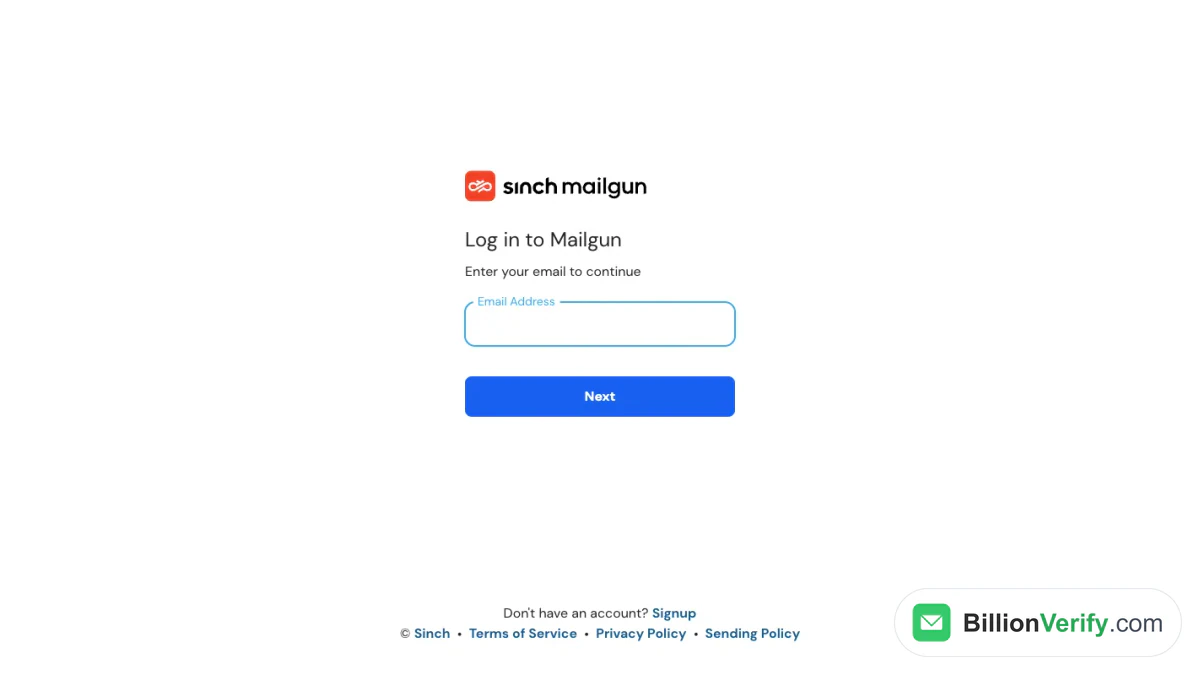
Screenshot: the first page of the account area, which asks only for an email address.
Mailgun Sign Up
The registration form offers a free start, with lines about commitment and hidden fees. It asks for a work email, a full name and a company. Lower down, a checkbox offers to add a credit card to remove the limit, followed by a secure payment block with country and currency selectors. A quote from a product leader at Dribbble sits beside it.
Payment details are optional. The free plan that comes with registration is described on the price list as a daily quota with ticket support, a single custom domain and a day of log retention. Adding payment details at registration lifts that cap, according to the form, and you can also skip them and stay on the free tier.
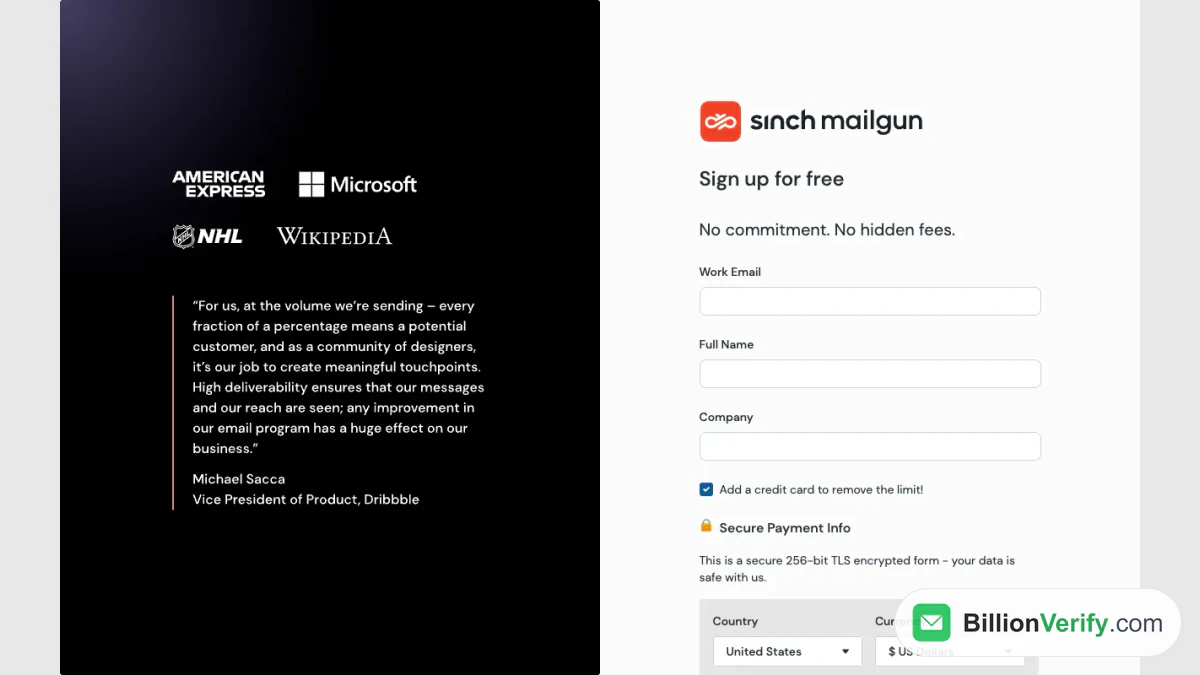
Screenshot: the sign-up form, with work email, full name, company and an optional card section.
After Registration: Guided Setup and Sandbox
The quickstart promises a first message in under two minutes through a sandbox domain. Step one is to register. The guide then tells you to work through the welcome flow, because activation and creation of your first key both happen there, and you cannot continue without them.
Step two adds an authorized recipient. Mailgun mails a verification link to the address you name, and you must click it before the sandbox will deliver anything to you. Step three sends a first message through an API call, step four is checking the inbox, and step five is getting production ready by moving from the sandbox to your own sending setup. The sandbox domain delivers only to recipients you have authorized, so it suits testing and not real campaigns.
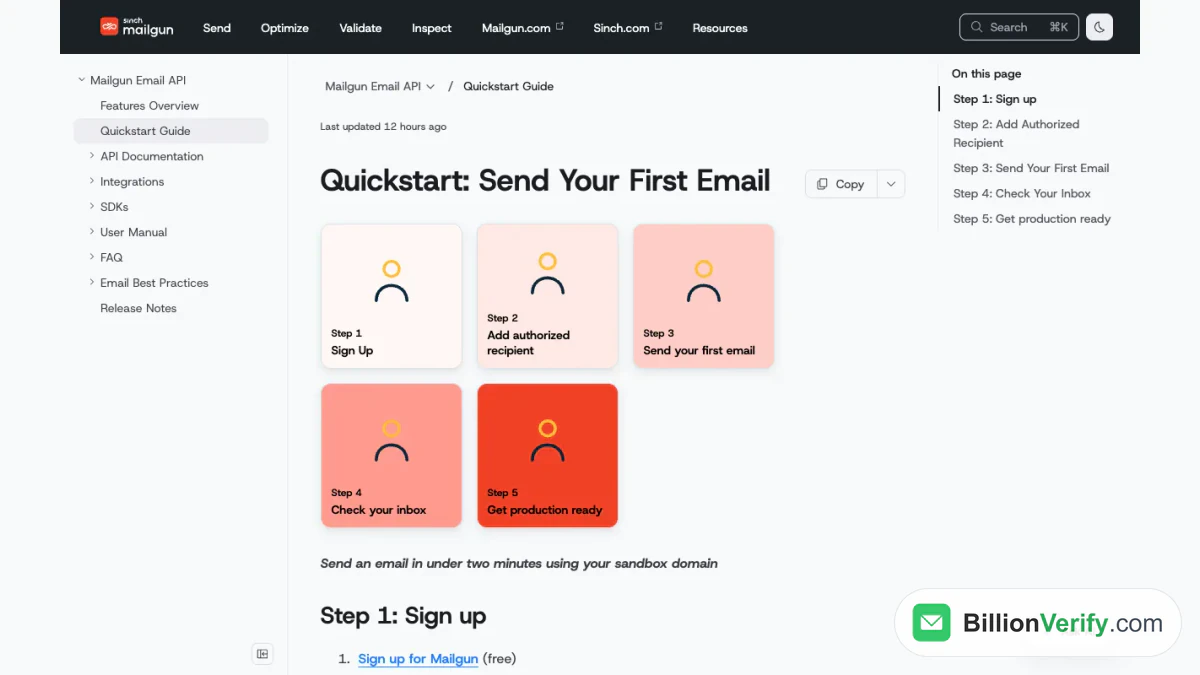
Screenshot: the quickstart, which lists five steps from registration to production.
Where to Find the Mailgun API Key
The Mailgun API key sits in the dashboard under the API security settings. The quickstart says to open the key list and copy the key labeled private. Treat it as a password, because it can send mail and read data for you. The documentation's own examples use HTTP basic authentication, pairing the word api with the key as the password, so the same pair works in curl and in client libraries.
Mailgun lists libraries for Go, Node.js, PHP, Java, Ruby and Python. SMTP uses a separate set of credentials kept for each domain. In the dashboard you open Sending, then Domain Settings, pick the one you need and open the SMTP credentials tab. The relay host is smtp.mailgun.org, and it listens on ports 25, 465, 587 and 2525. Port 465 needs TLS, the others can upgrade with STARTTLS, and the documentation recommends 587 because some ISPs block or throttle 25.
Verifying Your Own Domain
Leaving the sandbox means proving you own the address space you send from, and the documentation lists four DNS records. A TXT record for SPF validates the sending server, with the example value v=spf1 include:mailgun.org ~all. A second TXT record carries the DKIM key, which you copy from the Domain Verification and DNS section of the dashboard. A CNAME pointing at mailgun.org enables click, open and unsubscribe tracking. MX records at mxa.mailgun.org and mxb.mailgun.org, priority 10, handle inbound mail.
Changes can take 24 to 48 hours to spread. Mailgun checks on its own, and the Verify DNS settings button in Settings, or the Verify call in the API, skips the wait. Our DKIM checker reads the DKIM record from outside if a result looks wrong.
Logs and Status Checks
When a message goes missing, look at the logs first. The API reference documents a POST request to /v1/analytics/logs that returns the event logs for an account, covering inbound and outbound message events. How far back you can look depends on the plan: the two lowest tiers keep one day, Foundation five days and Scale thirty, according to the price list.
If many messages fail at once, check the vendor's status page at status.mailgun.com before debugging your own code. It tracks the API, SMTP, outbound delivery, inbound processing, events and logs, stats, validation and the web console, and it offers email, SMS, webhook and RSS or Atom notices of new incidents.
What Is Mailgun?
Mailgun is an email delivery service for developers. Its home page calls it a transactional delivery service with an API, and the documentation divides the product into four lines. Send covers sending, receiving and tracking. Optimize helps messages reach the inbox. Validate verifies addresses, and Inspect previews messages and checks accessibility and links.
The company timeline tells a short story. Two friends who needed transactional mail for an app built it in 2010. They joined Y Combinator in 2011, were bought by Rackspace and shipped the first version of an email validation API in 2013. A spin-out from Rackspace followed in 2017, an investment from Thoma Bravo in 2019 and the Sinch deal in 2021. Under Sinch the service sits beside SMS, messaging and voice products, which is why the brand reads Sinch Mailgun on the login screen, in the docs and in search results.
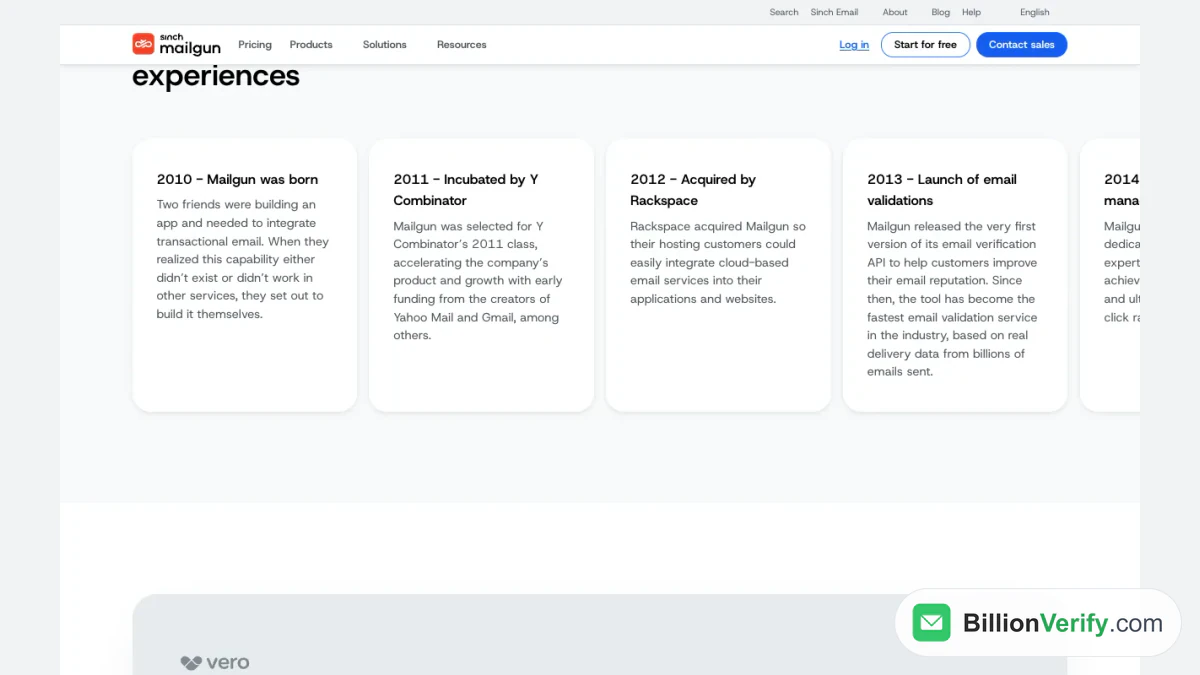
Screenshot: the timeline on the about page, from the 2010 start to the Rackspace deal.
Mailgun and Bounces
Mailgun sends from your own domain, so its reputation becomes yours. Whatever goes out through the API or SMTP, hard bounces return to the account, and a growing share tells mailbox providers that nobody looks after your list. Mailgun sells validation to deal with that, and its 2013 timeline entry shows it has done so for years. Whether it costs extra depends on your tier: Scale includes an allowance, and lower tiers can add it as a paid extra. Our guide to SendGrid email validation compares that arrangement with the SendGrid one.
Where validation is not included, or your list outgrows the allowance, a separate check is the practical answer. An email verifier tests one recipient, and bulk email verification cleans a whole file before import. BillionVerify charges 1 credit for each valid or invalid result and nothing for unknown results, reports catch-all addresses as their own class and gives a free account 20 credits on each day it is used, up to 600 a month, with no card.
For sign-ups you do not recognize, a reverse email lookup shows what is publicly tied to them. If your product also texts people, a phone number validator checks numbers first. Anyone comparing senders can read SendGrid alternatives, and what is SendGrid explains the other big name in this space.
FAQs
Where is the Mailgun login page?
Go to login.mailgun.com, type your account email and press Next. New users take the Signup link on that screen to register.
Is it free to register?
Yes. Registration is free with no strings attached, and the free plan carries a daily cap. A card is not required, and adding one lifts the cap.
Where is the key kept?
In the dashboard, under the key list. The quickstart tells you to take the private entry, and the examples pair it with a fixed login word.
Who owns Mailgun?
Sinch. The company timeline says Sinch acquired it in 2021, and the brand shows as Sinch Mailgun across its pages.
How do I check Mailgun logs?
Use the logs view in the dashboard or call the logs endpoint of the API. Retention is one day on the lowest two tiers, five on Foundation and thirty on Scale.
Is Mailgun down?
Open status.mailgun.com. It lists each component, including the API, SMTP and the console, and shows past incidents.
Do I need my own domain to start sending?
No. The quickstart begins with a sandbox and a verified recipient, and the last step moves you to a domain of your own.
Watch: Bulk Email Verification: How to Verify an Email List From a File
Watch: How to Validate a Phone Number: Free Phone Number Validator