



Finding an email address doesn't prove that it can receive mail. A lookup may discover a contact from a name, company domain, or public profile, while a syntax check only tests whether the address is formatted correctly. A domain check confirms mail infrastructure exists, but SMTP-level verification goes further by contacting the recipient server without sending a message. Even that result is a confidence signal, not a delivery guarantee. This guide compares a practical email lookup free workflow, explains privacy and permission risks, and shows when a dedicated verifier becomes the responsible next step.
1. BillionVerify
BillionVerify is a professional email verification service built to solve one problem: bad email data costs businesses money. That positioning matters because “lookup” and “verification” often get treated as interchangeable, even though they answer different questions. A finder may propose an address from a person's name and company domain. A verifier evaluates whether the address appears technically capable of receiving mail and identifies conditions that make sending risky.
For a single address, the useful workflow starts with the lightest check. Confirm the spelling, inspect the domain, and consider whether the recipient gave permission to be contacted. If the address will enter a campaign, CRM import, product form, or sales sequence, a dedicated verification step is more responsible than trusting a guessed pattern.
What BillionVerify checks
Reliable email lookup requires more than matching firstname.lastname@domain. Technical guidance describes a layered process that combines syntax validation, MX record lookup, and a live SMTP probe. The probe connects to the recipient's mail server and issues RCPT TO without sending an email, which is why SMTP verification can reveal more than a format-only tool. SMTP verification guidance also explains the important catch-all limitation. A catch-all server accepts every address at the SMTP layer, so the verifier can't distinguish a real mailbox from a typo.
BillionVerify's publisher information describes structured results that include status, SMTP results, MX records, catch-all scoring, and deliverability insights. That kind of output is more useful operationally than a simple green or red label. Teams can route uncertain records into a review segment, suppress disposable or role-based addresses, and preserve the reason for the decision inside a CRM or signup workflow.
The service is relevant to several common use cases:
- Single checks: Review an individual address before a sensitive outreach message or manual follow-up.
- Bulk list cleaning: Process a CSV, monitor progress, and export filtered results for campaign preparation.
- Real-time protection: Use the API during registration or lead capture so obviously risky addresses don't enter the database.
- Workflow integration: Connect verification to CRMs, marketing automation, or outbound pipelines instead of relying on a manual spreadsheet step.
Where free lookup stops being enough
A free check can be perfectly reasonable when the risk is low and the volume is small. It may help confirm that an address is spelled correctly, that the domain has mail records, or that a contact detail matches a consent-based conversation. It can't establish that the recipient wants your message, that the mailbox will remain active, or that a provider won't accept the message and later reject it.
The distinction becomes sharper with protected infrastructure. One benchmark sample found that 12.3% of verified addresses were invalid and 33.1% of attempts reached catch-all domains in its 2026 data. The benchmark details show why a basic yes or no result can be misleading. Catch-all, role-based, greylisted, and provider-protected addresses need cautious segmentation or deeper verification, not automatic inclusion.
Role accounts such as admin@, sales@, and info@ are another concern. Mailtester's SMTP guidance treats role accounts and disposable addresses as risk signals. A disposable address can pass technical checks and still disappear quickly, while a role address may route to a shared queue that nobody actively monitors.
Practical rule: Treat “valid” as a technical result, not permission and not a promise of inbox placement.
A practical BillionVerify workflow
Start with discovery, then validate before activation. If you're researching one person, record the source of the address and the reason you believe outreach is appropriate. If you're cleaning an existing list, preserve the original value, run verification, and keep the returned status and reason code alongside it.
Use the email verification tools page when you need a free-email-lookup workflow that extends beyond guessing. The useful sequence is:
- Normalize the input. Remove accidental spaces, correct obvious formatting errors, and separate addresses from unrelated notes.
- Run technical checks. Review syntax, MX records, SMTP status, and catch-all indicators rather than relying on one field.
- Segment uncertain records. Keep catch-all, unknown, greylisted, disposable, and role-based results out of automatic sending until you have a clear policy.
- Apply permission rules. A technically deliverable address can still be inappropriate for unsolicited contact or restricted under applicable privacy and marketing laws.
- Export only what the workflow needs. Send clean records to the CRM or campaign tool, and retain suppression decisions so rejected contacts don't return through a later import.
- Protect the data. Limit access to uploaded files, check retention terms, and avoid placing sensitive personal addresses into a free service without understanding how the service handles them.
BillionVerify's publisher description also identifies bulk CSV uploads, live progress, notifications, export-ready filters, API access, and a whitelabel portal for agencies. It lists integrations with Mailchimp, SendGrid, HubSpot, Salesforce, Klaviyo, Zapier, Make, and other workflow tools. Those capabilities matter because verification has more value when it operates at the point where data enters or moves through the business.
Accuracy needs a risk-based interpretation
Live SMTP checks can provide strong confidence on ordinary business domains, but provider policies, greylisting, and catch-all behavior reduce decisiveness. One verification reference places SMTP accuracy at 95–99% where the server honors RCPT TO and isn't catch-all, while combined real-world systems commonly converge around 94–97%. BillionVerify's verification overview explains that distinction and reinforces why results should be interpreted by category rather than treated as universal certainty.
Methodology matters, too. A representative benchmark should test 1,000–5,000 emails across multiple domains and compare verifier outcomes with sender logs, according to email verification benchmark methodology. The same guidance reports 98.9% confirmation via live testing, but a team still needs to know what the tool does with catch-all and unknown results.
For low-volume personal research, free lookup may be all you need. For recurring imports, high-value campaigns, signup protection, or a list with visible quality problems, BillionVerify is better understood as the verification layer after discovery. It doesn't replace consent, suppression management, or responsible sending practices. It can make those processes more auditable and less dependent on guesses.
2. Public search and company websites
The simplest free method is often the most privacy-conscious starting point. Search a company's official website, press page, author profile, team page, or contact page for a publicly supplied address. This approach finds information in its original context, which helps you understand whether the address is intended for customer support, media requests, partnerships, or a named professional.
It also has clear limits. A published address may be old, monitored by a shared team, or listed for a purpose unrelated to your planned message. A public page doesn't automatically grant permission for bulk marketing. Record the page where you found the address, the date of discovery, and the stated purpose of the mailbox.
What this method establishes
Public discovery can establish that an address appeared on a page controlled by, or associated with, an organization. It may also show whether the mailbox is role-based or personal. It doesn't confirm current deliverability, and it can't tell you whether a recipient has opted out elsewhere.
Run a syntax and domain check before sending. If the contact matters, follow with SMTP-level verification. Keep the initial use narrow and relevant, especially when the address is personal rather than a general business inbox.
3. Email pattern guessing
Pattern guessing uses known company conventions, such as a first name combined with a surname and domain. It can produce a candidate address when no public contact detail exists, but it isn't verification. A guessed address may belong to another employee, redirect to a shared alias, or never have existed.
Use pattern generation only as a research aid. Don't load every possible variation into an outreach sequence. Check each candidate individually, and treat catch-all results as unresolved because the server may accept even incorrectly guessed addresses.
A plausible address is a hypothesis. It becomes operational data only after verification and a lawful, relevant reason to contact the person.
4. Domain and MX checks
An MX lookup checks whether a domain publishes mail-exchange records. That's useful for identifying obvious domain problems, but it doesn't prove that a particular mailbox exists. A working company domain can contain disabled accounts, aliases, temporary addresses, and protected mail systems.
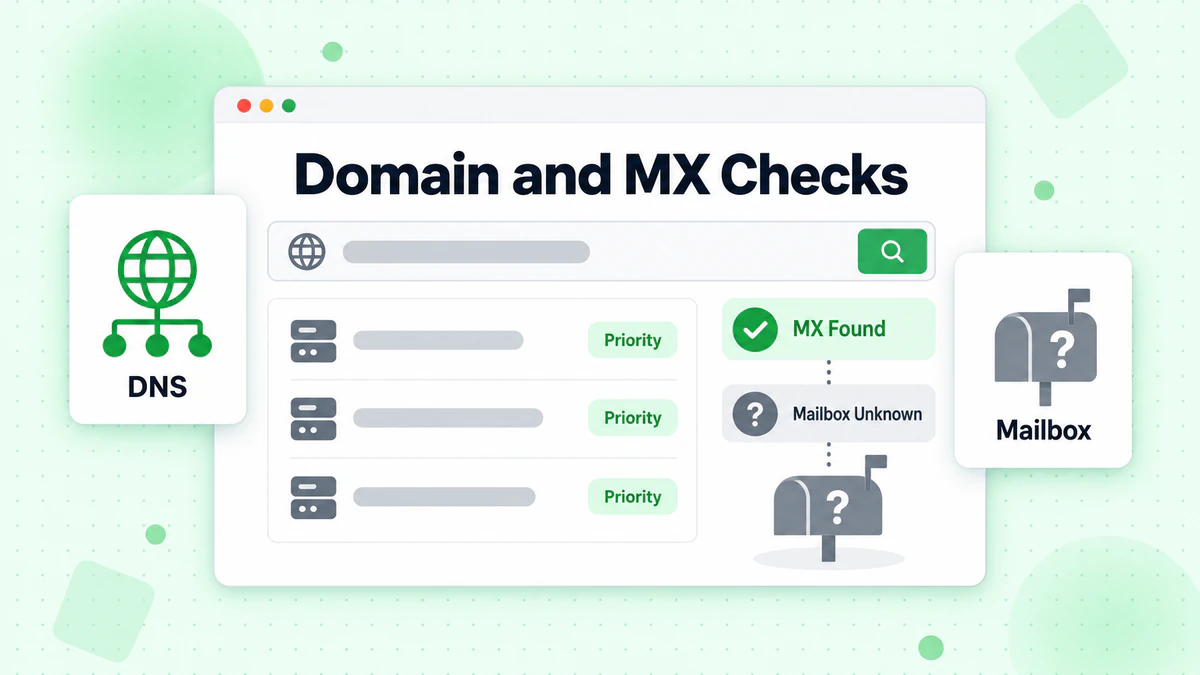
This method works well as an early filter for signup forms and list imports. It catches malformed or clearly non-mail domains before a deeper check consumes resources. It doesn't replace SMTP verification, and it doesn't address consent, role-account risk, or disposable-mail behavior.
5. Breach lookup services
Breach lookup answers a different question: has an email address appeared in a disclosed data exposure? Services such as XposedOrNot focus on exposure checking, which can be useful for personal security and incident response.
Don't confuse exposure with deliverability. A breached address can be inactive, and a clean address can still bounce later. Breach data also raises privacy concerns, so avoid submitting addresses you don't have a legitimate reason to investigate. For marketing operations, use breach checking as a security-related signal, not as proof that an address is safe or appropriate to contact.
6. Manual SMTP testing
A technically skilled operator can inspect mail-server behavior directly, but manual SMTP testing isn't a dependable production workflow. Servers may use greylisting, block probes, accept all recipients, or deliberately conceal mailbox status. Repeated probing can also trigger defensive controls.
Automated tools add normalization, reason codes, retries, and consistent records. If you test manually, limit it to addresses you're authorized to assess and never attempt to authenticate, bypass controls, or send unwanted messages. A successful connection still doesn't establish consent or inbox placement.
Free Email Lookup, BillionVerify Summary
| Solution | Core features | Accuracy & UX | Value & Pricing | Target audience | Unique selling points |
|---|---|---|---|---|---|
| BillionVerify 🏆 | Single & bulk verification · Real‑time API · CSV uploads · JSON results · Native integrations | ★ 99.9% SMTP‑level accuracy · Fast real‑time checks · Live progress & export‑ready filters | 💰 Free tier (no CC) · Pay‑as‑you‑go, low cost per check · Proven ROI (bounce ↓) | 👥 Sales & marketing, Product teams, Agencies, Enterprises, CRM users | ✨ Whitelabel portal · MCP Server for AI agents · MX & catch‑all scoring · Deliverability insights |
Choose the Lightest Check That Fits the Risk
Use a low-volume, consent-respecting lookup method for initial research. Confirm the address format and domain, then review mailbox signals such as SMTP status, catch-all behavior, role-based classification, disposable status, and unknown responses before sending. Document where the address came from, why contact is appropriate, and which suppression requirements apply.
Move to a dedicated verifier such as BillionVerify when list size, bounce risk, recurring imports, or real-time signup protection makes manual checking unreliable. Free checks are useful triage tools, but no free method guarantees delivery. Treat uncertain results conservatively, keep suppression data synchronized, and send only to contacts your organization is allowed to reach.
BillionVerify offers professional email verification for single checks, bulk list cleaning, and real-time workflows, with structured SMTP, MX, catch-all, and deliverability results. Visit BillionVerify to evaluate a more accountable verification layer for your email lookup process and protect your lists before they reach a campaign or signup flow.