

Smartlead pricing is built around sending volume. Four packages, Base, Pro, Unlimited Smart and Unlimited Prime, set how many mails go out in a billing cycle and how many prospects you can store, and each package connects as many senders as you like. Verification, extra inboxes, placement testing and private servers are sold on the side. This guide reads the pricing page and help center as of November 2026, explains what Smartlead AI means, covers the Smartlead login and the Smartlead API, and works out what a month costs. We are not affiliated with Smartlead. BillionVerify is an email verification service, and the section on verified emails shows where a separate check can save money.
Key facts (checked November 2026):
- The pricing screen puts Base at $39, Pro at $94, the Smart package at $174 and the Prime tier at $379 on monthly billing, with 17% off for yearly billing.
- Every package lets you attach any number of mailboxes, according to the same card.
- The Smart package covers 50k verified prospect addresses a cycle, and Prime covers 170k. Base and Pro treat them as an extra.
- The trial requires no card and comes with 2.5k sends and 1.25k leads, per the trial article.
- The refund policy lists the verification extra and its siblings as non-refundable.
- BillionVerify's free tier gives 20 credits on each day of use, up to 600 monthly, and unknown results cost nothing.
Smartlead Pricing at a Glance
The pricing screen opens on a Monthly and Yearly toggle, set to yearly. A banner at the top offers 50% off the first month on any tier. The yearly figures shown first are 17% lower than the monthly ones, so the same package can look cheaper than it is on a monthly bill. Smartlead's own FAQ gives the monthly figures, and they are the ones in the table.
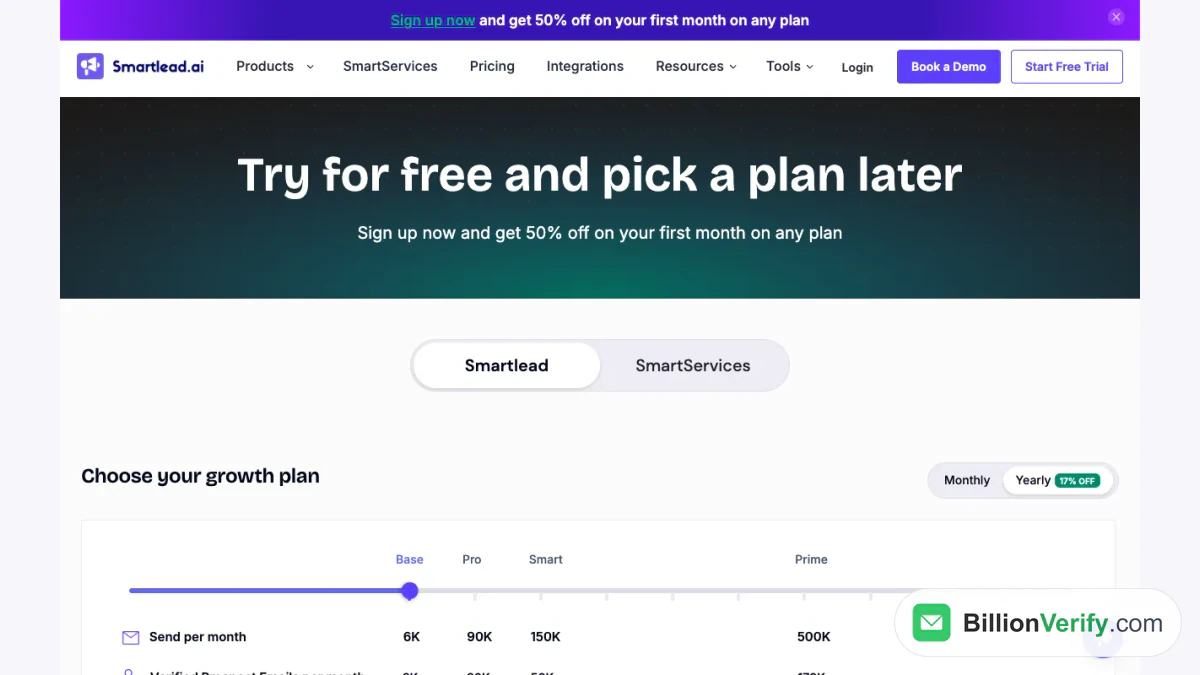
Screenshot: the Smartlead price list.
| Tier | Monthly billing | Messages per cycle | Contacts stored | Verified prospects |
|---|---|---|---|---|
| Base | $39 | 6k | 2k | 2k, extra |
| Pro | $94 | 90k | 30k | 30k, extra |
| Unlimited Smart | $174 | 150k | No cap | 50k, included |
| Unlimited Prime | $379 | 500k | No cap | 170k, included |
Yearly billing shows $32, $78, $144 and $315. Monthly billing is pay as you go at full price, and Smartlead says you pay for what you need at your current stage.
Smartlead AI: What the Name Means
Smartlead is a cold outreach platform made by 521 Products Pty Ltd, a company in Sydney. People write Smartlead AI because the domain is smartlead.ai, and the homepage calls the product an AI-native outbound operating system. It claims more than 100,000 businesses use it, from agencies to Fortune 500 companies. The page also carries a 4.6 rating from 221 ratings in its structured markup, a figure that comes from the page itself.
What Smartlead AI includes
Smartlead AI is three things. SmartAgents are described as "your GTM engineers on autopilot": they research prospects, write personalized mails and update the CRM. The Master Inbox uses an AI reply manager that prioritizes hot records and triggers next steps. The warmup engine simulates real opens, reads and replies so a domain looks organic. An MCP integration with 170 actions lets an assistant drive the same product. None of these Smartlead AI features has its own line on the rate card, which is why the question rarely changes the budget.
What Smartlead AI costs
No separate fee for Smartlead AI appears on the pricing page. The agents and the AI inbox arrive with the tier, so the AI side of Smartlead pricing is the package price itself. AI-sourced leads still count against your stored prospects and your outbound mail like any others, and an AI agent that writes follow-ups uses send credits for every step.
Smartlead AI and the rest of the stack
The product centers on sending. It rotates outgoing mail across connected inboxes, warms them up, and collects replies in one place. Around that core sit SmartSenders for buying mailboxes, SmartInfra for dedicated servers, SmartProspect for records, SmartDelivery for placement testing and SmartDialer for calls. Each has its own place in the price list below.
The Four Tiers
The table above carries the numbers, so these notes cover what the figures leave out.
Base
Meant for small teams testing outbound. It opens SmartSenders and uses the Foundation warmup pool. The package guide says it lacks CRM access, a customer call, dedicated servers and client seats.
Screenshot: the help center guide to each package.
Pro
For teams running campaigns regularly. It adds CRM access and the Growth pool, while private hosting and extra workspaces stay optional extras.
Unlimited Smart
Marked "Most popular." Storage has no cap, so you stop pruning old prospects. It uses the Premium pool and adds a customer success call.
Unlimited Prime
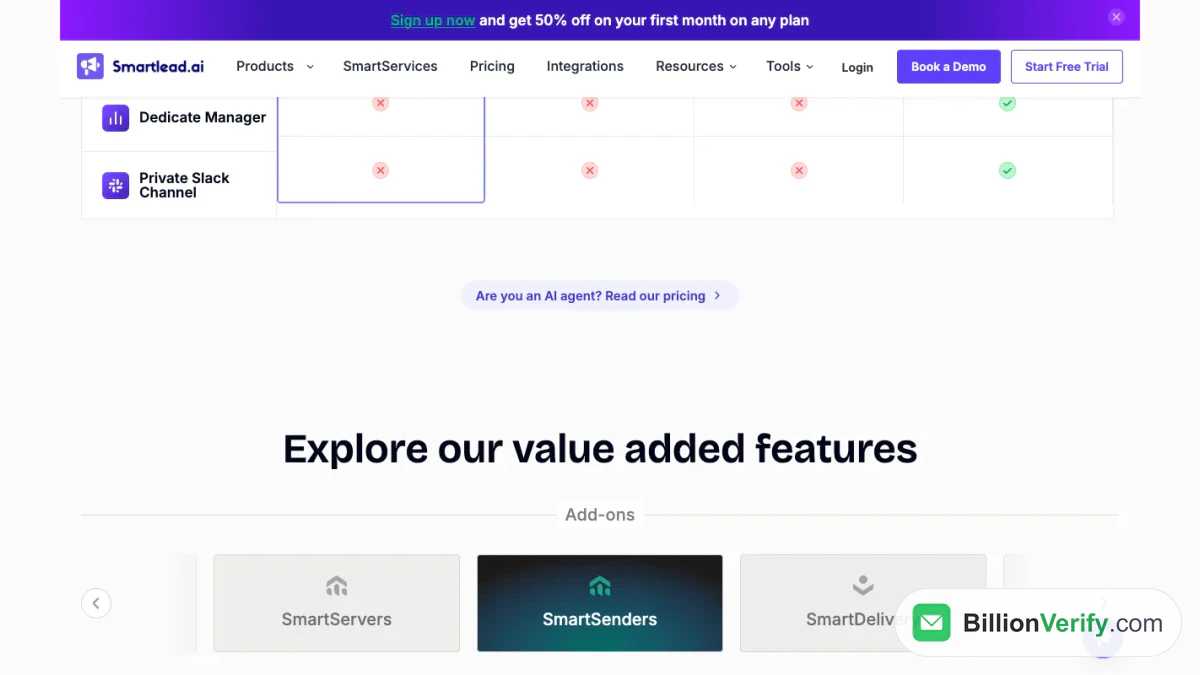
Aimed at agencies and heavy senders. Private infrastructure is included, along with three SmartServers, three client workspaces, a dedicated manager and a private Slack channel. Eligibility for the Ultra Premium warmup pool is open to both upper packages.
How Smartlead Counts Volume
Two counters run side by side. A lead credit is a unique address stored in your workspace, and a send credit is each message dispatched. The volume article explains that every outbound campaign mail counts, follow-ups included, and that a bounced one still counts because it went out first. Warmup traffic is tracked separately and does not count.
Stored prospects do not reset each cycle. The total follows your package until you upgrade or remove records. Send credits do reset, on the date of your billing cycle.
A campaign aimed at 1k prospects with a four-step sequence uses 4k sends if every step goes out. On Base, that is two thirds of the cycle spent on one campaign.
Extras Sold Beside the Tiers
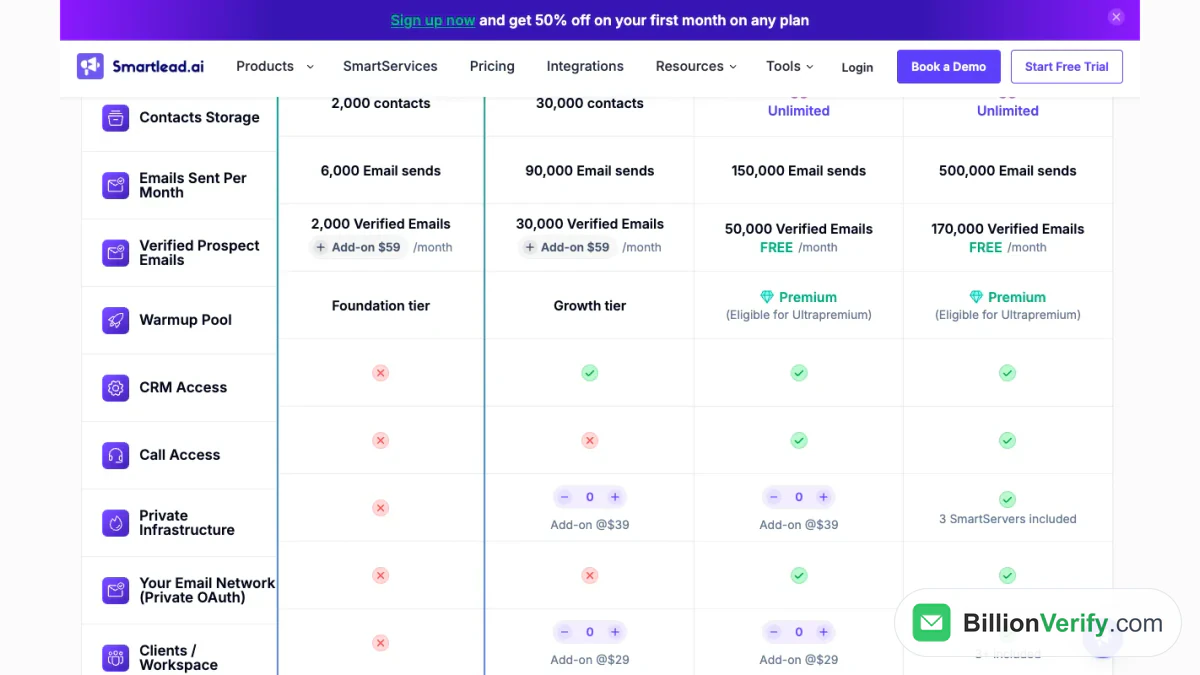
Extras are billed separately, and Smartlead pricing lets them sit beside any tier, depending on eligibility. The pricing screen lists five.
Screenshot: the feature table and extras section.
- SmartSenders: buy Google, Outlook or SMTP inboxes with DNS set up automatically. Fresh Google mailboxes through the partner Zapmail cost $13 per domain each year and $4.50 per mailbox. Pre-warmed Google and Outlook mailboxes cost $18 per domain and $9 per mailbox. The SMTP option through Mailreef costs $19 per domain and $3.99 per mailbox.
- SmartDelivery: placement testing, with insights across inboxes and spam folders.
- SmartDialer: a power dialer for calls.
- Verification credits: credits to verify prospects ahead of sending, sold one-off or by subscription.
- SmartServers: dedicated servers with a dedicated IP and configurable settings. The feature table shows private infrastructure at $39 and client workspaces at $29 on Pro and Smart.
Smartlead Pricing Compared With Instantly Pricing
Smartlead pricing is often set beside Instantly pricing, since both connect unlimited inboxes and both charge for volume. Instantly pricing counts uploaded contacts and monthly messages, while Smartlead pricing counts stored leads and sent mails. At the entry end Smartlead costs $39 against $47, and at the top it costs $379 against $358. Neither Instantly pricing nor Smartlead pricing charges per mailbox, and Instantly pricing is the cheaper of the two at the top end. Our head-to-head comparison goes through limits, warmup and verification for both.
Free Trial and Refunds
The trial lasts 14 days. The help center says it includes unlimited mailbox connections and every paid feature except white labeling, and warmup traffic does not count toward the cap.
A new paid subscription carries a 7-day refund guarantee from the payment date. A renewal can be refunded within 3 days, only for the latest renewal, and only if you did not use the product in that time and have a valid reason. The extras are excluded. SmartSenders, SmartInfra, SmartDelivery, SmartProspects, verification credits and SmartDialer are described as non-refundable because third-party vendors stand behind them.
To cancel a Base or Pro subscription, open Settings from your profile picture and choose Subscription. The package stays active to the end of the billing cycle, and any SmartSenders inboxes are cancelled with it.
Verified Emails: Free or Extra?
Smartlead's "verified prospect emails" are real, deliverable addresses you can use in campaigns. Documentation says they come free on the Unlimited packages, which reduces the need for outside tools. On the lower two packages the price list shows the quota with an "Add-on $59" button, and the FAQ says verification is sold on every package, bought once or monthly.
Screenshot: the FAQ under the pricing table.
The rule that follows is simple. On the upper two packages the included checks cost nothing, so use them. On the lower two, or for any list from outside Smartlead, such as a conference export, an old CRM file or a scraper, verification is a paid extra, and the refund policy makes it non-refundable once bought.
A cheaper way to check a list
BillionVerify checks addresses with syntax, DNS, MX and SMTP tests, reports catch-all addresses as their own class, and bills 1 credit for each valid or invalid result. Unknown verdicts are free, and the same address is re-checked within 24 hours at no charge. New users get 20 free credits daily when they use the service, up to 600 monthly, no card required. Run a few addresses through the email verifier, or upload a file to bulk email verification and import only the clean rows. A single prospect can be tested at billionverify.com the same way, free and without sign-up.
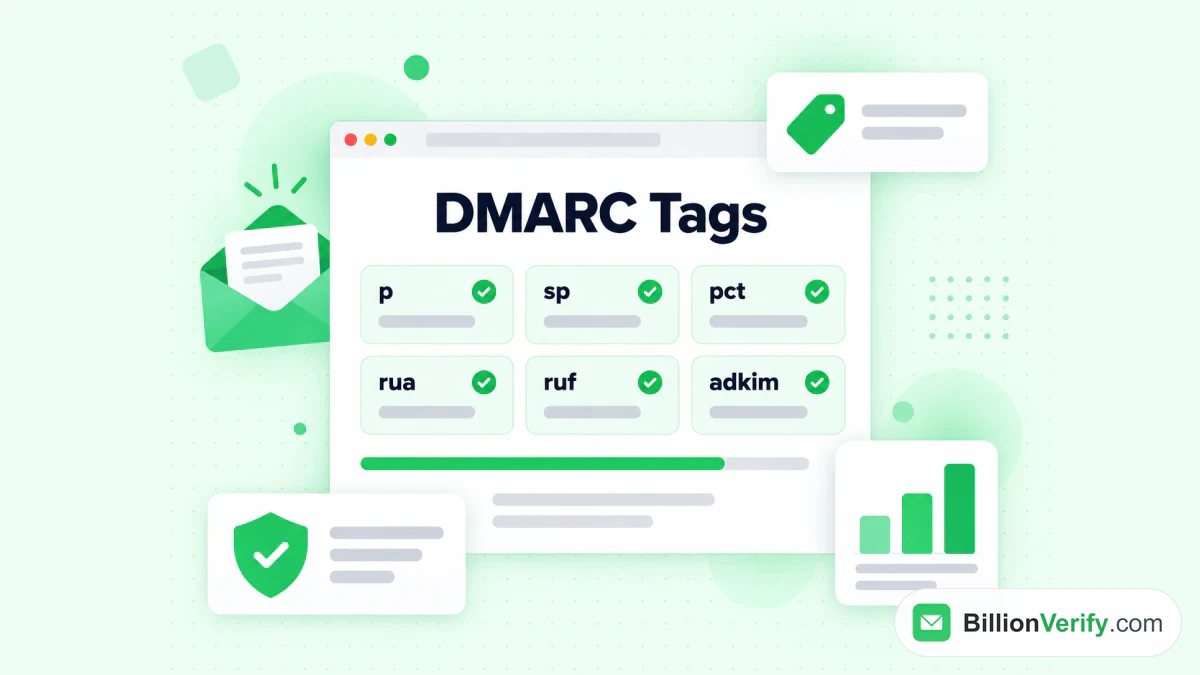
BillionVerify explains the tags in a DMARC record, which mailbox setup depends on.
Cleaning first also protects the storage counter, because every stored address counts toward the total on the lower packages, and a dead one uses a slot just like a live one. It protects the send counter too, since a bounced mail still counts.
Bounce auto-pause
Smartlead pauses a campaign when its bounce rate passes a threshold you set, then fires a webhook with the details. The pause article gives the formula: bounces plus the latest bounce, divided by the lead total, times 100. A smaller, cleaner list lowers that figure before the first mail goes out.
Smartlead Login
The Smartlead login page opens from a button in the top right of smartlead.ai, beside Book a Demo and Start Free Trial. It goes to app.smartlead.ai/login, while the trial button records to app.smartlead.ai/sign-up. A trial needs no card, so signing up and the first Smartlead login happen within minutes of each other.
Resetting a Smartlead login password
If you forget the password, press "Forgot Password?" on the sign-in form, type the registered address, and follow the reset link. The reset screen asks you to confirm a new password and press Update. Check spam if nothing arrives, because the message is ordinary outbound mail and can be filtered.
Team access after the Smartlead login
Once inside, change team access from Settings. Documentation exists for adding team members, and Prime adds client workspaces for agencies. Each teammate should have their own Smartlead login, so activity stays attributable and a leaver can be removed without a password change for everyone. An agency running client work should keep every client Smartlead login inside its own workspace rather than sharing one.
Smartlead login and the trial clock
The trial clock starts at signup, not when you first open the dashboard, so connect your mailboxes and import a verified list on day one. After two weeks the account needs a paid subscription. The refund rules apply from the payment date, not from the date of any later login.
The Smartlead API
The Smartlead API lets you manage campaigns, leads, inboxes, warmup, analytics and webhooks from your own code. The full reference lives at api.smartlead.ai, where the recommended version one sits under server.smartlead.ai/api/v1 and an older legacy path is kept for compatibility. The reference is hosted on Mintlify and has a plain-text index for assistants.
Smartlead API keys and limits
The Smartlead API authenticates with a key generated in the dashboard settings and passed in the query string. Rate limits vary by subscription, and the docs give no numbers. Exceeding them returns an HTTP 429 response, and the advice is exponential backoff. Neither the docs nor the tier guide say which package unlocks access, so confirm with support before building on Base.
Smartlead API webhooks and integrations
Webhooks send real-time notifications for campaign events, such as replies, bounces and the bounce pause described above. They are how most teams connect a CRM. The homepage FAQ lists HubSpot, Salesforce, Pipedrive and Clay plus Zapier, Make and n8n, all of which rely on webhooks or the Smartlead API.
Smartlead API and the MCP integration
The homepage also names an assistant connector offering 170 actions, which gives an AI assistant the same reach as the Smartlead API. Any action it takes spends the same sends and credits as a person would.
Smartlead API data hygiene
Before you push prospects into a campaign through the Smartlead API, verify them, because the interface accepts bad addresses as readily as good ones. A script that loads ten thousand rows will also load every typo in them. Our guide to verifying by API shows how to check addresses in code first.
What a Month Really Costs
Take three setups, using the Smartlead pricing above.
A solo founder, 1k contacts. The entry tier stores 2k prospects with 6k mails a cycle. A three-step sequence for 1k contacts uses 3k sends, so one campaign fits. Add two mailboxes at $4.50 each and the total is about $48, plus $13 a year for a domain.
An agency, 25k contacts. The $94 package holds 30k prospects and sends 90k mails. A sequence of three steps for 25k contacts would use 75k messages. Verification here is an extra, so cleaning the list elsewhere first protects both counters.
AI-assisted sourcing. A team that scripts imports via the Smartlead API, or lets Smartlead AI source records, should budget for the stored-lead total, not only the mails.
Heavy sending. Unlimited Smart at $174 gives 150k sends, uncapped contacts and 50k verified addresses. Unlimited Prime at $379 gives 500k sends and 170k verified addresses, with dedicated servers. Other tools you may need beside a sender are in our cold email tools overview.
Staying Within CAN-SPAM
Smartlead messages mail for you, but you stay responsible for the content. The FTC's CAN-SPAM rules require accurate sender and subject information, a clear advertisement label, a valid postal address and a working opt-out that you honor. Smartlead's footer links a fair use policy that you should read before you send at volume. Our CAN-SPAM guide lists each requirement, and a reverse email lookup can help you confirm who owns an address before you write to it. If a campaign adds call steps, check each number with a phone number validator first.
FAQs
How much does Smartlead cost?
The entry package is $39, then $94 for Pro, $174 for the Smart one and $379 for Prime per month, and paying yearly saves 17%. Verification, mailboxes and servers come extra.
Does Smartlead charge per mailbox?
No. The pricing page says connecting inboxes carries no extra cost. You pay for volume, and you pay separately for mailboxes bought through SmartSenders.
Is Smartlead free?
There is no permanent free tier. A trial lasts two weeks without a card, and a banner on the pricing screen also offers half off the first month.
Does Smartlead include email verification?
The two upper packages include verified prospects, 50k on Smart and 170k on Prime. On the lower two it is an extra, and that extra is non-refundable.
What does Smartlead AI mean?
It is the same company and product as Smartlead. The name comes from the smartlead.ai domain and from the agents for research, writing and replies.
Does Smartlead have an API?
Yes. The Smartlead API documentation covers campaigns, leads, mailboxes, warmup, stats and webhooks, and a key authenticates each call.
Does the Smartlead API cost extra?
The price list lists no separate API fee. Limits vary by package, so ask support what your tier allows before you build.
What does Smartlead pricing include?
Smartlead pricing covers sends, stored prospects, warmup and a master inbox, with CRM access from Pro upward. Verification, inboxes and servers sit outside it.
Is Smartlead AI free?
There is no free Smartlead AI tier. The agents and the inbox assistant arrive with the paid packages, and the two-week trial lets you test them freely.
What is Smartlead AI for?
Smartlead AI is for running cold campaigns with less manual work: agents research and write, the inbox ranks replies, and AI warmup protects the domain.
Is there a separate Smartlead login for the API?
No. The Smartlead login is the one you use for the dashboard, and the key for the Smartlead API is generated inside its settings.
How do I find the Smartlead login?
Use the Login link at the top of smartlead.ai, which opens the app. If you forgot the password, press the forgot-password link and use the emailed reset. The Smartlead login for a trial is the one you created at signup.
Watch: Bulk Email Verification: How to Verify an Email List From a File
Watch: How to Validate a Phone Number: Free Phone Number Validator
