

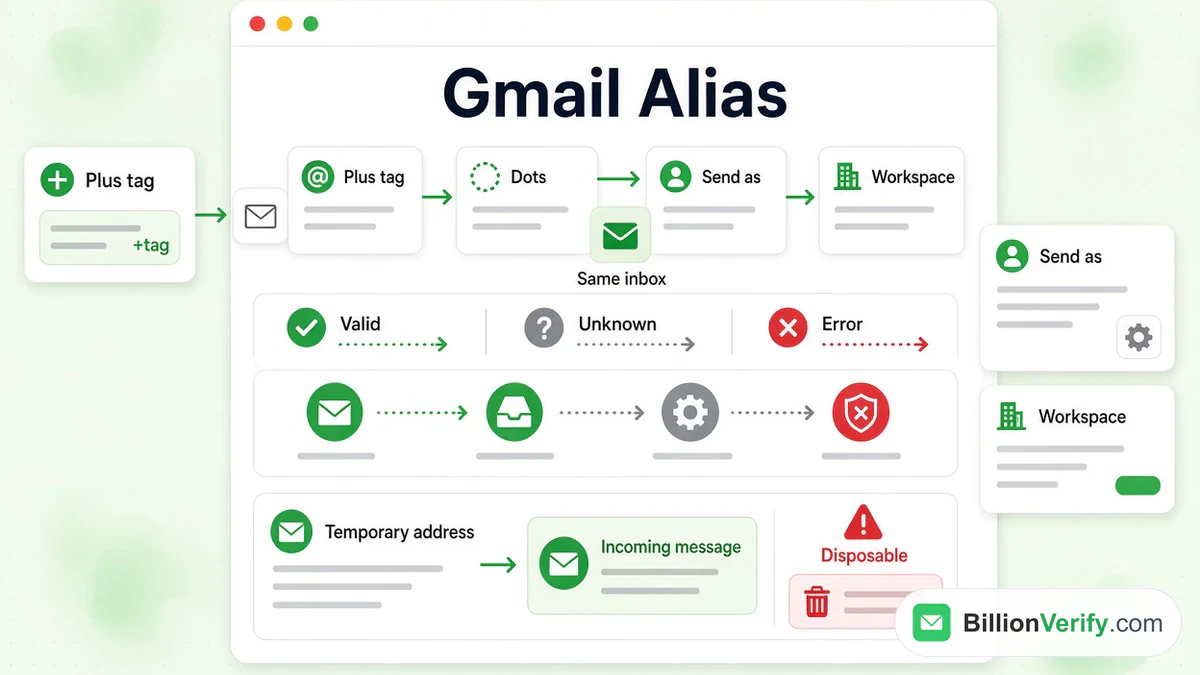
A Gmail alias is a second address that delivers into your existing inbox. Google's help pages for a personal account describe three ways to get one: a plus sign, dots, or Send mail as. Google Workspace admins have a fourth, limited to 30 aliases per user.
This guide walks through each route using Google's own help pages, read in November 2026. We also say what a gmail alias cannot do, because people often ask whether it works as a temporary Gmail address. BillionVerify verifies email addresses and does not sell Gmail accounts or aliases.
Key facts (checked November 2026):
- Google's Gmail Help says every dotted version of a Gmail address, such as john.smith@gmail.com for johnsmith@gmail.com, belongs to the same account.
- Google's example page for plus aliases shows that a tag after a plus sign still delivers to the base address.
- Google's help center lets you add up to 99 addresses under Send mail as.
- Gmail ends Send as for third-party addresses in January 2027, and Google names @yahoo.com and @outlook.com as examples.
- Google's Workspace documentation caps admin-created aliases at 30 for each user, and an alias cannot be used to sign in to Google services.
- RFC 5233 defines subaddressing, the pattern in ken+sieve@example.org, and notes that how the detail part is encoded depends on the site.
What a Gmail Alias Is and Is Not
An alias is another way to reach one mailbox. Mail sent to it lands in the same inbox, and the sender never needs to know which of your addresses is the real one. Google's Workspace help describes it as a forwarding address that routes to the user's primary account.
An alias is not a second account. It has no inbox, password or storage of its own. Because it shares the inbox, it also shares the risks: if someone takes over the main account, every alias goes with it.
Three methods work on a free personal account. They differ in one practical way: the plus sign and the dot trick only change how people write to you, while Send mail as also sets the address you write from.
| Method | Works on | Setup | Limit in Google's pages |
|---|---|---|---|
| Plus sign | Personal Gmail | None, write the tag yourself | No count given |
| Dots | Personal Gmail | None, dots are ignored | No count given |
| Send mail as | Personal Gmail and Workspace | Add the address in Gmail settings | Up to 99 addresses |
| Workspace alias | Workspace only | An admin adds it in the Admin console | Up to 30 per user |
Gmail Alias With a Plus Sign
Add a plus sign and a short tag between your username and the @. Mail to the tagged address arrives in your normal inbox, and nothing has to be set up first. This is the quickest way to create a gmail alias on the fly, and the standards world calls it subaddressing. RFC 5233 describes it as adding "detail" information to the local part of an address, with a character such as "+" as the boundary.
How the Plus Trick Works
Gmail's help page gives three examples: janedoe+school@gmail.com, janedoe+notes@gmail.com and janedoe+important.emails@gmail.com all go to janedoe@gmail.com. You choose the tag when you hand the address to a site, so a shop might get yourname+shopping@gmail.com.
You can invent a new alias with every sign-up, which is why gmail plus addressing is popular for tracking who shares your address. If spam arrives at the tagged address, you know which shop passed it on.
Sort Plus Aliases With Filters
A tag becomes useful when a filter acts on it. Google's examples tag work mail, newsletters and retailers. A filter can add a label or a star, forward the message, archive it or delete it.
To set one up, enter the tagged address as the search criteria and choose Create filter, as Google's filter guide describes. Deleting everything sent to one alias is how you retire it later.
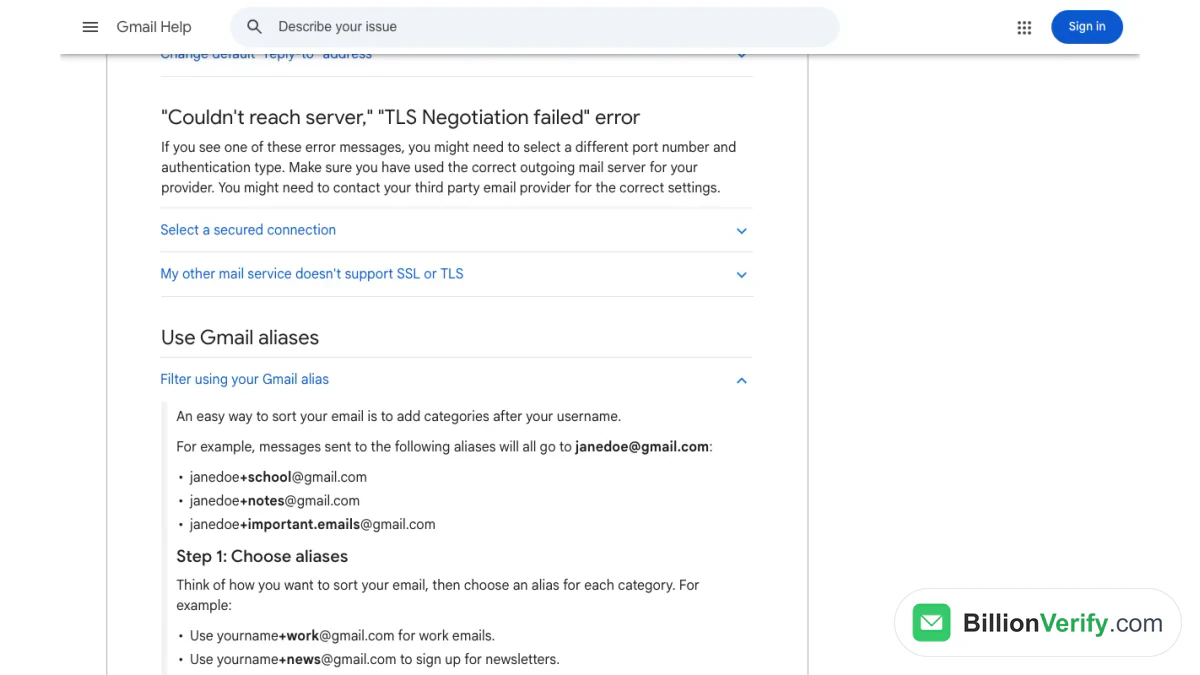
Screenshot: the "Use Gmail aliases" section on Google's send-as page, with the plus-sign examples.
Where the Plus Sign Falls Short
The tag is visible. Anyone who sees a tagged address can delete the tag and write to the base address. The plus tag hides nothing about the main address.
Some forms also refuse the plus sign, even though it is a valid character. That is a limit of the form, not of Gmail. In that case use a dotted version or a different method below.
Gmail Dot Alias
Gmail ignores dots in the part before the @. If your address is johnsmith@gmail.com, then john.smith@gmail.com, jo.hn.sm.ith@gmail.com and j.o.h.n.s.m.i.t.h@gmail.com all reach you. Google's page puts it this way: you own all dotted versions of your address.
The same page adds two details that matter. First, no one else can claim a dotted version, because the dots do not create a separate account. Second, if you use Gmail through work, school or another organization, dots do change your address, and your admin has to change them.
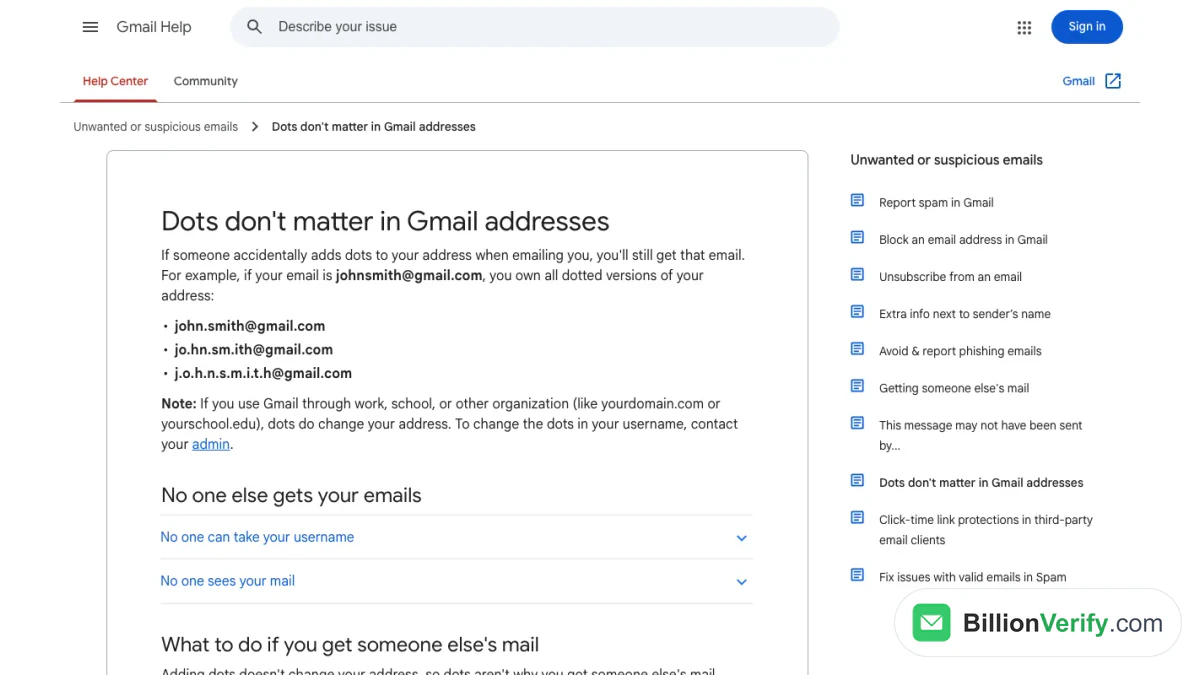
Screenshot: Google's "Dots don't matter in Gmail addresses" page.
Dots are a weaker choice than a plus alias. You cannot filter on them as easily as on a tag, and a site that lowercases and compares addresses character by character will treat the spelling with extra dots as a new person. They are mostly useful when a form rejects the plus sign. If you only wanted another dotted spelling, nothing needs to be created: it already works.
Send Mail As: Create a Gmail Alias You Can Send From
Plus aliases and dots only change how mail reaches you. Google says you can send emails from up to 99 different addresses, and the list can include another Gmail address, a work or school address, or an alias such as youralias@gmail.com.
Add an Address You Own
On a computer, open Gmail, click Settings, then See all settings and open the Accounts and import tab. In the "Send mail as" section, click Add another email address, enter your name and the address, and choose Next Step, then Send verification. For a school or work account you also enter the SMTP server and login. Then open the confirmation message sent to that address and click the link.
To use the new address, click the From line when you write a message and select it. To make it the default, change both the default "From" address and the default "reply-to" address. If you change only the "From" address, replies still go to your original Gmail address.
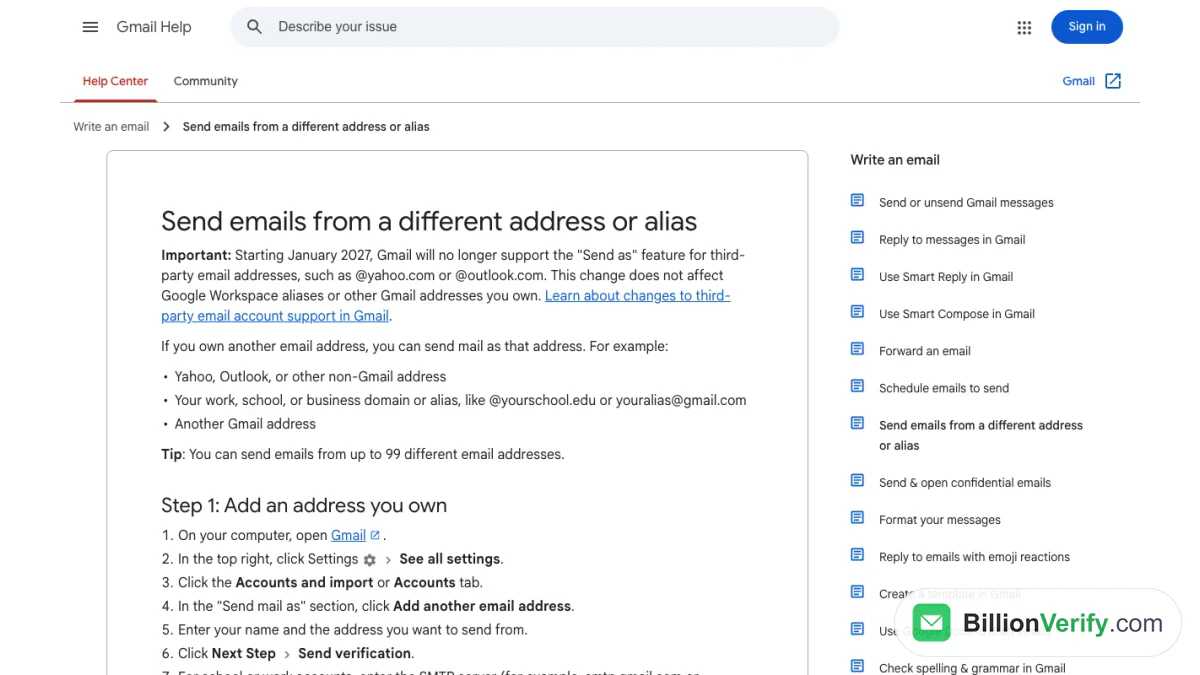
Screenshot: Gmail Help, "Send emails from a different address or alias".
What Recipients See
Your Gmail address can still show through. Google says recipients using Outlook or another mail service might see something like "From yourname@gmail.com on behalf of othername@otherdomain.com." They might also see the original address if you set an out-of-office reply or your mailbox is full.
If you remove an alias or it becomes invalid, a message sent from it bounces, so delete addresses you no longer own.
The January 2027 Change
The top of the same help page carries a warning. Starting January 2027, Gmail will no longer support the Send as feature for third-party email addresses, such as @yahoo.com or @outlook.com. Google states that this does not affect aliases from your Workspace admin or other Gmail addresses you own. If you relied on Gmail to send from a Yahoo or Outlook address, plan for another way.
Google Workspace Email Alias
Workspace is the only place where an admin creates an alias for you. Google's help page says an administrator can add up to 30 of them for each user at no extra cost. The alias is a forwarding address attached to the user's primary address, and the user signs in to the primary account to read and answer it.
The page lists the rules in its "Before you begin" section:
- Multiple users cannot share an email alias.
- Email aliases are not Google Accounts, so you cannot sign in with one to reach services such as Google Drive.
- An alias cannot reuse the name of an existing Google Account in the organization.
- More than 30 aliases for one user means creating another Google Account.
- Aliases are not private: a search for messages from bill@solarmora.com can also show messages from Bill's alias.
Google's own examples are role addresses such as info@, billing@ and sales@ for a one-person business, and forwarding mail for an employee who left. It also lists a use that matters for the next section: you need a temporary email address, so you use an alias to sign up for a particular service or run a temporary project.
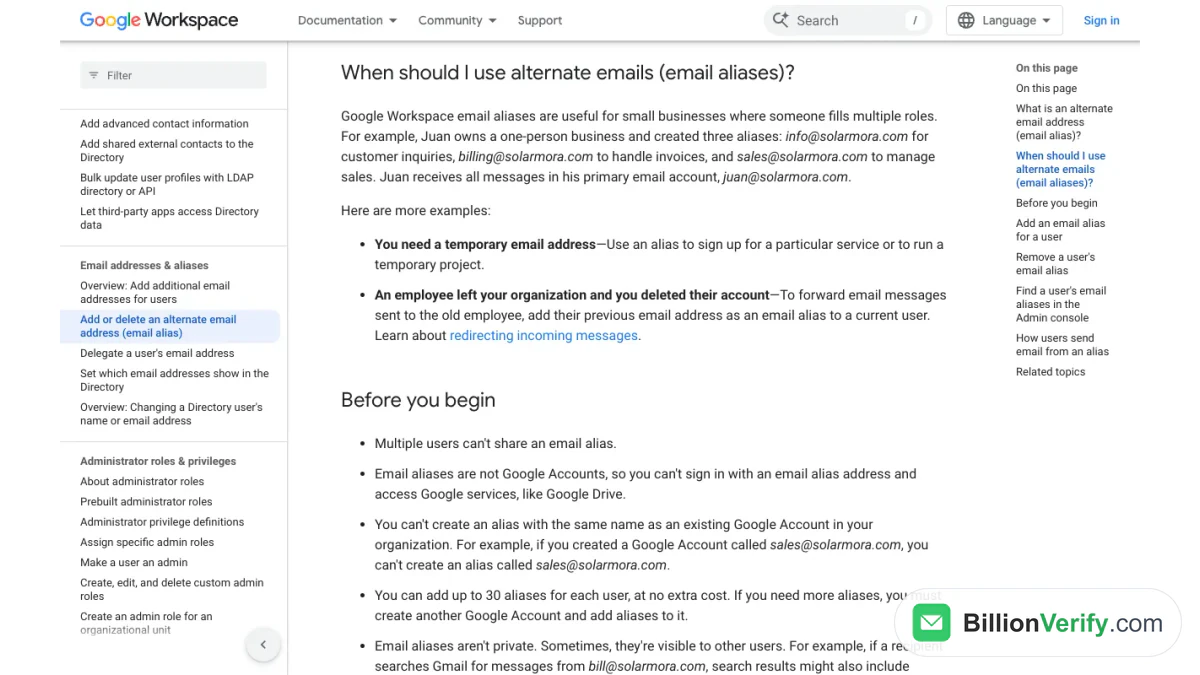
Screenshot: Google Workspace Help, "Add or delete an alternate email address (email alias)".
Temp Gmail: What an Alias Can and Cannot Do
Searches for temp gmail usually mean one of three things: a short-lived address that looks like Gmail, a free extra Gmail account, or an address you can drop once the spam starts. A gmail alias covers the last one best.
A plus alias is the closest thing a personal account has to a temporary Gmail address. You hand out yourname+trial@gmail.com, and when the sender turns noisy you add a rule that deletes mail to that tag. The inbox stays yours, the way back into the account stays open, and nothing expires on a timer. Google's Workspace page describes aliases for the same job.
It is not anonymous. The alias sits inside your own mailbox, and the site that receives it can see the base address, as noted above. If you want a disposable inbox unconnected to you, the answer is a temp mail service, and those come with their own limits. Our guide to what temp mail is covers how they work, and the comparison of anonymous email, temporary email and aliases shows what each type hides.
A site that sells a "temp Gmail" address is not Google. The help pages above describe aliases and ordinary accounts and nothing else. For one-off tasks, compare the 10-minute inbox services with a plus alias before opening another account.
What a Gmail Alias Means for Sign-up Forms
One Gmail inbox can appear as many different addresses. To a person with a plus alias or a dotted spelling, that is convenient. To a site that wants one account per person, janedoe+a@gmail.com, janedoe+b@gmail.com and j.anedoe@gmail.com look like three people, even though Gmail delivers them all to one mailbox.
BillionVerify's disposable email checker matches an address's domain against an open-source list of disposable providers. Its page says not to block Gmail or Outlook just because they are free, and that the tool targets short-lived providers only. A Gmail alias sits on gmail.com, so it is not a disposable domain. If you want to limit one account per inbox, that is a rule for your own sign-up code. The guide on the Gmail alias system and list hygiene covers the list owner's side, including dots, plus signs and what they do to duplicates.
Whether the mailbox behind an alias accepts mail is a different question. The BillionVerify email verifier runs syntax, domain and MX checks, then a live SMTP check against the mailbox, with risk flags for disposable, role and catch-all patterns. An account gets 20 free credits on each day it is used, up to 600 a month. They never expire and no card is needed. Unknown results are not charged, and catch-all addresses are labelled separately rather than counted as valid. The free checker on billionverify.com accepts a single alias with no sign-up.
WordPress owners can run the free BillionVerify plugin on registration, comment, WooCommerce and Contact Form 7 forms. It checks each address as the form is submitted and rejects the statuses you choose to block, with invalid blocked by default.
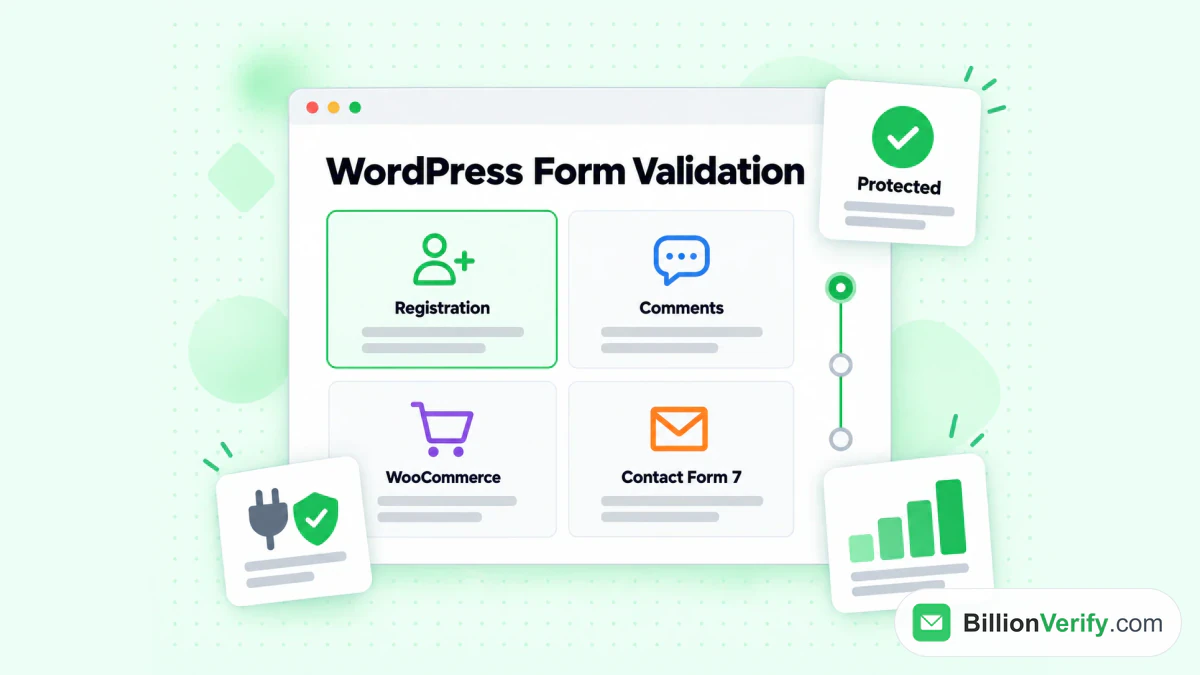
BillionVerify's WordPress form validation, shown with the form types it covers.
A sign-up often asks for a phone number next to the email. The phone number validator checks its format, country and type. To see the public owner and company context for an address that wrote to you, use reverse email lookup.
FAQs
How do I create a Gmail alias without Workspace?
Plus tags and dots need no setup: type a plus sign and a tag after your username, or move the dots. For an address you can write from, register one you own under Send mail as.
Can a regular Gmail account have an alias?
Yes. A personal account supports plus aliases, dotted versions and up to 99 Send mail as addresses, according to Google. Only Workspace gives an admin-created alias, capped at 30 aliases.
How many Gmail aliases can I have?
Plus and dot variations have no count in Google's pages, since you make them by writing them. Send mail as holds up to 99 addresses, and a Workspace user can have up to 30 aliases.
Does Gmail ignore the dots in my address?
Yes, for personal accounts. Dotted versions of a Gmail address all reach the same inbox. For accounts on a company or school domain, dots change the address.
Is a Gmail alias private?
No. The alias lives in your mailbox, and a plus tag leaves your main address easy to guess. Google also warns that Workspace aliases can appear in search results. An inbox that has no link to you needs a separate account or an inbox service.
Can I delete a Gmail alias?
A plus alias was never registered, so there is nothing to delete, but a filter can remove everything sent to it. A Send mail as address can be removed in Settings, and a message sent from an invalid alias bounces.
Does BillionVerify create or manage Gmail aliases?
No. BillionVerify checks whether addresses are valid, disposable, role or catch-all before you send. Gmail aliases are made and managed in Gmail and Google Workspace.
Watch: How to Validate a Phone Number: Free Phone Number Validator
Watch: Email Checker: How to Check an Email Address for Free
