


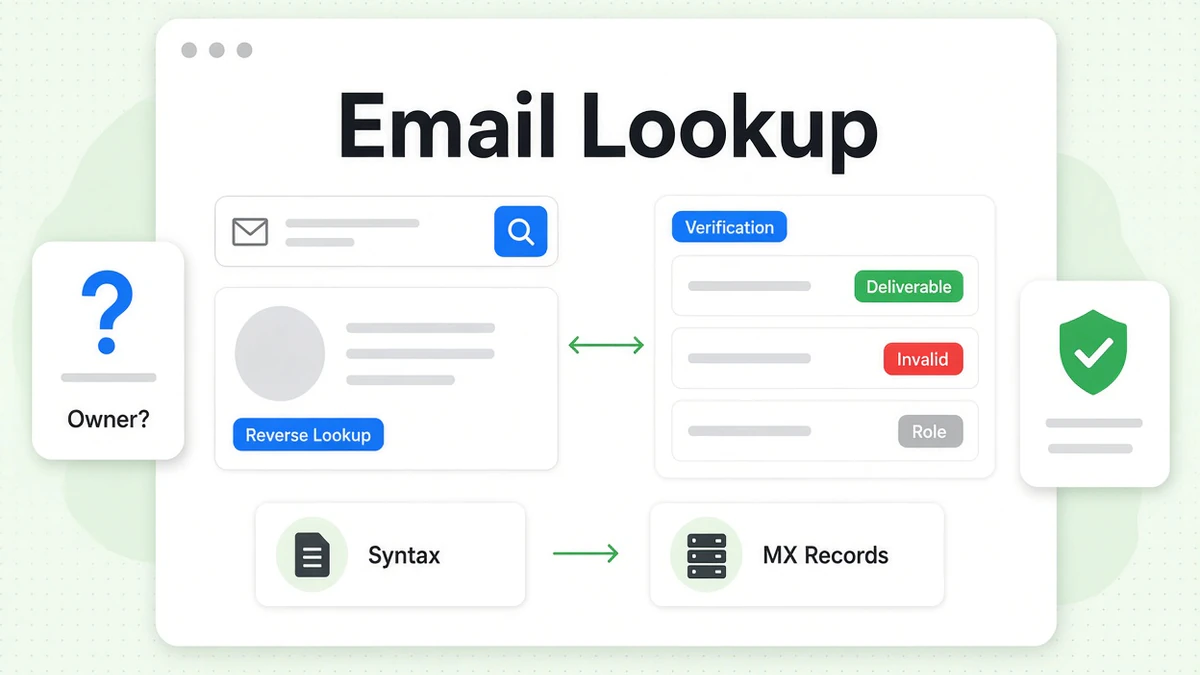
An email lookup starts from an email address and works back to the person behind it. A reverse email lookup asks one question: who owns this address? BeenVerified sells a reverse email lookup as part of its people search membership. This guide shows how the BeenVerified reverse email lookup works and what it returns. It also covers free ways to check an address yourself.
Most people forget a second question. Does the email address still work? A reverse email lookup can't answer that. An email verifier can. We explain both, side by side.
We are not affiliated with BeenVerified. BillionVerify is an email verification service. BeenVerified facts here come from its own site, checked in October 2026. For an overview of the company, read our guide to BeenVerified.
Key facts (checked October 2026):
- The BeenVerified email search starts from one full address and looks for the person behind it.
- BeenVerified charged $36.89 for a single month of access in October 2026, per its pricing page.
- A reverse email lookup names a likely owner, while email verification tests whether the mailbox can receive mail.
- Under CAN-SPAM, every commercial email needs an opt-out that the sender honors within 10 days.
- BillionVerify's reverse email lookup tool allows 20 lookups per IP daily, and its verification charges nothing for unknown results.
What Is an Email Lookup?
An email lookup is any search built around one email address. The usual kind is a reverse email lookup. You enter the address. The tool tries to name the owner and show related details.
BeenVerified describes it well. A reverse email lookup "can potentially help you understand who may be contacting you and for what purpose."
People run an email lookup for many reasons:
- An unknown sender writes to them.
- A dating match shares an email address before a first date.
- A seller online asks for payment by email.
- An old coworker's work email address is the last contact left.
- A group invite arrives from a list of strangers.
Reverse email lookup vs reverse email search
The two terms mean the same thing. A reverse email search also traces an address back to its owner. People type both into Google. This guide uses both.
What "email address lookup" can mean
"Email address lookup" is broader. Some people mean the reverse task. Others mean finding an email address from a name. This guide covers the reverse direction only.
Why there is no phone book for email
BeenVerified makes a fair point. "Unlike phone numbers, there are no 'yellow pages' and 'white pages' for email addresses." Anyone can open an account without a real name. There are no area codes to hint at a location. So every email lookup has to piece together scattered public data.
That is also why a plain web search often fails. BeenVerified notes that search engines "can only identify someone by email if the address appeared on a public platform."
How to Do a Reverse Email Lookup With BeenVerified
The BeenVerified reverse email lookup takes five short steps. You can start from the homepage or from a dedicated page.
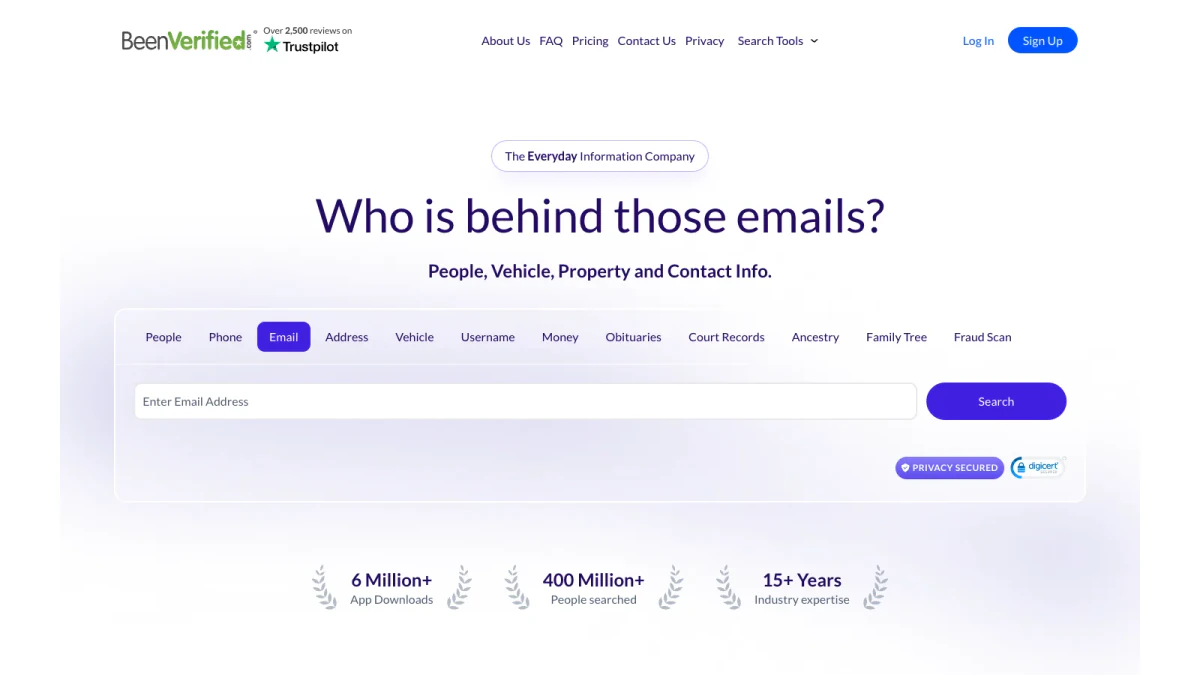
Screenshot: the Email tab in the BeenVerified homepage search box.
Step 1: Open the email search
On the homepage, pick the Email tab. Or go straight to the BeenVerified email lookup page. That page is the BeenVerified reverse email lookup official entry point. Its headline reads "Search An Email Address."
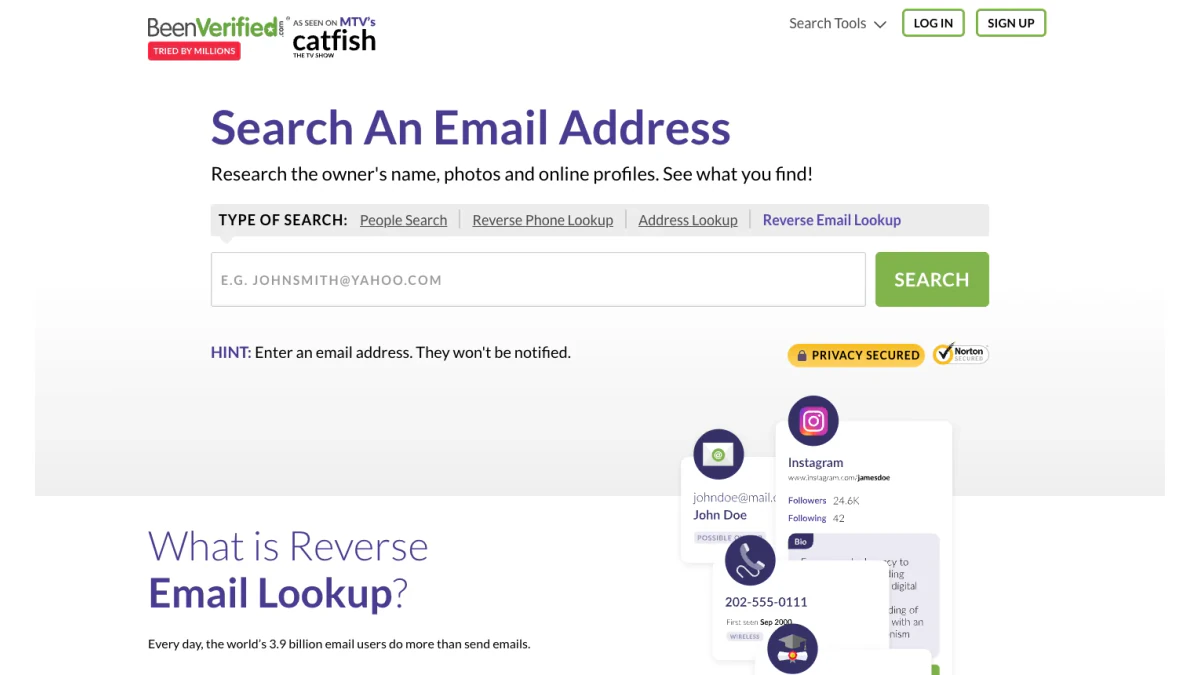
Screenshot: the BeenVerified reverse email lookup official page.
Step 2: Type the full email address
Enter the whole address, such as name@example.com. A hint under the box says, "They won't be notified." Check each letter. One typo points to a different person, or to nobody.
Step 3: Run the reverse email search
Press Search. BeenVerified says it "looks at multiple databases to find potential name and identity matches." It may also "pinpoint the sender's location."
Step 4: Open the BeenVerified reverse email lookup report
When there is a match, BeenVerified gathers the details "into one report within moments." Opening the full BeenVerified reverse email lookup report needs a membership or a trial.
Step 5: Confirm what matters
Treat each detail as a lead. Confirm anything important through a channel you already trust. A phone call to a known number works. So does a message on a verified profile.
What a BeenVerified Email Lookup Can Show
BeenVerified lists what its email search "may potentially include":
- Real name, aliases and approximate age.
- Current and previous address and property information.
- Education, job and employer info.
- Names of possible relatives and associates.
- Contact information, such as phone numbers and other email addresses.
- Criminal records, where available.
- Social media profiles.
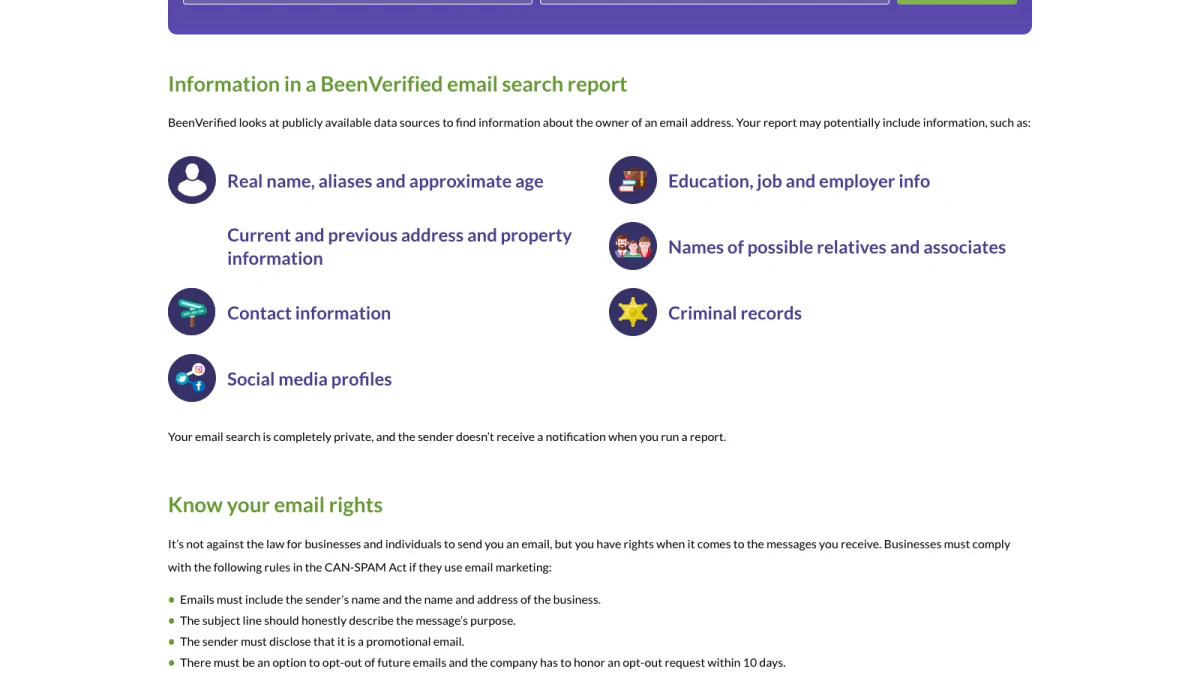
Screenshot: what a BeenVerified reverse email lookup report may include.
It also scans "dozens of social media sites" for profile matches. Those may reveal "photos, education and employment information."
Two notes matter. First, every item says "may." A BeenVerified reverse email lookup report can come back thin. Second, the data comes from public records. Old records can tie an email address to someone who left it years ago.
Is a BeenVerified email lookup private?
Yes. BeenVerified calls the search "completely private." It says the sender gets no alert when you run it.
How much does a BeenVerified email lookup cost?
Email search comes with a BeenVerified membership. In October 2026, BeenVerified pricing listed $36.89 per month for one month. The 3 month plan worked out to $23.98 monthly. A 7-day trial cost $1, then $32.89 per month. Every plan includes email lookups.
When a BeenVerified email lookup is worth it
A paid report helps most with personal webmail. A free tool rarely names the owner of a Gmail address. Records and social profiles sometimes can. If you need a name, a BeenVerified email lookup gives you a better chance. Many people pair a BeenVerified email lookup with a phone search for a fuller picture. If you only need context on a work domain, start free.
Free Ways to Look Up an Email Address
You don't always need a paid report. Try these no-cost methods first.
Search the address in quotes
Paste the complete address, wrapped in quotes, into a search engine. You may find a profile, a forum post or a company page. This works only when the owner posted it in public.
Read the domain
The part after the @ says a lot. A company domain points to an employer. A webmail domain says almost nothing. Visit the company site and look for a team page.
Use a free reverse email lookup tool
Our free reverse email lookup tool works from public signals only. It reads the domain and organisation. It checks mail routing. It spots role patterns such as info@. It looks for a public profile the owner chose to publish.
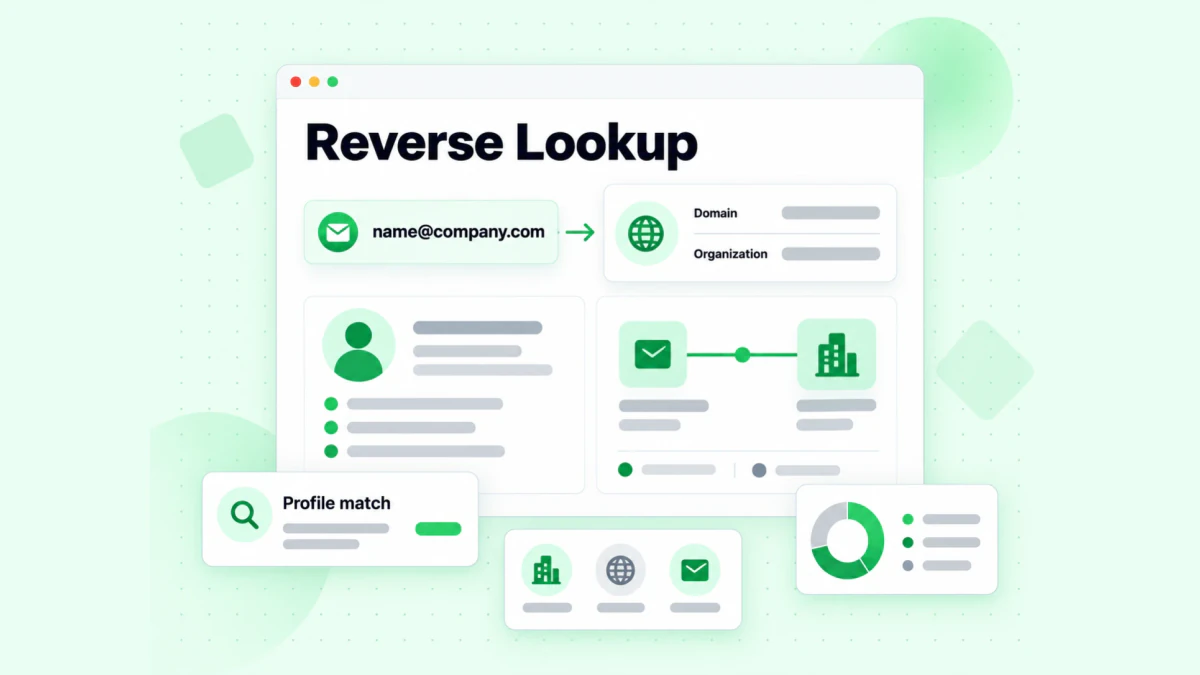
Our free reverse email lookup tool maps domain, organisation and public profile signals.
It labels inference as inference. A name guessed from firstname.lastname stays a guess. You get 20 free lookups per IP each day.
Compare a free reverse email lookup with a paid report
The two options answer the same question from different data:
| Free reverse email lookup tool | BeenVerified reverse email lookup report | |
|---|---|---|
| Data | Public technical signals | Public records and other databases |
| Cost | No charge | Membership or $1 trial |
| Name | Only if the owner published one | May include real name and aliases |
| Extras | Mail routing, role pattern | Homes, relatives, records |
| Best for | Work domains | Personal webmail |
Neither one replaces the other. A free email address lookup gives fast context. A paid report goes deeper on personal accounts.
Read our step-by-step guides
We cover more methods in our free email lookup guide. For a walkthrough, see how to find out who owns an email address.
Reverse Email Lookup vs Verification
Here is the key difference. A reverse email lookup answers "whose email address is this?" Verification answers "will my message arrive?"
| Question | Reverse email lookup | Verification |
|---|---|---|
| What it checks | Who may own the address | Whether the mailbox is real and takes mail |
| Data source | Records, profiles, public signals | Live checks with the mail server |
| Result | A likely name and details | Valid, invalid, catch-all or unknown |
| Goes stale | Yes, records lag | Point in time |
| Use it to | Judge a sender | Protect your sending |
So reverse email lookup vs verification is not a contest. You often need both. A report can name an owner while the address bounces. Our own tool page says organisation context and deliverability "are unrelated."
Why reverse email lookup vs verification matters for senders
If you plan to write, deliverability matters more than identity. Dead addresses raise your bounce rate. Mailbox providers notice. Your next campaign may land in spam. Run a reverse email search when you need context. Run verification before you send.
Reverse email lookup vs verification: a quick example
Say a report links jane@oldcompany.com to Jane Doe. The name may be right. But Jane left that job two years ago. The company deleted her mailbox. A reverse email search still shows the address. Verification shows it bounces. Now you know to find a current one.
How Verification Works
A mailbox check goes deeper than a format test. BillionVerify runs these layers on every address.
Syntax
Is the address written correctly? A missing @ or a stray space fails here.
Domain and MX records
Does the domain exist? Does it publish mail servers, called MX records? A domain with no mail route can't receive anything.
SMTP mailbox check
We talk to the receiving server without sending a message. Does it accept this exact mailbox? A permanent rejection is strong negative evidence. Our free email verifier runs this check on a single address.
Catch-all domains
Some domains accept mail for any name. That setup is called catch-all. On those domains, a server "yes" can't confirm a specific person. We report catch-all as its own result. We never count it as valid. Test any domain with our catch-all verifier.
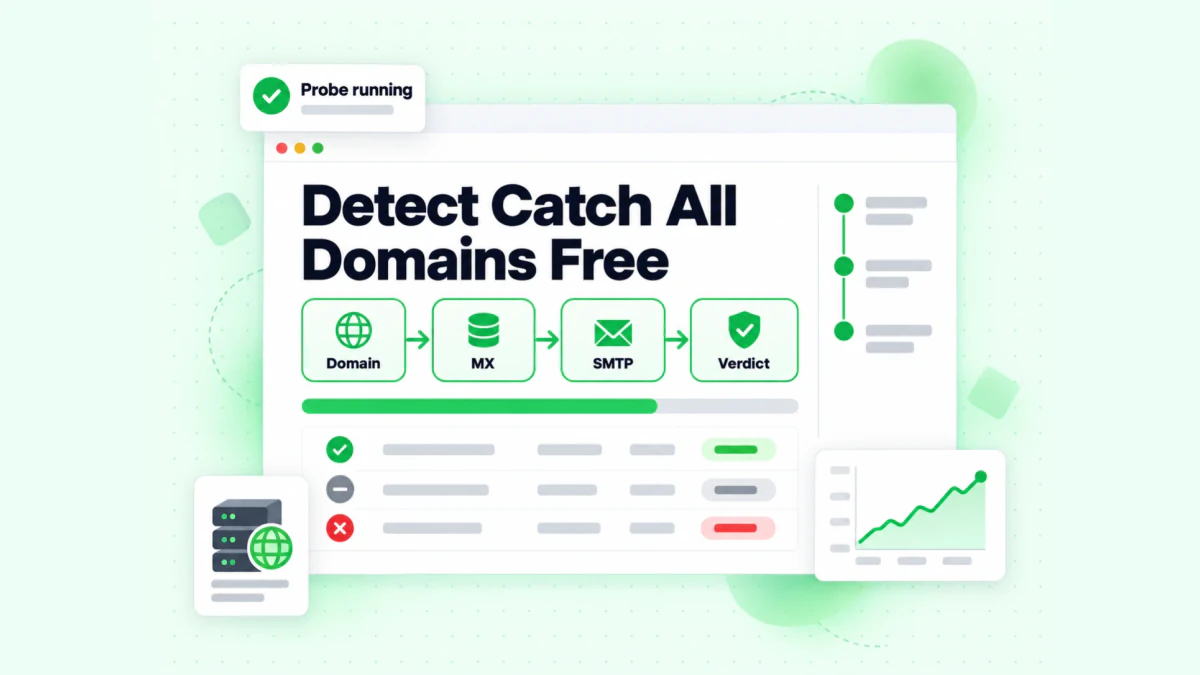
Our catch-all verifier runs domain, MX, SMTP and verdict steps in one pass.
Disposable addresses
Throwaway accounts last minutes or days. Our disposable email detection compares the domain with a maintained list. That list is open source on GitHub.
Role accounts
Shared boxes like info@, support@ and sales@ reach a team, not a person. Our role account detection flags them with one focused result.
When to Use Each Check
Each situation calls for a different tool.
Checking a suspicious sender
Start with a reverse email search. Who sent this? Then check whether a real mailbox stands behind the sender. Our Is This Email Legit check runs a live SMTP probe on the sender address. BeenVerified also warns about phishing. It says a reverse email search "may help you identify phony email addresses and potential email scams."
Before a sales email
Identity helps you personalize. Deliverability keeps your domain healthy. Verify every address before outreach. Skip catch-all and unknown results, or send to them with care.
At signup
Fake and mistyped addresses enter forms every day. Verify in real time at signup. Block disposable domains. A free email address lookup tool is not built for this job. A verification API is.
Before you reconnect with someone
A people search may surface an old address. Check its domain first with a free email address lookup tool. It shows whether the domain still routes mail. Full verification then confirms the mailbox.
Email Address Lookup for Businesses
Teams use an email address lookup for different reasons than individuals.
- Sales teams want context before outreach. Which company is this? Is it a role box or a person?
- Support teams check whether a ticket came from a real customer.
- Finance teams confirm vendor addresses before they change payment details. Invoice fraud often starts with a lookalike domain.
- HR teams must stay clear of FCRA uses. A people search report is not a hiring tool.
For most business cases, an email address lookup on the domain is enough. It names the organisation and shows mail routing. Personal details are rarely needed. When a team handles many addresses, verification at scale outweighs identity. A clean list protects every future send.
Why an Email Lookup Comes Back Empty
An empty result is common. It is rarely a bug.
The owner keeps a low profile
Many people never post their email address anywhere public. No profile, no forum, no listing. A reverse email search has nothing to match.
It is a new account
Records lag. A fresh address may not appear in any database for months.
It is personal webmail
Webmail domains carry no employer. A free reverse email lookup can read the domain, but the domain says nothing about the person. Paid databases do better here, but not always.
It is a throwaway
Disposable accounts are built to vanish. They rarely link to a real identity. That fact alone is useful. A throwaway sender deserves extra care.
It is a role account
An address like billing@ or hello@ belongs to a team. A lookup may show the company. It will not show a single person.
Signs an Email Sender Is Fake
A BeenVerified email lookup can confirm a hunch. But many fakes show themselves before you search.
- The display name and address don't match. "Bank Support" writing from a random webmail account is a red flag.
- The domain is almost right. Look for swapped letters, extra words or odd endings.
- It pushes urgency. "Act within an hour" is a pressure tactic.
- It asks for payment in gift cards or crypto. Real firms rarely do.
- Links point somewhere else. Hover before you click. Check the real destination.
- Replies go to a different address. Check the reply-to field.
If two or more of these show up, slow down. Run a BeenVerified email lookup or a free check on the domain. Then contact the company through its official site, not through the message.
Tips for Better Email Lookup Results
- Use the exact email address. Copy and paste it. Never retype.
- Read the domain first. It is the most reliable signal.
- Separate observed from inferred. A published profile is observed. A guessed name is not.
- Check the dates. Records show when data was last seen.
- Cross-check the phone. If a report lists a number, test it with our phone number validator. It shows whether the number is valid for its country and its line type. You can also run a BeenVerified reverse phone lookup.
- Verify before you write. A name is not a working mailbox.
Limits and Legal Use
Every email lookup has limits. BeenVerified's footer says reports are "not necessarily 100% accurate, complete or up to date."
FCRA rules
BeenVerified is not a consumer reporting agency under the Fair Credit Reporting Act. Its FCRA notice bans reports for jobs, housing, credit, insurance or school decisions. The BeenVerified reverse email lookup falls under the same rule. You can read the legal definition in 15 U.S.C. § 1681a.
Not legal evidence
BeenVerified warns its data "must not be solely relied upon for legal purposes." Its Is BeenVerified legit? FAQ calls the service "a tool for gathering preliminary information."
Your rights as a recipient
BeenVerified summarizes the CAN-SPAM Act on its email page. Marketing messages must name the sender and the business address. Subject lines must be honest. There must be an opt-out, honored within 10 days. Threats and harassment are a matter for the police.
Respect privacy
A lookup on personal webmail often finds no name. That is normal. Don't fill the gap with guesses. Never use any email lookup to harass anyone. If someone asks you to stop writing, stop.
Verify an Email With BillionVerify
BillionVerify checks whether an email address exists and can receive mail. It does this without sending anything. Every check ends in one of four states, with disposable and role flags on top.
Pricing is simple:
- Free credits: 20 free credits every day you use your account, up to 600 a month.
- No expiry: credits never expire. No credit card is needed.
- Pay for answers: a valid or invalid result uses one credit.
- Unknown is free: if we can't reach a definite answer, you pay nothing.
- Free re-checks: checking the same address again within 24 hours costs nothing.
Start with one address in our free email verifier. Or verify a list with BillionVerify before your next send.
FAQs
What is an email lookup?
An email lookup is a search that begins with an email address. Most often it means a reverse email lookup, which looks for the owner and related details.
How does a BeenVerified reverse email lookup work?
A BeenVerified reverse email lookup starts when you type the full address into its email search. It checks several databases for identity matches. If it finds one, it builds a BeenVerified reverse email lookup report with names, homes, relatives and profiles.
Is a BeenVerified email lookup free?
No, a BeenVerified email lookup is not free. The search starts free, but the full results need a membership or a $1 trial. In October 2026, the cheapest monthly rate was on the 3 month plan.
Can I do a free email address lookup?
Yes, a free email address lookup is possible. Try a quoted web search, check the domain, or use our free reverse email lookup tool. It reads public signals at no charge.
Is a reverse email search the same as a reverse email lookup?
Yes, a reverse email search and a reverse email lookup are the same, because both trace an address back to whoever uses it.
Does the sender know I searched?
No, the sender is not told about your search, because BeenVerified states that searches stay private and no notice goes out.
Can a reverse email lookup tell me if an address works?
No, a reverse email lookup cannot tell you whether an address works. A lookup shows who may own an address. Only verification shows whether the mailbox is live.
What is a catch-all email address?
A catch-all address belongs to a domain set to accept everything sent to it. A server "yes" there can't confirm one person. BillionVerify reports catch-all as its own result.
Why did my reverse email search find no name?
Many accounts have no public footprint. Personal webmail rarely links to a name. Blank results happen often.
Can I use an email lookup to screen a tenant or employee?
No, BeenVerified bans FCRA uses such as hiring and tenant screening. Use a regulated screening firm for those decisions.
Can BeenVerified show emails linked to a name?
BeenVerified can often show emails linked to a name. A BeenVerified people search report may list contact details, including other addresses tied to that person. Some may be old. Check each one before you write, because records can outlive the mailbox.
How much does BillionVerify cost?
BillionVerify gives new users daily free credits that never expire. Valid and invalid results cost one credit each. Unknown results are free.