


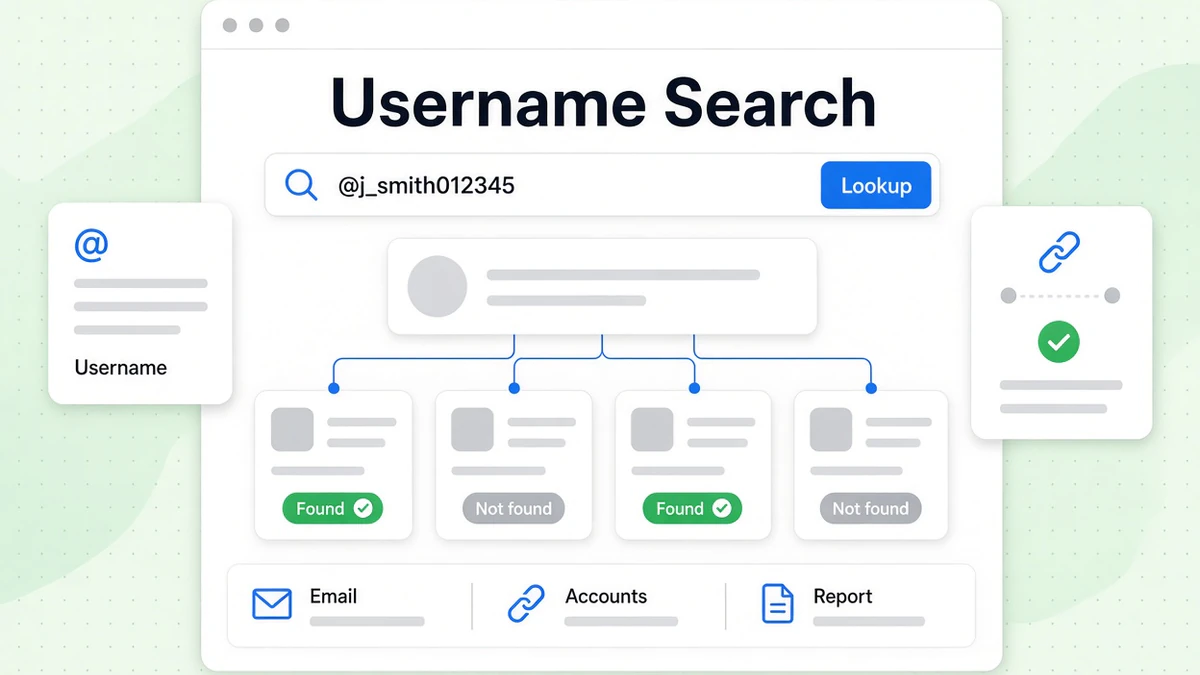
A username search starts from a screen name, not a real name. You enter a username like @j_smith012345. The tool looks for accounts, photos and records tied to it. BeenVerified offers this as its Username tab. It says a reverse username search can find "social media profiles, photos, and other accounts linked to a username across the web."
This guide shows how a BeenVerified username search works, step by step. It explains what a username lookup report can show and where it falls short. It covers free options, a username checker for brands, and the legal limits. It also shows how to find someone by username online with free tools first. Every BeenVerified fact here comes from its own website, checked in October 2026.
We are not affiliated with BeenVerified. BillionVerify is an email verification service. A username is often the first half of an email. So a username lookup often ends with an email you want to check. We cover that step near the end. For an overview of the company, read our BeenVerified guide.
Key facts (checked October 2026):
- BeenVerified's Username tab searches by screen name and lists the profiles and images tied to it.
- BeenVerified estimates that a typical person keeps seven social media accounts, so one reused username can connect several profiles.
- Opening a complete username report from BeenVerified requires a paid membership or the $1 seven-day trial.
- BeenVerified states that its searches are confidential and that it does not notify the person being searched.
- The FCRA bars using BeenVerified reports to screen job applicants or tenants, because the company is not a regulated screening firm.
What Is a Username Search?
A username search uses a screen name as its only input. Each username is unique on its own platform. That makes it a sharper clue than a common name.
BeenVerified explains the idea with an example. A name like John Smith "might get hundreds of results." A username such as @j_smith012345 returns "only one—the person who owns the account." That is the core value of a username search.
Usernames also travel. BeenVerified notes that people "frequently use the same username on Instagram, X, Snapchat or other social media sites." Find a single account, and you may find the rest.
Username search vs reverse username search
The two terms mean almost the same thing. A username search lists every account that uses a given username. A reverse username search goes a step further. It tries to tie the username to a real person. BeenVerified uses both phrases on its own pages.
Username lookup vs username checker
A username lookup asks, "Who uses this username?" A username checker asks, "Is this username free to claim?" Brands and creators use a username checker before they launch. People researching a stranger use a username lookup. The tools look alike, but the goals differ.
Why people do a username lookup
BeenVerified lists three main reasons:
- Catfishing and scams: confirm a suspicion about someone you met online.
- Online fraud: learn who a seller is before you pay or share details.
- Online dating: confirm key details before you meet a match.
It also mentions trolls. Some people pick odd usernames to stay hidden. A reverse username search "might be able to remove the cloak of secrecy," BeenVerified says.
How to Do a BeenVerified Username Search
You can start a BeenVerified username search in two places. The homepage has a Username tab. There is also a dedicated page for it.
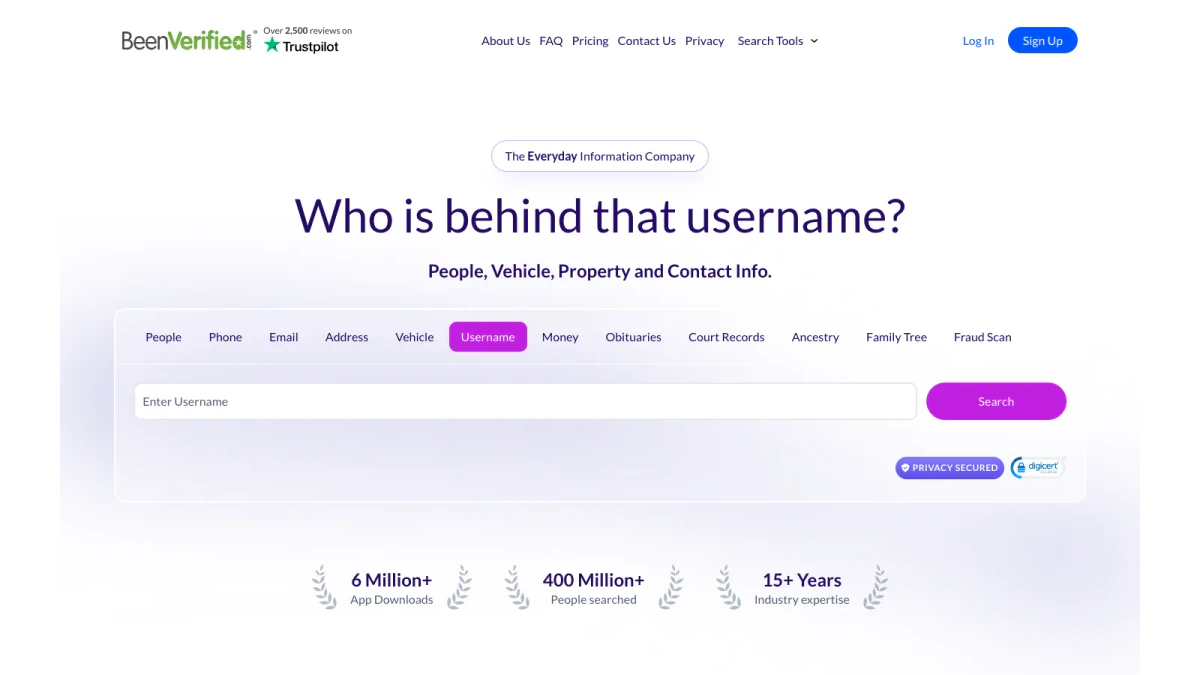
Screenshot: the Username tab on the BeenVerified homepage.
Step 1: Open the tool
Go to the BeenVerified username search page. Or pick Username on the homepage. The homepage tab asks, "Who is behind that username?"
Step 2: Enter the username
Type it into the box marked "Enter Username." The hint under the box says to "enter a username from social media platform." Leave out the @ sign if the tool rejects it.
Step 3: Start the reverse username search
Click Search. BeenVerified "combs through multiple databases, public records and other sources." It then builds a report on that username. The BeenVerified reverse username search report opens in your account.
Step 4: Open the username lookup report
Full reports need a membership or a trial. In October 2026, BeenVerified listed $36.89 per month for one month. A 3 month plan cost $23.98 per month. Its offers page listed a 7-day trial for $1. The same plan covers every search type.
Step 5: Check what you found
Read the report with care. Compare the profile photo, location and age with what the person told you. Confirm any key detail with a second source before you act.
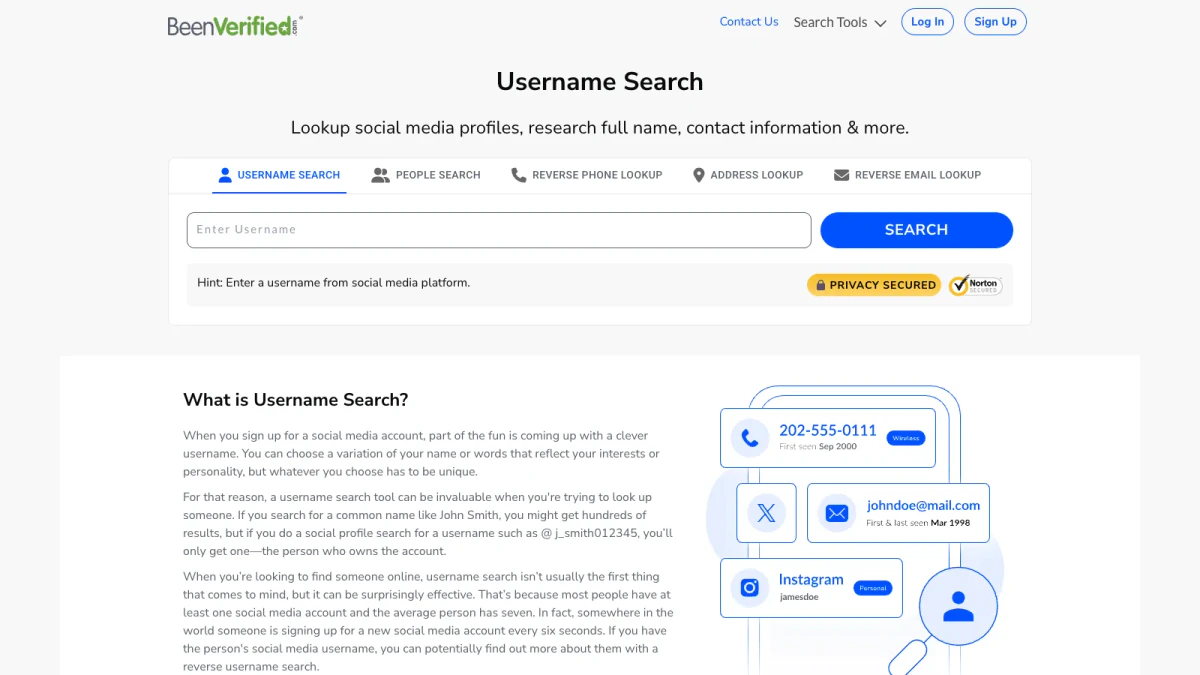
Screenshot: the dedicated page with its Enter Username box.
What a Username Lookup Report Shows
BeenVerified lists what a username lookup report "may reveal":
- Current and past addresses
- Age
- Contact information
- Social media profiles
- Criminal records
- Profile picture
- Possible relatives
It adds that "the more active someone is online, the more information you may be able to uncover." A username with years of posts leaves a long trail. A fresh account leaves little.
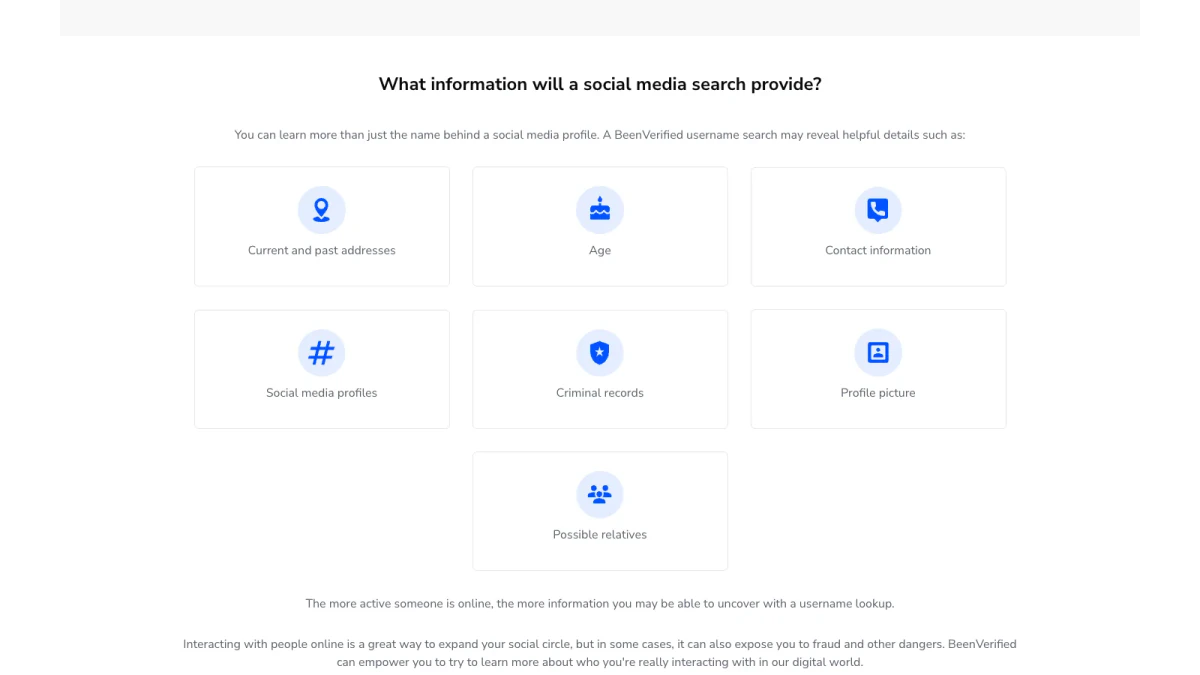
Screenshot: the seven details BeenVerified lists for a username lookup report.
How sure is each match?
Not very sure, on its own. A username is unique on one platform only. Two strangers can own the same name on two different sites. A username lookup report may join them by mistake.
BeenVerified is open about this. Its footer says report data "is not necessarily 100% accurate, complete or up to date." Treat each link between accounts as a lead. Then test it.
What it cannot show
Any reverse username search tool shows public data only. A username lookup cannot read private messages. It cannot open locked accounts. It cannot see deleted posts unless an archive kept them. The report shows public signals and records, not hidden data.
How a Reverse Username Search Ties Accounts Together
The method behind a reverse username search is simple. It relies on habit.
Most people reuse a favorite username. BeenVerified notes that "the average person has seven" social accounts. When a username appears on several sites, each site adds a detail. The first shows a city. Another shows a job. A third shows a photo.
A username search across social media lines these up. You see which accounts share it. You see which details agree. You also see which ones conflict.
Signs two accounts belong to one person
- Same photo on both profiles.
- Same city or school in the bios.
- Matching links from one account to the other.
- Similar writing in posts and captions.
- Overlapping friends or followers.
Signs they belong to two people
- Different ages or life stages.
- Different countries or time zones in posts.
- No shared contacts at all.
- Different languages in posts.
One match is a hint. Three or four matches make a case.
Free Ways to Find Someone by Username
You do not always need a paid report. Try these free steps first.
Use a search engine
Wrap the username in quote marks. The engine then looks for that exact string. Try it with and without the @ sign. Add a platform name, such as "@j_smith012345 Instagram," to narrow results.
Search each platform
Most networks have their own search bar. Type it into each one. Note which ones return an account. A manual username search across social media is slow, but it costs nothing.
Free username checker tools
A free username checker reports whether a username is taken on many sites at once. It was built for people claiming a new username. It also works as a rough username search. You learn where a username exists. You do not learn who owns it.
Check linked emails and phone numbers
Bios often list an email or a phone number. Those open new paths. Our free reverse email lookup reads the domain, organisation, mail routing and any public profile behind an email. It uses public signals only. Our free phone number validator shows whether a number is valid for its country. It also reports the line type and the E.164 format. Both allow 20 free checks per IP each day, with no signup.
When free tools are enough
A free reverse username search is enough when you only need to know where a username exists. Pay for a report when you need many facts in one place, like addresses, relatives or records.
Username Search Tools Compared
Each username search tool answers a different question. Here is how the common options line up:
| Tool | Answers | Cost | Best for |
|---|---|---|---|
| Search engine | Where it shows up on public pages | Free | A first pass |
| Platform search bars | Whether an account exists on that site | Free | Checking a single network |
| Free username checker | Which sites have it taken | Free | Claiming a brand name |
| BeenVerified username search | Who may own it, plus records | Paid membership or $1 trial | A full profile |
A free username checker tool online is quick. It tells you where a username is taken. A free reverse username search tool goes a little further. It may show public profiles. A paid reverse username search tool, like BeenVerified, adds records such as addresses and relatives. Pick the lightest tool that answers your question.
How to Find Someone by Username Online
Here is a simple order of steps that works for most cases. It moves from free to paid.
- Search the exact username. Use quote marks in a search engine.
- Check the big platforms. Search the username on each network you know.
- Try a free username checker tool online. See every site that already uses it.
- Collect bios and links. Note emails, phone numbers and cities.
- Check the email and the number. Use free tools to see if they are real.
- Run a BeenVerified reverse username search. Do this only if you still need records.
- Compare everything. Keep the details that match across sources.
To find someone by username online, patience matters more than any single tool. Most answers come from the first four steps. The paid step fills gaps.
When to stop
Stop when the details line up across three or more sources. Stop also if the person clearly wants privacy. A trail of locked accounts is a message. Respect it.
Tips for Better Username Lookup Results
Small habits make any username lookup more useful.
- Copy the username exactly. A single swapped letter points to a different person.
- Try close variants. People add numbers, dots or underscores when their first choice is gone.
- Note the platform. The same username on a gaming site and a photo app may belong to different people.
- Look at account age. An old account with steady posts is more trustworthy than a new one.
- Check the photo. A reverse image search shows whether it appears elsewhere under other names.
- Save your notes. Record each account, date and detail as you go.
Keep a username lookup log
A simple log keeps a long username lookup honest. List each site, the date you checked and what you saw. Mark which details match and which conflict. Add the BeenVerified username search results last, so you can compare them with your free findings. A good log also stops you from repeating the same search twice.
Common mistakes
- Trusting one match. One shared username proves nothing.
- Ignoring dates. A username may have changed owners years ago.
- Skipping the email check. An address in a bio may be dead.
- Acting too fast. Confirm before you confront, report or pay.
Checking a Dating or Marketplace Profile
The most common reason for a reverse username search is safety. A match or a seller seems real. You want to be sure before you meet or pay.
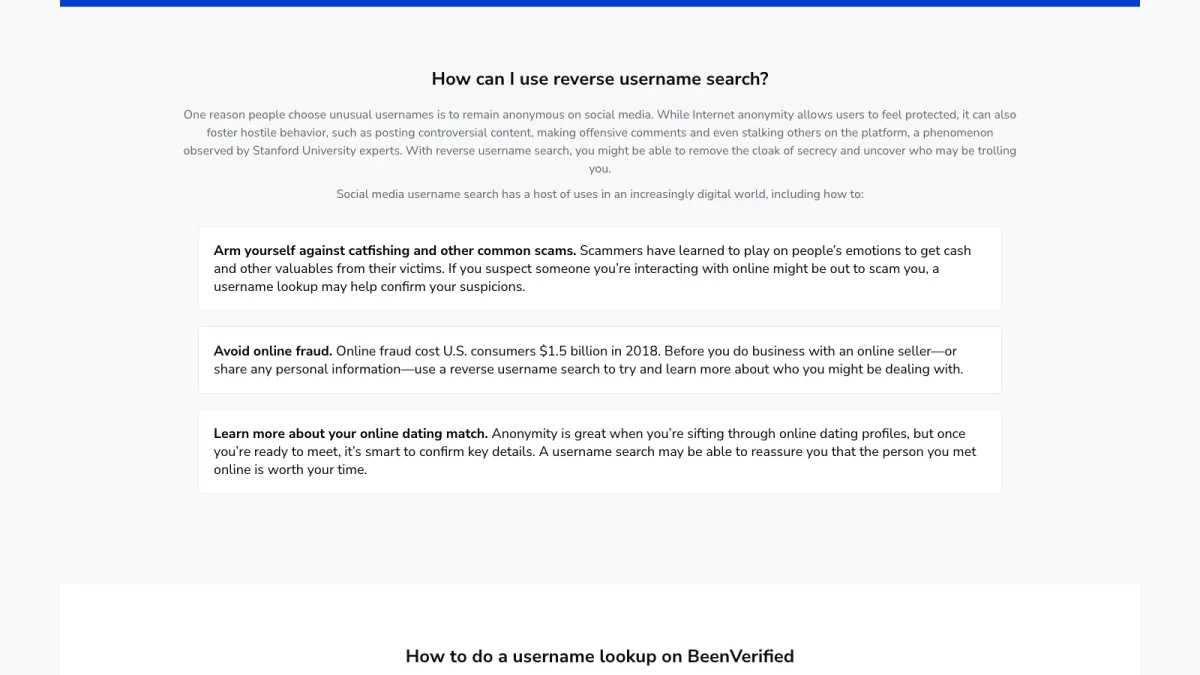
Screenshot: BeenVerified's list of reverse username search uses.
Online dating
Start with the username your match gave you. A free reverse username search is a good first check. Check that the name, age and city fit the story. Look for the same photo under other names. If details shift, slow down.
Online marketplaces
Sellers often use one username across marketplaces. A username lookup can show their history. Long, steady activity is a good sign. A brand-new account with a deal that seems too good is a warning.
Red flags to watch for
- They ask to move the chat off the platform fast.
- They avoid video calls or meeting in person.
- They ask for gift cards, wire transfers or crypto.
- Their story changes when you ask simple questions.
- Their photo appears under other names.
Where to report a scam
If someone tried to scam you, report it. In the US, file with the FTC at ReportFraud.ftc.gov. For internet crime, you can also file with the FBI's Internet Crime Complaint Center. Report the account to the platform as well.
Username Checker for Your Own Brand
A username checker is not only for research. It also protects your own name.
Claim your username early
Before you launch a business or channel, use a free username checker tool. See where your preferred username is open. Claim it on the platforms you plan to use. Claim it on a few more to block copycats.
Keep one username everywhere
A consistent username is easier to find. Customers can move between platforms with confidence. It also makes impersonators easier to spot.
Watch for impersonators
Search your own brand every few months. Look for close variants, like an extra underscore. You can run those variants through a free username checker tool too. Report fake accounts to each platform.
Privacy: What Your Usernames Reveal
Reverse username searches succeed because people reuse usernames. That habit can expose you too.
Search for yourself
Look up your own usernames. See what links together. You may find old accounts you forgot. You may find a city or school you did not mean to share.
Reduce what links together
- Use different usernames for private and public accounts.
- Remove your city and birthday from public bios.
- Delete accounts you no longer use.
- Review privacy settings on each platform.
- Turn on two-step login for every account.
Remove a BeenVerified listing
If BeenVerified shows a listing about you, it offers an opt-out process. Our BeenVerified guide covers where to start.
Limits and Legal Use of a Username Lookup
A username lookup is a research tool, not proof. BeenVerified says its data is not a "substitute for your own due diligence."
FCRA limits
BeenVerified is not a consumer reporting agency under the Fair Credit Reporting Act. Its FCRA notice bans using reports for jobs, housing, credit, insurance or school decisions. That rule covers a username lookup report too. You can read the legal definition of a consumer reporting agency in 15 U.S.C. § 1681a.
Never use it to harass
A username and a name are not permission to contact someone again and again. Repeated unwanted contact can be a crime. Federal law covers stalking that uses online services. See 18 U.S.C. § 2261A. If someone asks you to stop, stop.
Searches stay private
BeenVerified states that "all searches and purchases are confidential - we don't notify anybody that you have looked them up." That privacy comes with a duty to use the results fairly.
From a Username to a Working Email
A username search often leads to an email. Many people use the same word for both. A username like "jsmith_runs" may match an inbox such as jsmith.runs at some provider. Bios and reports may also list addresses directly.
Handle those emails with care. Some are current. Others belong to accounts closed long ago. A username lookup shows an email was once tied to a profile. It cannot show the inbox still accepts mail.
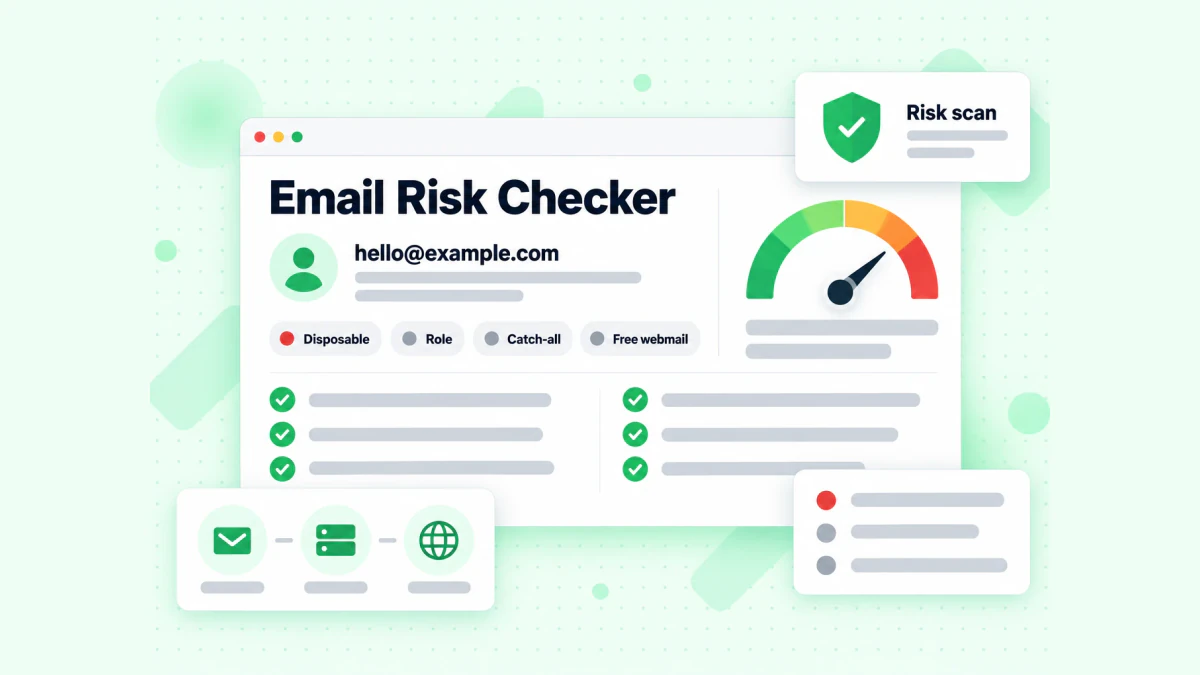
BillionVerify's email risk checker on one address.
Check the email before you write. Our free email checker runs a live SMTP check on one address. It also flags disposable, role, catch-all and free webmail addresses. Each flag is reported on its own, not folded into one score.
For bigger jobs, BillionVerify checks lists and connects through an API:
- Syntax: is the email written correctly?
- Domain and MX records: does the domain accept mail?
- SMTP: does the server accept this mailbox?
- Catch-all: does the domain accept any name? We report catch-all on its own, never as valid.
- Throwaway and shared inboxes: is it disposable, or a role box like info@?
You get 20 free credits each day you use your account, up to 600 a month. They never expire. No credit card is needed. A valid or invalid result uses one credit. Unknown results are free. A re-check within 24 hours is free too. Verify the email with BillionVerify before you hit send.
Want more on the email side? Our guide to the BeenVerified email lookup compares reverse email lookup with email verification. If you only have a real name, start with a BeenVerified people search instead.
FAQs
What is a username search?
A username search looks up a screen name instead of a real name. It finds the accounts, photos and public records connected to that name.
How do I find someone by username?
To find someone by username, start with a search engine and put quote marks around the username. Then search each platform. For a fuller picture, use a BeenVerified reverse username search and compare the results.
What is a reverse username search?
A reverse username search works backward from a screen name to a person. It gathers profiles, pictures and records that share the username.
Is a username lookup free?
A basic username lookup is free. You can search engines and platforms yourself. A free reverse username search tool may show public profiles. A full BeenVerified username lookup report needs a membership or a $1 trial.
What does a username checker do?
A username checker tells you if a username is already in use across many sites. People use it to claim one for a brand. It does not reveal who owns a taken one.
Can a username search find someone's real name?
A username search can sometimes find a real name. If the person linked the account to public records or other profiles, a BeenVerified reverse username search report may show a name. Many anonymous accounts stay anonymous.
How accurate is a reverse username search?
A reverse username search is only as accurate as the public data behind it. Two people can share a username on different sites. Reports can miss recent changes. Confirm key facts with a second source.
Will the person know I searched their username?
No, the person is not told you searched their username, because BeenVerified states that searches are confidential.
Can I use a username search to screen a job applicant or tenant?
No, a username search cannot be used to screen a job applicant or tenant. The FCRA rules for consumer reports do not cover BeenVerified, so its terms ban that use. Hiring and renting decisions need a regulated screening firm.
How do I check an email I found through a username lookup?
An email found through a username lookup should go through BillionVerify before you send. It checks syntax, domain, server and mailbox. It labels catch-all, throwaway and shared addresses. Unknown results cost nothing.