


BillionVerify video tutorials now have a home on our website. The new videos page brings 21 short tutorials together, from how to verify an email address to how to sort scraped leads before you send. Most tutorials run under two minutes. You can learn one task, try it, and get back to work.
These videos used to live only on our YouTube channel. That works when you already know what to search for. The new library is built for the moment a task lands on your desk and you need the right tutorial now.
Key facts (checked November 2026):
- BillionVerify video tutorials are collected at billionverify.com/videos, with 21 public videos in eight categories.
- Every BillionVerify tutorial is free to watch, on our site and on YouTube, with no account needed.
- Each BillionVerify tutorial page has chapters, written steps, a full transcript and links to the tools shown on screen.
- BillionVerify video pages are translated into 15 languages besides English.
- A BillionVerify account is free and includes 20 credits every day you use it, up to 600 a month.
Why we made video tutorials
BillionVerify exists to help every kind of customer confirm that an email address is real. That goal shaped the product. We built a verification API that handles large volumes, and a file upload that takes lists of any size, from a few hundred rows to millions. The same checks run whether you click a button or call an endpoint.
Our customers are not one type of person. Some are developers who want an API key and a reference page. Others are marketers or sales reps who will never touch code. Some verify lists for their own campaigns. Others build verification into an internal tool, or into a SaaS product they sell to their own customers. More and more, people simply ask an AI assistant like Claude to do the check for them.
Serving all of them means many entry points. Each one is easy once you know it exists, but a long feature list is hard to take in. Video is the fastest way to lower that barrier. A one-minute screen recording shows where to click, what the result means and when to use one tool over another.
We also wanted to explain the thinking behind each feature, not just the clicks. Why is no email ever sent? Why are unknown results free? Why is a catch-all address reported on its own? Each tutorial covers the steps, and the "About this video" notes on its page explain the reasons.
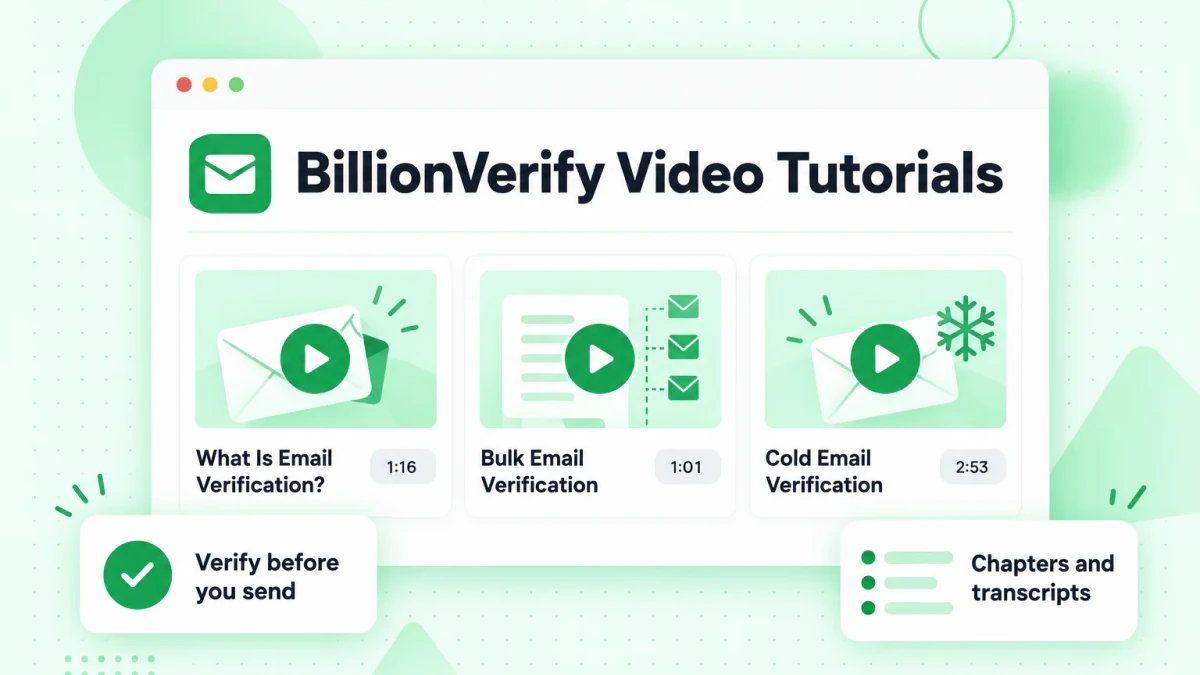
Every way to verify, explained step by step
These tutorials follow the same paths our customers take. Here is how each one works today, and where its tutorials sit.
In the dashboard, with no code
Most people start in the dashboard. You can verify an email address with Quick Verify, paste up to 50 at once, or upload a CSV or Excel file and download the clean list when the job finishes. The Tutorials category walks through each of these steps, plus the history page where past jobs live.
If you collect emails through a website, the free WordPress plugin checks addresses on registration, WooCommerce checkout and popular form plugins. Teams that automate work in Zapier can follow our Zapier guide instead of writing code.
Through the API, at scale
Developers can use the email verification API to check a single address, a batch of 50, or a whole file in the background. Single checks allow up to 6,000 requests a minute, and file jobs can notify your system through a webhook when they finish. There are official SDKs for Node.js, TypeScript, Python, Go, PHP and Java.
If you are building an AI feature, our docs include a Vercel AI SDK guide that adds email verification as a tool your model can call. The same pattern is documented for the Anthropic, OpenAI and LangChain SDKs.
Inside Claude and other AI assistants
BillionVerify is listed in Claude's connector directory. You sign in once, then ask Claude to verify an address or a short list in plain words. Our Claude connector announcement covers the setup. Other AI clients can use the hosted MCP server or install our agent skills.
Inside a product you sell
Some customers resell verification to their own clients. White label lets you offer it under your own brand on any plan, powered by the same API. The What Is BillionVerify? overview shows where it fits next to the dashboard and the API.
What you can watch now
The email verification videos are grouped by the job you're doing, so you don't need to know a feature's name to find it. The categories sit in a sidebar next to the video grid. Here is what each one covers.
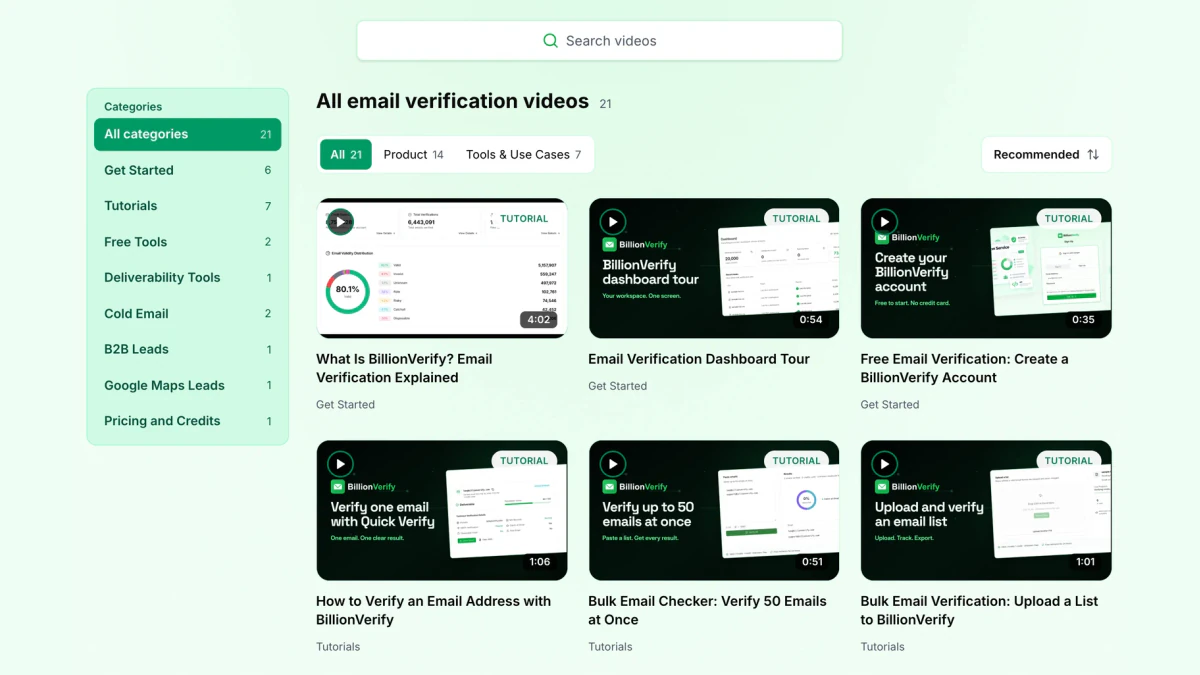
- Get Started. Six videos: what BillionVerify does, a dashboard tour, a full feature tour, how to create an account and the founder story.
- Tutorials. Seven videos: verify an email address, paste 50 at once, upload a list, read job history and download results.
- Free Tools. Use our free checkers without signing up first.
- Deliverability Tools. Look up the DNS and MX records behind a domain.
- Cold Email. Clean a list before it reaches your outreach tool.
- B2B Leads. Check what a lead database sold you.
- Google Maps Leads. Sort addresses scraped from business listings before you reach out.
- Pricing and Credits. How plans and one-time credits compare.
You can also search by keyword, filter product videos from tool and use-case videos, or put recent additions first.
What each video page gives you
A tutorial only helps if you can find the part you need. Every public video has its own page, so you can jump to a step, read along or send the link to a colleague.
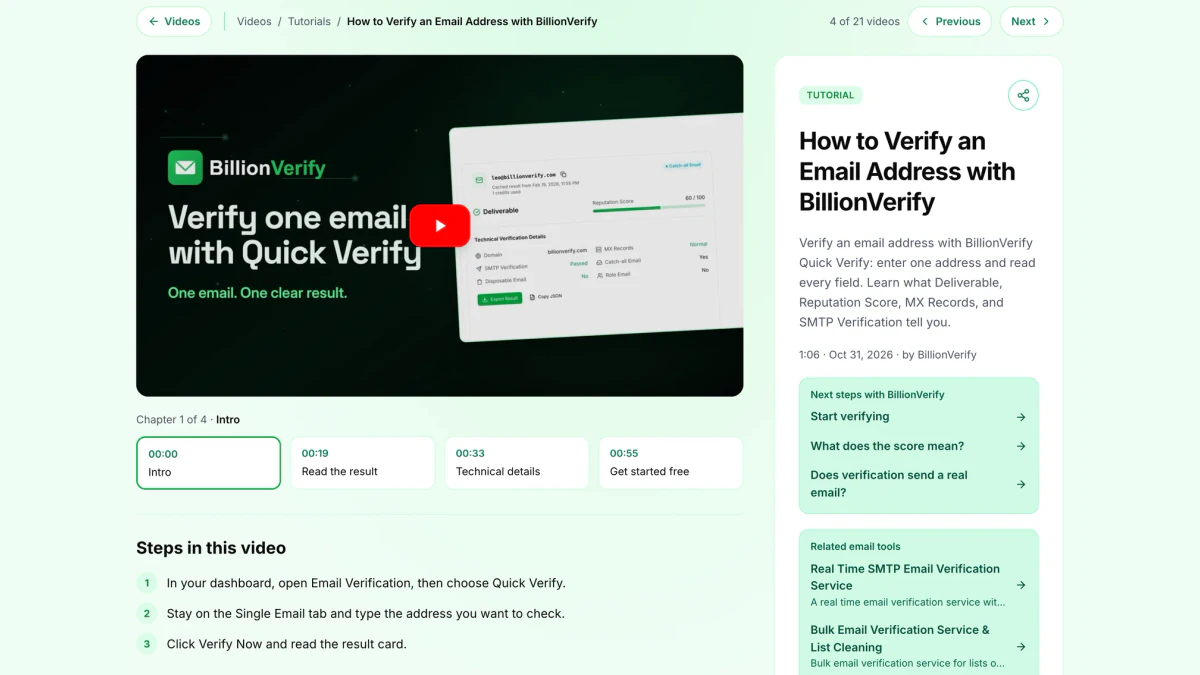
Chapters split each video into named steps, so you can skip straight to the result or the setup. Under the player, the page lists the steps in writing. That helps when you follow along in another tab. An "About this video" section explains why the feature works the way it does. The full transcript sits below it, ready to read or search.
Each page also points to the features it shows and to related help articles. You can move to the previous or next video, copy the link, or open the same tutorial on YouTube. The pages follow the language you choose on our site, so the page text reads in your language. The narration stays in English.
Tutorials also appear on the product pages they explain, with a link back to the full page and transcript.
Where to start
If you're new here, watch What Is Email Verification? first. It takes just over a minute and explains what each result tells you. The founder story explains why we built a service that confirms an email address is live without sending anything to it. After that, pick the tutorial that matches your task.
Check one address
How to Verify an Email Address with BillionVerify walks through Quick Verify and explains every field on the result card. The Free Email Checker video covers our free tool for quick checks before you sign up.
Clean a whole list
Bulk Email Verification covers the upload. Download Verified Email Lists gets the clean file back, filtered by status. For a handful of addresses, Verify 50 Emails at Once is quicker.
Protect your cold email domain
Hard bounces hurt most in cold email, because they can damage a domain you've spent weeks warming up. Start with Cold Email Verification. Then watch Instantly Email Verification if that's where you send from.
Clean up leads you bought or scraped
Lead data goes stale fast, because people change jobs and companies change domains. Verify What Your Database Sold You shows how to clean a B2B export before you load it. Google Maps Email Verification does the same for business listings.
What comes next
The library will keep growing with our customers. When a new use case comes up in support, it becomes a candidate for the next tutorial. Videos on results, teams and the API are already in progress.
We also plan to go beyond our own features. Email data passes through many hands on its way to an inbox. It starts in lead databases, scrapers and signup forms. It moves into CRMs and sending tools. It ends with deliverability checks and reply tracking. We want to cover that whole chain, so marketers, sales reps, agencies and developers can learn what happens to an address at each stage and where checks pay off.
Try it on your own list
The fastest way to learn is to use a real address while you watch. Open the email verifier in another tab and follow along. Our free email tools handle quick jobs, including a reverse email lookup and a phone number validator.
Each active day adds 20 credits, with a monthly cap of 600. They never expire, and no credit card is required. Unknown results aren't charged, and catch-all addresses are reported on their own, not counted as valid.
FAQs
Are BillionVerify videos free?
Yes. BillionVerify tutorials are open to everyone on our website and on YouTube. An account only matters once you want to run bulk jobs and use your daily credits.
How many BillionVerify videos are there?
There are 21 BillionVerify video tutorials so far, sorted by task. New ones appear first when you sort by Newest.
Which video should I watch first?
New users should begin with the short email verification explainer, then the first how-to. Together they cover the basics in about two and a half minutes.
How do I verify an email address?
Sign in to BillionVerify, open Quick Verify, enter the address and click Verify Now. The result is a status such as valid, invalid, catch-all or unknown, with the reasons behind it.
Are the videos available in other languages?
Yes. Our email verification videos have pages in 16 languages, including Spanish, German, Japanese and Chinese. Titles and transcripts are translated, and the narration is in English.
Are there videos for developers?
Our current video tutorials focus on the dashboard and free tools. API tutorials are in progress. Until then, the API docs and SDK guides cover the developer side.
Start verifying
Pick a tutorial, follow it with a real address, and create a free BillionVerify account when you're ready to check your own list.