


You've checked the SPF and DKIM records, confirmed that the sending domain looks clean, and launched a campaign. Then the application returns an authentication error before the first message leaves your system. The DNS configuration wasn't necessarily wrong. Your sending application may have failed the client login required by the outbound SMTP server.
That distinction answers the practical question behind what is SMTP authentication. SMTP AUTH proves that a client, application, or user is allowed to submit mail through a server. SPF, DKIM, and DMARC address a different identity problem, namely whether a receiving provider should trust the domain associated with the message. Reliable deliverability depends on both layers, plus careful list hygiene before sending.
The Hidden Gatekeeper of Email Delivery
A marketing team can spend days reviewing sender reputation, domain alignment, and message content, only to discover that its CRM can't authenticate to the outbound mail server. The campaign never reaches the recipient's infrastructure because the submission server rejects the connection first.
That's SMTP authentication's role. It's the gatekeeper between an application and the mail server that accepts outbound messages. The client identifies an authentication mechanism, completes an exchange with the server, and receives permission to submit mail. Without that permission, a correctly written message and correctly published domain records don't matter yet.
Two identity checks, not one
Email delivery involves two separate questions:
- Can this client submit mail through this server?
- Should the recipient trust the sender identity represented by this message?
SMTP AUTH addresses the first question. SPF, DKIM, and DMARC address the second. A CRM may have valid credentials but send from a domain that lacks aligned authentication records. Conversely, a domain can publish strong records while an application uses an expired password, a disabled method, or a server that refuses relay for that account.
Operational rule: Debug the sending path in order. First verify that the client can establish a secure, authenticated submission session. Then verify domain-level authentication and recipient-side policy.
The standard behind SMTP AUTH is RFC 4954, which formalized SMTP authentication as a service extension built on SASL. It allows a server to advertise supported mechanisms and a client to select one without changing SMTP's core message-transfer commands. That design still underpins authenticated submission in enterprise mail systems and sending platforms.
Why marketers encounter this failure
The error often appears after an infrastructure change, not after a copy or targeting change. A provider may disable a legacy authentication method. An administrator may turn off SMTP AUTH for an account. A security policy may require encrypted submission. A firewall may permit server-to-server traffic while blocking the port used by the marketing application.
This is why “the password is correct” isn't a sufficient diagnosis. The server may reject the authentication method, the connection security, the account's relay permissions, or the sending client's configuration. Treat SMTP AUTH as a protocol-level control, not a form field.
Understanding the SMTP AUTH Handshake
SMTP AUTH is a negotiated exchange. The client doesn't send a username and hope the server accepts it. The server first identifies what it supports, then the client selects a compatible mechanism and begins the authentication sequence.
The protocol sequence
The exchange generally follows this order:
- The client opens a connection. For authenticated submission, the application usually connects through a designated submission service and negotiates transport security before credentials are exposed.
- The client sends EHLO. This extended greeting tells the server which SMTP features the client understands.
- The server advertises capabilities. The response can include a
250-AUTHline listing supported SASL mechanisms. The client must choose one the server offers. - The client sends AUTH. The command takes the selected mechanism as its first parameter, as defined by RFC 4954's AUTH command specification.
- The parties complete the exchange. Depending on the mechanism, the server may issue challenges and the client responds with the required authentication data. Base64 encoding can represent credentials during the exchange, but encoding isn't encryption. TLS must protect the session.
- The server accepts or rejects the session. A successful authentication commonly returns
235. A failed attempt commonly returns535, though diagnostic details vary by provider.
The important point is that SMTP AUTH happens before the client submits the message envelope and content. After authentication, the application can proceed with commands such as MAIL FROM, RCPT TO, and DATA, subject to the server's relay and policy controls.
What the responses tell you
A missing AUTH capability can indicate that the client connected to the wrong service, used an unsupported port, or contacted a server that doesn't offer authenticated submission. A 535 response can reflect invalid credentials, a blocked account, a disabled authentication method, or a provider's rejection of legacy login behavior.
Application logs should capture the server's response codes and the negotiated security state, while avoiding passwords and tokens. When investigating a message that was accepted but later filtered, teams can also analyze email headers for free to inspect authentication results recorded by receiving systems.
SMTP AUTH also doesn't replace account security. If a mailbox or service account uses multifactor authentication, review the provider's supported flow rather than assuming the normal password will work. Finchum Fixes IT's guide to 2FA provides useful background on why a second factor changes the login model.
For teams cleaning the recipient data that feeds these systems, BillionVerify is a professional email verification service built to solve one problem: bad email data costs businesses money. That addresses list quality, not the SMTP login itself.
SMTP Authentication vs Sender Authentication
The cleanest analogy is an employee badge versus company letterhead.
SMTP AUTH is the badge. It tells your outbound mail server that this client or account has permission to submit a message. SPF, DKIM, and DMARC are the letterhead and verification marks. They help the receiving provider evaluate whether the message represents the domain shown to the recipient.
A successful badge check doesn't make questionable letterhead trustworthy. Likewise, polished domain records don't authorize an application to inject mail into a server's queue.
| Feature | Client Submission (SMTP AUTH) | Domain Verification (SPF/DKIM/DMARC) |
|---|---|---|
| Primary question | Is this client allowed to submit mail? | Should the recipient trust this domain identity? |
| Where it operates | Between the sending client and outbound server | Between the message, DNS records, and receiving provider |
| Main components | EHLO, advertised AUTH mechanisms, SASL exchange, relay permissions | SPF authorization, DKIM signature validation, DMARC alignment and policy |
| Typical failure | Authentication rejection, disabled account, unsupported method | Spoofing failure, misalignment, policy-based filtering |
| Effect of success | The server may accept the message for onward delivery | The recipient can use domain identity signals in filtering decisions |
What each layer proves
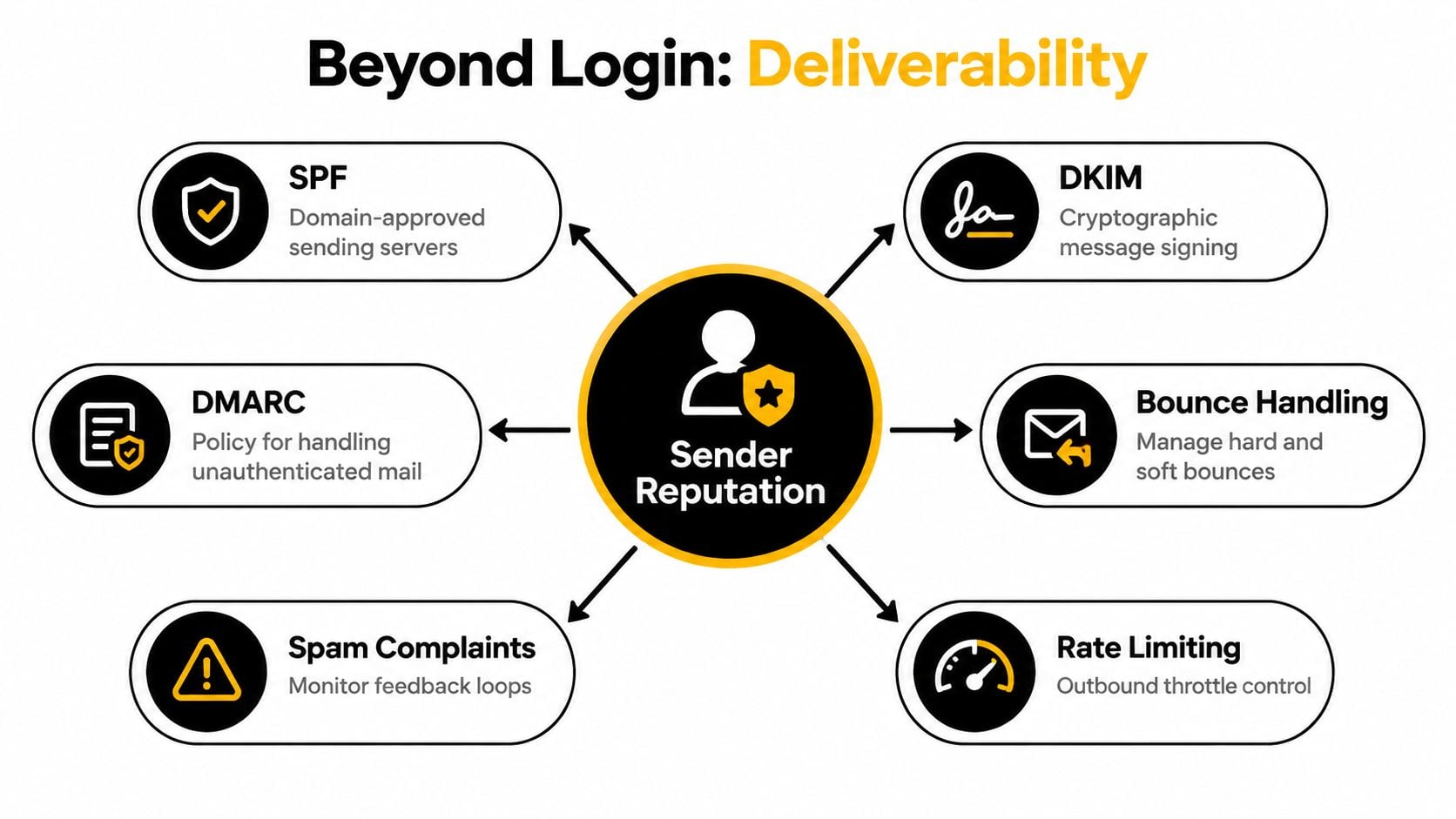
SPF authorizes designated sending IP addresses for a domain. DKIM attaches a cryptographic signature that lets the receiving system check whether the signed message content and domain signature validate. DMARC connects those results to the visible From domain and provides a policy for handling messages that fail alignment. The distinctions are summarized clearly in this comparison of SPF, DKIM, and DMARC.
SMTP AUTH doesn't publish any of those domain instructions. It also doesn't guarantee that a recipient will place the message in the inbox. It only establishes that the sending service accepted the client as an authorized submitter.
Publication isn't enforcement
The difference between having records and enforcing policy matters operationally. A 2026 measurement across 5.5 million domains found SPF published by 56.0%, DMARC by 30.4%, and DKIM by 22.7%, according to DMARC Guard's email authentication research. In a separate benchmark covering the top 10,000 domains, SPF publication reached 84.5%, DMARC publication 76.6%, and DMARC enforcement with quarantine or reject policies 54.0%, from the same source.
The practical lesson is simple. A domain can look configured while still operating in monitor-only mode. Use a DMARC checker tool to inspect policy and alignment, but troubleshoot SMTP credentials separately. Neither tool replaces the other.
Ports and Protocols for Secure Submission
Credentials should never travel through an unprotected client submission session. SMTP AUTH therefore belongs with transport encryption and a port intended for message submission, not with an unrestricted relay path.
The standards-defined submission port is 587, commonly paired with STARTTLS, as described in this SMTP authentication port overview. The client establishes the SMTP session, receives the server's capabilities, requests a TLS upgrade, and then performs authentication inside the protected connection.
Choosing the right endpoint
Port 25 is primarily associated with server-to-server relay. It isn't the normal choice for an application, CRM, or marketing platform submitting mail with user credentials. Many networks restrict it because open relay abuse and compromised hosts have made unrestricted outbound SMTP a security problem.
Port 465 uses implicit TLS, meaning the connection is encrypted from the start. Some providers and applications still require it, but the configuration must match the server's expectation. A client that assumes STARTTLS on an implicit-TLS endpoint, or assumes implicit TLS where the server expects a plaintext greeting followed by an upgrade, will fail before authentication.
| Connection type | Typical role | Security expectation |
|---|---|---|
| Port 25 | Server-to-server relay | Not the normal authenticated client submission path |
| Port 587 | Message submission | STARTTLS is typically negotiated before SMTP AUTH |
| Port 465 | Submission where required | Implicit TLS begins at connection time |
Configuration checks that prevent exposure
Before testing credentials, confirm the application's endpoint, port, encryption mode, and authentication mechanism agree with the provider's documentation. A port can be reachable while the TLS negotiation still fails. Likewise, the server can advertise AUTH while refusing the account because relay permissions or tenant policy prohibit submission.
An MX record verification tool helps identify the mail servers responsible for receiving a domain, but MX data isn't a substitute for the submission endpoint supplied by your outbound provider. Receiving infrastructure and authenticated sending infrastructure can be separate services.
Security boundary: Don't “fix” an authentication failure by disabling TLS. That may expose credentials and message traffic, while leaving the underlying compatibility or policy problem unresolved.
For high-volume systems, an API can be operationally simpler than maintaining a chatty SMTP session, but SMTP remains useful when an application already supports it and the provider exposes a stable submission service. The choice should follow integration needs, observability, and security controls, not habit.
The Impact of Legacy Auth Deprecation
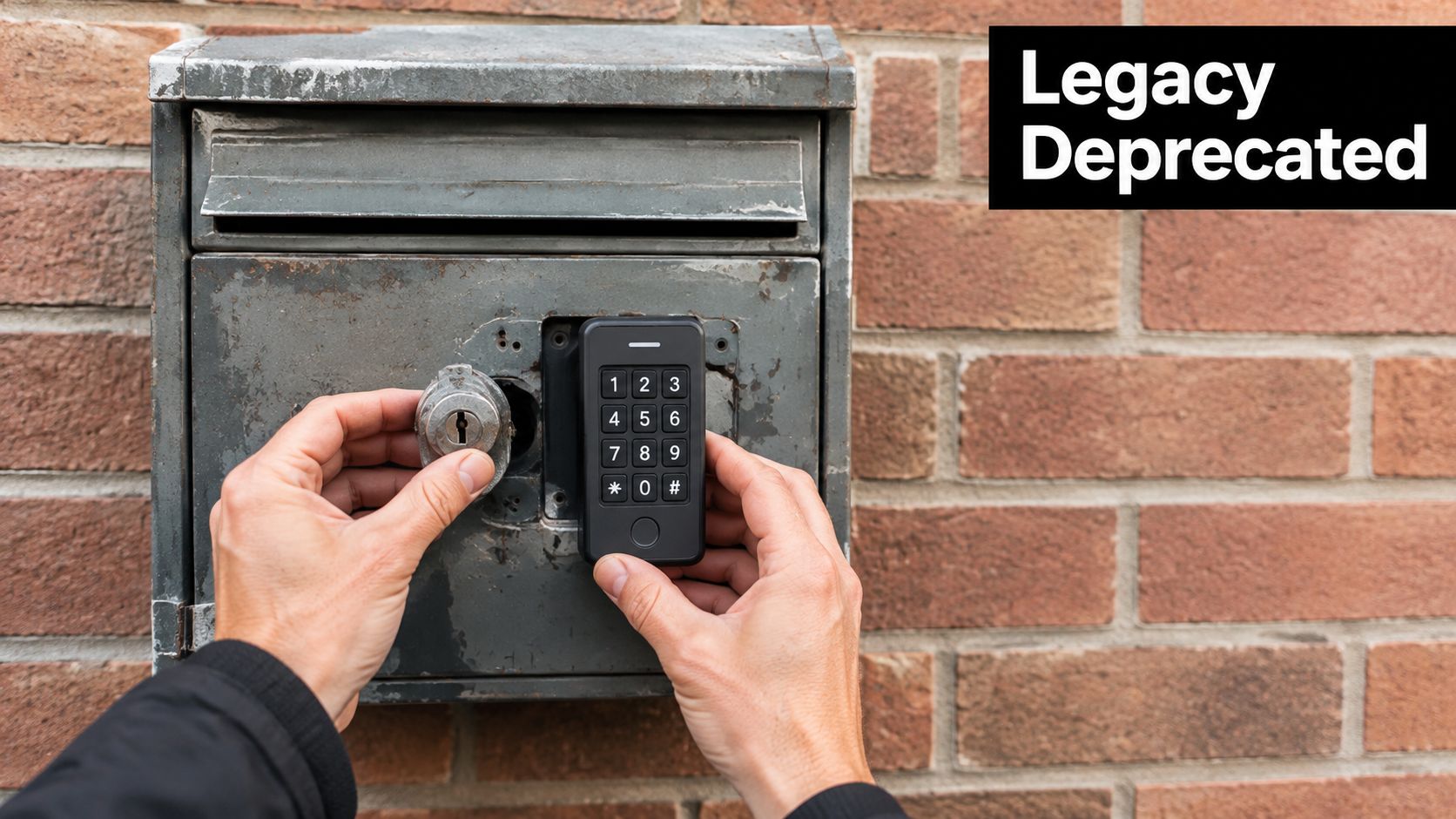
A sending workflow can stop authenticating even when its password has not changed. Providers are replacing Basic Authentication, which sends a username and password directly, with OAuth and other authorization flows that let administrators control tokens, scopes, consent, and revocation.
Microsoft's announced plan states that Basic Authentication behavior is projected to remain unchanged through December 2026. After that, it is planned to be disabled by default for existing tenants, while new tenants created afterward are expected to use OAuth as the supported method. Microsoft plans to announce a final removal date in the second half of 2027. These projected milestones appear in the Microsoft Exchange Online SMTP AUTH deprecation timeline.
Why valid passwords still fail
The provider may reject the authentication method before checking the password. A tenant administrator may also have disabled SMTP AUTH for the mailbox, or the application may offer only LOGIN or PLAIN while the service requires a token-based flow. A successful login test from one mailbox therefore does not confirm that every sending integration will continue working.
Microsoft's earlier communication described phased rejections beginning March 1, 2026, with full shutdown by April 30, 2026, for the affected Basic Authentication path, as reported in this SMTP AUTH migration guide. Provider schedules and tenant policies can change, so verify the current status of each environment instead of treating an old implementation date as a guarantee.
A practical migration plan
Inventory every system that submits mail through the tenant, including CRM workflows, billing applications, monitoring tools, forms, and scripts. For each one, record the account, endpoint, port, encryption mode, authentication mechanism, and owner. Separate integrations that support OAuth from those that need replacement or an approved app-password approach.
Test the new flow in a controlled environment before changing production sequences. Check token expiry, consent requirements, error handling, and access revocation. Also confirm that the workflow still handles provider responses correctly after authentication succeeds. A connector without OAuth support can fail during a campaign even though the stored password remains valid.
Verifying Deliverability Beyond the Login
Authentication to your outbound server proves submission authority. It doesn't prove that a recipient mailbox exists, that the recipient domain accepts mail for that address, or that the message will avoid filtering.
A pre-send verification pipeline begins with an MX lookup. MX records identify the mail servers responsible for receiving a domain's mail, and a domain without MX records can't receive mail, as explained in this overview of how email verification works. A verification service can then probe the recipient server using an SMTP conversation to assess whether the address appears deliverable.
What the verification pipeline actually checks
The service doesn't need to send the campaign message to learn useful information. It can identify the recipient domain's MX host, open an SMTP session, and ask whether the server will accept the intended recipient. A positive response can still be ambiguous, because some servers accept mail for every address at the domain.
That's where catch-all detection matters. A verifier sends a second test address to the same MX host. If the server accepts a random address too, the domain is classified as catch-all rather than treated as proof that the original mailbox exists, as described in this catch-all detection workflow.
Useful distinction: “Accepted by the server” and “confirmed as a specific mailbox” aren't always the same result.
Verification therefore works best as a risk classification system, not a simplistic valid-or-invalid switch. Marketing operations can separate likely deliverable addresses from unknown, catch-all, disposable, role-based, or otherwise risky records before a campaign creates hard bounces.
A BillionVerify deliverability checker can fit into that pre-send review as one of the tools a team evaluates for address and sending-path checks. The operational objective is broader than login success: reduce bad recipients, preserve sender reputation, and give the campaign a cleaner audience.
Building a Resilient Sending Infrastructure
A resilient sending system treats authentication as a layered control rather than a single checkbox. The client must authenticate securely to the outbound service. The visible sender domain must pass aligned identity checks. The recipient data must be current enough that the campaign doesn't generate avoidable bounces.
Start with an infrastructure audit
Map the entire route from application to recipient. For each sending workflow, document the submission provider, authentication method, encryption requirement, account owner, and fallback behavior. This inventory usually exposes abandoned integrations that still depend on passwords or old SMTP settings.
Then test the failure modes deliberately:
- Submission failure: Confirm that the client reaches the intended endpoint, negotiates TLS, sees the expected AUTH capability, and receives a successful authentication response.
- Domain failure: Validate SPF authorization, DKIM signing, and DMARC alignment for the domain shown in the From address.
- Data failure: Verify new and imported addresses before they enter a campaign or sales sequence.
- Reputation failure: Monitor bounces, complaints, blocklist signals, and sudden changes in acceptance behavior with an IP reputation checker tool.
The RFC 4954 standard provides the protocol foundation, but standards compliance alone doesn't guarantee operational resilience. Providers can impose tenant rules, disable mechanisms, or change authentication requirements.
Make hygiene part of the workflow
Don't wait until a list is large or a campaign is scheduled. Add verification at signup, import, CRM synchronization, and before major sends. A real-time check can stop an obviously risky address from entering the database, while a bulk review can identify stale records accumulated by sales and marketing teams.
The best workflow also preserves the result and the reason. “Unknown because catch-all” deserves different treatment from “mailbox rejected” or “domain has no receiving server.” Segmentation lets the team decide whether to suppress, review, or cautiously test an address instead of treating every uncertain record as safe.
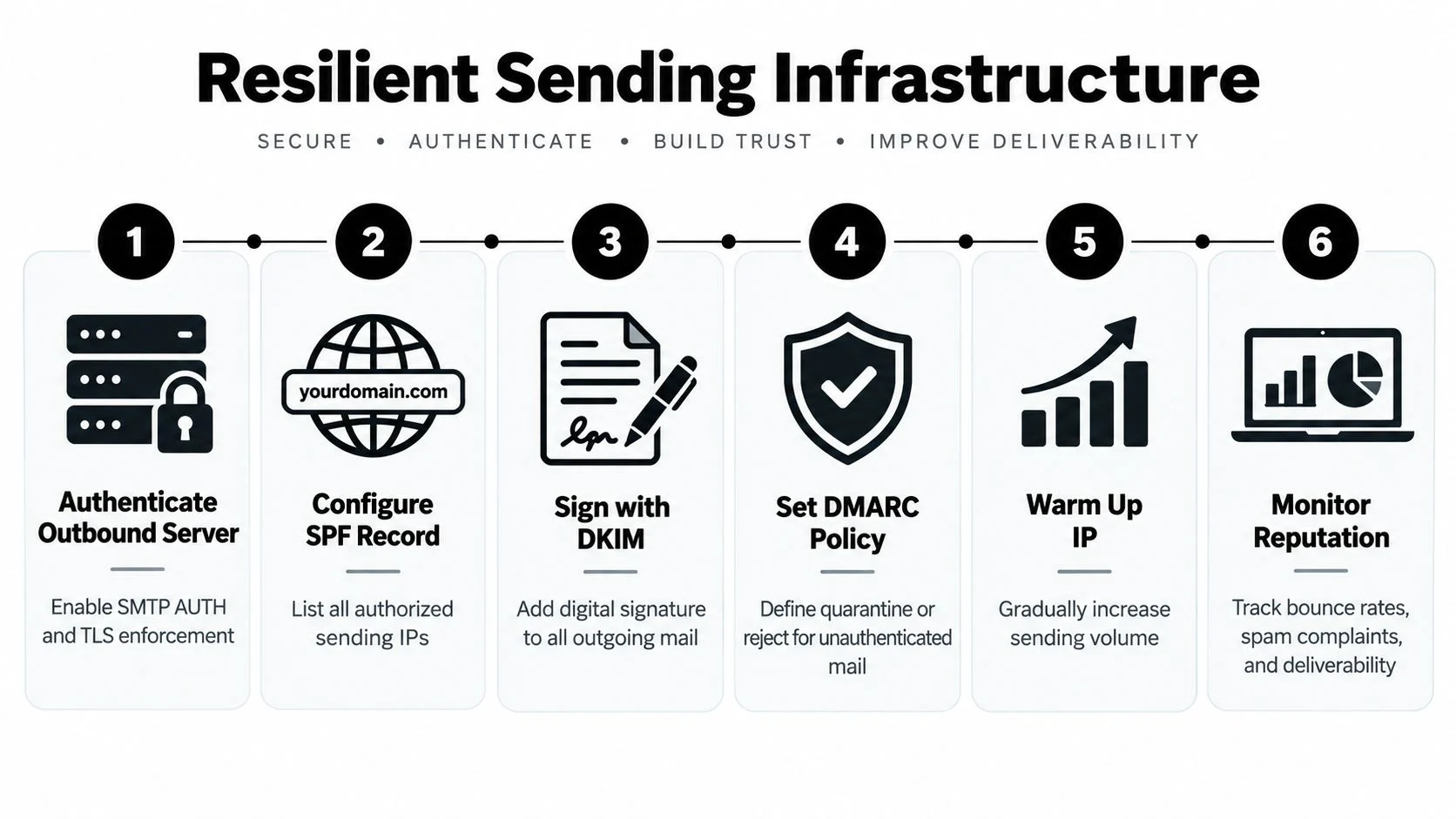
A layered program also needs ownership. Infrastructure teams should manage OAuth migrations and TLS policy. Marketing operations should maintain sending-domain alignment and suppression rules. Data teams should define verification status handling. Without clear ownership, each group assumes another team is protecting the sending path.
This video offers a visual explanation of the infrastructure concepts involved:
The central lesson is practical: SMTP AUTH gets a message into the outbound queue, while domain authentication and recipient verification determine whether the wider delivery system has reasons to trust it. Keep those controls separate in your monitoring, but connect them in your operating process.
BillionVerify provides email verification for checking recipient data before it reaches campaigns, workflows, and outbound sequences. Use it to connect SMTP-level verification, MX and catch-all signals, and deliverability review in your pre-send process, then visit BillionVerify to evaluate the workflow for your team.