

The MailerLite login page lives at accounts.mailerlite.com. Type your email and password, tick the Cloudflare check, and press Sign in. If you prefer a social account, the same page lets you sign in with a provider button instead. The Log in link in the top right corner of mailerlite.com leads to the same screen.
This guide shows what the MailerLite sign in screen looks like and where the old addresses end up. It then covers resetting a forgotten password, two-step security, the usual reasons a login fails and what to do when you cannot get into the account at all. Every fact about the product comes from MailerLite's own website and knowledge base, read in November 2026. We are not affiliated with MailerLite. BillionVerify is an email verification service, and the last section explains why a MailerLite user might want one before uploading a list.
Key facts (checked November 2026):
- The MailerLite login page, found at accounts.mailerlite.com, has boxes for your email and the password, a Remember me tick box, a Cloudflare "Verify you are human" check and a Sign in button.
- The MailerLite sign in choices include Google, Apple, Microsoft and GitHub buttons, and the last three sit behind a More link.
- According to MailerLite, resetting a password does not switch off its two-step check, and a lost code needs the saved codes or a request to support.
- MailerLite hands out 10 recovery codes when you turn on 2FA, and admins can make it mandatory for the whole team.
- MailerLite's pricing page lists a Free plan with a 250-subscriber cap and 2 user seats, and its knowledge base says an account inactive for 3 years is removed.
- BillionVerify gives 20 free credits on each day you use your account, with no card needed.
The MailerLite Login Page and Its Old Addresses
MailerLite runs one sign-in screen for its accounts. We opened each address below in November 2026 and noted where the browser ended up. The first row is the page to bookmark.
| Address | What happened | Use it for |
|---|---|---|
| accounts.mailerlite.com | The MailerLite sign-in form opened | Everyday login |
| dashboard.mailerlite.com/login | Ended on accounts.mailerlite.com | Old bookmarks |
| app.mailerlite.com | Redirected to accounts.mailerlite.com | Old bookmarks |
| www.mailerlite.com/login | Landed on accounts.mailerlite.com | Guessing the address |
Open the MailerLite sign-in page once and save it as a bookmark. That saves you a search each time and keeps you away from look-alike pages. The "Log in" entry on the main site, beside the green Sign up button, points to the same address.
The MailerLite Login Form
The page is short. A heading reads "Sign in to your MailerLite account", and a line under it offers Sign up to anyone who has no account yet. Below sit the two required fields, for your email address and your password, with a small eye icon that reveals what you typed. Remember me and the "Forgot your password?" link share one row. A Cloudflare box comes next, and the Sign in button is a pale, disabled green when the page first loads.
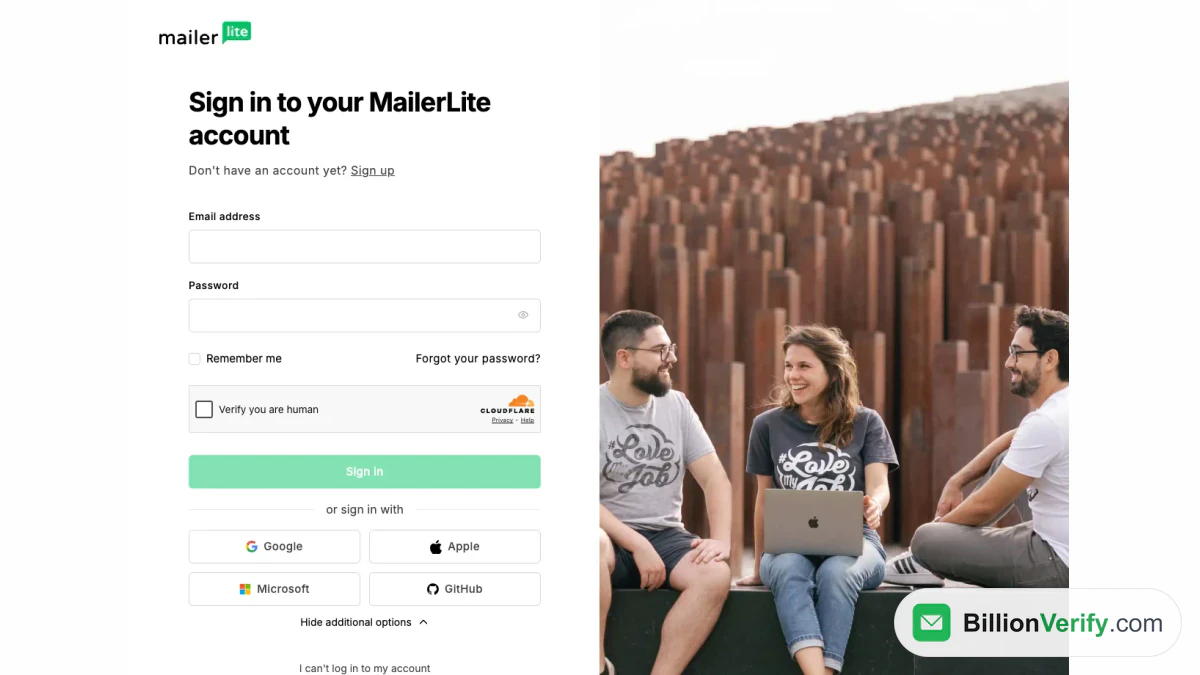
Screenshot: the MailerLite login page at accounts.mailerlite.com, with the extra sign-in options open.
Under the button, a line reading "or sign in with" holds the Google button. A "More sign in options" link opens the rest, and a link at the very bottom, "I can't log in to my account", opens a help article covered further down. A photo fills the right half of the screen on a desktop and does not matter for signing in.
MailerLite Sign In With Google, Apple, Microsoft or GitHub
These four buttons skip the typed password. Choose the same provider and the same profile you used when you made the account. The pages we read do not say whether a provider button also works for an account that was created with a password, or how to link a second provider to an existing account, so we do not describe either. If a button does not open the account, go back to the route you first used, or try the typed route and the reset link, which work for any address that has a MailerLite account behind it.
Create a MailerLite Account
The Sign up link opens accounts.mailerlite.com/signup. MailerLite's guide to getting started lists the fields: your company or organization name, an email and a password, followed by the Create my account button. By pressing it you agree to MailerLite's Terms of use, Privacy policy and Anti-spam policy.
A new account starts a 14-day premium trial that allows importing up to 250 subscribers and sending 2,500 emails. If you do not upgrade, you stay on the free tier afterwards. According to the pricing page, that plan keeps the same cap on audience size, sends 2,500 monthly emails and gives 2 user seats, with no credit card needed. Paid plans are named Comfort, Power and Enterprise, and our MailerLite review covers what each plan includes.
MailerLite Classic and the New MailerLite
Two versions of the product exist, and the login does not tell you which one you have. MailerLite notes that a new version appeared in 2022 and that accounts created after March 2022 use it, while earlier accounts use the version now called MailerLite Legacy (Classic). You can tell them apart inside the dashboard. A Classic account has a green horizontal navigation bar at the top, and the new version has a vertical menu on the left.
The two versions run side by side, so an older account keeps working. MailerLite closed all free Classic accounts and, from February 1, 2024, offers free plans only on the new version. Its help articles are written for the new version, and each carries a note telling Classic users to log in to reach a separate Classic help center. The pages we checked do not give Classic accounts a different login address, so use the page above and see what your dashboard looks like once you are in.
Resetting a MailerLite Password
The reset flow starts from the link under the password box, which opens accounts.mailerlite.com/forgot-password. The screen is headed Reset password and says that MailerLite will email you instructions on how to reset your password.
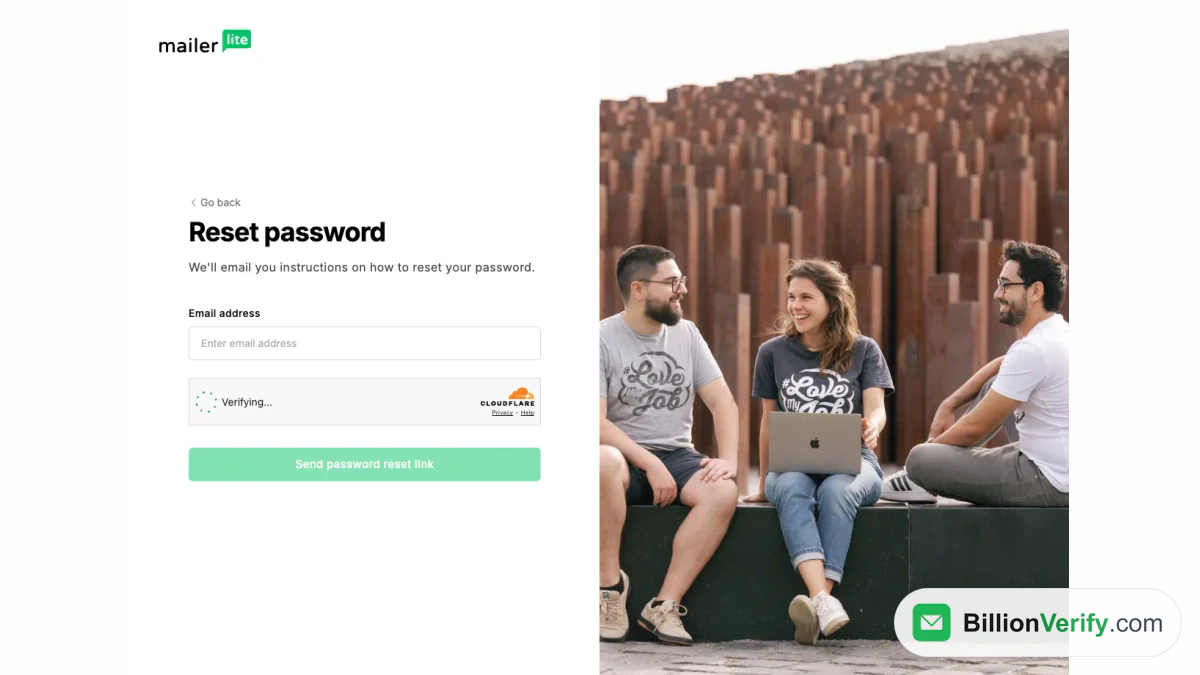
Screenshot: the MailerLite password reset screen.
The knowledge base describes three steps:
- Enter the email you log in with.
- Complete the quick security check.
- Press Send password reset link.
If an account exists for that address, instructions arrive in the inbox. A message that never arrives may therefore only mean that the address is not the one tied to the account.
Change a Password You Already Know
While signed in, open the drop-down menu at the top and choose My profile. Scroll to Login details and press Change password, then type the current password, the new one and the new one again, and press Save. The same section has a Change email button for the address you log in with. You enter the new address and your current password, and MailerLite sends a verification email to the new address. The address you sign in with changes once you press Verify email address in that message. MailerLite recommends changing a password every 60 days.
Two-Factor Authentication for MailerLite
This second step adds a code from an authenticator app to the password. MailerLite's guide to turning on two-factor authentication names Google Authenticator, Authy and Duo Security as examples of apps that work.
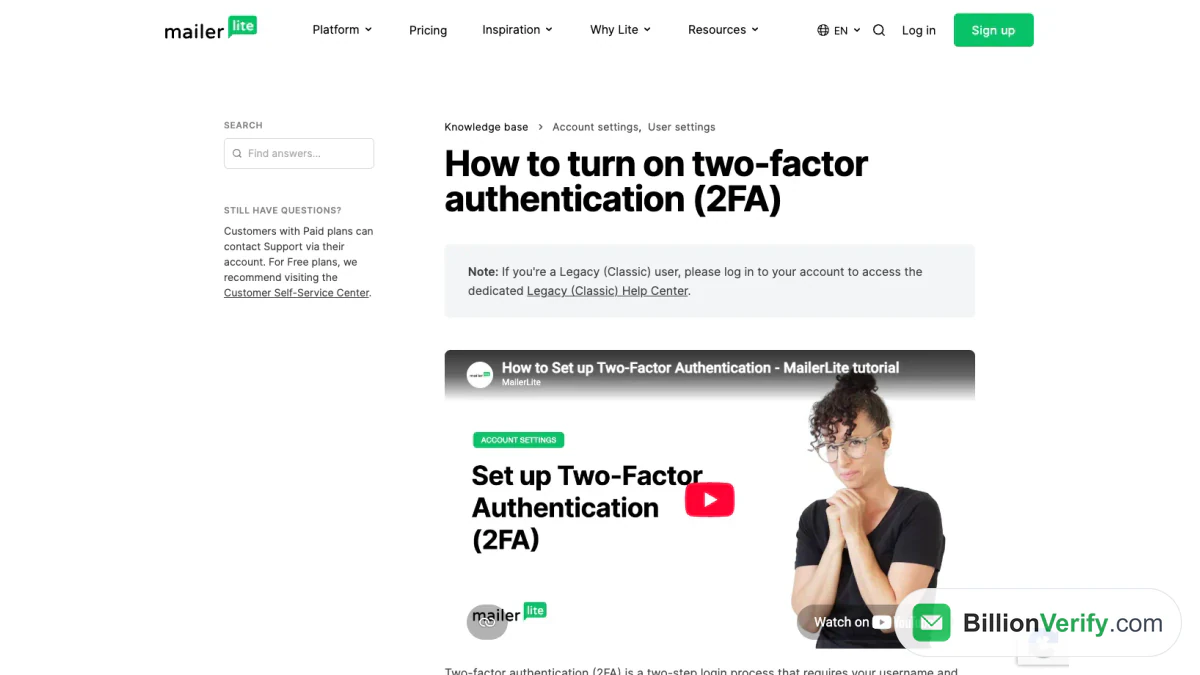
Screenshot: MailerLite's article on turning on 2FA.
Turn 2FA On
The steps in the article, last edited on January 15, 2026, run like this:
- Open the drop-down arrow beside your profile name in the top right corner and select My profile.
- Scroll down to Two-factor authentication and press Enable.
- Scan the QR code on the profile page with your authenticator app.
- Type the code the app generates and press Set up.
MailerLite then offers a set of 10 recovery codes as a precaution, with a Download recovery codes button. These work as keys when your device is out of reach, so store them in a text file or print them and keep them somewhere safe.
Make 2FA Required for a Team
An account admin can require 2FA for every user. Go to Account settings, open the Users tab, choose the Security tab and switch the option on. Every user is then asked to set 2FA up at the next login and cannot switch it off, and new users are prompted during profile setup. The Free plan lists two user seats and Comfort lists three, while Power lists unlimited seats.
When the 2FA Code Is Not Accepted
MailerLite lists four checks for 2FA trouble. Look in the right authenticator app. If you had an authenticator before, reinstall it and see whether the account is still there. If you have the code but the page rejects it, make sure Set Automatically is on in your phone's Date and Time settings, because a manually set clock can make the app's codes get rejected. And if you saved the set, use one to get in and then set 2FA up again.
A password reset does not remove 2FA, and the article says so in a note. If none of those checks work, it sends you to the Account access and login issues form on the Contact us page.
Fixing a MailerLite Login That Fails
Most failed logins have a small cause. MailerLite's help article on failed logins covers the common ones, and it is the page the login screen links to.
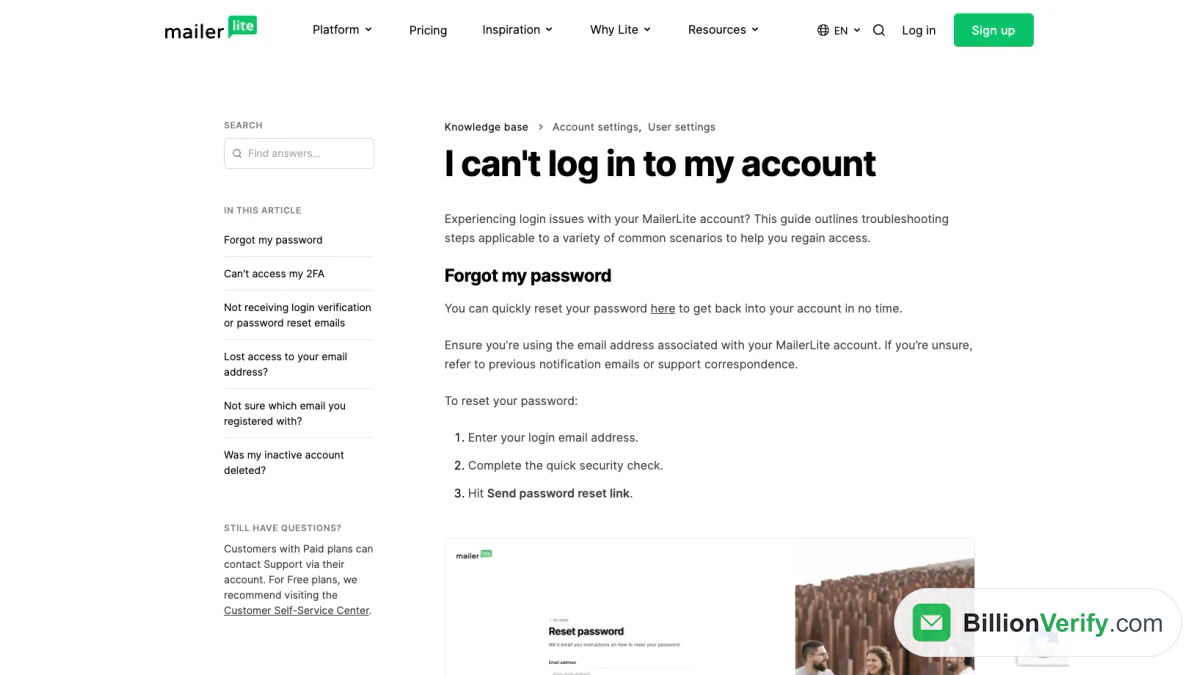
Screenshot: the article behind the "I can't log in" link.
Work through these checks before you contact anyone:
- Check the address. The address bar should show accounts.mailerlite.com, not a look-alike.
- Check the route. An account opened with a provider button needs that same button.
- Check the keyboard. Use the eye icon to read what you typed, and watch Caps Lock.
- Check the Cloudflare test. The Sign in button is greyed out on a fresh page, and a script blocker or a slow connection can leave the box unfinished.
- Check the second step. With 2FA on, a code follows the first screen.
- Check the service. MailerLite keeps a status page at status.mailerlite.com, which said all systems were operational when we looked.
- Start a reset. Use the address you think you registered with.
Login and Reset Emails That Do Not Arrive
If your details are accepted but the verification email or the reset message does not show up, MailerLite suggests five things: check that the address was typed correctly, look in the spam and promotions folders, search the mailbox for the sender notifications@mailerlite.com, add that sender to your contacts or safe list and ask for the email again, and try another browser or device.
Lost Access to the Email Address
If you no longer reach the login mailbox, MailerLite asks you to fill in its contact form with both your new and your previous address. Support may ask for more details to verify the new one. If you are unsure which address you registered with, search your inboxes for messages from notifications@mailerlite.com, since welcome, campaign and billing emails go to that address. You can also try each of your addresses on the reset page, and an address with an account behind it gets a link.
An Inactive or Closed Account
MailerLite says that an account left idle for 3 years is dropped from its database, with all of its contents. It also says that inactive accounts get an email 30 days before closure, sent to the addresses of the primary contact and the owner profile. A closed account cannot log in, and its data, including campaigns, contact lists, templates, API keys and published pages, is deleted 30 days after closure. Deleting an account yourself comes with a 25-day grace period, during which a Cancel request button on the Company profile tab brings it back.
Contacting MailerLite Support
You can reach support even when you cannot get in. On the Contact us page, MailerLite asks you to pick the first category for problems with creating an account, logging in or receiving verification emails. Its support article lists three channels by plan. The Customer Self-Service Center is open to all plans, 24/7 email support comes with Comfort and Power, and live chat runs on Power and on plans with 50,000 or more subscribers. New accounts get email and live chat for 14 days. On the Free plan, MailerLite points you to the Self-Service Center.
Users, Several Accounts and Security
Many a MailerLite login problem starts because several people share one account. MailerLite advises against sharing login details and says to add a new user instead. An admin opens Account settings, then Users, presses Add new user, enters the person's address, chooses a user type and sends the invitation. The invite stays pending until the person presses Accept invitation. Five user types exist: Administrator, Manager, Viewer, Accountant and Custom user. Only the Administrator can export subscribers and create or delete users, a Viewer sees reports only, and an Accountant opens billing only.
Agencies and people with several brands can run more than one account, and each account has its own plan and billing. To see accounts created by someone else on your Switch account page, the client adds you as a user with exactly the same email you use to log in to your own account. Every account tied to that login address then appears in the list.
If Someone Else Got Into the Account
MailerLite's article on keeping an account secure lists what to do after a breach. Change the password, turn on 2FA if it is off, remove API integrations and AI tools connected through MCP, review recent activity such as sent campaigns and imported or deleted subscribers, contact support and scan your computer for malware. The article warns that an account used to send fraud or phishing emails can lead to suspension.
Fake MailerLite Login Pages and Suspicious Messages
A popular login invites copies. A fake email may say your MailerLite account is suspended and then point to a page that imitates the real one. Type the address yourself instead of following a link in a message, and read the address bar before you enter a password. The reset emails from MailerLite come from notifications@mailerlite.com, so a message about your account from another sender is a reason to stop.
Two free BillionVerify tools help with the rest. Our reverse email lookup shows the domain and public details tied to a sender. If a message asks you to call a number, our phone number validator shows whether it is valid for its country and what kind of line it is.
Importing a List? Verify It Before You Send
Not everyone opens MailerLite for the same reason. Many of you sign in to upload contacts and send a campaign, and that is where a list check pays off. MailerLite already rejects some addresses at import. Its guide to importing subscribers says rows fail if the address is invalid, already unsubscribed, already marked as bounced, unconfirmed or spam complaint, or banned. The banned list includes role-based addresses such as admin@, support@ and billing@, and Gmail addresses with five characters or fewer.
That screening is not the same as asking each mailbox whether it exists. MailerLite's own article on hard and soft bounces says hard bounces damage your sender reputation. It says that subscribers who hard bounce are removed from the active list automatically, and that a campaign with many hard bounces on a new list means you should check the rest of the list with an online email validation tool. It names MailerCheck as an example. In other words, the removal happens after the bounce, and the reputation cost has already been paid by then. MailerLite also prices its plans by subscriber count, so a dead address you import takes up a place on the list until it bounces. You can check whether an email address exists with a free live SMTP test before it joins the list.
A check before the import closes that gap. BillionVerify's email verifier tests single addresses, and bulk email verification handles whole files. A MailerLite integration is listed on our site for lists that already live in your account. What to know:
- valid and invalid results cost 1 credit each, and unknown results are free
- a free re-check is available within 24 hours
- catch-all addresses get their own label and are not counted as valid
- the free allowance is 20 credits per active day, up to 600 a month, and it never expires
- you can use a REST API, an MCP server, or one of 25+ integrations
One rule from MailerLite deserves a mention: it says cold emailing breaks its anti-spam policy, because it requires explicit, provable consent from every subscriber. Verification only tells you whether an address can receive mail. It does not replace that consent. Verify the file first, then upload only the addresses that can receive your newsletter and that agreed to get it.
If you also work in other platforms, the same login questions come up there. See our guides to the HubSpot login and the Brevo login.
FAQs
How do I get to the MailerLite login?
Open accounts.mailerlite.com, enter your login details, finish the Cloudflare test and click Sign in. You can also use one of the provider buttons beside the form. If 2FA is on, a code from your authenticator app follows.
Is a MailerLite sign in the same as a MailerLite login?
Yes, both words describe one page. The screen is titled Sign in, while the top menu of the main site says Log in, so either term finds the same place.
What is the MailerLite login address?
The address is accounts.mailerlite.com. In our check, dashboard.mailerlite.com/login, app.mailerlite.com and www.mailerlite.com/login all ended on it.
How do I reset a lost MailerLite password?
Use the reset link under the login form, enter your login email, finish the human test and submit the form. Instructions go out only when the address is tied to an account. A reset does not turn off 2FA.
What if I lost my 2FA device?
Use one of the codes you downloaded when you turned 2FA on, then set it up again once you are in. Without them, you have to ask MailerLite support for help.
Why is the MailerLite Sign in button greyed out?
The button is greyed out when the page loads. Fill in both boxes and complete the Cloudflare check, and if it stays grey, a blocked script or a slow connection may be the cause, so switch to a different browser.
Can I use the MailerLite login without a password?
Yes, through the provider buttons on the login page. Use the provider tied to your account.
Do MailerLite accounts get deleted?
They can. MailerLite says it removes an account left idle for three years together with its contents, and it emails such accounts 30 days ahead. The data of a closed account is deleted 30 days later.
Who can I contact if I cannot get in?
Use the contact form and choose the category for account problems. Paid plans also reach support from inside their account, and free plans rely on the Self-Service Center.
Watch: Bulk Email Verification: How to Verify an Email List From a File
Watch: How to Validate a Phone Number: Free Phone Number Validator
