


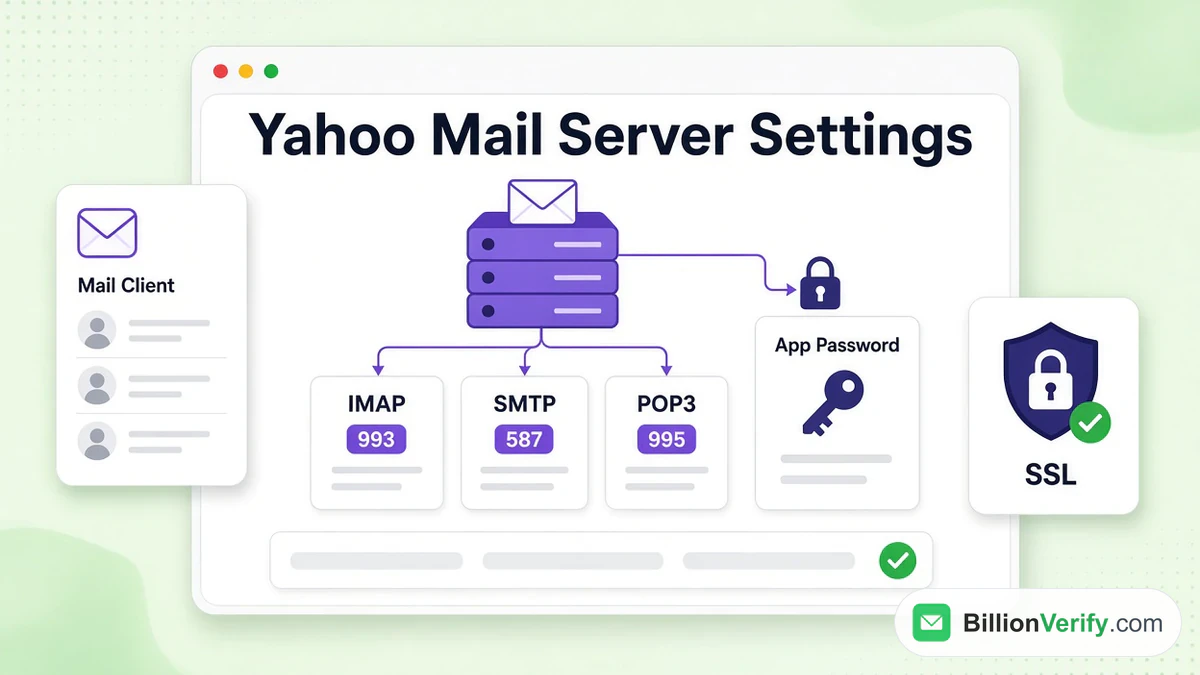
The Yahoo Mail server settings for a mail client are imap.mail.yahoo.com to receive over IMAP and smtp.mail.yahoo.com to send, both encrypted and password-protected. For the password, Yahoo asks for an app password, a code that replaces the one typed at the website.
This guide lists every value from Yahoo's help pages, explains how IMAP differs from POP3, shows how to create the code and covers what to do when Outlook or a phone reports a failure. The values come from Yahoo's articles, read in November 2026, and we opened each host and port ourselves on November 7. We are not affiliated with Yahoo. BillionVerify is an email verification service, and the last part of the guide explains where it fits for people who send mail.
Key facts (checked November 2026):
- Incoming mail over IMAP uses imap.mail.yahoo.com on port 993 with SSL, per Yahoo's article.
- Outgoing mail uses smtp.mail.yahoo.com on port 465 or 587 with SSL and authentication.
- POP3 downloads from pop.mail.yahoo.com on port 995, again with SSL.
- Each Yahoo app password stays valid after the main one changes, and deleting it is the only way to cancel it.
- Our test on November 7 opened a connection to all four host and port pairs.
- BillionVerify gives 20 free credits per active day, up to 600 a month.
Yahoo IMAP Settings
IMAP is what most clients and phones use today. Yahoo's article describes it as a way to retrieve mail from a server with two-way syncing, so whatever you do in the program shows up in the account wherever you open it. These Yahoo IMAP settings come with the outgoing side included, because every setup needs both.
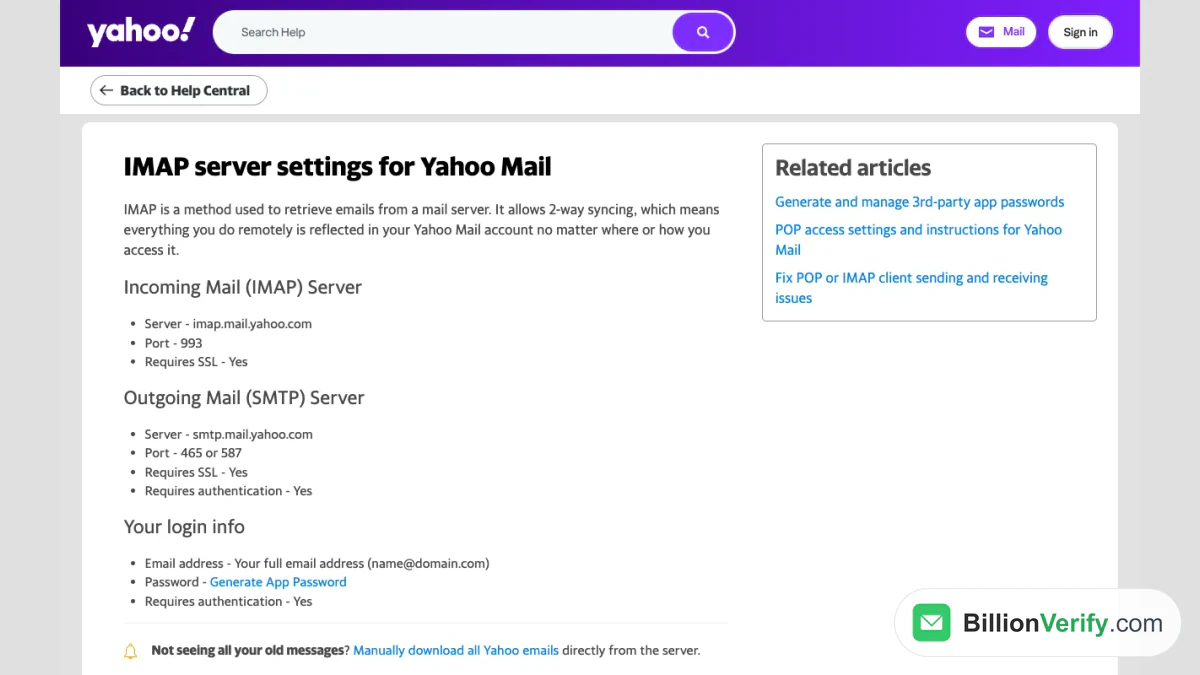
Screenshot: Yahoo Help's IMAP article.
| Setting | Value |
|---|---|
| Incoming host | imap.mail.yahoo.com |
| Incoming port | 993 |
| Outgoing host | smtp.mail.yahoo.com |
| Outgoing ports | 465 or 587 |
| Encryption | SSL on both sides |
| Login | Full address, for example name@yahoo.com |
| Password | App password |
The user name is the whole address, ending included. Older ymail.com and rocketmail.com addresses follow the same rule. Yahoo's IMAP page also carries a note for people who cannot see all their old messages: it links steps for downloading everything straight from the server.
Yahoo SMTP Settings
SMTP is the sending half, and the Yahoo SMTP settings stay the same whether you receive with IMAP or POP3. Choose 465 with SSL, or 587. The client must log in to the outgoing host with the same address and code as the incoming side, because authentication is required.
On the POP page Yahoo adds a line that the IMAP page omits: TLS is needed too, if available. When a program offers STARTTLS on 587, switch it on. If it only offers SSL, port 465 is the match. Yahoo's pages mention only those two ports for sending and never list port 25, which also answers the usual question about 25 against 587.
A client that receives but will not send usually has an outgoing host that is not set to log in, or one that still points at another provider. Check that the outgoing account names smtp.mail.yahoo.com and carries the same details as the incoming one.
Yahoo POP3 Settings
POP3, short for Post Office Protocol, is the older route. Yahoo's POP article calls it a way to bring Yahoo Mail into a desktop or mobile app by downloading copies, which you may then move or delete without touching the originals.
| Setting | Value |
|---|---|
| Incoming host | pop.mail.yahoo.com |
| Incoming port | 995 |
| Encryption | SSL required |
| Outgoing | Same host, ports and login as the table above |
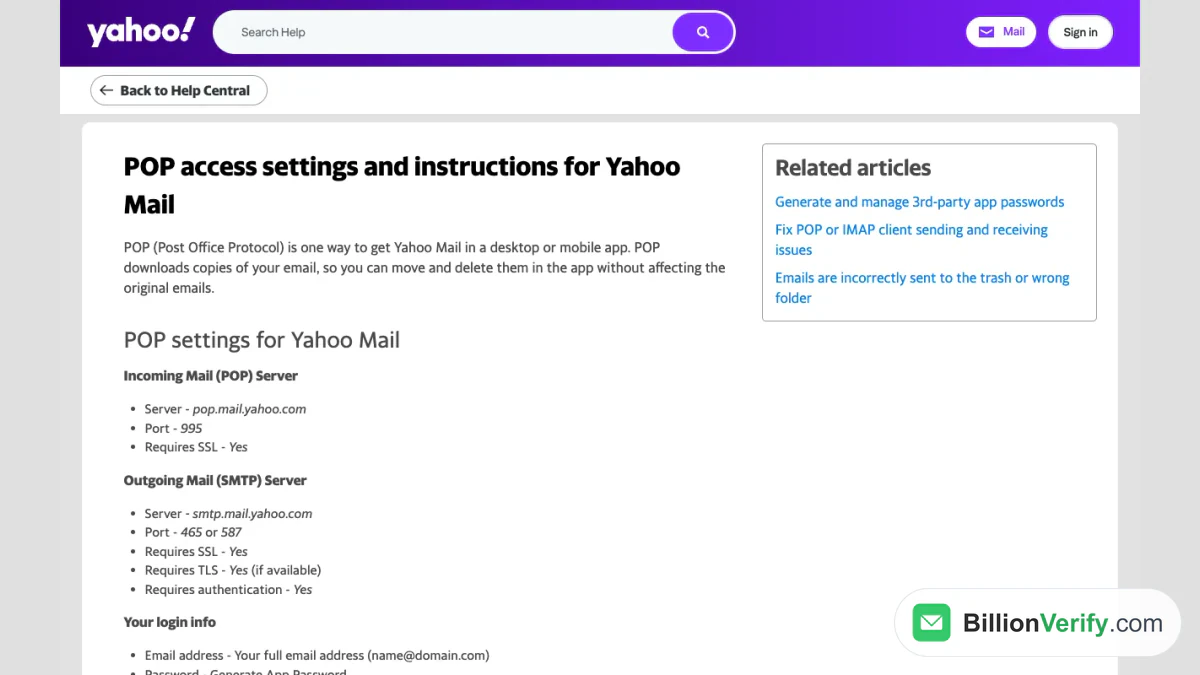
Screenshot: the POP3 article.
IMAP or POP3: Which to Pick
Yahoo sets the two side by side. IMAP keeps program and server in step: mail stays on the server, every folder is reachable, and a message deleted or moved in the program is deleted or moved there as well. POP3 copies from the server one way, fetches only the Inbox and leaves the server unchanged when you delete locally. Options let you keep a copy on the server or remove it after download.
For nearly everyone IMAP is right, because it works across a phone, a laptop and the web together. POP3 suits a single computer that archives mail. To stop using POP3, delete the Yahoo entry in the app. Nothing needs changing inside Yahoo itself. The article lists setup links for Outlook versions from 2007 to 2016, Windows Live Mail, Mac Mail and Thunderbird, and adds that the app maker must help with any app-specific trouble. That is also the answer to whether Outlook can reach Yahoo: yes, with these values and an app password.
Create a Yahoo App Password
A client that skips Yahoo's own sign-in page cannot take your usual password. It needs a Yahoo app password, a random string meant for one app. Yahoo's article on app passwords gives the steps:
- Sign in to the Yahoo Account Security page.
- Under "External connections," click Create app password.
- Type the name of your app and click Generate password.
- Enter the one-time string in the client and click Done.
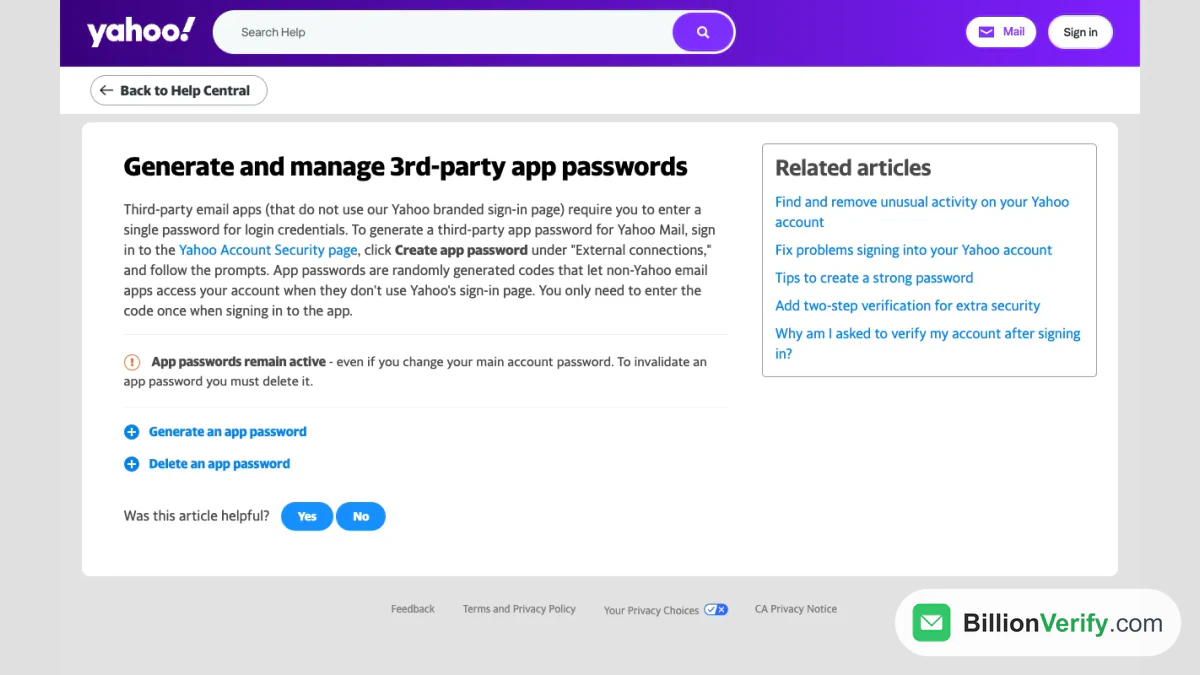
Screenshot: Yahoo's page on generated codes.
Two cautions come from that article. Create it in a browser you have used to sign in to Yahoo for several days, and avoid Incognito mode. If that fails, use webmail or Yahoo's own app, because customer care cannot override the eligibility check. And it stays active once the main password changes, so delete it on the same security page when you lose a device. Our Yahoo Mail login guide explains the main password and recovery steps. Questions such as why Yahoo keeps asking for a password in a client have this answer: it needs the app password, not the web one.
When a Program Will Not Connect
Yahoo has one article for this and asks you to work through it in order. The troubleshooting steps for POP and IMAP clients start at the account and move outward to the app.
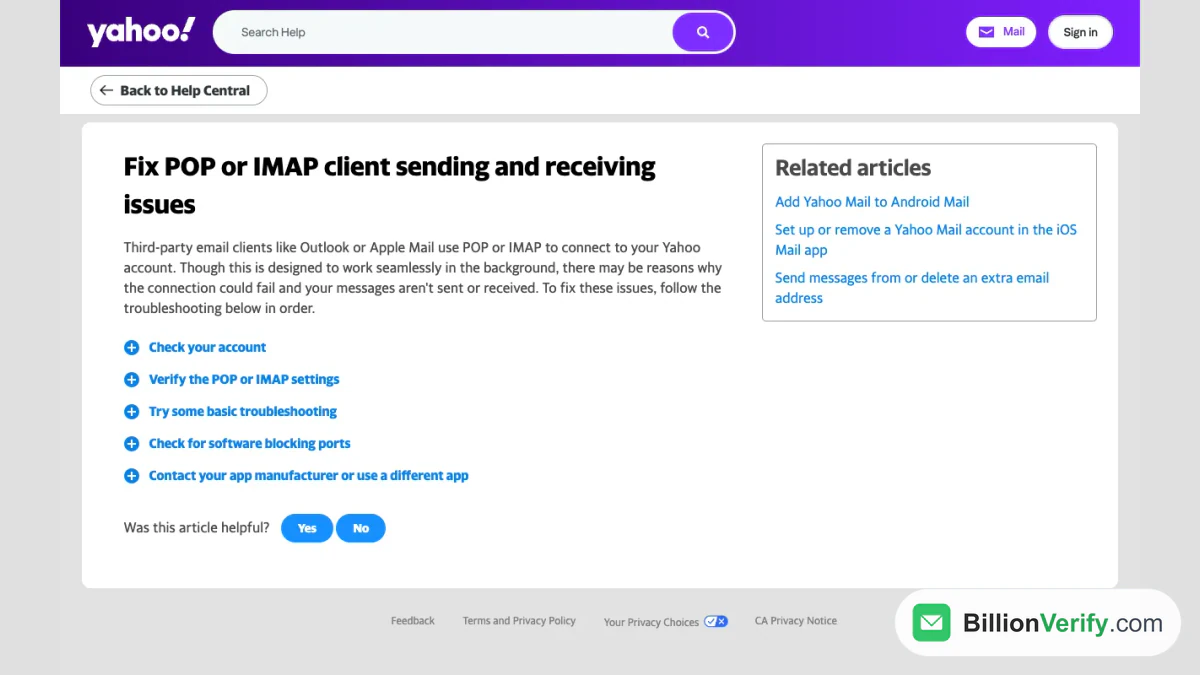
Screenshot: Yahoo's checklist for these clients.
- Check the account. Clear any prompt shown when you sign in on a computer, then send yourself a test from a browser and wait up to five minutes.
- Verify the values. Compare the client with the Yahoo IMAP settings above. Saved data can hold hidden invalid characters even when it looks right, so remove the Yahoo account from the app and add it again.
- Try the basics. Use an app password if Account Key or two-step verification is on. Watch for an unverified extra address, which can cause a 553 error when sending. Keep the number of devices pulling over IMAP small and current. Messages such as "Server password has changed" or "Authentication failed" mean the app is outdated, so update it or grant temporary access in the account settings. The Yahoo SMTP settings need no change for that.
- Look for blocked ports. Firewalls, antivirus tools and network rules can block 995, 465 or 587, and then the client cannot reach Yahoo. The internet provider or the security vendor can show how to unblock them.
- Blame the app last. If the account works elsewhere and nothing above helped, Yahoo says the fault lies with the app, so contact its maker or choose another one.
If the website itself fails, read our guide to whether Yahoo Mail is down.
Bulk Mail Is Another Matter
These Yahoo Mail server settings serve personal mail from a client. They do not carry a marketing campaign. Yahoo's Sender Hub holds bulk senders to extra rules, such as both SPF and DKIM, a DMARC policy and a spam rate under 0.3%, and bulk mail normally leaves from a domain and servers you control. The Sender Hub page on sender requirements lists them in full.
Whatever you send, the receiving side matters just as much. A list of Yahoo addresses holds deleted, abandoned and mistyped boxes, and Yahoo tells senders to remove invalid recipients promptly. BillionVerify's email verifier checks one address, and bulk email verification checks a whole list before the send. Results come back as valid, invalid, catch-all or unknown. Valid and invalid cost 1 credit each, unknown is free and a free re-check stays open for 24 hours. The free tier never expires, and a REST API, an MCP server and 25+ integrations are included.

BillionVerify's email header analyzer.
To see what is public about an address, use the reverse email lookup, and for numbers collected with the list try the phone number validator.
FAQs
What are the Yahoo IMAP settings?
Incoming mail goes through imap.mail.yahoo.com on 993 with SSL, outgoing through smtp.mail.yahoo.com. Use the full address and an app password.
What are the Yahoo SMTP settings and port?
Use 465 over SSL, while 587 pairs with TLS when offered. The host is smtp.mail.yahoo.com.
What are the Yahoo POP3 settings?
The host is pop.mail.yahoo.com, port 995, SSL required. Sending still goes through the SMTP host, and the copies fetched from the Inbox do not sync back.
What are the Yahoo Mail server settings for Outlook?
The same IMAP values as above, with the full address as user name. Outlook is a third-party app, so it wants a Yahoo app password instead of the usual one.
Why does Outlook say my Yahoo password is wrong?
Because it requires that special code. Create one on the security page and enter it in place of the usual password.
Do I need a Yahoo app password for every client?
Each app gets its own, entered once. It stays active until deleted, even once the main password changes.
Can I use IMAP and POP3 together?
Pick one for each account in each program. IMAP mirrors the server, and POP3 only copies.
Should I verify Yahoo addresses before a send?
Yes. Old mailboxes get deleted and bounce, so a check before the send protects your reputation.