



For startups, every resource matters. Every dollar spent needs to generate value, every tool adopted needs to solve real problems, and every process implemented needs to scale with growth. Email verification might not be the first thing founders think about, but it's one of the most cost-effective investments a startup can make to protect their email program and maximize their marketing ROI. For foundational concepts, see our complete guide to email verification.
This guide explores how startups can implement email verification strategically—balancing cost consciousness with the quality needed to build a sustainable email program from day one.
Why Startups Can't Afford to Skip Email Verification
The temptation to skip email verification is understandable. When you're focused on product-market fit, fundraising, and a hundred other priorities, spending money on verifying email addresses might seem like a luxury. But this thinking is backwards.
The True Cost of Ignoring Email Verification
Consider what happens when a startup sends emails without verification:
Scenario: A SaaS startup with 5,000 email signups
Without verification:
- Typical invalid rate: 15-25% (industry average for unverified lists)
- Invalid emails: 750-1,250 addresses
- Bounces from first campaign: 750+ hard bounces
- Result: Email service provider warning or account suspension
The cascade effect:
- Week 1: First campaign generates 15% bounce rate
- Week 2: ESP sends warning about list quality
- Week 3: Deliverability drops to 70% even for valid emails
- Month 2: ESP suspends account pending list cleaning
- Month 3: Recovery takes weeks; many valid subscribers never re-engage
Financial impact:
- Lost marketing efficiency: 30% reduction in campaign effectiveness
- Emergency list cleaning: Rush project diverts engineering resources
- Reputation recovery: 2-3 months of reduced deliverability
- Customer acquisition cost increase: 40%+ during recovery period
For a startup burning cash and racing to prove traction, this setback can be devastating.
Why Email Quality Matters More for Startups
Startups face unique challenges that make email quality especially critical:
Limited second chances: Unlike established brands with built-up reputation, startups have no goodwill buffer. One bad campaign can permanently damage relationships with ISPs.
Tight budgets demand efficiency: Every dollar spent on email marketing needs to reach real people. Sending to invalid addresses wastes money and skews analytics.
Growth metrics under scrutiny: Investors evaluate email engagement metrics. Artificially inflated lists with invalid addresses make real engagement rates look worse.
Foundation for future scale: Email habits established early become permanent. Starting with clean data practices prevents technical debt as the company grows.
Building a Cost-Effective Email Verification Strategy
Smart startups don't just implement email verification—they implement it strategically to maximize value while minimizing cost.
The 80/20 Approach to Email Verification
Not all verification is equally valuable. Focus resources where they have the highest impact:
Highest impact (do first):
- Real-time verification on signup forms
- Verification before any paid email campaign
- Cleaning imported lists before first use
Medium impact (do regularly):
- Monthly verification of engaged subscriber segments
- Quarterly full-list verification
- Verification before major announcements
Lower impact (do when resources allow):
- Re-verification of inactive segments
- Historical list auditing
- Cross-platform list reconciliation
Choosing the Right Verification Service
For startups, the ideal email verification service balances several factors:
Price sensitivity: Startups need competitive per-verification pricing without sacrificing quality.
Flexibility: Monthly volumes vary wildly. Credits shouldn't expire when verification needs are lower.
Scalability: The service should grow seamlessly from hundreds to millions of verifications.
Speed: Real-time verification must be fast enough for seamless form validation.
Accuracy: Lower accuracy creates downstream problems that cost more to fix.
BillionVerify addresses all these requirements:
- Competitive pricing at $0.0006 per email
- Credits that never expire
- Infrastructure handling millions daily
- real-time API response times
- 99.9% verification accuracy
Calculating Your Verification Budget
Use this framework to estimate verification costs:
Monthly signups × verification rate × cost per verification = Monthly budget
Example calculations:
| Startup Stage | Monthly Signups | Verification Rate | Monthly Cost |
|---|---|---|---|
| Pre-launch | 500 | 100% | $0.30 |
| Early traction | 2,000 | 100% | $1.20 |
| Growth phase | 10,000 | 100% | $6.00 |
| Scaling | 50,000 | 100% | $30.00 |
Add quarterly bulk verification costs:
| List Size | Quarterly Cost | Annual Cost |
|---|---|---|
| 5,000 | $3.00 | $12.00 |
| 25,000 | $15.00 | $60.00 |
| 100,000 | $60.00 | $240.00 |
Total annual investment example (growth-stage startup):
- Real-time verification: 10,000/month × 12 × $0.0006 = $72
- Quarterly bulk: 25,000 × 4 × $0.0006 = $60
- Total: ~$132/year
Compare this to the cost of one reputation recovery incident: $5,000-20,000+ in lost efficiency and engineering time.
Implementation Guide for Startups
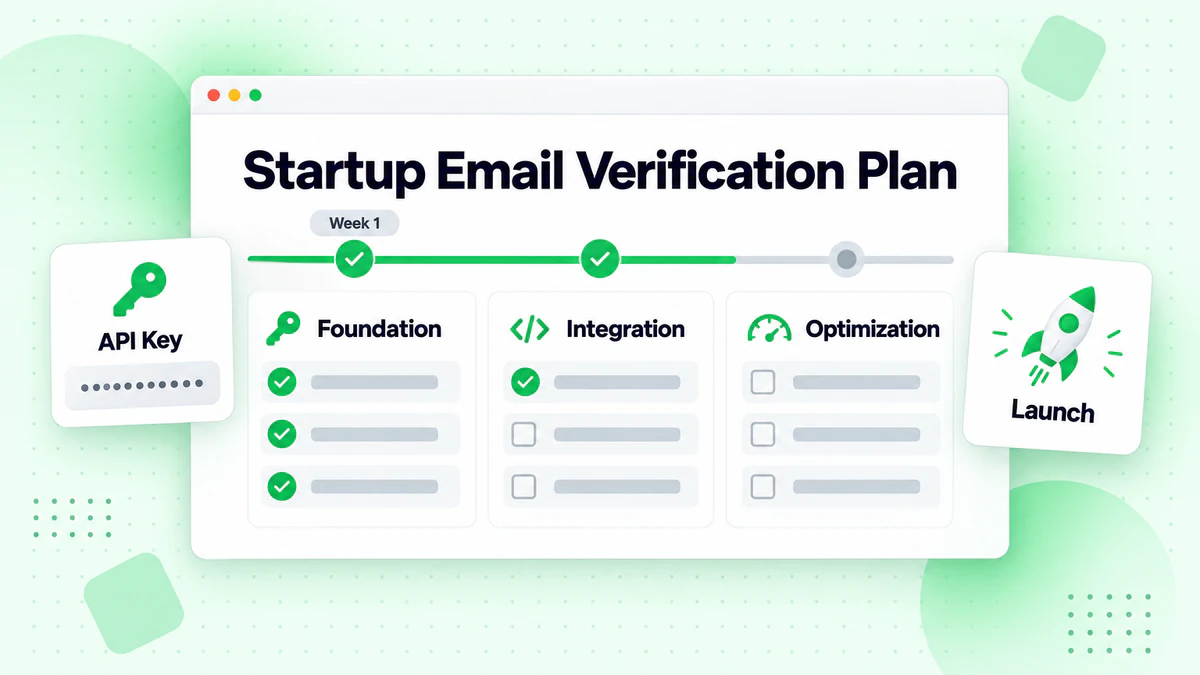
Phase 1: Foundation (Week 1)
Day 1-2: Set up your account
- Sign up for BillionVerify (free, no credit card required)
- Generate your API key
- Familiarize yourself with the dashboard and documentation
Day 3-5: Implement real-time verification
For web applications, implement verification on signup forms:
// Basic implementation example
async function verifyEmail(email) {
  const response = await fetch('https://api.billionverify.com/v1/verify', {
    method: 'POST',
    headers: {
      'BV-API-KEY': process.env.BV_API_KEY,
      'Content-Type': 'application/json'
    },
    body: JSON.stringify({ email })
  });

  const result = await response.json();
  return result.is_valid;
}
Day 6-7: Test and refine
- Test with various email types (valid, invalid, disposable)
- Adjust error messaging for user experience
- Set up monitoring for verification API calls
Phase 2: Clean Existing Data (Week 2)
Clean your current list:
- Export all email addresses from your database
- Upload to BillionVerify bulk verification
- Review results and categorize:
- Valid: Keep active
- Invalid: Remove immediately
- Risky: Flag for monitoring
- Disposable: Consider removing or segmenting
Establish data quality baseline:
Document your starting point:
- Total addresses verified
- Percentage valid/invalid/risky
- Types of issues found
This baseline helps measure improvement and justify continued investment.
Phase 3: Ongoing Operations (Month 2+)
Weekly tasks:
- Review verification dashboard for trends
- Monitor bounce rates from email campaigns
- Address any flagged risky addresses showing issues
Monthly tasks:
- Verify any imported lists before use
- Review and clean inactive subscriber segments
- Analyze verification costs and adjust budget
Quarterly tasks:
- Full list verification
- Review and update verification policies
- Evaluate service performance and costs
Startup-Specific Best Practices
Handling User Signups Gracefully
Real-time verification should improve, not hinder, the signup experience:
Do:
- Verify after the user finishes typing (debounce input)
- Provide helpful error messages ("Did you mean example@gmail.com?")
- Allow submission with warnings for risky-but-valid emails
- Log verification failures for analysis
Don't:
- Block every suspicious email without context
- Show technical error messages to users
- Verify on every keystroke (wastes API calls)
- Ignore verification failures silently
Example user-friendly implementation:
// Debounced verification with helpful messaging
function setupEmailVerification(inputElement, messageElement) {
  let timeout;

  inputElement.addEventListener('input', () => {
    clearTimeout(timeout);
    timeout = setTimeout(async () => {
      const email = inputElement.value;
      if (!email) return;

      const result = await verifyEmail(email);

      if (!result.is_valid) {
        if (result.suggestion) {
          messageElement.textContent =
            `Did you mean ${result.suggestion}?`;
        } else {
          messageElement.textContent =
            'This email address appears invalid. Please check for typos.';
        }
      } else if (result.is_disposable) {
        messageElement.textContent =
          'Please use a permanent email address.';
      } else {
        messageElement.textContent = '';
      }
    }, 500);
  });
}
Balancing Cost and Coverage
Startups often ask: "Should I verify every email or save costs by sampling?"
Verify 100% of:
- New signups (prevents bad data from entering)
- Emails before paid campaigns (protects ROI)
- Imported lists (unknown quality)
Sample verification acceptable for:
- Large historical lists (verify 10-20% initially)
- Inactive segments (focus on re-engagement candidates)
- Internal testing lists
Cost-saving strategies:
- Use free daily credits for testing and development
- Batch verifications during off-peak times
- Prioritize verification for emails that will actually receive campaigns
Handling Different Email Types
Verification reveals more than valid/invalid status. Use this intelligence strategically:
Valid emails: Full engagement allowed
Role-based emails (info@, sales@, support@):
- Often valid but lower engagement
- Consider separate segmentation
- Monitor engagement rates
- Accept the email but flag internally
- Watch for bounces after first send
- More common with small business domains
- Block or flag depending on your product
- Common in freemium products
- May indicate low-quality leads
Risky emails:
- Allow signup but require email confirmation
- Monitor engagement closely
- Be prepared to remove if issues arise
Building Verification into Your Product
For B2B SaaS startups, email verification can be a product feature:
Lead quality scoring: Use verification status as a lead quality signal. Valid business emails score higher than disposable addresses.
User quality indicators: In marketplaces or platforms, verified email status can indicate user trustworthiness.
Fraud prevention: Require verified emails for sensitive actions like payments or account changes.
Data enrichment: Verification results can inform user segmentation and personalization.
Common Startup Mistakes to Avoid
Mistake 1: Waiting Until There's a Problem
Many startups only implement verification after experiencing bounces, account warnings, or deliverability issues. By then, damage is done.
Better approach: Implement verification from day one. The small investment prevents costly problems.
Mistake 2: Choosing the Cheapest Option
Rock-bottom verification pricing often comes with lower accuracy, slower speeds, or expiring credits that force wasteful usage patterns.
Better approach: Calculate total cost of ownership including accuracy costs, speed impacts, and credit policies. BillionVerify's combination of competitive pricing, high accuracy, and never-expiring credits typically provides the best value.
Mistake 3: Over-Engineering the Solution
Startups sometimes build complex custom verification systems or implement multiple services for different use cases.
Better approach: Start simple with one reliable service. Add complexity only when there's clear justification.
Mistake 4: Ignoring Verification Data
Verification provides valuable data beyond pass/fail. Many startups verify emails but don't use the additional intelligence.
Better approach: Track verification metrics over time. Analyze patterns in invalid emails. Use disposable email data to inform product decisions.
Mistake 5: Treating Verification as One-Time
Email addresses change status over time. Valid addresses become invalid. New disposable domains appear.
Better approach: Implement ongoing verification—real-time for new signups, periodic for existing lists.
Scaling Verification as You Grow
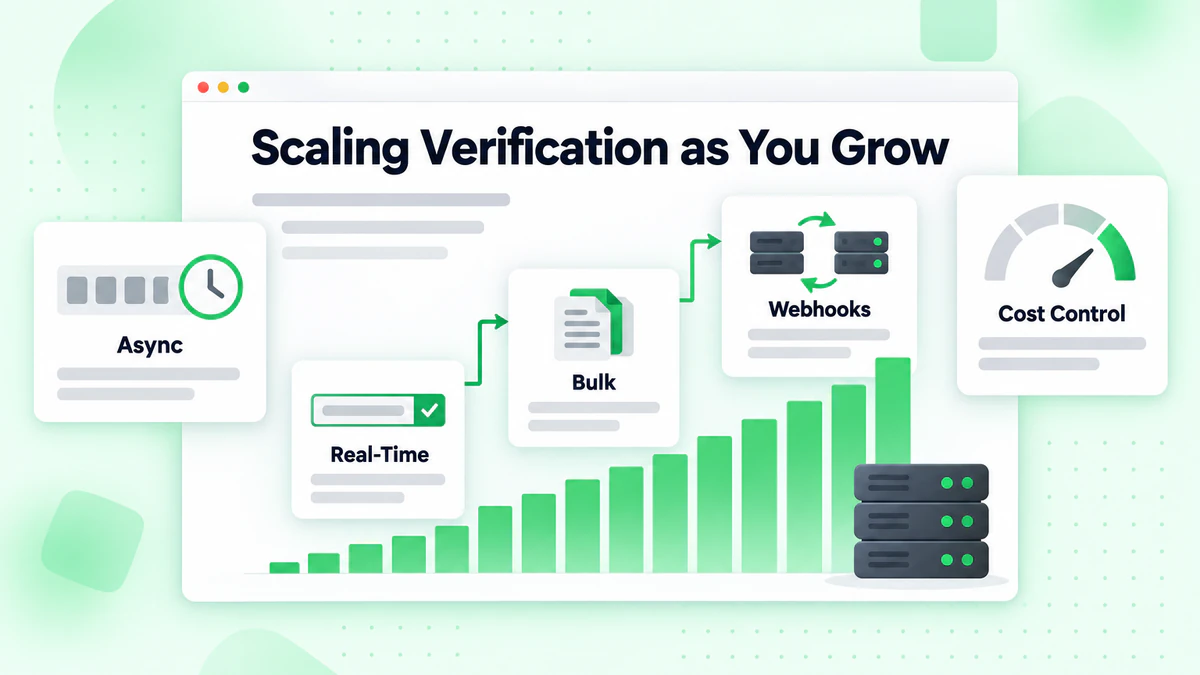
From Startup to Scale-up
As verification volumes grow, optimize for efficiency:
10,000+ verifications/month:
- Implement webhook-based async processing for bulk jobs
- Set up monitoring and alerting for API issues
- Consider verification result caching for repeat checks
100,000+ verifications/month:
- Negotiate volume pricing
- Implement queue-based processing
- Set up redundancy and failover
1,000,000+ verifications/month:
- Dedicated account management
- Custom SLA agreements
- Integration optimization consultation
Infrastructure Considerations
Plan your verification infrastructure for scale:
API integration patterns:
- Use connection pooling for high-volume calls
- Implement exponential backoff for rate limits
- Cache results appropriately (email status doesn't change instantly)
Error handling:
- Graceful degradation if API is unavailable
- Queue failed verifications for retry
- Alert on error rate spikes
Monitoring:
- Track verification success/failure rates
- Monitor API response times
- Set up budget alerts for verification costs
Case Study: Startup Email Verification Success
The Challenge
A B2B SaaS startup was experiencing 12% bounce rates on their email campaigns. Their ESP had issued a warning, and deliverability was declining rapidly.
Situation:
- 15,000 email subscribers
- No verification implemented
- Bounce rate: 12%
- Deliverability: ~70%
The Solution
The startup implemented a comprehensive verification strategy:
Phase 1: Immediate cleanup
- Bulk verification of entire list
- Found 18% invalid addresses (2,700 emails)
- Removed all invalid addresses immediately
- Cost: $9.00
Phase 2: Real-time verification
- Implemented BillionVerify API on signup form
- Blocked disposable emails at signup
- Added typo suggestions for user errors
- Cost: ~$3/month for 5,000 new signups
Phase 3: Ongoing maintenance
- Monthly verification of inactive segments
- Pre-campaign verification for all sends
- Quarterly full-list verification
- Cost: ~$5/month
The Results
After 30 days:
- Bounce rate: 0.8% (down from 12%)
- Deliverability: 95% (up from 70%)
- Open rates: +25% improvement
- ESP warning: Resolved
After 90 days:
- List growth: More sustainable (fewer disposable signups)
- Campaign efficiency: 40% improvement in cost per engagement
- Sender reputation: Fully recovered
Total investment: ~$100 for first year Estimated savings: $15,000+ in avoided reputation damage and improved efficiency
Choosing the Right Time to Start
Signs You Need Email Verification Now
Implement verification immediately if:
- You're experiencing bounce rates above 2%
- Your ESP has sent warnings about list quality
- You're about to launch your first email campaign
- You're importing lists from external sources
- Users are complaining about not receiving emails
Starting Before Problems Appear
The best time to implement email verification is before you need it. For new startups:
Pre-launch: Set up verification during development Day 1: Launch with verification active Ongoing: Never send to unverified addresses
This approach costs a fraction of reactive implementation and builds good habits from the start.
Email Verification ROI for Startups
Calculating Return on Investment
Email verification ROI calculation for startups:
Costs:
- Annual verification spend (typically $100-500 for early-stage startups)
- Implementation time (one-time, typically 2-4 hours)
- Ongoing monitoring (minimal, ~30 minutes/month)
Benefits:
- Avoided ESP account issues (value: $2,000-10,000 per incident)
- Improved deliverability (value: 20-40% better campaign performance)
- Accurate analytics (value: better decision-making)
- Protected sender reputation (value: long-term email viability)
Typical ROI: 10-50x for early-stage startups
The Compound Effect
Email verification benefits compound over time:
Year 1: Prevent initial reputation damage, establish clean data practices
Year 2: Build on solid foundation, scale efficiently
Year 3+: Benefit from years of clean data and strong sender reputation
Startups that implement verification early enter their growth phase with a significant advantage over competitors who neglected email hygiene.
Getting Started Today
Your First Week Action Plan
Day 1: Set up BillionVerify account
- Sign up at billionverify.com (free)
- Generate API key
- Review documentation
Day 2-3: Implement real-time verification
- Add verification to signup forms
- Test with various email types
- Configure error messaging
Day 4-5: Clean existing list
- Export current email list
- Run bulk verification
- Remove invalid addresses
Day 6-7: Establish ongoing processes
- Set up monitoring
- Document verification policies
- Train team on best practices
Resources for Startup Implementation
BillionVerify provides startup-friendly resources:
- Free daily credits: 10 verifications daily for ongoing testing
- Comprehensive documentation: API guides, code examples, best practices
- SDKs: JavaScript, Python, PHP, Ruby, Go, Java
- 24/7 support: Help when you need it, regardless of time zone
Conclusion
Email verification isn't a luxury for well-funded companies—it's an essential investment that startups can't afford to skip. The math is clear: spending $100-500 annually on verification prevents $5,000-20,000+ in potential damages while improving campaign performance by 20-40%.
For startups, BillionVerify offers the ideal combination:
Cost-effective: Competitive pricing with credits that never expire
Startup-friendly: Free daily credits, no minimum commitments, pay-as-you-grow
High quality: 99.9% accuracy and real-time response times
Scalable: Grows seamlessly from hundreds to millions of verifications
Don't wait for an ESP warning or deliverability crisis to implement verification. Start today with BillionVerify's free daily credits and build email verification into your startup's foundation from day one. For help choosing the right solution, see our best email verification service comparison.
Frequently Asked Questions
How much does email verification cost for startups?
Email verification costs for startups are minimal. With BillionVerify at $0.0006 per email, a startup with 5,000 monthly signups pays approximately $36 per year for real-time verification. Add quarterly list cleaning, and total annual costs typically range from $50-200 for early-stage startups—far less than the cost of a single deliverability incident.
When should a startup implement email verification?
The best time is before you need it—ideally during initial development or before your first email campaign. Implementing verification from day one costs a fraction of reactive implementation after problems occur. If you haven't started yet, implement verification immediately before your next email send.
Is email verification worth it for small email lists?
Yes. The percentage of invalid emails in an unverified list (typically 15-25%) creates problems regardless of list size. A 100-email list with 20 invalid addresses will damage your sender reputation just as effectively as a larger list. Start verification early to build good habits and clean data practices.
How does email verification help with investor metrics?
Investors evaluate email engagement rates as signals of product-market fit. Lists inflated with invalid or disposable addresses show artificially low engagement rates, potentially harming your narrative. Clean, verified lists provide accurate engagement metrics that better represent true customer interest.
Can I use free email verification tools for my startup?
Free tools typically have significant limitations: lower accuracy, slower speeds, limited volumes, and missing advanced features like disposable email detection. For startups, the small investment in a quality service like BillionVerify pays for itself many times over through better results and avoided problems. However, BillionVerify's free daily credits let you test before committing.
What happens if I don't verify emails?
Without verification, startups typically experience 15-25% invalid email rates, leading to: high bounce rates, ESP warnings or account suspension, damaged sender reputation, reduced deliverability, and wasted marketing spend. Recovery from reputation damage takes months and costs far more than prevention.
How do I integrate email verification with my signup form?
BillionVerify offers simple API integration with SDKs for all major languages. Basic implementation takes 2-4 hours for most developers. The API returns results in under real-time, enabling real-time validation without noticeable delay to users. See the documentation for code examples in your preferred language.
Should I block all disposable emails?
It depends on your product. For B2B SaaS with long sales cycles, blocking disposable emails makes sense. For consumer products or freemium models, you might allow disposable emails but flag them internally for different treatment. BillionVerify's detection lets you make informed decisions without blanket blocking.
Startups targeting B2B customers can build outreach lists from review site profiles on G2, Capterra, and Clutch—then verify those contacts with BillionVerify before launching campaigns.