



Is LinkedIn Premium worth it? It depends on what you do on LinkedIn. LinkedIn Premium is not a single product. It is a family of paid subscriptions, and each fits a different goal. A job seeker, a seller, a recruiter and a small business owner will each get a different answer.
This guide answers the question role by role. It draws on LinkedIn pages and the LinkedIn help center, read in October 2026, and links every source. It lists what each subscription includes, what it costs where a public price exists, and when the free account is enough. LinkedIn changes its offers often, so check the live page before you subscribe.
We are not affiliated with LinkedIn. BillionVerify is an email verification service. Near the end, we cover what to do when LinkedIn messages are not enough and you need to send email. Weighing your options? Read the BillionVerify vs Reoon comparison.
Key facts (checked October 2026):
- LinkedIn Premium Career comes with five InMail messages per month, per the Career page.
- The help center grid gives Sales Navigator Core 50 monthly InMail credits, the highest of the personal options it lists.
- In October 2026, the LinkedIn comparison table started LinkedIn Premium Business at $69.99 per month.
- LinkedIn says Premium members were hired 2.7 times as often on average, based on its own figures from January 2022.
- A free LinkedIn account keeps up to three saved searches.
Is LinkedIn Premium Worth It? The Short Answer
LinkedIn Premium earns its price when a paid feature saves you real time on a goal you already have. It is rarely worth it as a general upgrade.
Screenshot: the LinkedIn Premium homepage, October 2026.
Here is the short version by role:
- Job seekers: does LinkedIn Premium help get a job? It can, during an active job search, with job insights and InMail to hiring managers.
- Sellers: Sales Navigator is usually the better buy. It already bundles the Business tools.
- Recruiters: the hiring tool called Recruiter Lite is built for sourcing candidates.
- Owners: LinkedIn Premium Business or the top bundle fit owners who want visibility and some prospecting.
- Casual users: the free account is usually enough.
The rest of this guide explains each case, with the numbers LinkedIn publishes.
What LinkedIn Premium Includes
The help article on free and paid accounts lists every paid option in a single grid. It names Premium Career, Premium Business, All-in-One, Sales Navigator, Recruiter Lite, LinkedIn Learning and Premium Company Page.
The grid shows which features each tier includes. Here is a shorter version of it for the personal tiers:
| Feature | Career | Business | All-in-One | Sales Navigator Core | Recruiter Lite |
|---|---|---|---|---|---|
| InMail credits per month | 5 | 15 | 30 | 50 | 30 |
| Who viewed your profile, 365 days | Yes | Yes | Yes | Yes | Yes |
| Private browsing | Yes | Yes | Yes | Yes | Yes |
| LinkedIn Learning | Yes | Yes | Yes | Yes | No |
| Top choice job | Yes | Yes | Yes | No | No |
| Custom button and insights | No | Yes | Yes | Yes | Yes |
| Advanced search | No | No | Yes | Yes | Yes |
| Lead lists and alerts | No | No | No | Yes | No |
Every tier in that grid adds profile writing help and direct messaging. The differences are in InMail volume, search depth and role-specific tools.
A detail most people miss
LinkedIn does not sell LinkedIn Learning courses individually. The help center says the subscription that "most resembles an individual subscription is LinkedIn Premium Career." So if you want courses for yourself, a paid tier is the main way to get them.
What the Free LinkedIn Account Already Does
Before you pay, check what you already have. A basic account lets you:
- Find and reconnect with colleagues and classmates.
- Request and give recommendations.
- Search for and view other members' profiles.
- Receive unlimited InMail messages.
- Save a few searches and get weekly alerts on them.
That covers a lot. Many members never hit a limit. If you rarely search, rarely write to strangers and do not need courses, a free account may be all you need.
The paid tiers matter when you hit any of three walls:
- You want to send InMail to people you are not connected to, often.
- You want deeper search filters or saved lead lists.
- You want to know who looked at your profile over a full year.
Why Is LinkedIn Premium So Expensive?
Many people ask: why is LinkedIn Premium so expensive next to other subscriptions? The price covers several products in a bundle.
The Premium vs Sales Navigator page listed starting prices in US dollars in October 2026:
| Subscription | Starting price LinkedIn listed |
|---|---|
| Premium Business | From $69.99 a month |
| All-in-One | From $89.99 a month |
| Sales Navigator | From $119.99 a month |
LinkedIn also notes the exact cost "can vary based on the plan." The Career page lists US$39.99 a month or US$239.88 a year, last updated April 20, 2026.
What the price pays for
Part of the price is access to people. InMail lets you write to members beyond your connections. Part of it is data, such as a year of viewer history. Part of it is training, since most tiers include LinkedIn Learning, which the Career page says has over 25,000 courses.
So why is LinkedIn Premium so expensive, in plain terms? It bundles reach, data and learning. If you only need part of that, you may be paying for parts you will not use.
How to judge if the price is worth it
Put a value on a single result. For a job seeker, that might be an extra interview. For a seller, a booked meeting. For an owner, a new client. Then ask whether a month of LinkedIn Premium is likely to bring at least that. If it is, the subscription is worth the money. If you cannot name the result, the price will feel high no matter what it is.
Is LinkedIn Premium Worth It for Job Seekers?
Job seekers are the group LinkedIn markets Premium Career to most. The LinkedIn Premium Career page lists tools built for an active search:
- Top applicant jobs: roles where you are already a strong match.
- Top Choice jobs: a way to flag a role as your top choice when you apply.
- AI-powered insights on job posts: tips on your fit for a role.
- Profile writing assistance: suggestions to sharpen your profile.
- Who's viewed your profile: viewers and trends for the past 365 days.
- Direct messages: 5 InMail credits to reach hiring managers.
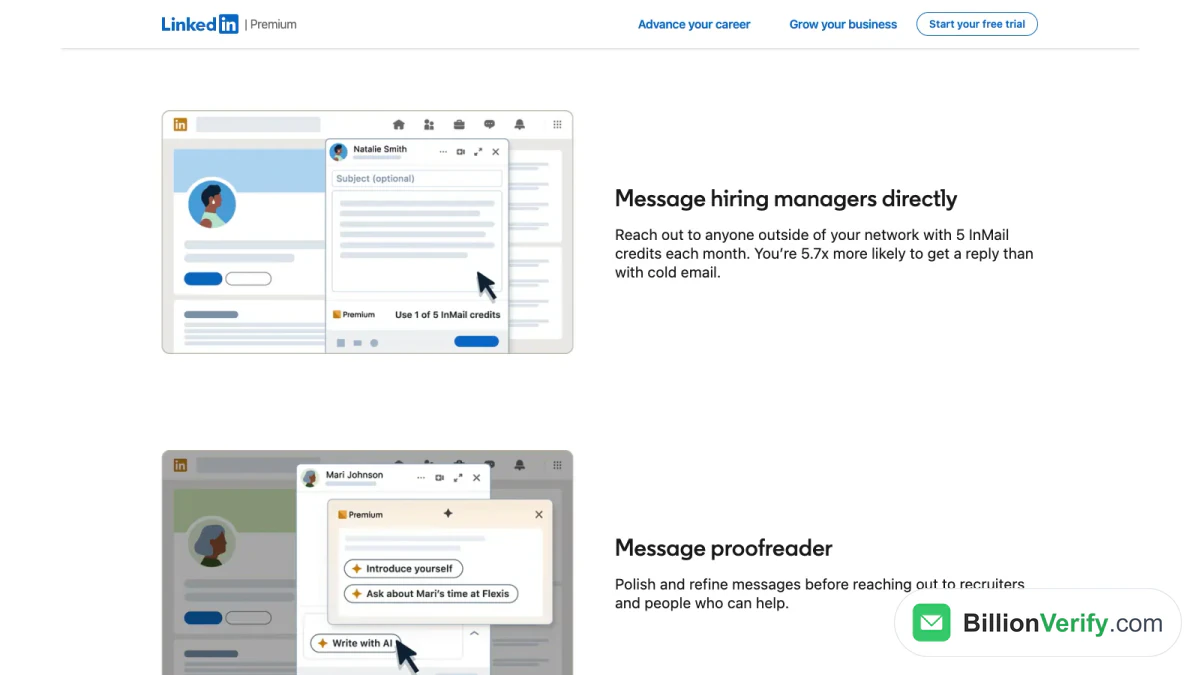
Screenshot: the messaging section of the Career tier page on LinkedIn.
What LinkedIn data says about the Career tier
LinkedIn publishes several statistics about Premium Career. They are LinkedIn figures, reported as averages:
| LinkedIn claim | Date of the data LinkedIn cites |
|---|---|
| Premium subscribers are 2.7x more likely to get hired | January 2022 |
| Applying with Top Choice Jobs doubles the chance of a recruiter reply | June 2026 |
| Career subscribers have 11x more connections | July 2026 |
These numbers describe paying members as a group. They do not promise the same result for every person. Treat them as LinkedIn describing its own product.
Does LinkedIn Premium help get a job?
Does LinkedIn Premium help get a job? It can help with the steps around a job, not the hire itself. It helps you spot roles where you match well. It shows when recruiters view your profile. It lets you write to a hiring manager you are not connected to. The interview and the offer still depend on you.
In short, a paid tier speeds up a search when you already apply often and follow up well. It will not fix a weak resume or a vague target role.
When LinkedIn Premium Career fits a job seeker
Premium Career tends to fit when these are true:
- You are in an active job search with a clear target role.
- You plan to apply to many job openings over the next few weeks.
- You want to reach hiring managers you do not know yet.
- You can use LinkedIn Learning to close a skill gap.
When a job seeker can stay on free
The free account may be enough when:
- You are only casually open to offers.
- Your field hires mainly through referrals you already have.
- You apply to a few roles at a time through company websites.
Is LinkedIn Premium worth it for job seekers, then? It is most useful during a short, focused job hunt. Many people start a subscription for the search and cancel once they land a role.
How to use 5 InMail credits well
Five InMail messages are not many, so each should count. That makes every InMail worth planning. Pick hiring managers for roles you have already applied to. Keep the InMail under 100 words. Say which job you applied for, a result you are proud of, and a clear question. A short, specific InMail is easier to answer than a long cover letter.
Is LinkedIn Premium Worth It for Sales?
For people who sell, the usual answer is Sales Navigator rather than a Premium tier. LinkedIn says on its comparison page that "A Sales Navigator subscription includes access to Premium Business features."
That means a seller who buys Sales Navigator already gets the Business profile tools. It then adds what sellers need most:
- The largest InMail allowance of any LinkedIn subscription.
- Custom lead and account lists.
- Real-time updates and alerts on saved leads.
- Advanced search built for prospecting.
Our guide to LinkedIn Sales Navigator covers the tiers, filters and InMail rules in detail.
Can LinkedIn Premium help a part-time seller?
LinkedIn Premium Business can fit a part-time seller. Think of a founder who sells now and then, or a consultant who mostly wants visibility. It costs less than Sales Navigator and still includes InMail and business insights. But it has no lead lists, so it is weak for steady prospecting. For a full-time seller, Sales Navigator tends to be worth more.
Is LinkedIn Premium Worth It for Recruiters?
Recruiters have their own product. The Recruiter Lite page describes it as "a simple sourcing tool for occasional hiring."
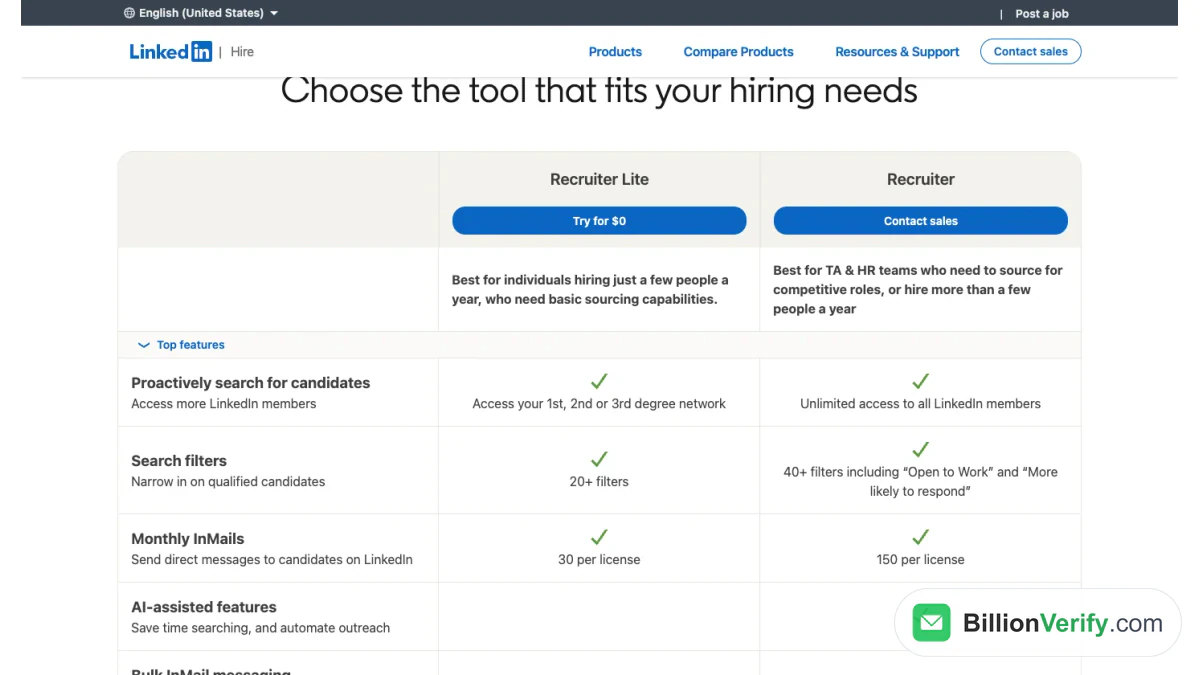
Screenshot: the LinkedIn comparison table for its two recruiting tools.
LinkedIn lists these features for the lighter tool:
- 20+ smart search filters.
- Access to your first, second and third-degree network.
- 30 InMail credits per license each month.
- Saved search alerts and daily candidate recommendations.
The full Recruiter product, sold directly by LinkedIn, lists 40+ filters, 150 InMail credits a month for each seat and access to all LinkedIn members.
When the lighter hiring tool fits
LinkedIn says Recruiter Lite is "best for individuals hiring just a few people a year." A founder filling two roles, or a small team's hiring manager, fits that description. A full talent team that hires all year fits the larger product better. For occasional hiring, Recruiter Lite is worth a look first.
Is LinkedIn Premium Worth It for Small Business Owners?
LinkedIn sells two profile tiers for owners, Premium Business and All-in-One. The LinkedIn page for owners explains the difference.
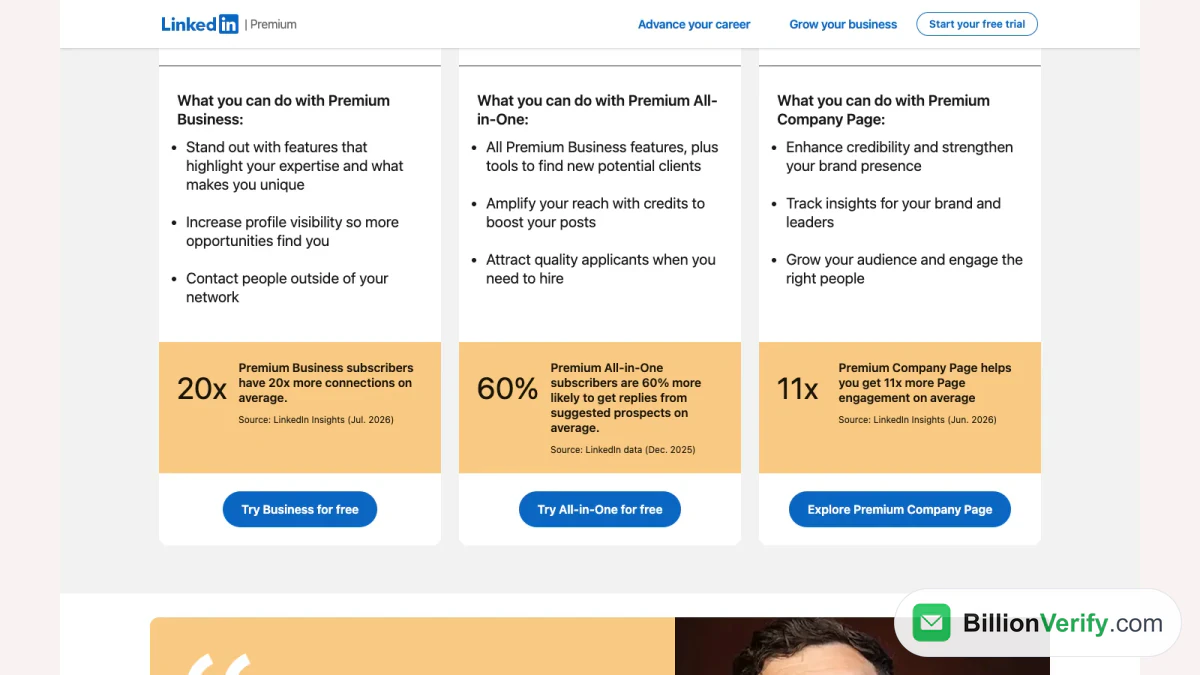
Screenshot: LinkedIn small business tiers, with its own averages for each tier.
LinkedIn Premium Business
LinkedIn says Premium Business helps you "stand out with features that highlight your expertise" and "contact people outside of your network." It reports that Business subscribers have 20x more connections on average, citing LinkedIn Insights from July 2026.
The top bundle for owners
The bundle includes everything in Business, plus tools to find clients, promote posts and hire. The help grid lists a $50 monthly post boosting credit and a $50 monthly job posting credit. LinkedIn reports these subscribers are 60% more likely to get replies from suggested prospects, citing its own data from December 2025.
Which owner tier is worth trying
- Business suits an owner who mainly wants a stronger profile and some outreach.
- The bundle fits someone who also posts, promotes content and hires from time to time.
- Sales Navigator is the pick for anyone who prospects every week.
Is LinkedIn Premium Worth It for Creators and Consultants?
Creators and consultants live on visibility. For them, the useful paid tools are the custom profile button, profile insights and a full year of viewer data. Those come with Business and above.
A subscription does not create content for you. Posting regularly is what brings profile views. Many creators study what already works in their niche. Our free LinkedIn video downloader saves the video from a public LinkedIn post, so you can review it later.
A paid tier is worth considering for a consultant when profile visits turn into paid work. If your work comes mostly from referrals, the free account may do the job.
A Simple Way to Decide
Use this checklist before you start a subscription. Answer each question honestly.
- What is your main goal on LinkedIn this quarter? A job, leads, hires or visibility.
- Do you write to strangers every week? If not, InMail credits matter less.
- Do you need saved lead or candidate lists? If yes, look at Sales Navigator or Recruiter Lite.
- Will you use LinkedIn Learning? If yes, count it as part of the value.
- Can you measure the result? Interviews, meetings or clients you can trace back to LinkedIn.
If you answer yes to two or more, a trial is worth running. If you answer no to most, stay on free.
Match the tier to the goal
| Main goal | Where to look first |
|---|---|
| Get hired | Career |
| Build a personal brand | Business |
| Grow a small company | All-in-One |
| Find leads every week | Sales Navigator |
| Hire a few people a year | Recruiter Lite |
Signs LinkedIn Premium Is Not Worth It for You
Some patterns show a subscription is not paying off. Watch for these during a trial or a paid month:
- You open LinkedIn less than once a week.
- Your InMail credits pile up unused.
- You never check who viewed your profile.
- You have not started a single LinkedIn Learning course.
- Your leads, interviews or clients come from other channels.
If two or more apply, cancel or switch to a tier that matches how you actually work. Paying for unused features is the most common reason people decide the upgrade was a waste.
How to Get the Most From a Paid Month
If you do pay, plan the weeks in advance. A clear plan turns a vague subscription into a measurable test.
- Week one: update your headline, About section and featured posts with the profile writing tips.
- Week two: use the extra search filters to build a short list of targets.
- Week three: send your InMail messages to the best targets. Keep each message short and specific.
- Week four: review who visited your profile and who replied. Decide whether the renewal is worth it.
Track the numbers in a simple sheet. Count replies, calls booked and opportunities created. At the end, compare that with the price. That is the most honest test of whether the upgrade is worth it for you.
Try LinkedIn Premium Free Before You Pay
The help article says paid subscriptions "may be available to try free for one month." A trial is the cheapest way to test the value on real work.
Set a goal for the trial. For example, five recruiter conversations or ten client meetings. If the subscription delivers, keep it. If not, cancel before the renewal date.
LinkedIn limits trials. A member who used a trial in the past 12 months may not get another yet. Our guide on how to cancel LinkedIn Premium covers the cancel steps for web, iPhone and Android.
InMail or Email? Reaching People Outside LinkedIn
The Career page makes a strong claim about InMail. It says you are "5.7x more likely to get a reply than with cold email." That is LinkedIn comparing its own channel.
InMail is still capped. Even the top seller tier has a monthly limit. So many sellers, recruiters and founders also use email. When they do, the email address has to be right.
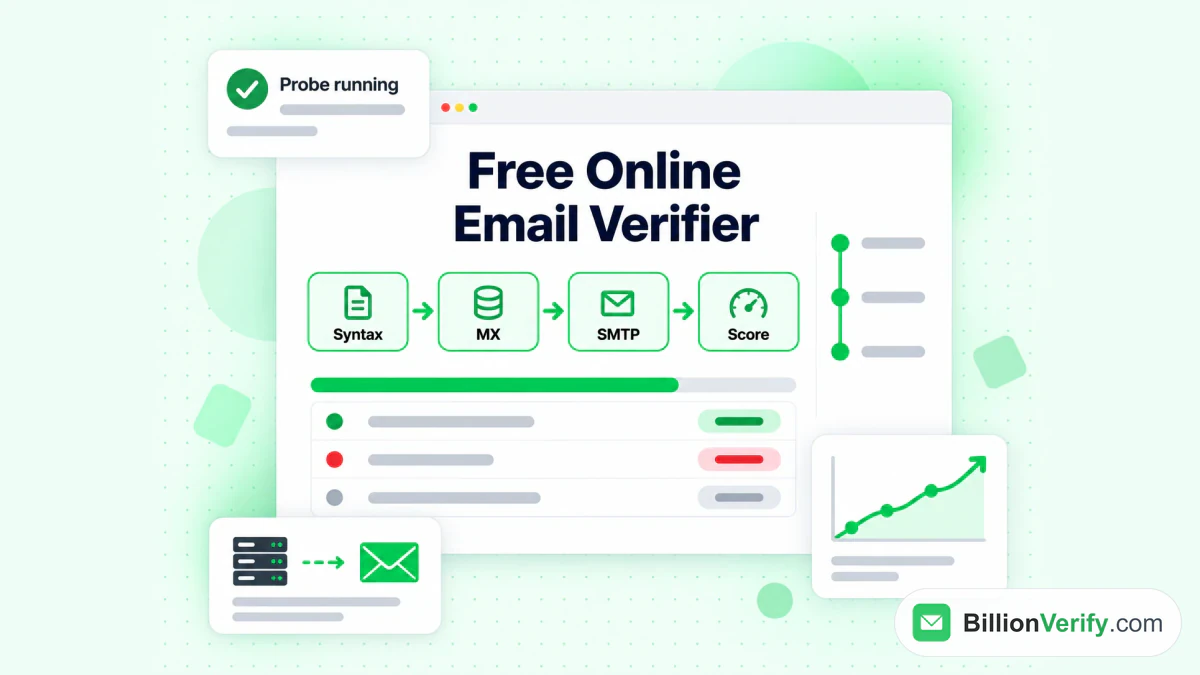
The BillionVerify email verifier runs syntax, MX and SMTP checks on an address.
LinkedIn does not hand out email addresses with its paid tiers. Contact details appear only when a member adds them. So addresses usually come from other tools, guesses or old lists, and some of them no longer work. Sending to dead addresses raises your bounce rate and can hurt your sender reputation.
A few free checks help before you write:
- Use our reverse email lookup to see the domain, organization and public profile signals behind an address.
- Use our phone number validator to confirm a number is valid for its country and see its line type.
- Read about LinkedIn Sales Navigator email verification before you send to a list built from LinkedIn leads. It is worth checking each address first.
BillionVerify gives you 20 free credits every day you use your account, up to 600 a month. Credits never expire, and no credit card is needed. A valid or invalid result uses one credit. An unknown result is free, and a re-check within 24 hours is free too.
FAQs
Is LinkedIn Premium worth it?
LinkedIn Premium is worth paying for when a paid feature serves a goal you already have, such as an active job search or weekly outreach. For casual use, a free LinkedIn account usually covers it.
Does LinkedIn Premium help get a job?
LinkedIn Premium can make a job search more efficient, through strong-match role alerts and InMail to recruiters. LinkedIn's January 2022 data puts paying members' hiring odds at 2.7 times the average member's.
Is LinkedIn Premium worth it for job seekers?
LinkedIn Premium Career pays off most for job seekers in a short, active search. It suits people who will use the job insights and the monthly InMail right away.
Why is LinkedIn Premium so expensive?
What makes LinkedIn Premium so expensive is the bundle of reach, viewer data and learning. LinkedIn Premium Business started at $69.99 a month on the LinkedIn comparison page in October 2026.
Which LinkedIn subscription has the most InMail?
Sales Navigator has the most InMail of the personal subscriptions, with 50 credits a month. The grid lists 5 for Premium Career, 15 for Business and 30 for All-in-One.
Can I try LinkedIn Premium for free?
LinkedIn offers eligible members a free month of a paid subscription. Members who had a trial within the last 12 months may not qualify again yet.
Does LinkedIn Premium include Sales Navigator?
LinkedIn Premium does not include Sales Navigator. It works the other way: Sales Navigator comes bundled with the Business tools.
Do LinkedIn Premium subscriptions give you email addresses?
LinkedIn Premium subscriptions do not give out email addresses. A contact's email shows only when that member adds it, so verify any address you get elsewhere before you send.
Watch: How to Validate a Phone Number: Free Phone Number Validator
Watch: How to Download LinkedIn Videos: LinkedIn Video Downloader