


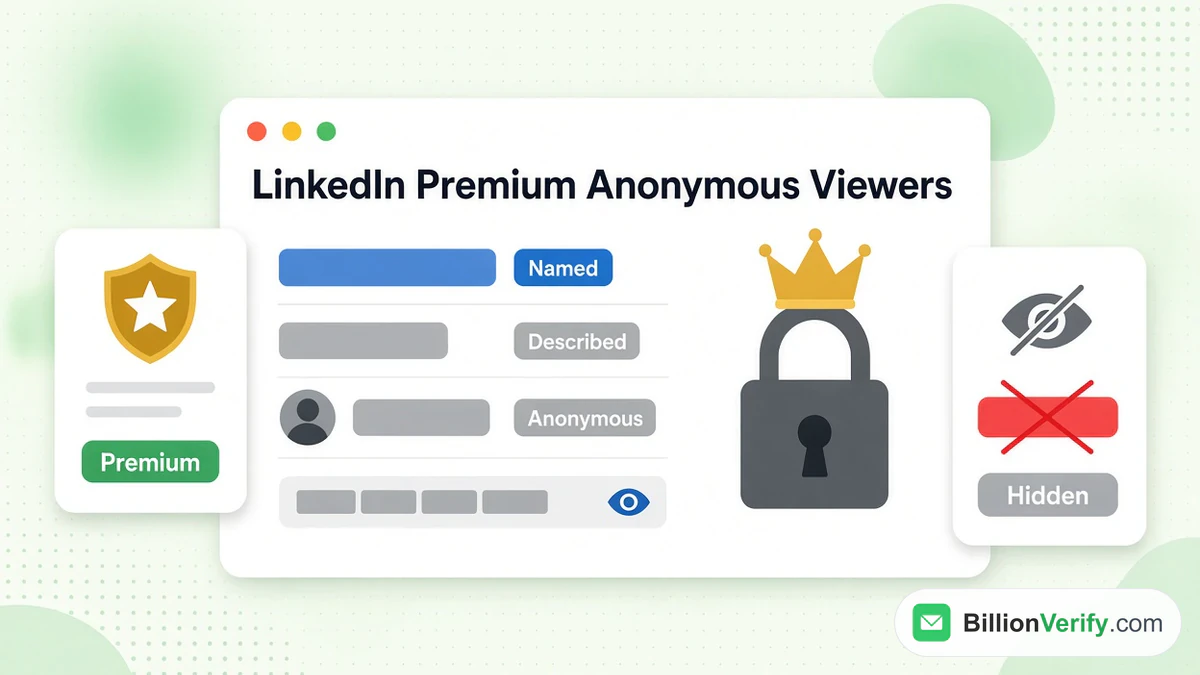
No. Paying for LinkedIn Premium won't let you see anonymous viewers. When someone looks at your profile anonymously, LinkedIn hides their name from every member, paying or not. LinkedIn Premium gives you a longer, richer viewer list. It does not unmask anyone.
This guide explains what LinkedIn Premium members see, what they never see, and why. It covers the three ways LinkedIn displays a visitor. It shows how to tell if someone has LinkedIn Premium and how to change your own settings. Every rule below comes from the LinkedIn Help Center, checked in October 2026.
Key facts (checked October 2026):
- LinkedIn Premium never shows the names of anonymous viewers, per LinkedIn's Help Center.
- The Business and Career plans of LinkedIn Premium keep a full year of profile viewer data, per LinkedIn's Basic vs Premium comparison.
- A free LinkedIn account shows only the last three people who viewed you within 90 days, per the same LinkedIn comparison.
- Paying Premium members can stay hidden while keeping their viewer list, per LinkedIn's help page on private browsing.
- The gold LinkedIn Premium badge is optional, so a hidden badge does not prove a member is on a free plan, per LinkedIn's Premium profile visibility article.
Can LinkedIn Premium See Anonymous Viewers?
No upgrade helps LinkedIn Premium see anonymous viewers. The Help Center says it directly: "even if you have a Premium account, you can't view the names of private mode viewers of your own profile."
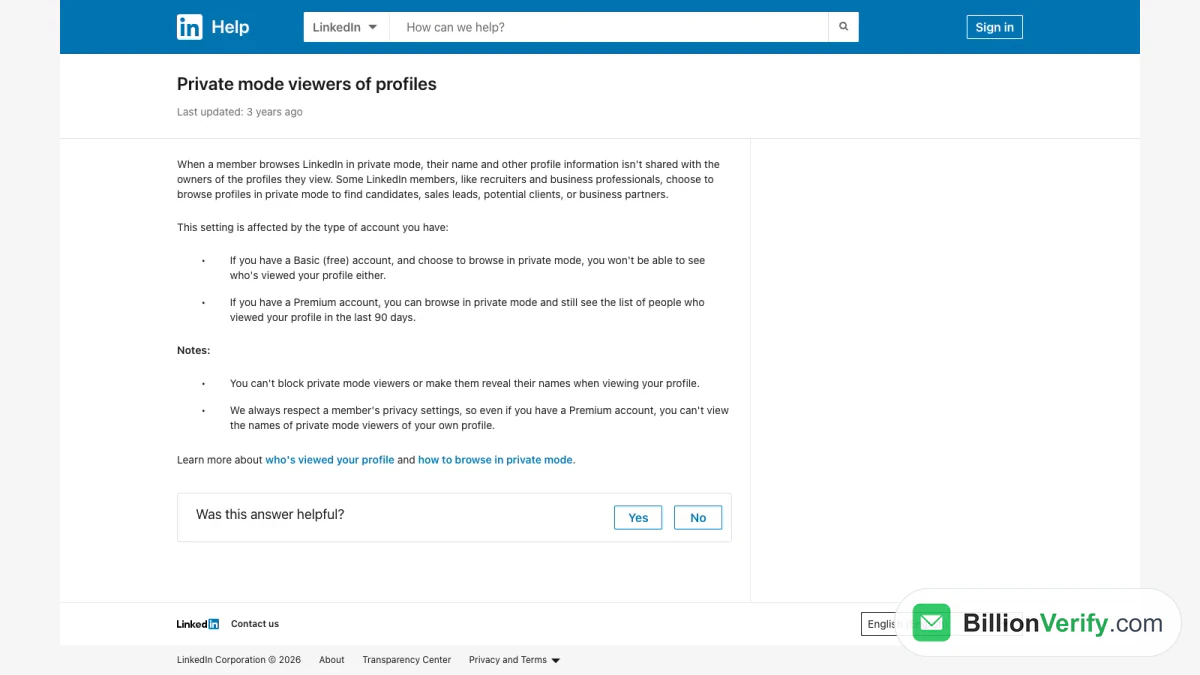
Screenshot: LinkedIn Help, "Private mode viewers of profiles", October 2026.
The same page adds two more limits. You "can't block" these visitors. You also can't "make them reveal their names when viewing your profile." No setting changes this. No upgrade changes it either.
So the short answer to "can LinkedIn Premium see anonymous viewers" is no. The longer answer is more useful. LinkedIn Premium shows far more about the visitors who are not anonymous. It also lets you stay hidden yourself and keep your list.
What "anonymous" means on LinkedIn
An anonymous viewer is a member who turns on full private browsing. LinkedIn lists them as "LinkedIn Member" in your viewer list. No name, photo, headline or company appears.
There is a middle option too. Partly hidden visitors show a short description, such as a job title and an industry. They are not named, but they are not fully hidden either. Both types are covered below.
How LinkedIn Displays Your Profile Viewers
LinkedIn displays each visitor in one of three ways. The visitor picks the format, not you. LinkedIn explains this on its page about visibility settings for profile viewers.
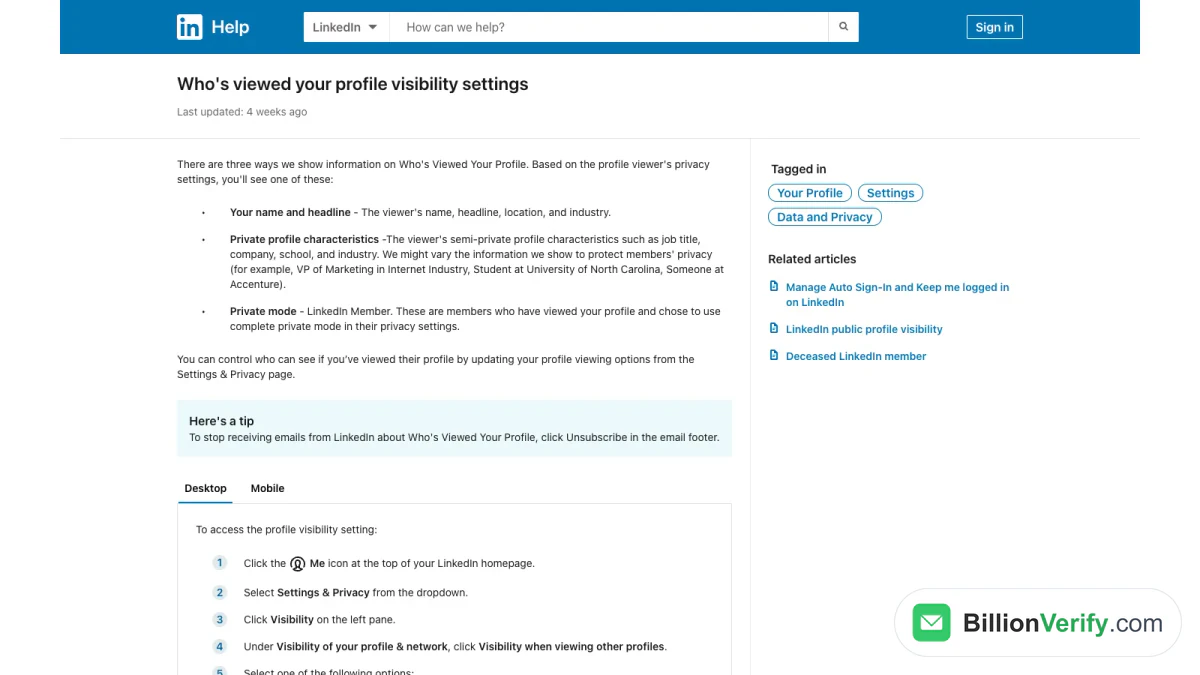
Screenshot: LinkedIn Help, profile viewer visibility settings, October 2026.
Name and headline
This is the default. You see "the viewer's name, headline, location, and industry." These visitors are fully visible. LinkedIn Premium keeps them for longer and adds filters and trends.
Private profile characteristics
This is the semi-private option. You see a description instead of a name. LinkedIn gives examples such as "VP of Marketing in Internet Industry," "Student at University of North Carolina" and "Someone at Accenture." LinkedIn may vary these details "to protect members' privacy."
Fully anonymous
This is the fully private setting. The visitor appears as "LinkedIn Member." LinkedIn describes them as members who "chose to use complete private mode in their privacy settings." Nothing else is shared. These are the anonymous viewers that LinkedIn Premium can never name.
What LinkedIn Premium Sees About Your Viewers
LinkedIn Premium does not reveal anonymous viewers. It does show much more about everyone else. LinkedIn lists the differences in its comparison of Basic and Premium accounts.
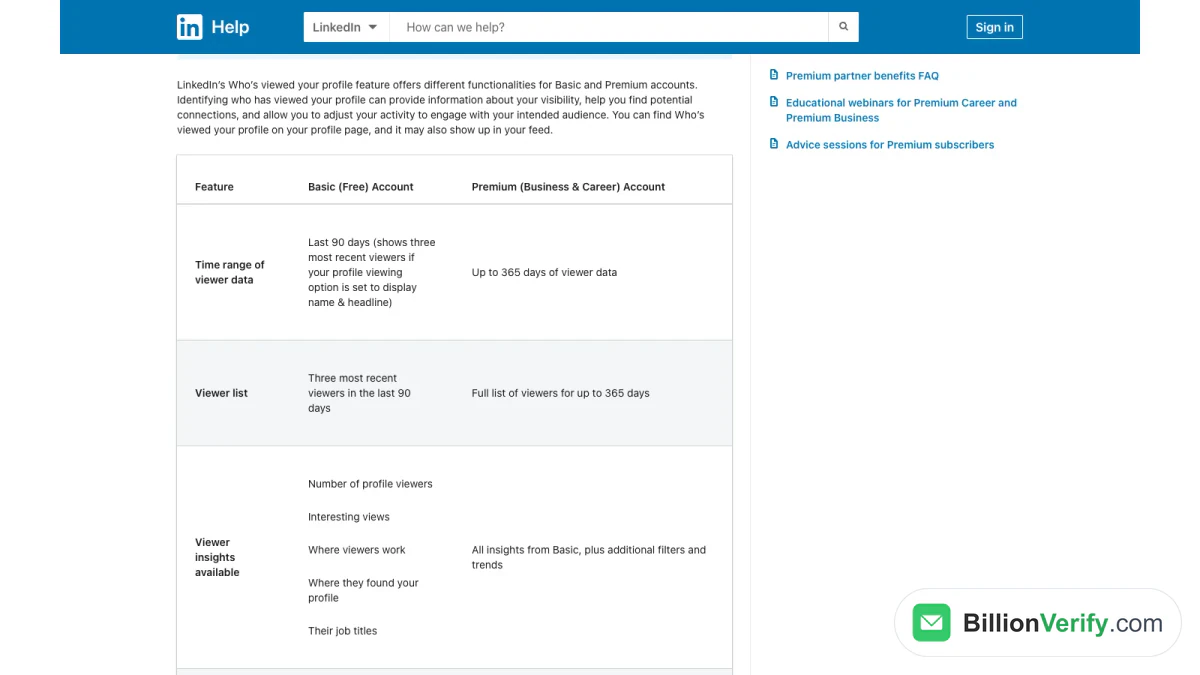
Screenshot: LinkedIn Help, Basic and Premium viewer features, October 2026.
| Feature | Basic (free) account | LinkedIn Premium (Business and Career) |
|---|---|---|
| Time range | 90 days | Up to 365 days |
| Visitor list | Three most recent visitors | Full list for the whole period |
| Filters | Not available | Date range, company, industry and more |
| Trends | Not available | Weekly trend graph |
| Highlights | Not available | Top locations, industries and companies |
| Sorting | Not available | Most recent or most relevant |
LinkedIn adds a condition for the free plan. The three recent visitors appear only "if your profile viewing option is set to display name & headline."
LinkedIn Premium viewer insights
LinkedIn Premium adds insights on how people found you. LinkedIn's page on Premium subscriber insights lists them:
- How visitors found you, such as LinkedIn search or the feed.
- Sections of your profile that matched their search keywords.
- The number of visitors over 90 days, with the change from last week.
- "Interesting viewers," such as recruiters, senior leaders and verified members.
None of these insights name an anonymous visitor. LinkedIn says insights "are subject to the viewer's privacy settings." An anonymous visit still counts toward your totals, but the visitor stays unnamed.
Browsing Anonymously With LinkedIn Premium
LinkedIn Premium changes one thing about anonymous browsing. It lets you hide your own visits and still keep your visitor list.
LinkedIn explains the trade-off in its guide to private browsing modes:
- Basic (free) account: if you hide your visits, "you won't be able to see who's viewed your profile either."
- LinkedIn Premium: "you can browse in private mode and still see the list of people who viewed your profile in the last 90 days."
This is why sellers and recruiters value LinkedIn Premium. They can research leads quietly and still follow up on their own visitors. LinkedIn notes that "recruiters and business professionals" often browse this way "to find candidates, sales leads, potential clients, or business partners."
How an anonymous visit looks to the other person
When you visit a profile anonymously, you appear as "LinkedIn Member - This person is viewing profiles in private mode." LinkedIn says "no other information about you will be shared." The other member cannot tell whether you pay for LinkedIn Premium.
Semi-Private Visitors: The Clues LinkedIn Premium Shows
Described visitors are the closest you get to identifying a hidden visitor. They are not named, but LinkedIn shows a description.
LinkedIn's insights page notes: "If you see just a description of a profile without a name and a picture, that profile visitor viewed your profile in semi-private mode."
With LinkedIn Premium, those descriptions still feed your filters and highlights. You may notice several visitors from one company or one industry. That pattern can matter, for example when a target account starts researching your team.
Treat these clues with care. A description such as "Someone at Accenture" covers thousands of people. Guessing the exact person is unreliable. It can also feel intrusive to the person you guessed. Use the pattern, not the guess.
Why No One Can Unmask Anonymous Viewers
Some websites and browser extensions claim to reveal hidden LinkedIn visitors. LinkedIn's rules say this is not possible within LinkedIn. Anonymous browsing hides the visitor's name "with the owners of the profiles they view," and no plan lifts that.
There are practical risks in trying:
- Account safety. Extensions that ask for your LinkedIn login can expose your account.
- Bad data. A "reveal" tool can only guess. A wrong name can lead to an awkward or unwanted message.
- Privacy. The visitor chose to stay hidden on purpose. Respecting that keeps your outreach welcome.
If you want more visibility into who engages with you, focus on what LinkedIn does show. Named visitors, semi-private patterns and post engagement give you plenty to act on.
A Walkthrough: What LinkedIn Premium Sees in Practice
Rules are easier to follow with examples. Imagine three members look at your profile on the same day.
Visitor one: a named sales director
She browses under her own name. With LinkedIn Premium, you see her name, title, company and location. You can filter her into your "interesting viewers" if she is a senior leader. On a free plan, you see her only if she is one of the last three people to visit.
Visitor two: "Someone at Acme Corp"
He browses semi-privately. LinkedIn Premium shows a description, and he counts toward your company highlights. You do not see his name. A free account shows the same description, within its three-visitor limit.
Visitor three: "LinkedIn Member"
This person hides every visit. Even Premium members get nothing beyond that generic label. The visit counts in your totals, but that is all. So when people ask "can LinkedIn Premium see anonymous viewers," this third visitor is the answer: not by name, not by company, not at all.
How to Tell If Someone Has LinkedIn Premium
Many people search how to tell if someone has LinkedIn Premium. The clearest signal is the gold Premium badge.
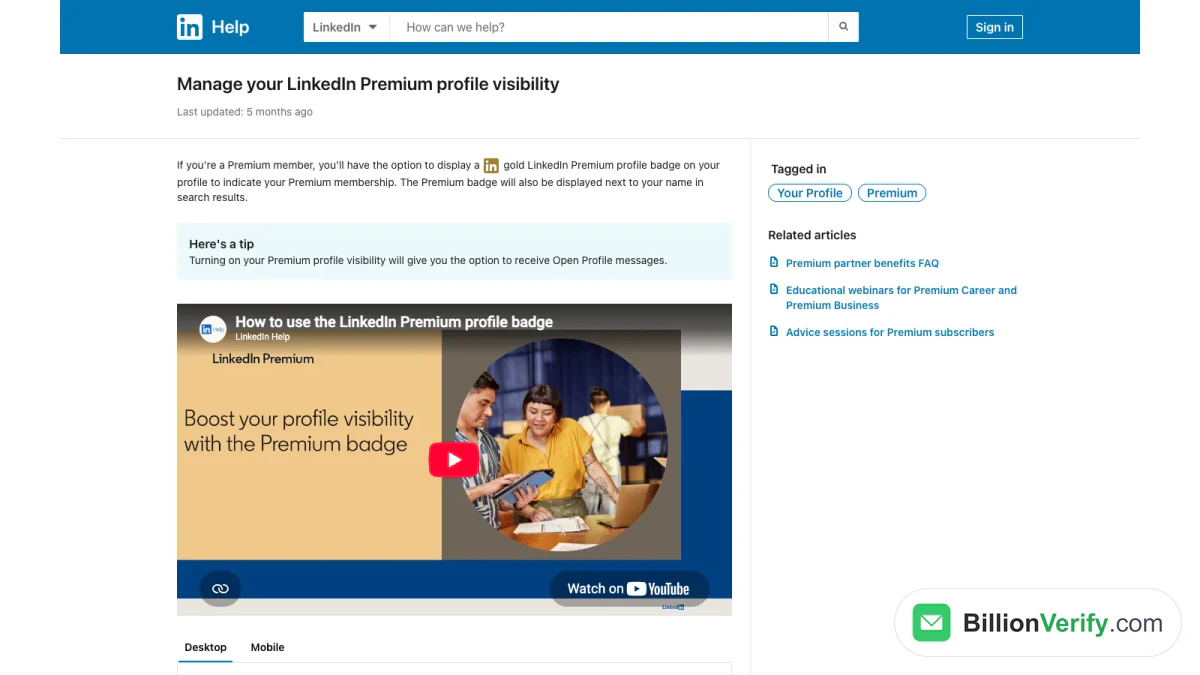
Screenshot: LinkedIn Help, "Manage your LinkedIn Premium profile visibility", October 2026.
The gold Premium badge
LinkedIn's help article on Premium profile visibility says Premium members have "the option to display a gold LinkedIn Premium profile badge on your profile." The badge "will also be displayed next to your name in search results."
The badge is optional
The badge is a setting. Members can switch it off under Premium Settings in the Edit intro window. So a missing badge proves nothing. Only a visible badge confirms that someone has LinkedIn Premium.
Some people phrase the question as how to know if someone has Premium LinkedIn. The answer does not change. A gold badge settles it, and a missing badge settles nothing, because the member may simply prefer a plain profile.
Open Profile messages
LinkedIn adds a tip: "Turning on your Premium profile visibility will give you the option to receive Open Profile messages." Open Profile lets members outside your network message you without spending InMail. It is another sign of a Premium member who wants to be reached.
What you cannot tell
You cannot see which Premium plan a member has. You cannot see whether a visitor pays for Premium. And Premium members get no name for anyone who views them anonymously.
Can People With LinkedIn Premium See You?
It depends on your own setting, not on their plan.
- With your name visible, people with LinkedIn Premium see that you visited. Free members can see it too, within their three recent visitors.
- With private profile characteristics on, they see a description such as your job title and industry.
- With full anonymity on, they see only a generic label. Their Premium plan makes no difference.
So can people with LinkedIn Premium see you? Only if you let them.
The same rule answers a related question: can someone with LinkedIn Premium see anonymous visitors on their own profile? No. Your setting protects you from free and paid members alike, and their setting protects them from you. To research someone quietly, switch to anonymous browsing first. To get noticed, keep your name visible. A visible visit can start a conversation.
How to Change Your Profile Viewing Settings
You choose how others see your visits. The steps are the same on free and LinkedIn Premium accounts.
On desktop
- Click the Me icon at the top of your LinkedIn homepage.
- Select Settings & Privacy.
- Click Visibility on the left.
- Under Visibility of your profile & network, click Visibility when viewing other profiles.
- Choose Your name and headline, Private profile characteristics or Private mode.
LinkedIn saves the change automatically.
On mobile
- Tap your profile photo.
- Tap Settings & Privacy.
- Tap Visibility.
- In the same profile and network section, choose the viewing option you want.
Remember the trade-off. On a free account, hiding your visits also removes your own visitor list. On LinkedIn Premium, you keep your list.
Should You Browse Anonymously?
There is no single right setting. It depends on your goal.
Browse with your name when you want contact. A visible visit is a soft hello. Sellers, founders and job seekers often want the other person to notice them and visit back.
Show only your role when you want context without exposure. Your company and role still show, which can build interest without revealing who you are.
Go fully private when research comes first. Competitive research, candidate sourcing and early account research are common reasons. On a free plan, remember that you lose your own visitor list while you browse this way.
A practical habit for sellers: look at a prospect's profile under your own name the day before a first call. It signals interest without a cold message, and the prospect often looks back. Keep anonymous research for competitors and for early lists you are not ready to contact.
Many LinkedIn Premium users switch settings by task. They research quietly, then switch back to their name before they engage.
Using Profile Visitors for Sales and Recruiting
For sellers, a profile visit is a light buying signal. Someone took the time to look you up. Here is how to use it without crossing privacy lines.
Follow up on named visitors
Named visitors are fair game for a polite note. Mention a shared interest, not the visit itself. "I saw you looked at my profile" can feel odd. A relevant point about their work usually lands better.
Watch company patterns
If several semi-private visitors come from one company, that account may be evaluating you. Share a useful post. Engage with their team's content. Let them come to you.
Post content people want to watch
Profile visits rise when you post. Video and short guides work well on LinkedIn. To study what works for others, save examples with our free LinkedIn video downloader, which downloads the video from any public LinkedIn post.
Use Sales Navigator for deeper research
LinkedIn Premium shows who looked at you. Sales Navigator helps you find and track the right people first. Our guide to LinkedIn Sales Navigator explains how it works. If you are still weighing Premium itself, read is LinkedIn Premium worth it, and if you already decided to stop paying, see how to cancel LinkedIn Premium.
From a Profile Visitor to a Verified Email
Many sellers move a promising visitor into email outreach. Before you send, make sure the address is real. A bounced email hurts your sender reputation, and LinkedIn data rarely includes a work email.
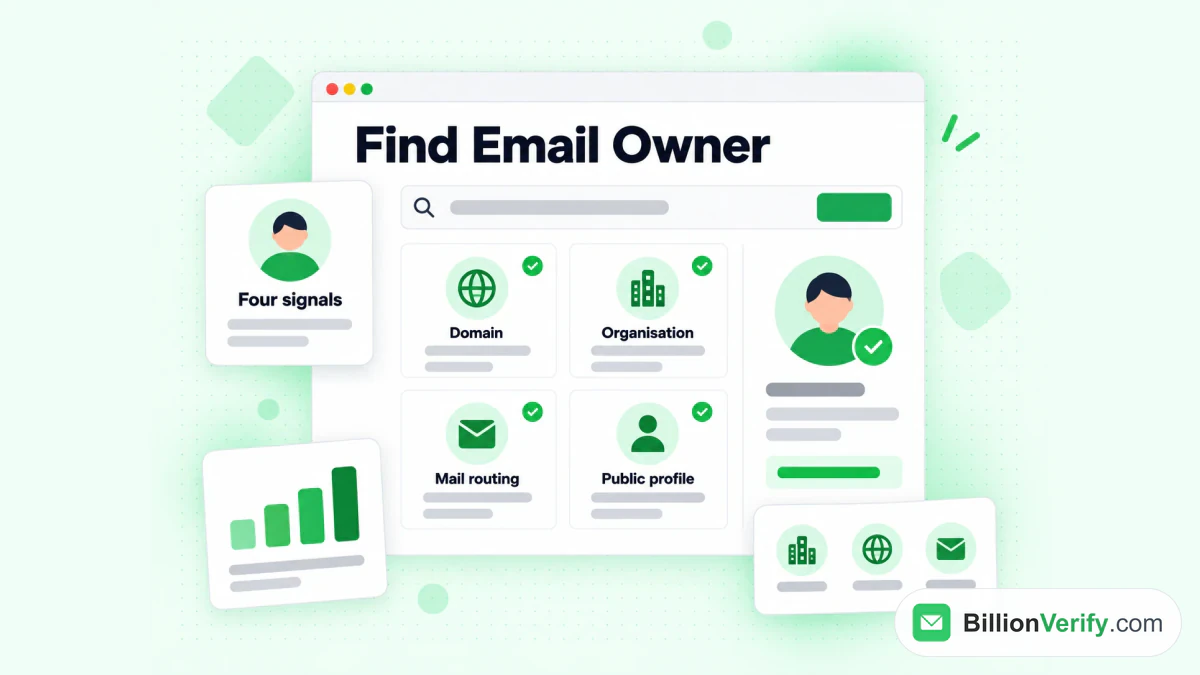
The BillionVerify reverse email lookup tool shows the public signals behind an address.
A simple routine:
- Check who is behind an address. Our free reverse email lookup reads the domain, organization, mail routing and any public profile behind an email. It uses public signals only.
- Check a phone number. Our free phone number validator shows whether a number is valid for its country and its line type.
- Verify the email before outreach. Our page on LinkedIn Sales Navigator email verification shows how to check addresses from LinkedIn prospecting before they reach your sending tool.
BillionVerify gives you 20 free credits every day you use your account, up to 600 a month. They never expire. An unknown result is free, and a re-check within 24 hours is free too.
Common Myths About Anonymous LinkedIn Visitors
A few beliefs come up again and again. Here is what LinkedIn's own pages say.
"Premium reveals hidden visitors"
False. Paying more does not make LinkedIn Premium see anonymous viewers. LinkedIn's own help pages are explicit that Premium does not show their names.
"Sales Navigator unmasks anonymous viewers"
False. Premium members get the same generic label for anonymous visitors, and so do Sales Navigator users. LinkedIn applies one privacy setting across its products.
"If I upgrade, I see past anonymous visits"
False. Upgrading extends your list to 365 days and adds insights. It does not turn earlier anonymous visits into names.
"A missing gold badge means a free account"
Not necessarily. The badge is optional, and members can hide it.
"Anonymous browsing hides me everywhere"
Not quite. It hides you in the visitor list. It does not hide your posts, comments or reactions, which stay visible under your name.
How Long LinkedIn Keeps Visitor History
Visitor history depends on your plan. A free account covers 90 days. Paid Premium plans for Business and Career cover a full year.
LinkedIn notes some limits on its page about missing viewer history. You "won't see this information if you haven't had any profile views in the past 90 days." Timeframes "may vary over time." LinkedIn also tries "to display a minimum of three views over any timeframe."
So if your list looks empty, it may simply mean no recent visits. It does not mean LinkedIn Premium is hiding anonymous viewers from you.
FAQs
Can LinkedIn Premium see anonymous viewers?
No feature lets LinkedIn Premium see anonymous viewers by name. Anonymous visitors show up under a generic "LinkedIn Member" label on every account, paid or free.
Can people with LinkedIn Premium see me when I view their profile?
People with LinkedIn Premium see your visit only if you browse under your own name. With private profile characteristics they see a description, and with full anonymity they see no identity at all.
Do LinkedIn Premium members see anonymous visits through Sales Navigator?
LinkedIn Premium members see anonymous visitors only as "LinkedIn Member," and Sales Navigator does not change that. LinkedIn keeps anonymous visitors hidden across its products.
How can you tell if someone has LinkedIn Premium?
A gold Premium badge on a profile, or beside a name in search, shows that someone has LinkedIn Premium. The badge is optional, so its absence proves nothing.
How far back does LinkedIn Premium show profile visitors?
LinkedIn Premium Business and Premium Career show up to 365 days of visitor data. A free account shows only the latest three visitors within 90 days.
Can I browse anonymously and still see who visited my profile?
A LinkedIn Premium account keeps your own visitor list even when you browse privately. On a free account, going private costs you your own visitor list.
Can I block anonymous LinkedIn visitors?
LinkedIn does not let you block anonymous visitors or force them to show who they are. Its Help Center states both limits.
What does "Someone at Accenture" mean in my visitor list?
"Someone at Accenture" marks a semi-private visitor. That member chose to show traits such as company or job title instead of their name.
Do third-party tools reveal anonymous LinkedIn viewers?
Third-party tools have no LinkedIn feature that unmasks anonymous viewers. Tools that want your LinkedIn password also put your account at risk.
How do I verify an email I found from a LinkedIn lead?
Verify any email from a LinkedIn lead before you send. BillionVerify checks the syntax, domain, mail server and mailbox, and flags catch-all, disposable and role addresses.
Watch: How to Download LinkedIn Videos: LinkedIn Video Downloader
Watch: How to Validate a Phone Number: Free Phone Number Validator