



HubSpot CRM is the customer database that sits under every HubSpot product. It stores contacts, companies, deals and tasks in one place, and each of the other tools reads from it. HubSpot gives the core of this CRM software away: its own site calls the HubSpot free CRM "100% free, with no expiration date," with no credit card needed.
This guide explains what the HubSpot CRM system is, what the account includes at no cost and where it stops, and what the paid plans add. It also compares the product with Salesforce in broad terms and shows how to start. The last part covers something most guides skip: a CRM is only as good as the email addresses inside it. Every HubSpot fact below comes from its own site and help center, and the key facts carry the date of the check. Prices and limits change often, so confirm the live pricing before you buy.
We are not affiliated with HubSpot. BillionVerify is an email verification service. For the wider picture of the company behind the product, start with our guide on what HubSpot is.
Key facts (checked November 2026):
- HubSpot's free CRM supports two users and 1,000 contacts, and it does not expire, according to the company's own pricing FAQ.
- Beyond the core records, the HubSpot CRM free plan adds dashboards, ticketing, a mobile app and the Breeze AI assistant.
- HubSpot's CRM page lists paid plans from $15 (Starter), $50 (Professional) and $75 (Enterprise) per seat each month.
- Only marketing contacts count toward a HubSpot contact tier and raise the cost of a subscription, according to HubSpot's knowledge base.
- A contact that hard bounces is dropped from future HubSpot emails, but the bounce has already happened by then.
- BillionVerify can check a contact list for invalid addresses before the file is imported.
What Is HubSpot CRM?
A CRM keeps a record of every person and company you deal with, plus each email, call, meeting and deal that involves them. HubSpot calls its version Smart CRM, and the main navigation lists it first among the products. The marketing, sales, service, content, data and revenue tools all sit on the same records. A salesperson, a marketer and a support agent see one history per contact.
So is HubSpot a CRM? Yes, and it is the part that most small teams start with. The company says the HubSpot free CRM "unifies all your customer data on one platform, with AI that makes it easy to understand," and it claims more than 306,000 customers in over 135 countries. The paid products that people usually mean by "HubSpot" are Hubs that add features to this database. That overview takes the Hubs one by one.
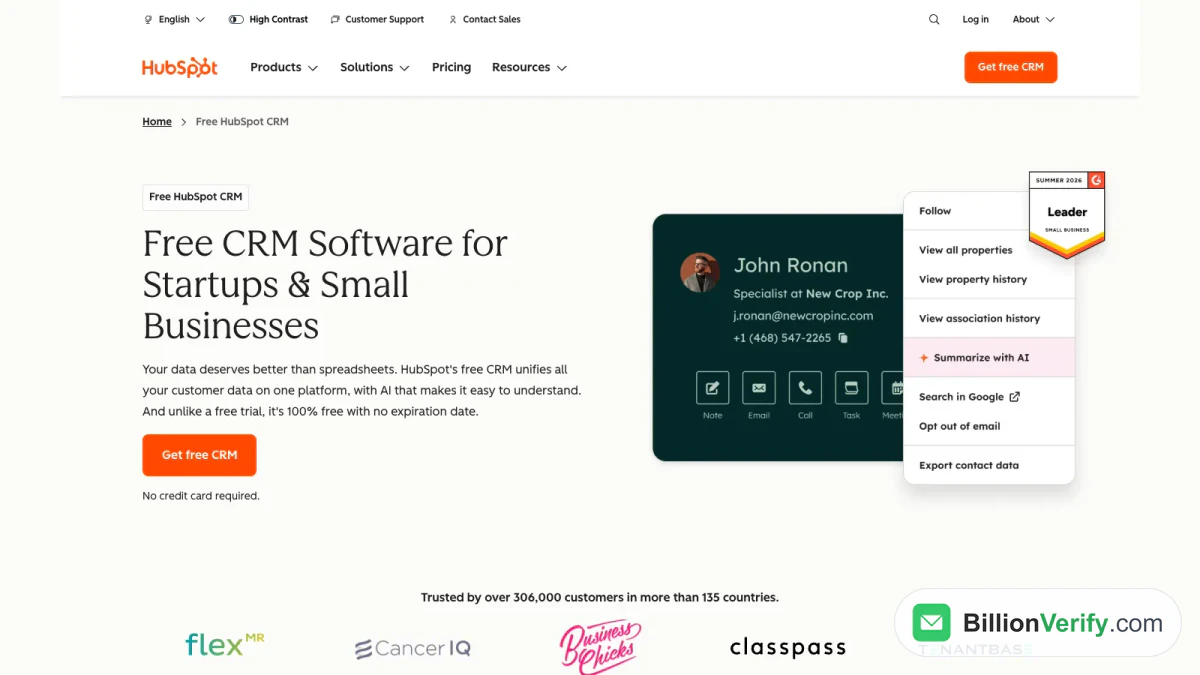
Screenshot: the opening section of HubSpot's free CRM promises no credit card and no expiration date.
The Smart CRM Is the Foundation and the Hubs Are Add-Ons
HubSpot explains the layering in one sentence of its pricing FAQ. The free tools include lite versions of tools from the paid products, plus the Smart CRM functionality, "which serves as the underlying database that powers each HubSpot product."
This is what the company means by an all-in-one platform. Moving up from Free to Starter keeps every record, and HubSpot promises "no disruption, no data migration." A second Hub added later reads the same contact list. For most teams that is the main argument for HubSpot Smart CRM: growth does not force a data move.
The navigation on hubspot.com lists Marketing Hub, Sales Hub, Service Hub, Content Hub, Data Hub, Revenue Hub, Agent Hub, with the CRM listed alongside them. Hub names and bundles have changed several times, so treat the live navigation as the reference.
What the HubSpot CRM Free Plan Includes
The free product groups its features into three jobs: making sense of customer data, connecting tools and getting more done with AI. The free plan covers all three at a basic level. The sections below follow that order and add the limits from the pricing FAQ.
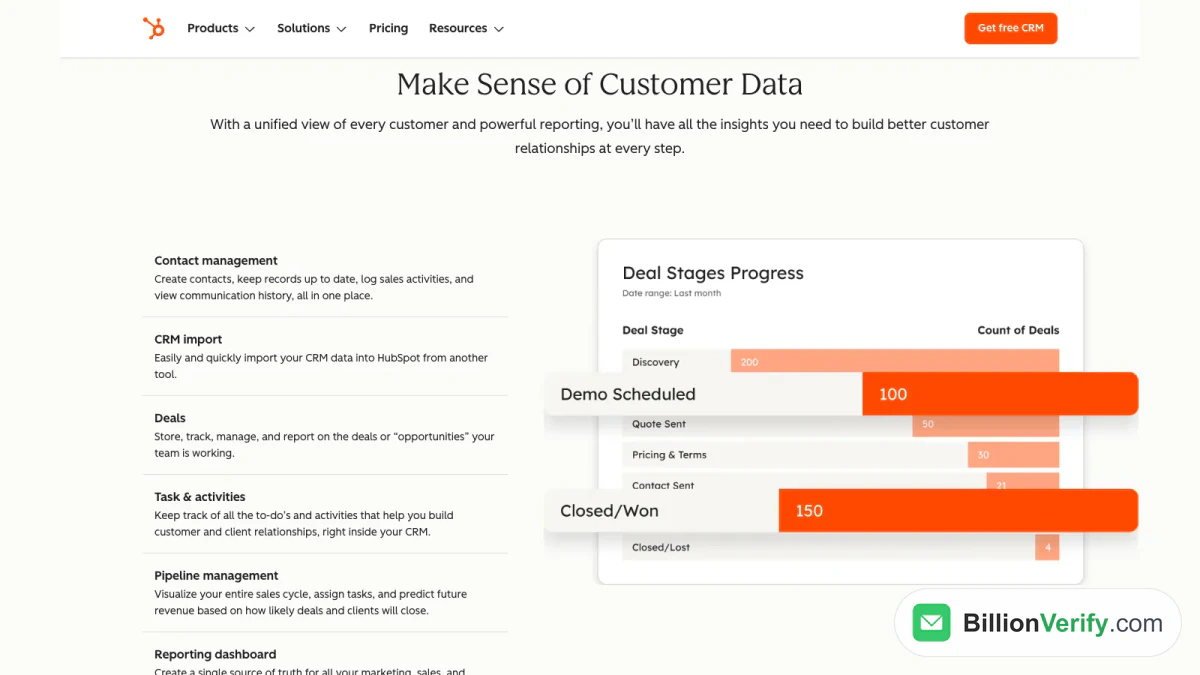
Screenshot: HubSpot's features section, with the deal stages report that the reporting dashboard produces.
Records and Contact Management
Contact management is the core. You create contacts, keep each record current, log sales activity and read the whole communication history from a single record. Companies, deals and to-dos work the same way. HubSpot describes a deal as an "opportunity" the team is working, and the HubSpot free CRM stores, tracks and reports on it.
The limits matter here. The pricing FAQ says the contact cap is a thousand, and that access has no time limit. Free accounts also hold at most a thousand records across every other standard object type. Only two users fit on the free plan, and anyone beyond that needs a paid product.
Deals, Tasks and Pipeline
Deal pipelines give you a board of stages that each deal moves through. According to HubSpot, pipeline management lets you "visualize your entire sales cycle, assign tasks, and predict future revenue based on how likely deals and clients will close." Tasks and activities live on the same records, so a follow-up call stays attached to its deal.
HubSpot's seat pricing shows where the free plan is lighter than the paid ones. The free tier allows a single personal meeting link, three email templates and three snippets per account. The next tier up lifts those to a thousand meeting links, 10,000 templates and 5,000 snippets, and allows up to 15 pipelines.
Email Tracking, Templates and Meetings
You can send 1-to-1 email from the CRM and see when it is opened. According to HubSpot, the free plan connects to Gmail, G Suite and many versions of Outlook. Messages sent on the free plan carry HubSpot branding, which the next tier removes.
Bulk sends are included with a cap of 2,000 per calendar month, also with branding. Our guide to HubSpot email marketing covers that side of the product in detail.
Reporting, Ticketing and Mobile
Reporting comes with the free plan: 10 dashboards with up to 50 reports each, against 30 dashboards on Starter. Ticketing logs customer issues so they can be assigned, prioritized and tracked in a shared inbox. HubSpot also lists payment links and a mobile app for iOS and Android.
AI, Integrations and Data Sync
Breeze Assistant is part of the free product. HubSpot says it can research companies, prepare you for sales calls and summarize records. More advanced AI, such as the AI customer agent, is limited to paid plans. HubSpot also offers connectors that bring CRM data into Claude and ChatGPT, and notes that they require a paid subscription to those assistants.
On integrations, HubSpot says its Marketplace has over 2,000 apps, and that data sync keeps records in two-way sync with dozens of third-party apps. The route for address checking is in our guide to the BillionVerify HubSpot integration.
Support on the Free Plan
Free users can lean on the HubSpot Community, learn through HubSpot Academy and read the Knowledge Base. HubSpot lists support in several languages, including English, French, German, Japanese and Portuguese.
What the Paid HubSpot CRM Plans Add
HubSpot shows four plans side by side: Free, Starter, Professional and Enterprise. Each is described as everything in the one before it, plus a few headline features, and each paid plan carries a price.
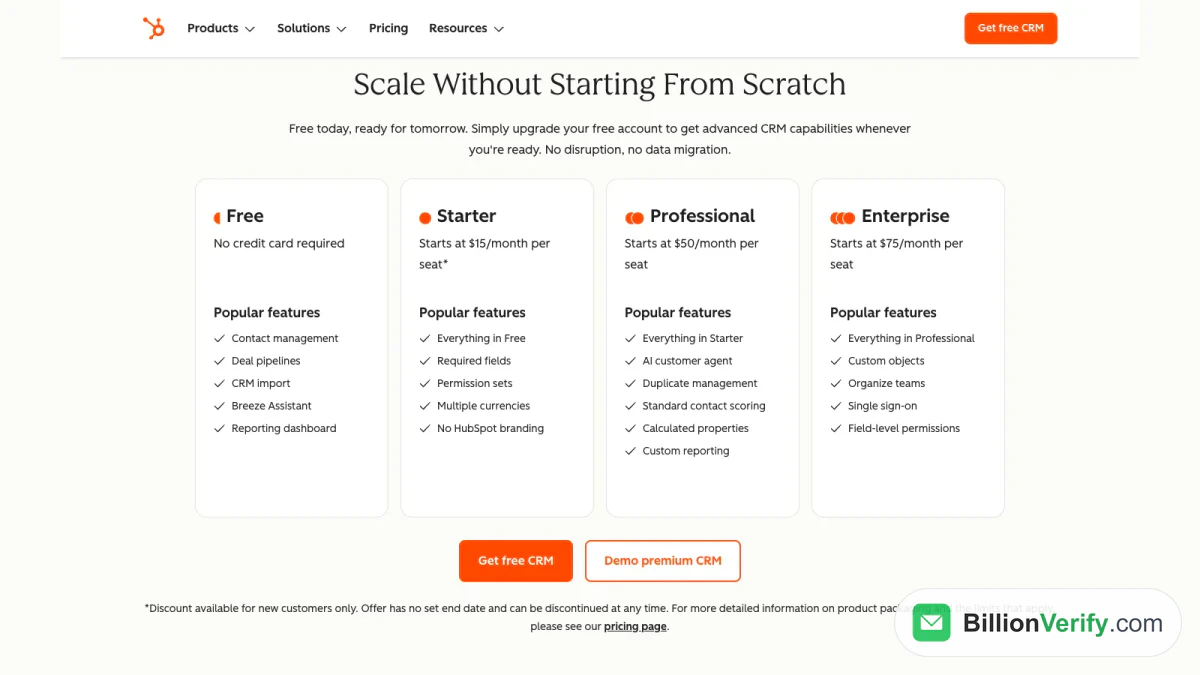
Screenshot: HubSpot's side-by-side plans, where an asterisk marks the new-customer discount on Starter.
| Plan | Monthly price per seat | Headline features |
|---|---|---|
| Free | $0, no credit card | Contact management, deal pipelines, CRM import, Breeze Assistant, reporting dashboard |
| Starter | From $15 (new-customer discount) | Required fields, permission sets, multiple currencies, no HubSpot branding |
| Professional | From $50 | AI customer agent, duplicate management, standard contact scoring, calculated properties, custom reporting |
| Enterprise | From $75 | Custom objects, organize teams, single sign-on, field-level permissions |
A different HubSpot page, the one for free tools, lists Starter at $7 per seat when you commit annually, or $10 on a monthly term, against a standard $20. That discount is for new customers and for a limited time. The two pages describe different bundles, so expect different figures. The CRM page adds that its Starter offer has no set end date and can be withdrawn at any time.
When Starter Is Enough
That plan also bundles 500 HubSpot Credits, 500 calling minutes and a phone number where the country allows it. On the sales side, it permits up to 50 workflows with restricted triggers and actions. For a team of one to three people that is usually plenty.
Where the HubSpot CRM Cost Jumps
On the Sales Hub pricing, Professional starts at $90 per seat monthly ($100 at the standard rate, billed annually) and Enterprise starts at $150. Both carry a required one-time onboarding charge: $1,500 for Professional and $3,500 for Enterprise. Professional is also where forecasting and sequences arrive.
Marketing Hub is priced separately. Its Professional plan starts at $800 a month with three core seats and a $3,000 onboarding charge. Enterprise starts at $3,600 a month with five core seats and a $7,000 onboarding charge. Those numbers describe the marketing product, not a CRM-only purchase.
HubSpot CRM for Startups and Small Business
HubSpot describes its free CRM as "top-rated CRM software for startups and small businesses." HubSpot CRM for startups and HubSpot CRM for small business use the same account type, so the real question is whether the limits fit. Setup happens in the browser, in Chrome, Firefox, Safari or Edge, with no downloads and no IT help. Pipelines and contact records work from the first day, and no card is required.
HubSpot CRM for Startups
A seed-stage team using HubSpot CRM for startups can stay within the free limits for a while. Two seats cover a founder plus one sales or support hire, and a few hundred leads fit comfortably. Once a third person joins or the list grows past the cap, the next step is a paid plan. Because the records move with the account, the upgrade is a billing change and not a data project.
HubSpot CRM for Small Business
An owner-run shop needs a shared view of customers: one inbox, one pipeline and one report. The free dashboards and a meeting link deliver that. Teams that want more than three email templates, or want branding gone, move to Starter.
How the HubSpot CRM System Compares With Salesforce
Salesforce is the other CRM that buyers weigh against HubSpot. It describes CRM as "an AI-powered system that unifies all of your company's data." On its Sales pricing page, Starter Suite is $25 per user monthly on a monthly or annual term, and Pro Suite is $100 per user monthly, billed annually. Larger suites are listed at $195, $395 and $550, all billed annually, and the page shows no free edition.
The two products overlap on the basics: contacts, accounts, deals, pipelines, reports and integrations. The visible differences are in how you begin and how you pay. HubSpot lets a team start free and add Hubs later, and it keeps custom objects for Enterprise. Salesforce begins with paid suites. Our introduction to what Salesforce is explains that side, and the BillionVerify Salesforce integration guide shows where email checking fits there.
How to Start With HubSpot CRM
HubSpot promises setup in minutes without IT support, and its onboarding flow, templates and setup guides carry you through the rest. A practical order looks like this:
- Open hubspot.com and choose Get free CRM to start a HubSpot free CRM account. No card is needed.
- Create the account with your work email.
- Connect your inbox so each 1-to-1 message is logged on the contact.
- Build the deal pipeline with the stages your team already uses.
- Import your contacts and companies, as described next.
- Invite the second user, since a free account allows two.
Import Your Contacts
The import tool lives under Data Management, then Data Integration, then Import data. For several objects at once, pick Advanced imports (all objects). You choose the objects, decide between a single file and one file per object, set the import mode, map columns to properties and select a unique identifier. The modes are create and update, create new only, and update existing only.
The identifier decides what counts as a duplicate. HubSpot's import guide says contacts match on email and companies match on company domain name, and that a Record ID overrides both. An address typed twice, or spelled slightly differently, becomes two records. Clean the file before the import, not after it.
Flagging imported people for marketing needs a Marketing Hub Starter, Professional or Enterprise subscription. That leads straight to the cost of HubSpot CRM.
Keep Bad Email Addresses Out of the CRM
Every contact with an address is a future send. Some of those addresses are dead, mistyped or created by a bot, and you only learn that when a message bounces. HubSpot's own guidance is direct about the consequence: a send that "results in a high rate of negative engagement (e.g. bounces, spam reports)" can put your account in a suspension state.
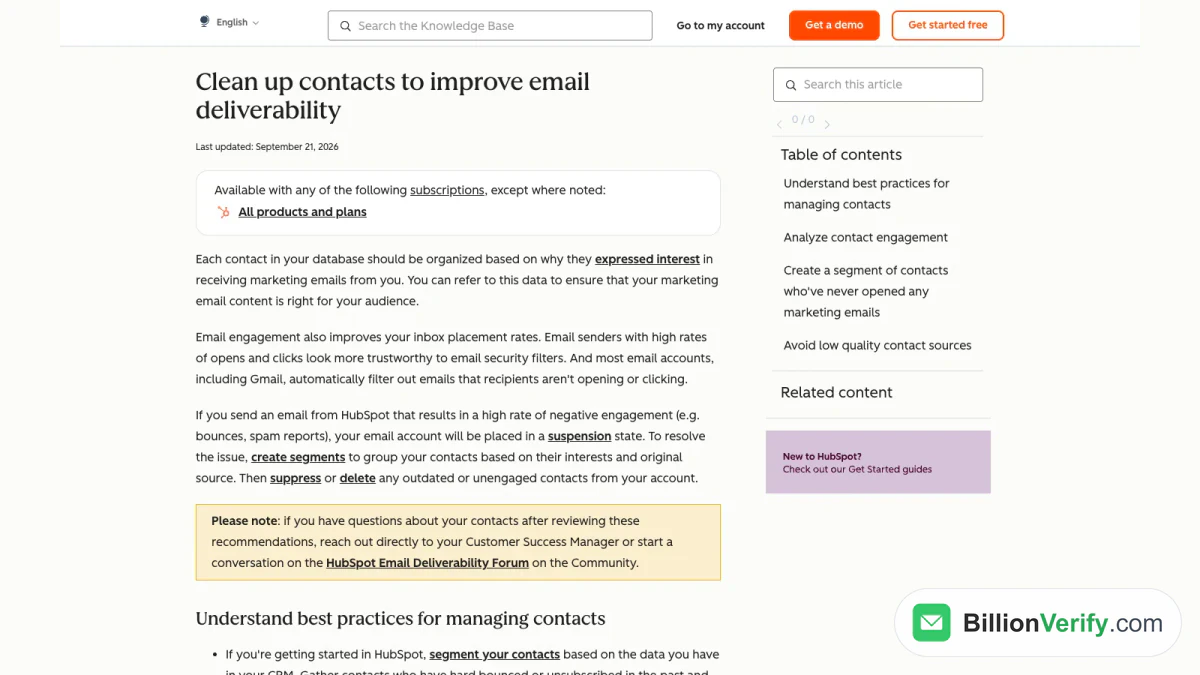
Screenshot: a HubSpot Knowledge Base article that links bounces and spam reports to account suspension.
What HubSpot Does After a Bounce
A contact who hard bounces, the help center says, "will automatically be dropped from future emails." A separate article suggests building a segment of hard-bounced contacts and deleting them. The clean-up guidance adds that past hard bounces and unsubscribes should be imported as opted out, and that unengaged people can be suppressed.
Notice that the bounce comes first in every case. The message went out, the receiving server refused it, and your sender reputation took the hit. In the articles we read, HubSpot's guidance covers segmenting, suppressing and deleting. It does not describe checking whether an address is valid before it is imported.
Why Bad Addresses Also Cost Money
HubSpot counts marketing contacts against your tier. Its contact tier article says they "impact the cost of your subscription," while non-marketing contacts are not charged. It does not say how hard-bounced contacts are treated, so read the figure inside your own account instead of assuming. What is certain is that each unusable address you mark as marketing takes a slot you may be paying for. On the free plan, where the cap is small, a few hundred dead addresses use up a large share of the room.
Verify Before You Import
The fix is to check addresses before they reach the CRM. Run the export through BillionVerify's email verifier for single addresses, or the bulk email verification tool for a whole CSV, and import only the clean rows. BillionVerify checks syntax, DNS, MX and SMTP, and it reports catch-all addresses as their own class instead of counting them as valid. Valid and invalid results cost 1 credit each, unknown results are not billed, and a recheck within 24 hours is free. Every account gets 20 free credits on each day it is used, up to 600 a month, with no card and no expiry.
The same verdicts are available through the BillionVerify API, so a signup or lead form can check an address before it is written to the CRM. For a connection inside HubSpot, the HubSpot integration page has the details.
If a list has names but no addresses, a paid account can use Email Finder, which charges 10 credits only when it finds one. Two more checks fit the same routine. When a record looks suspicious, a reverse email lookup shows more about the address. When it carries a phone number, a phone number validator checks the number too.
Strengths and Limits
The HubSpot free CRM is a working CRM and not a short trial, and the records carry across every Hub. Support through the Academy and Community costs nothing, and the Marketplace lists over 2,000 apps.
The limits are as clear. Two seats and a fixed contact cap bound the free account, and branding stays on forms, emails and meeting links until Starter. Duplicate management and contact scoring wait in Professional, and custom objects and single sign-on wait in Enterprise. Onboarding charges apply to the paid sales and marketing tiers above Starter. Prices also differ between pages, so a budget built from one page can be off. For a small business, that is worth a check before committing.
FAQs
What is HubSpot CRM used for?
Teams use it as a shared record of customers and every interaction with them. Sales works the pipeline, marketing builds audiences and support logs tickets, all from a single record per customer.
Is the HubSpot CRM free plan really free?
Yes. The core is free for two users and a thousand contacts, it does not expire and it needs no card. HubSpot's own words are "100% free." The free plan has caps and some branding, so growth leads to a paid plan.
Is HubSpot CRM for small business owners worth paying for?
Many owners stay on the free tier until they need a third seat, no branding or more templates. At that point the CRM page lists Starter from $15 per seat monthly, Professional from $50 and Enterprise from $75, while the free tools page shows a new-customer Starter price of $7 on an annual commitment. The figures differ by page, so confirm the total at checkout.
What is the difference between HubSpot CRM and Sales Hub?
The CRM is the database, and Sales Hub is a paid set of selling tools built on it. Its Starter plan adds calling minutes, workflows and more pipelines, and Professional adds forecasting and sequences. The free plan stays available throughout.
Does HubSpot CRM have AI?
Yes. Breeze Assistant is included free and handles research and record summaries. The customer agent is a Professional feature, and Claude and ChatGPT connectors come with their own subscription requirement.
How many contacts can the HubSpot free CRM hold?
It holds up to a thousand contacts, plus a thousand records of other standard object types, and the cap does not expire. Beyond that, the move is to a paid product.
Can I import contacts from a spreadsheet?
Yes. Open the import tool, map your columns, pick a unique identifier and run it. HubSpot matches people by email address and companies by domain name, so remove duplicates and invalid addresses first.
Does HubSpot check whether an email address is real?
HubSpot's help center describes bounces, segments and suppression, and a hard-bounced contact is dropped from later emails. The articles we read do not describe address checks at import. A verifier such as BillionVerify can screen the list first.
Is HubSpot better than Salesforce?
Neither wins in every case, because they suit different starting points. HubSpot offers a free CRM and adds Hubs as you grow, while Salesforce lists a paid Starter Suite as its lowest price. Compare the features you need and the total price for your team size.
Can HubSpot be used in real estate or other industries?
It is a general-purpose system, so teams in any industry can set up their own pipelines, properties and templates. Deeper data models need Enterprise. The Marketplace is the place to look for apps built for a specific industry.
Watch: How to Validate a Phone Number: Free Phone Number Validator
Watch: Bulk Email Verification: How to Verify an Email List From a File