



Real personalization isn't about inserting the prospect's first name. It's about demonstrating that you've done meaningful research and understand their specific situation. This guide covers personalization strategies that actually move the needle on response rates.
Why Personalization Matters for Cold Email
The data is clear: personalized cold emails dramatically outperform generic ones.
The Numbers
- Personalized emails get 2-3x higher response rates
- Generic templates show response rates under 1%
- Research-backed personalization reaches 5-10%+ response rates
- The time investment: 5-15 minutes per prospect worth it
The difference between 1% and 5% response rate isn't minor—it's a 5x improvement in your ROI.
Why It Works
When someone receives an email that references specific details about their company, recent announcements, or their role, they recognize you've done research. This builds credibility instantly.
Prospects are bombarded with 100+ emails daily. Personalization signals that you're not mass-blasting; you genuinely think there's a fit.
The 4 Levels of Personalization
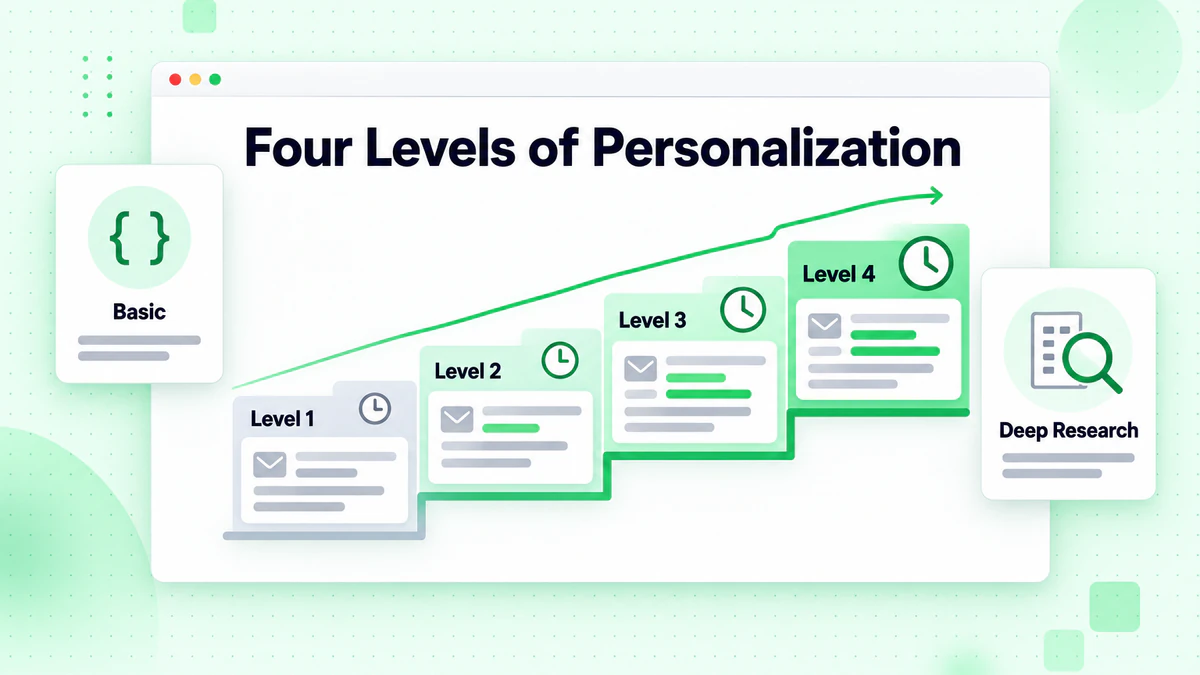
Level 1: Basic (Minimum Standard)
Time per prospect: 1-2 minutes
Insert:
- First name
- Company name
- Job title
- Industry
Example: "Hi Sarah, I noticed [Company] is in the [industry] space and you're the [job title]..."
Response rate: 0.5-1%
Best for: High-volume campaigns where quality is secondary
Level 2: Standard (Recommended)
Time per prospect: 3-5 minutes
Include:
- Specific company observation
- Relevant trigger or recent news
- Role-appropriate language
- One piece of social proof
Example: "Hi Sarah, saw that [Company] recently hired 10 new SDRs—congrats on the growth! Given your expansion, I thought this might be relevant..."
Response rate: 2-4%
Best for: Most mid-market and enterprise cold campaigns
Level 3: Advanced
Time per prospect: 5-10 minutes
Add:
- Reference to their content (article, post, etc.)
- Specific business metric insight
- Mention of mutual connection
- Tailored value proposition
Example: "Hi Sarah, your LinkedIn post about scaling SDR processes really resonated. Most teams struggle with [specific problem], which is exactly what we help with. I noticed [Company] recently [specific trigger], which seems like it could relate..."
Response rate: 5-8%
Best for: High-value accounts, key decision-makers
Level 4: Hyper-Personalized
Time per prospect: 10-20 minutes
- Custom video or personalized asset
- Detailed analysis of their situation
- Reference to specific company challenges
- Multi-channel (email + LinkedIn)
Example: "Hi Sarah, I recorded a quick 2-minute video walking through three specific ideas for [Company]'s [area]..."
Response rate: 10%+
Best for: Highest-value deals, enterprise sales
The Research Process: How to Find Personalization Details
You can't personalize without research. Here's the playbook:
Step 1: LinkedIn Deep Dive (2-3 minutes)
On their profile:
- Recent job changes (indicators of new focus areas)
- Posts they've published or engaged with
- Skills listed (what technologies they use)
- Recommendations (what colleagues value them for)
On their company page:
- Recent hires (expansion areas)
- Posts by leadership (company direction)
- Updates section (news and announcements)
- Followers (mutual connections?)
Pro tip: Check if they've recently changed titles or companies. Life changes = likely receptiveness to new solutions.
Step 2: Company Website (2-3 minutes)
- About page: Company mission, values, focus areas
- Blog: What they're investing time in teaching
- Press releases: Recent funding, partnerships, product launches
- Job postings: What they're hiring for (growth signals)
- Leadership team: Who are the decision-makers?
Pro tip: If they're actively hiring for a role, they're solving a problem. That's your angle.
Step 3: Google News & Industry News (1-2 minutes)
- Recent company announcements
- Industry moves (acquisitions, expansions)
- Regulatory changes affecting their industry
- Technology adoption trends in their space
Tools: Google Alerts, Crunchbase, TechCrunch, PitchBook
Step 4: Their Social Media (1-2 minutes)
LinkedIn:
- Comments on posts (shows what matters to them)
- Articles they've written
- Engagement patterns (active vs. quiet)
Twitter/X:
- Topics they discuss
- Thought leaders they follow
- Industry discussions they participate in
Pro tip: If they're active on social media, you can reference specific posts or discussions.
Step 5: Technology Stack (1 minute)
Use tools to identify what technology they're using:
- BuiltWith: Identifies web technologies
- Clearbit: Company tech, funding, traffic data
- Apollo/Hunter: Company technology insights
- Stack Share: Popular tools in their industry
Example personalization: "Noticed you use [Tool A]—we integrate seamlessly with it..."
Step 6: Verify Email Quality
This is critical: Don't personalize emails to invalid addresses.
Use BillionVerify to verify each prospect's email before sending. This ensures:
- Your personalized research effort doesn't go to spam traps
- Your domain reputation stays clean
- Your deliverability remains high
Personalization Frameworks
Framework 1: Problem-Based
Structure: "I noticed [Company] is in [industry] and likely dealing with [common problem]..."
Why it works: Shows you understand their vertical
Example: "SaaS companies scaling from $5M to $50M ARR typically struggle with email verification quality—something we specialize in."
Framework 2: Trigger-Based
Structure: "Saw that [Company] recently [trigger event]. Given this, you're probably focused on [related challenge]..."
Why it works: Connects your solution to what they're actively working on
Example: "Noticed you just hired a new VP of Sales. Usually this is the perfect time to implement list-cleaning processes because new leaders want to hit the ground running."
Framework 3: Content-Based
Structure: "Your recent [article/post] on [topic] mentioned [specific point]. I thought this might be relevant..."
Why it works: Proves genuine engagement, not mass-mailing
Example: "Your post about sales productivity really landed for me—especially your point on wasted prospecting time. That's exactly what we help fix."
Framework 4: Mutual Connection
Structure: "[Person] mentioned you might be the right person to talk to about [topic]..."
Why it works: Warm introduction, instant credibility
Example: "Sarah mentioned you're rebuilding the sales process at [Company]. That's exactly the kind of situation where email verification becomes critical."
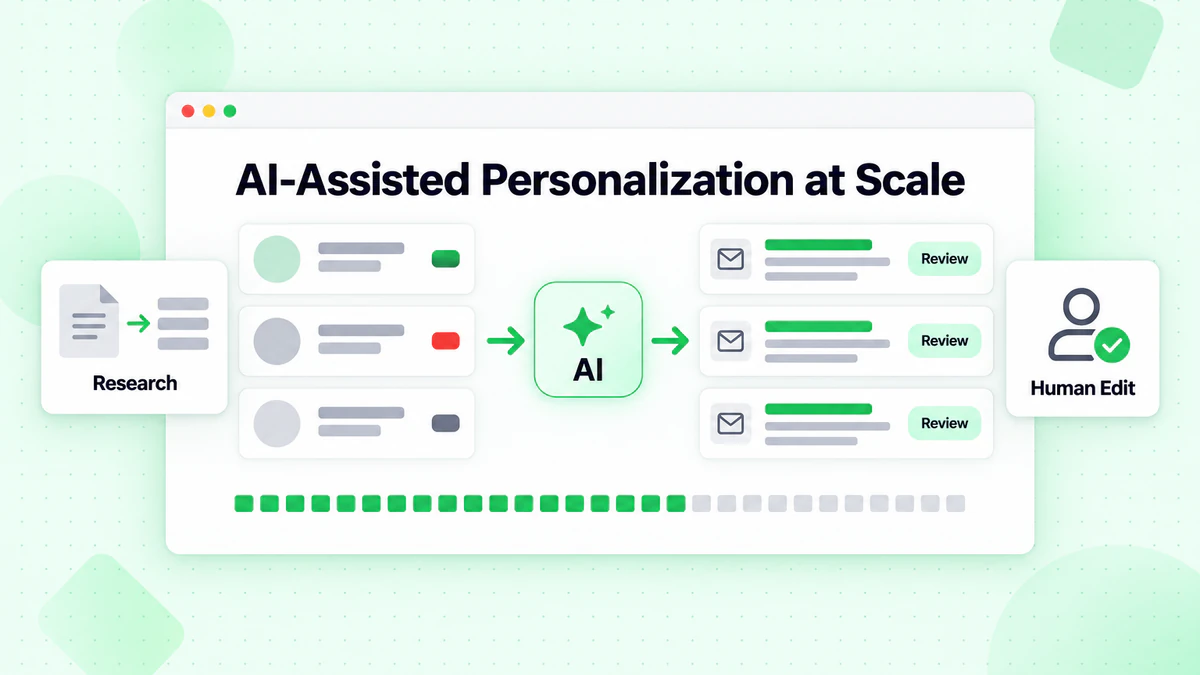
AI-Assisted Personalization at Scale
AI tools can help scale personalization without losing authenticity. Here's how:
What AI Does Well
Research summarization: AI can quickly summarize:
- Recent news about a company
- A prospect's LinkedIn activity
- Industry trends relevant to them
Variable generation: AI can create multiple variations of:
- Opening lines
- Value propositions
- Specific examples tailored to their industry
Data extraction: Extract key info from:
- Company websites
- LinkedIn profiles
- News articles
What AI Does Poorly
Authentic personalization: AI can't replace genuine research insights
Human judgment: Can't assess what truly matters to this specific person
Emotional intelligence: Can't pick up on nuance or relationship dynamics
Best Practice: AI + Human
Use AI for the heavy lifting, then add human judgment:
- AI researches the company and prospect
- AI summarizes key findings
- You add specific, authentic insights
- AI suggests variations of your opening
- You personalize the final version
This approach gets you 80% of hyper-personalization results at 30% of the time investment.
Tools for AI-Assisted Personalization
- ChatGPT/Claude: Summarize research, generate variations
- Lemlist: AI subject line and email generation
- Hunter.io: Research and suggest personalization angles
- Clearbit: Enrich data automatically
- Dripify/RocketReach: Automated research and suggestions
Common Personalization Mistakes
Mistake 1: Surface-Level Personalization
❌ "Hi [FirstName], I noticed you work at [Company]..."
This isn't personalization. This is mail merge.
✅ Better: Reference something specific about their company's recent actions or their role's challenges.
Mistake 2: Generic Personalization
❌ "Your LinkedIn post was great. I'd love to connect."
This could be sent to anyone.
✅ Better: "Your post about scaling SDR teams mentioned the challenge of list quality. That's exactly what we solve."
Mistake 3: Personalization That's Too Personal
❌ "I noticed you live in Seattle and went to University of Washington. I went there too!"
Can feel creepy if not contextualized properly.
✅ Better: "Saw you studied [field] at UW—that's the exact background that makes someone great at [relevant skill]."
Mistake 4: Mismatched Personalization
❌ You research their company, but your ask doesn't connect to what you learned.
❌ Email: "Great work on expanding to Europe. We have a solution for [unrelated problem]."
Your research should inform your value proposition.
✅ Better: Research → Insight → Relevant solution
Mistake 5: Personalization with Bad Data
❌ Personalizing to unverified or outdated email addresses
Your perfect personalization is wasted if it bounces or hits a spam trap.
✅ Better: Always verify email addresses before sending personalized outreach.
Personalization at Scale
Once you nail personalization for 50 prospects, how do you scale to 500?
Strategy 1: Segment Then Personalize
Instead of unique personalization for each prospect, create 3-5 segments:
- By company size: Different challenges for SMB vs. Enterprise
- By industry: Customize your angle per vertical
- By trigger: Recent funding, hiring, news
- By role: CEO messaging differs from VP Engineering
Create a personalization framework for each segment, then customize within that framework.
Strategy 2: Template Personalization
Create templates with variable slots:
"Hi [FirstName],
Saw that [Company] recently [trigger]. Given your focus on [area], I thought this might be relevant...
[Company]-specific example]: [Your company] helped [similar company] [specific result].
[Value prop specific to their challenge]"
Key: Each variable is researched, not generic.
Strategy 3: Leverage Data Tools
Automate research gathering:
- Clearbit: Auto-enrich prospect data
- Apollo: Sync company info automatically
- Hunter: Verify emails + provide research
- Slack integrations: Auto-research before you send
These tools help you gather research data faster, so you can personalize at scale.
Strategy 4: Tiered Effort Approach
- Tier 1 (High-value accounts): 10-15 min research, Level 4 personalization
- Tier 2 (Mid-market): 5-10 min research, Level 3 personalization
- Tier 3 (Volume plays): 3-5 min research, Level 2 personalization
Allocate effort based on deal size. A $500K deal deserves more research than a $5K deal.
The Personalization ROI Calculation
Example: SaaS company with 500-prospect monthly campaign
| Level | Time/Prospect | Open Rate | Response Rate | Cost/Meeting |
|---|---|---|---|---|
| Level 1 (Generic) | 1 min | 20% | 0.5% | $200+ |
| Level 2 (Standard) | 5 min | 35% | 2% | $75 |
| Level 3 (Advanced) | 8 min | 45% | 4% | $38 |
| Level 4 (Hyper) | 15 min | 55% | 8% | $19 |
For 500 prospects:
- Level 1: 8 hours labor, 25 meetings booked
- Level 2: 41 hours labor, 50 meetings booked
- Level 3: 67 hours labor, 100 meetings booked
- Level 4: 125 hours labor, 200 meetings booked
Level 3 is often the sweet spot—better ROI than Level 4, much better results than Levels 1-2.
Personalization + Deliverability = Success
Personalization only works if emails reach inboxes. Here's the complete formula:
- Verify your list: Email verification ensures personalized emails land in inboxes, not spam
- Research deeply: 5-10 minute investment per prospect
- Personalize authentically: Reference specific details
- Lead with their needs: Not your product
- Keep it brief: Personalization ≠ longer emails
- Test and iterate: What resonates with your audience?
For the complete cold email strategy, personalization is one pillar. Domain warmup, list quality, and follow-up sequences are equally important.
Personalization Resources & Tools
Research Tools
- LinkedIn Sales Navigator: Best for B2B research
- Clearbit: Company enrichment
- BuiltWith: Technology stack detection
- Crunchbase: Funding and company news
- Apollo.io: Company data and email
Personalization Assistance
- ChatGPT/Claude: Summarize research, suggest angles
- Lemlist: AI-powered email suggestions
- HubSpot: Personalization tokens and frameworks
- Lemalist: A/B test personalization strategies
Verification
- BillionVerify: Verify emails before personalizing
- Hunter.io: Verify + research in one platform
- RocketReach: Verify + contact info
Conclusion: Real Personalization Wins
Generic cold emails are dead. Personalization is now table stakes for modern cold outreach.
But personalization has a spectrum:
- Merge field personalization (Level 1): 1-2% response rate
- Standard personalization (Level 2): 2-4% response rate
- Advanced personalization (Level 3): 5-8% response rate
- Hyper-personalization (Level 4): 10%+
Most successful cold outreach operates at Levels 2-3—it's the sweet spot of effort and ROI.
Your Next Steps:
- Audit your current personalization: Are you at Level 1, 2, or 3?
- Implement a research process: Use the 6-step framework above
- Verify before you send: Use BillionVerify to ensure deliverability
- Test personalization variables: Which level and angle works best for your audience?
- Document what works: Build institutional knowledge
For more on cold email templates, see our library of framework examples you can customize with your research.
Real personalization is work. But it's the difference between a 1% response rate and a 5%+ response rate. That's a 5x improvement in your cold email ROI.