



Invalid emails quietly drain marketing budgets while sabotaging deliverability. Companies lose $792 per employee annually to wasted sends, support overhead, and corrupted metrics. Bounce rates spike, spam filters activate, and domain reputations collapse under the weight of bad data. A systematic verification workflow transforms this liability into precision, ensuring every send reaches real inboxes while protecting sender credibility and maximizing campaign ROI.
Key takeaways
| Point | Details |
|---|---|
| Cost reduction | Invalid emails waste $792 per employee yearly through failed sends and skewed analytics. |
| Verification steps | Format validation, domain checks, SMTP verification, and risk filtering form the complete workflow. |
| Deliverability gains | Clean lists deliver up to 25% better inbox placement and 5-15% higher open rates. |
| Ongoing hygiene | Regular verification counters 22.5% annual list decay and maintains sender reputation. |
Understanding the problem: costs and risks of invalid emails
Marketing teams face mounting pressure as invalid addresses impose $792 annual costs per employee. This figure captures wasted email credits, inflated platform fees, support tickets resolving delivery failures, and distorted campaign analytics that mislead future strategy. The damage compounds when bounce rates trigger algorithmic penalties.
Hard bounces signal to inbox providers that you're sending to non-existent addresses. A 10,000-address campaign with unvalidated contacts generates 2,000+ bounces, flagging your domain as a spam source. Filters block legitimate sends for weeks, collapsing campaign effectiveness precisely when revenue depends on it. Recovery requires months of careful reputation rebuilding.
Invalid emails originate from multiple sources. Users mistype addresses during signup. Competitors submit fake contacts to poison your list. Previously valid addresses decay as employees change jobs or abandon personal accounts. The cumulative effect creates a deteriorating asset that actively harms your business.
"Email lists decay by 22.5% annually as contacts change jobs, abandon accounts, or switch providers, making yesterday's clean list today's deliverability risk."
Common invalid email categories include:
- Syntax errors with missing @ symbols or invalid domain formats
- Non-existent domains that never accepted mail
- Abandoned mailboxes that once worked but now reject messages
- Disposable addresses created for one-time verification then discarded
- Role-based addresses like info@ or support@ that trigger spam filters
- Catch-all domains that accept everything but rarely engage
Each category damages your sender reputation differently. Understanding why clean email lists matter helps prioritize verification efforts and protect long-term deliverability. The financial impact extends beyond immediate bounce costs to include lost revenue from campaigns that never reach prospects.
Preparing your email list for verification: prerequisites and tools overview
Successful verification starts with organized data. Export your email list as a clean CSV file with standardized formatting. Remove obvious duplicates manually and ensure each row contains a valid email field. Inconsistent formatting forces verification tools to guess field mapping, introducing errors that undermine the entire process.
Choose verification tools based on list size, budget, and integration needs. The verification landscape splits into distinct categories:
| Tool type | Best for | Key features | Typical cost |
|---|---|---|---|
| Bulk upload services | One-time cleaning | High-volume processing, detailed reports | $0.003-0.01 per email |
| Real-time API | Ongoing validation | Instant signup verification, form integration | $0.005-0.015 per check |
| Email platform native | Small lists | Built-in cleaning, limited features | Often included |
| Enterprise solutions | Large teams | Custom rules, advanced reporting, dedicated support | Custom pricing |
Understand the two fundamental verification processes before selecting tools. Format validation checks syntax and structural correctness without contacting mail servers. It catches typos, invalid characters, and malformed addresses instantly. Existence verification goes further, confirming the mailbox actually receives mail through SMTP handshakes and MX record validation.
Format validation runs in milliseconds, identifying obvious problems like missing domains or doubled @ symbols. Existence verification requires server communication, taking seconds per address but providing definitive deliverability answers. Budget verification time accordingly when processing large lists.

Pro Tip: Schedule verification during off-peak hours to avoid rate limiting from mail servers. Processing 100,000 addresses might take 6-8 hours depending on server response times and verification depth.
Implement proper email list hygiene practices before verification to maximize efficiency. Segment lists by acquisition source to identify systematic quality issues. Tag verified contacts to avoid redundant checks. Document verification schedules to maintain consistent data quality across marketing operations.
Step-by-step execution of a detailed email verification workflow
Execute verification systematically to catch every deliverability threat. Follow this proven sequence:
Initial format validation removes syntax errors. Upload your list to a verification service that checks RFC 5322 compliance. This step eliminates addresses with spaces, missing @ symbols, invalid TLDs, or forbidden characters. Format validation typically flags 5-10% of collected addresses immediately.
Domain validation confirms MX records exist. The verification tool queries DNS servers to verify domain existence and mail server configuration. Domains without MX records cannot receive email, regardless of the local part accuracy. This catches typos in popular domains like gmial.com or yahooo.com that users frequently mistype.
Existence verification confirms mailbox delivery. SMTP handshakes contact the recipient's mail server to verify the specific address accepts messages. This step identifies valid domains with non-existent mailboxes, catching the majority of problematic addresses. Skipping existence checks when 20-30% contain errors multiplies costs rapidly as bounces accumulate.
Risk filtering removes problematic address types. Flag or remove role-based addresses (admin@, sales@, info@) that organizations monitor collectively. These rarely convert and often trigger spam filters. Identify disposable email services from providers like Mailinator or GuerrillaMail that users abandon immediately after signup. Catch-all domains accept every address but provide poor engagement.
Final deduplication and suppression list application. Remove exact duplicates that inflate list size artificially. Cross-reference your suppression list of previous complainers, unsubscribes, and known bad actors. Apply any regulatory suppression requirements for GDPR or CAN-SPAM compliance.
Common workflow mistakes sabotage verification effectiveness. Teams often ignore role-based addresses despite their spam trigger risk. Others skip catch-all identification, assuming acceptance equals engagement. The costliest error involves verifying only new signups while neglecting existing list decay.
Pro Tip: Automate verification for all new signups using real-time API integration. This prevents bad addresses from entering your database while the user can still correct errors during signup.
Implement email list cleaning tips for better campaigns throughout your workflow. Schedule quarterly full-list verification to catch decay. Monitor bounce rates weekly to detect sudden quality drops. Tag verification dates in your CRM to track when contacts need revalidation.
Verification outcome analysis and maintaining list hygiene
Verification reports categorize addresses into actionable segments. Valid addresses passed all checks and deserve your full sending effort. Invalid addresses failed existence verification and must be removed immediately to protect sender reputation. Risky addresses include catch-alls, role-based, and disposables that technically work but harm engagement metrics.
Analyze each category strategically:
- Valid (typically 60-85%): Send normally with full engagement tracking
- Invalid (5-20%): Delete permanently to prevent future send attempts
- Risky (10-25%): Quarantine for manual review or send at reduced frequency
- Unknown (0-5%): Retry verification or treat as risky until confirmed
Take immediate action on verification results. Remove all invalid addresses within 24 hours to prevent accidental sends. Segment risky addresses into a separate list for low-priority campaigns where bounce risk is acceptable. Update your CRM or marketing platform to reflect new status tags.
Compare cleaning approaches to optimize your strategy:
| Approach | Frequency | Best for | Deliverability impact | Cost efficiency |
|---|---|---|---|---|
| Pre-campaign spot check | Before each send | Time-sensitive campaigns | Moderate improvement | High per-campaign cost |
| Quarterly full verification | Every 90 days | Established lists | Significant improvement | Balanced cost-benefit |
| Real-time API validation | Continuous | High-volume acquisition | Maximum protection | Best long-term ROI |
| Annual deep clean | Yearly only | Small, stable lists | Minimal improvement | Poor for decaying lists |
Clean lists improve deliverability rates by up to 25% by eliminating bounce triggers and spam traps. This translates directly to more messages reaching primary inboxes where engagement happens. Reduced bounces also increase open rates 5-15% as inbox providers reward consistent delivery success with better placement.
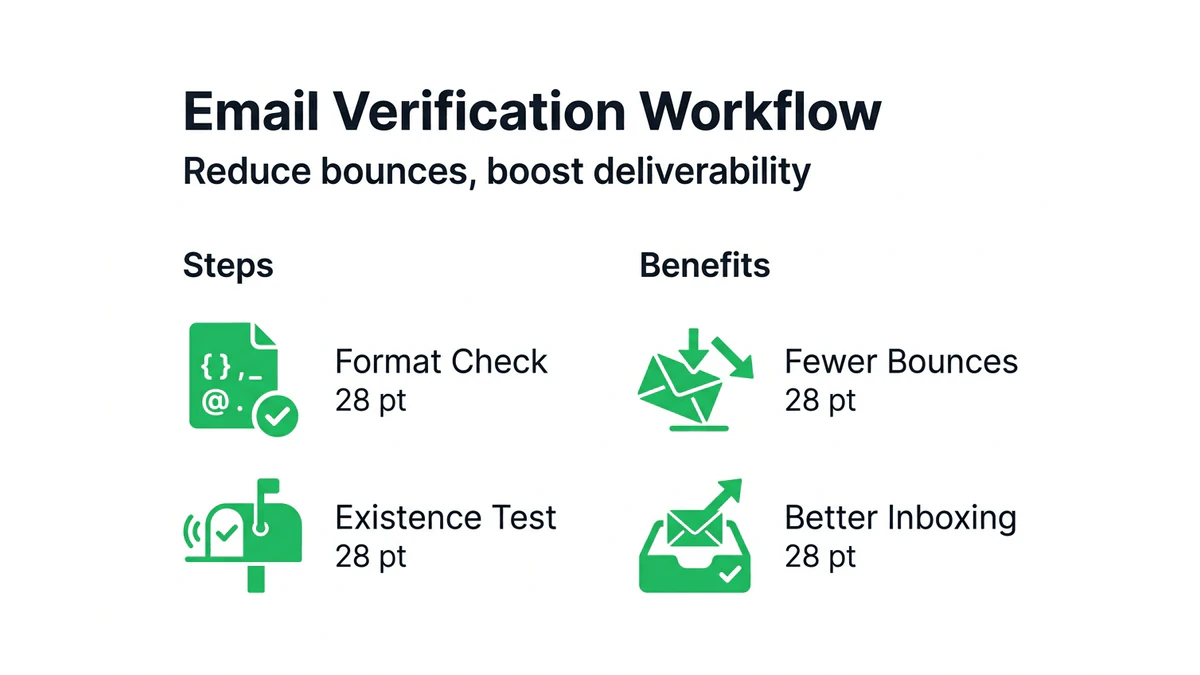
Maintain list hygiene through scheduled verification cycles. New contact validation happens instantly via API integration. Quarterly reviews catch decay in your existing database. Annual deep cleans identify systematic acquisition problems and verify suppression list accuracy. Document all verification activities to track ROI and justify budget allocation.
Monitor key deliverability metrics weekly. Track bounce rates, spam complaints, and inbox placement through tools like Google Postmaster or provider-specific dashboards. Sudden metric changes signal emerging quality issues requiring immediate investigation. Implement effective email list management for deliverability practices that prevent problems before they impact campaigns.
Optimize your email list with professional verification services
Executing this workflow manually consumes hours while introducing human error at every step. Professional verification services automate the entire process, delivering accuracy and speed impossible through manual effort. You gain access to updated spam trap databases, disposable domain lists, and advanced SMTP verification that respects rate limits.

BillionVerify processes millions of addresses daily with 99.9% accuracy and 50-millisecond response times. Real-time API integration validates signups instantly, preventing bad data from entering your system. Bulk verification handles existing lists overnight, delivering detailed reports that categorize every address for immediate action. The platform identifies risky domains, catch-alls, and role addresses that manual checks miss entirely.
Integrations with Mailchimp, SendGrid, HubSpot, and Salesforce streamline workflows across your marketing stack. Automated verification runs on schedules you define, maintaining list quality without ongoing manual intervention. Advanced reporting tracks verification ROI through deliverability improvements and cost savings from eliminated waste.
Explore BillionVerify email verification solutions to implement enterprise-grade validation for your campaigns. Professional tools transform verification from a periodic chore into an automated protection system. Learn proven clean email list strategies that amplify campaign performance while reducing costs and protecting your sender reputation for sustainable growth.
FAQ
What is the difference between format validation and existence verification?
Format validation checks email syntax and structure against RFC standards without contacting mail servers. Existence verification performs SMTP handshakes with recipient servers to confirm the specific mailbox accepts messages. Format validation runs instantly but catches only obvious errors, while existence verification requires seconds per address but provides definitive deliverability confirmation.
How often should I verify my email list to maintain deliverability?
Verify at least quarterly to counter natural list decay and maintain optimal deliverability. Email lists decay by 22.5% annually as contacts change jobs, abandon accounts, or switch providers. High-volume senders benefit from monthly verification, while real-time API validation at signup prevents bad addresses from entering your database. Implement proper email list hygiene between scheduled verifications to maximize campaign performance.
Can email verification improve my campaign open rates?
Yes, verification directly improves open rates through better deliverability and inbox placement. Reduced bounce rates increase open rates 5-15% by eliminating non-existent addresses that trigger spam filters. Clean lists also improve overall deliverability by up to 25%, ensuring more messages reach primary inboxes where recipients actually see and engage with content. The combined effect significantly boosts campaign performance metrics.