



A professional email address is a custom-domain mailbox identifier, and current market data places Microsoft 365 at about 45.31% and Google Workspace at about 43.8% of detected business-email domains. Together, they represent roughly 89% of tracked business mail infrastructure across more than 8.28 million detected sites.
The popular advice is that professionalism ends with replacing @gmail.com with @company.com. That advice is incomplete. A branded address can signal organizational ownership, but it doesn't prove that the mailbox exists, that the domain is configured correctly, or that the address remains safe to use in a campaign.
For marketing, sales, and operations leaders, the better definition is practical: a professional email address is the visible part of a technical trust stack. That stack includes a company-controlled domain, managed routing, authentication, consistent naming, and ongoing verification. Without those controls, a polished address can still create bounces, damage sender reputation, and weaken inbox placement.
Redefining the Professional Email Address
A professional email address usually looks like name@company.com, but the format alone isn't enough. The domain should belong to the organization or individual using it, and the mailbox should sit inside infrastructure the owner can administer. That connection gives recipients a clearer answer to a basic question: who controls this identity?
A free provider can still be appropriate in some situations. A freelancer or job seeker may use a clean address based on a real name, without nicknames or distracting numbers, and still communicate professionally. That broader definition is recognized in guidance from Hostinger's explanation of professional email addresses. For an operating business, however, a custom domain remains the stronger choice because it supports brand continuity, team administration, and ownership during staff changes.
A domain also creates the foundation for technical controls. DNS and mail-routing records connect the visible address to the systems responsible for receiving and sending messages. Authentication standards then help receiving providers evaluate whether a message is authorized. A custom domain without those controls is branding without enough operational substance.
Practical rule: Treat the address as a managed business asset, not as a username someone happens to type into a form.
The distinction matters most as a team grows. A consistent domain lets a company create personal mailboxes, shared addresses, and aliases that survive personnel changes. It also gives administrators a way to remove access, redirect messages, and preserve business continuity without abandoning the identity customers already know.
The same principle applies to lead databases. A domain-based address may look credible, yet it can still be inactive, mistyped, disposable, or configured as a catch-all. A useful beginner email marketing guide should therefore connect professional appearance with verification discipline.
The Technical Anatomy of Business Email
A professional email address is a technical identifier, not just a polished username. It follows a defined structure with two primary parts: the local part before @, and the domain after it. In jane.doe@company.com, jane.doe identifies the mailbox, while company.com identifies the receiving domain and its authority over mail routing. The standards background is summarized in the technical reference on email address structure.
The domain is generally case-insensitive. The local part may be case-sensitive under the standard, although major providers commonly normalize it during delivery. At scale, the local part is limited to 64 octets, while the full address is commonly cited at 254 to 320 characters, depending on how domain length is counted. These limits affect database fields, CRM imports, form validation, and systems that truncate values.
Why the domain does the operational work
The domain directs receiving systems to the infrastructure responsible for accepting mail, including its MX records. That routing layer makes a company-owned domain more useful for business operations than an ad hoc personal account. Administrators can manage inbound routing, mailbox ownership, aliases, and authentication policies from a central system.
Email protocols handle different parts of the process. SMTP sends and transfers messages, while IMAP lets users access and synchronize messages stored on a mail server. The SMTP vs IMAP differences matter operationally because sending infrastructure and inbox access can sit behind the same visible address while requiring separate configuration and troubleshooting.
Why syntax checks aren't enough
A simple regular expression can reject valid addresses or accept strings that cannot receive mail. Quoted local parts, plus-addressing, and permitted special characters create cases that basic pattern matching handles poorly. Syntax parsing should be paired with domain and MX inspection, followed, where appropriate, by SMTP-level checks.
Teams reviewing the routing layer can learn how to perform MX lookups. A professional email verification service such as BillionVerify can help identify the business cost of bad email data. The tool is secondary to the operating principle: confirm that the address syntax is valid and connected to a functioning mail system. That verification supports the broader trust stack required for reliable inbox placement.
Market Adoption and the Trust Dividend
Professional email is no longer just a naming preference. It is a visible signal within a broader technical trust stack, and that stack requires ongoing maintenance. A 2026 industry crawl found Microsoft 365 on about 45.31% of detected business-email domains and Google Workspace on about 43.8%, together representing roughly 89% of tracked business mail infrastructure across more than 8.28 million detected sites. The figures come from industry data on email domain usage.
| Provider | Market Share | Estimated Domains |
|---|---|---|
| Microsoft 365 | About 45.31% | About 3.75 million |
| Google Workspace | About 43.8% | Over 3.6 million |
The same dataset identified about 3.75 million domains using Microsoft 365 and over 3.6 million using Google Workspace. Managed, enterprise-grade hosting is now the normal operating model for business mail, including at organizations that do not maintain their own mail servers.
That adoption creates a trust dividend, but the dividend comes from more than the address format. In a 2025 survey cited in business-email guidance, 75% of people said a domain-based email is a key factor in trusting a small business, as reported in business guidance on domain email credibility. A custom domain cannot guarantee a reply or inbox placement. It does shape the recipient's first judgment of legitimacy before they evaluate the message.
The authentication gap
Domain ownership and authentication control different risks. The cited 2026 research summary reported DMARC adoption at 30.4% of 5.5 million domains, while only 12.8% of scanned domains enforced protective policies. Those figures show why a branded address alone does not establish a trustworthy sending system.
A company can own company.com while leaving its domain vulnerable to spoofing, unauthorized sending, or configuration errors. Marketing and sales leaders should review the complete trust stack:
- Identity: Does the address use a domain the organization controls?
- Hosting: Does a managed provider handle mailbox access and routing?
- Authentication: Do domain policies help receiving providers identify authorized messages?
- Data quality: Are campaign addresses active and routable?
- Governance: Can the team revoke, redirect, and audit access?
Verification keeps this stack current. An Email Verification Benchmark can help teams compare verification outcomes with their own list-management process and identify gaps in ongoing hygiene. The business case extends beyond appearance. Consistent identity, authenticated infrastructure, and verified recipient data reduce ambiguity, limit avoidable delivery problems, and protect the sender's ability to reach real people.
Naming Conventions and Structural Best Practices
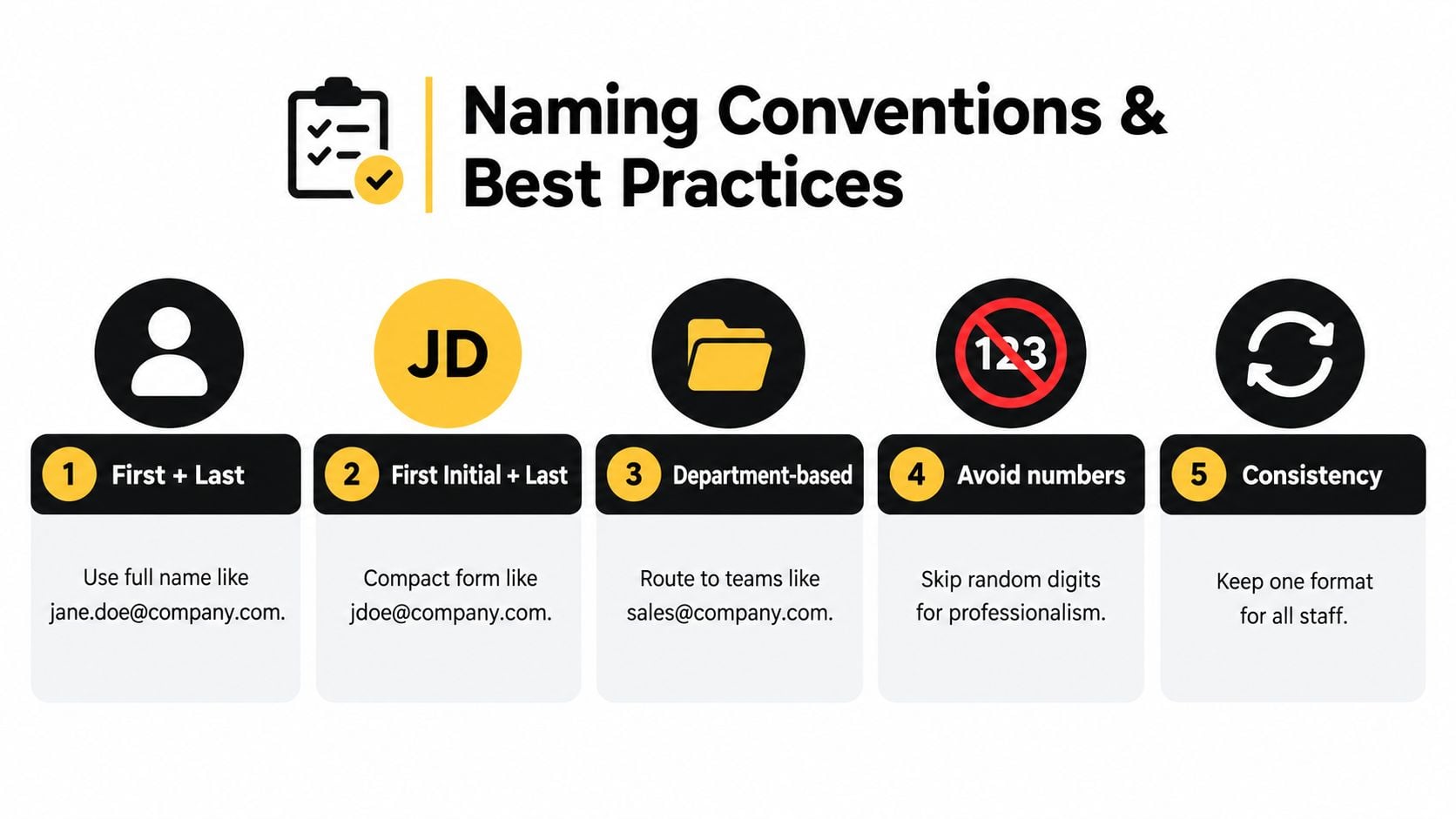
Naming conventions should make an address predictable, readable, and resilient when the organization changes. The most common personal pattern is firstname.lastname@company.com, followed by compact alternatives such as jdoe@company.com. Both can work, but the right choice depends on name collisions, spelling complexity, directory conventions, and how easily colleagues and customers need to guess an address.
Build the personal address pattern first
Use one format across the directory whenever possible. A consistent structure reduces ambiguity for sales teams, support staff, and external contacts. If the full name creates a collision, define a documented fallback, such as a middle initial or an initial-plus-surname format, rather than letting each employee invent a variation.
Avoid nicknames, hobbies, and arbitrary birth-year digits in customer-facing addresses. These choices can look casual, become difficult to remember, and create unnecessary variation across CRM records. They can also complicate matching when a contact uses one form in a sales conversation and another in a billing or support system.
Plus-addressing can help with internal filtering and source identification, but downstream platforms don't always handle it consistently. Before using it in lead capture or marketing automation, test how the CRM, form tool, suppression list, and reporting system store and compare the resulting address.
Separate people from functions
Personal mailboxes support accountability and direct communication. Role-based aliases support continuity:
- Personal identities:
jane.doe@company.comworks well for one-to-one sales and client communication. - Department addresses:
sales@company.comorsupport@company.comcan route inquiries to a team. - Operational aliases: Shared addresses can preserve access when an employee leaves or responsibilities move.
- Campaign identities: A dedicated sending identity can separate marketing activity from ordinary employee correspondence.
Role accounts need governance. An address such as info@company.com may be valid and active, but it can represent a shared queue rather than an individual decision-maker. Marketing and sales teams should distinguish role accounts from personal contacts before assigning lead scores or launching personalized sequences.
Keep special characters and unusual structures out of customer-facing conventions unless the systems in your stack have been tested. Standards may allow more than your forms, enrichment tools, or automation workflows can safely process. A simple naming architecture usually performs better operationally than a clever one.
The Verification Imperative for List Hygiene
A professional-looking address isn't automatically deliverable. An RFC-valid string can point to a domain that doesn't accept mail, a mailbox that no longer exists, a disposable service, or a catch-all environment where the recipient can't be confirmed confidently.
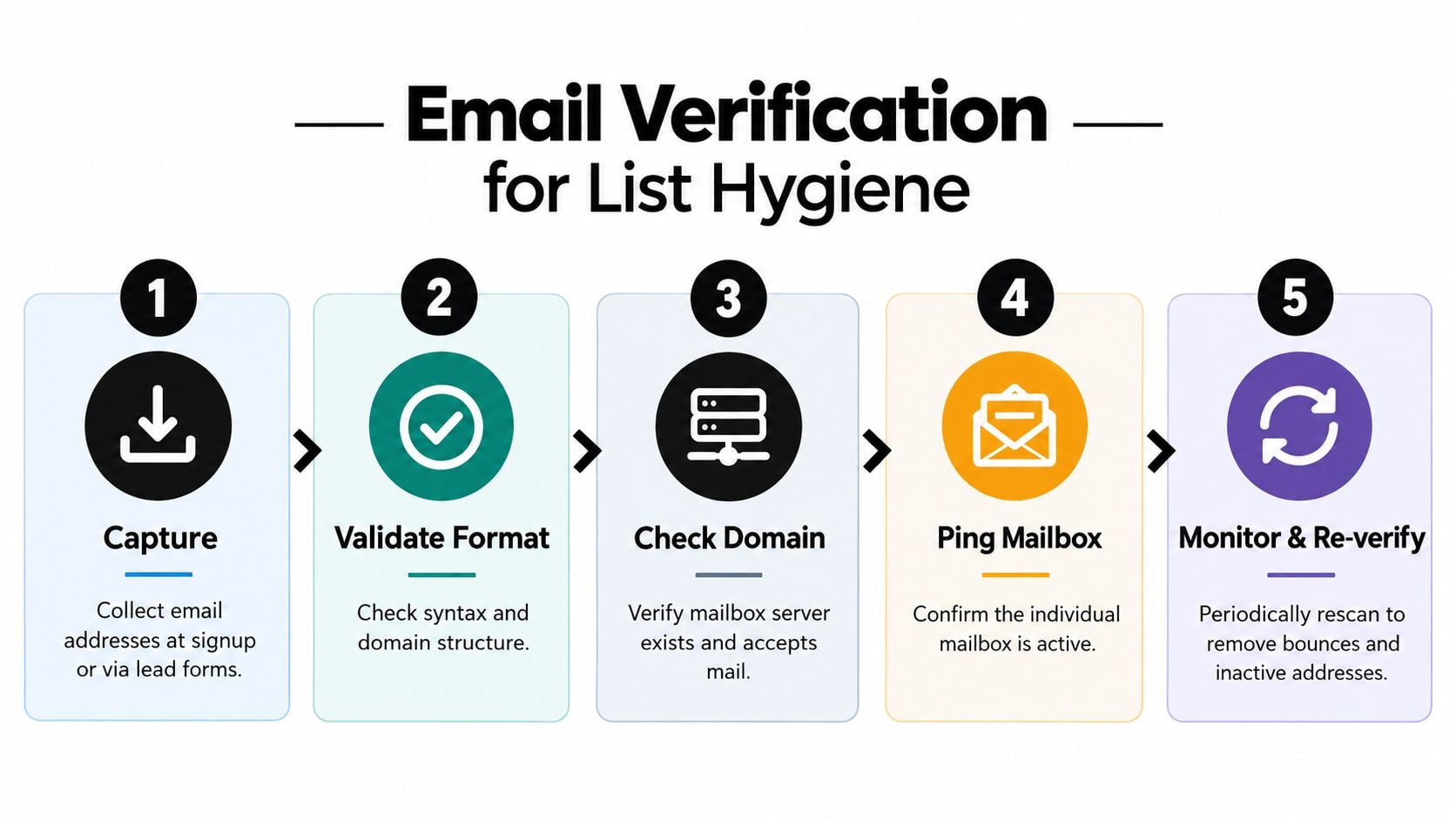
The receiving domain remains the authority on whether a mailbox exists. That makes verification a layered process rather than a formatting exercise. A practical workflow combines parsing, domain inspection, server checks, mailbox probing, and classification of risky address types.
What a useful verification sequence checks
Email verification commonly follows these stages, as described in the email verification process:
- Syntax validation: Confirm that the value follows an acceptable address structure.
- Domain lookup: Check that the receiving domain exists.
- MX verification: Determine whether the domain publishes mail-exchange records and accepts mail.
- SMTP mailbox probing: Test whether the individual mailbox is likely to exist without sending a message.
- Risk classification: Detect disposable addresses, role accounts, and catch-all behavior.
Each layer answers a different question. Syntax asks whether the value is shaped correctly. MX inspection asks whether the domain has receiving infrastructure. SMTP probing goes closer to mailbox existence, while role and disposable detection address list quality and campaign suitability.
Why list hygiene affects reputation
Malformed or stale recipients create invalid deliveries. Role accounts can produce broad internal distribution, limited individual engagement, or unclear ownership. Disposable addresses may be temporary by design. When these records accumulate, segmentation becomes less reliable and campaign reporting becomes harder to interpret.
Inbox placement starts with the recipients you choose, not only the message you write.
Verification also needs a recurring component. A mailbox can become inactive after collection, and a domain's configuration can change. Teams should verify at capture for high-risk workflows, clean existing lists before campaigns, and rescan important data as it ages. For large files and recurring operations, a bulk email verification platform can turn list hygiene into a repeatable process rather than an emergency cleanup.
The same mindset applies to security operations. Teams that connect address verification with a continuous threat modeling implementation check can assess verification as part of broader operational controls, rather than treating it as a one-time marketing task.
Implementing BillionVerify for Ongoing Deliverability
A professional email address supports trust only when the underlying mailbox data remains usable. Start by inventorying every system that creates or stores addresses, including lead forms, product registration, event imports, CRM records, outbound prospecting lists, support platforms, and customer exports. The goal is to locate both the entry points for bad data and the workflows that can send to an unverified address.
BillionVerify provides bulk list cleaning and real-time API verification for teams handling large address volumes. Its documented outputs include catch-all scoring, structured JSON results, SMTP results, MX records, and deliverability insights. These fields give marketing operations and developers more context than a simple valid or invalid result, helping them set different actions for clear failures, uncertain records, and addresses that require review.
A workable operating model
1. Clean the existing database. Export the relevant lists and preserve each original record identifier before submitting the data for bulk analysis. Use returned statuses to separate deliverable, risky, invalid, disposable, role-based, and catch-all records according to internal policy.
2. Verify at collection. Connect real-time checks to signup and lead forms through the API. Block clearly invalid or disposable addresses, or ask the visitor to correct them before the record enters the CRM.
3. Route results into business systems. Map verification status and risk fields to CRM properties or automation branches. Suppress records that fail policy, place uncertain catch-all addresses in a review segment, and retain the original email value for auditability.
4. Reverify before important sends. Address quality changes after collection. Check records before large campaigns, high-value outbound sequences, and reactivation efforts. Set the schedule according to how quickly each source becomes stale.
5. Assign operational ownership. Marketing should define campaign thresholds, sales should understand suppression rules, and engineering should monitor API failures and fallback behavior. Verification becomes more reliable when it is part of the data lifecycle rather than a last-minute pre-send task.
Teams can review BillionVerify Email Verification as one option for connecting list cleaning and real-time checks with existing workflows. The practical test is whether verification results reach the systems that control intake, segmentation, suppression, and campaign execution. That connection turns a professional-looking address into one component of a maintained technical trust stack.