



Email automation transforms your marketing from manual campaign sends to intelligent, behavior-driven communication. The right automation platform can nurture leads, recover abandoned carts, onboard customers, and re-engage lapsed subscribers—all while you focus on strategy. This guide compares the best email automation tools for 2025.
What Makes Great Email Automation
Before comparing tools, understand what distinguishes excellent automation.
Key Automation Capabilities
Trigger Flexibility: Can automations start based on various events—signups, purchases, page views, dates, API events?
Conditional Logic: Can workflows branch based on subscriber attributes, behavior, or engagement?
Action Variety: Beyond sending emails, can automations update data, notify teams, connect to other tools?
Testing and Optimization: Can you A/B test within automations? Measure performance at each step?
Visual Builder: Is the workflow builder intuitive? Can you understand complex automations at a glance?
Automation Use Cases
Lead Nurturing: Guide prospects through awareness to decision with educational content.
Welcome Series: Onboard new subscribers and set expectations.
Abandoned Cart: Recover lost e-commerce revenue.
Re-engagement: Win back inactive subscribers.
Post-Purchase: Build relationships and encourage repeat purchases.
Event-Based: Respond to specific user actions in real-time.
Top 10 Email Automation Tools
1. ActiveCampaign
Best for: Sophisticated automation at mid-market price
Overview: ActiveCampaign's automation builder is arguably the best in its price range. Complex conditional logic, CRM integration, and predictive features make it exceptional.
Key Automation Features:
- Visual workflow builder
- Unlimited conditional branches
- Wait conditions with multiple options
- Split actions for A/B testing
- Goal tracking
- CRM deal automation
- Site and event tracking triggers
Automation Strengths:
- Complex multi-branch workflows
- Lead scoring integration
- Predictive sending
- Deep CRM connection
Pricing: Starting at $29/month (Lite)
Best for: B2B companies, service businesses, anyone prioritizing automation sophistication.
See full ActiveCampaign review.
2. Klaviyo
Best for: E-commerce automation
Overview: Klaviyo's flows are purpose-built for online retail. Pre-built templates for cart abandonment, post-purchase, and browse abandonment work immediately with deep e-commerce data.
Key Automation Features:
- E-commerce flow templates
- Behavior-triggered automation
- Predictive analytics integration
- Conditional splits
- Time delays and smart sending
- SMS within flows
- A/B testing in flows
Automation Strengths:
- Pre-built e-commerce flows
- Real-time behavior triggers
- Revenue attribution per flow
- Predictive churn triggers
Pricing: Free up to 250 contacts; paid from $20/month
Best for: Shopify stores, DTC brands, e-commerce businesses.
See full Klaviyo review.
3. HubSpot
Best for: B2B marketing and sales automation
Overview: HubSpot's workflows leverage CRM data for sophisticated automation. Lead nurturing, sales follow-up, and customer onboarding benefit from unified data.
Key Automation Features:
- Visual workflow builder
- CRM property triggers
- Deal stage automation
- Multi-touch attribution
- Smart content in emails
- Internal notification actions
- Enrollment goals
Automation Strengths:
- CRM-powered personalization
- Sales and marketing alignment
- Attribution reporting
- Comprehensive action options
Pricing: Free for basic; Professional from $890/month for full automation
Best for: B2B companies, inbound marketing focus.
See full HubSpot guide.
4. Mailchimp
Best for: Simple automation for small businesses
Overview: Mailchimp's Customer Journey Builder provides visual automation accessible to non-technical users. While less sophisticated than specialists, it covers common use cases.
Key Automation Features:
- Customer Journey Builder
- Pre-built automation templates
- Triggered emails
- Date-based automation
- RSS-to-email
- E-commerce triggers
Automation Strengths:
- Easy to use
- Good template library
- E-commerce integration
- Accessible for beginners
Limitations: Less conditional logic, fewer triggers than specialists.
Pricing: Free for basic; Standard from $20/month for journeys
Best for: Small businesses wanting simple automation.
5. Drip
Best for: E-commerce automation alternative
Overview: Drip competes with Klaviyo for e-commerce automation, offering strong visual workflows and behavior-based triggers at competitive pricing.
Key Automation Features:
- Visual workflow builder
- E-commerce triggers
- Multi-channel (email + SMS)
- Behavior tracking
- Conditional logic
- A/B testing
Automation Strengths:
- Clean visual builder
- E-commerce focus
- Competitive pricing vs. Klaviyo
- Rapid feature development
Pricing: Starting at $39/month
Best for: E-commerce brands wanting Klaviyo alternative.
6. ConvertKit
Best for: Creator automation
Overview: ConvertKit's automation focuses on content creator needs—delivering lead magnets, running email courses, and nurturing subscribers simply.
Key Automation Features:
- Visual automation builder
- Tag-based sequences
- Subscriber entry/exit rules
- Event and link triggers
- Course delivery automation
- Integration triggers
Automation Strengths:
- Simple mental model
- Creator-focused templates
- Email course delivery
- Tag-based organization
Limitations: Less sophisticated than enterprise tools.
Pricing: Free up to 1,000 subscribers; Creator from $9/month
Best for: Bloggers, podcasters, course creators.
7. GetResponse
Best for: Automation with webinars
Overview: GetResponse combines email automation with webinar hosting—unique for businesses that use webinars in their marketing funnel.
Key Automation Features:
- Visual workflow builder
- Webinar triggers
- Scoring and tagging
- E-commerce conditions
- Time-based rules
- Conversion funnel builder
Automation Strengths:
- Webinar integration
- Conversion funnels
- Good visual builder
- All-in-one approach
Pricing: Marketing Automation from $59/month
Best for: Coaches, consultants, webinar-based marketing.
8. Autopilot
Best for: Visual journey mapping
Overview: Autopilot (now Ortto) emphasizes visual customer journey design with multi-channel capabilities including SMS and in-app messaging.
Key Automation Features:
- Highly visual journey canvas
- Multi-channel actions
- Audience segmentation
- A/B journey testing
- Reporting per journey
Automation Strengths:
- Beautiful visual interface
- Journey-centric design
- Multi-channel support
- Intuitive building
Pricing: From $99/month
Best for: Marketing teams wanting visual journey design.
9. Customer.io
Best for: Developer-friendly automation
Overview: Customer.io offers sophisticated automation with developer-friendly event tracking and API capabilities—ideal for SaaS and technical teams.
Key Automation Features:
- Event-based triggers
- Behavioral automation
- Multi-channel (email, SMS, push)
- Liquid templating
- API flexibility
- Webhook actions
Automation Strengths:
- Technical flexibility
- Real-time event processing
- Advanced segmentation
- Developer-friendly
Pricing: From $100/month
Best for: SaaS companies, technical teams.
10. Brevo (Sendinblue)
Best for: Budget automation
Overview: Brevo offers functional automation at very competitive prices—good for businesses wanting basic automation without premium costs.
Key Automation Features:
- Visual workflow builder
- Triggered emails
- Multi-channel (email + SMS)
- Pre-built templates
- Conditional paths
Automation Strengths:
- Affordable
- Email + SMS combined
- Transactional + marketing
- Accessible for beginners
Limitations: Less sophisticated than premium tools.
Pricing: Business from $65/month for automation
Best for: Budget-conscious businesses.
See full Brevo review.
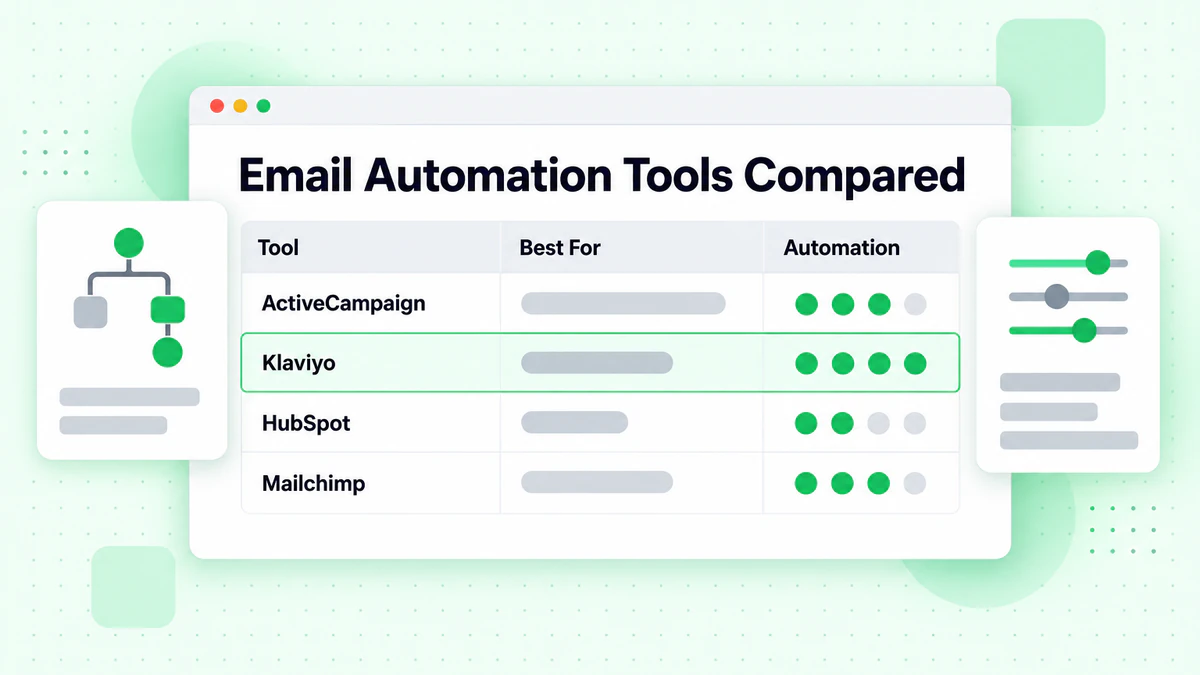
Comparison Matrix
| Tool | Best For | Automation Sophistication | Starting Price |
|---|---|---|---|
| ActiveCampaign | B2B, services | Advanced | $29/mo |
| Klaviyo | E-commerce | Advanced | Free-$20/mo |
| HubSpot | B2B, inbound | Advanced | Free-$890/mo |
| Mailchimp | Simple needs | Basic-Moderate | Free-$20/mo |
| Drip | E-commerce | Advanced | $39/mo |
| ConvertKit | Creators | Moderate | Free-$9/mo |
| GetResponse | Webinars | Moderate-Advanced | $59/mo |
| Autopilot | Visual journeys | Moderate-Advanced | $99/mo |
| Customer.io | SaaS, developers | Advanced | $100/mo |
| Brevo | Budget | Basic-Moderate | $65/mo |
Choosing the Right Tool
By Business Type
E-commerce:
- Klaviyo (best)
- Drip (alternative)
- Mailchimp (budget)
B2B/SaaS:
- ActiveCampaign (best value)
- HubSpot (all-in-one)
- Customer.io (technical teams)
Creators/Content:
- ConvertKit (focused)
- Mailchimp (broad)
- AWeber (simple)
Small Business:
- Mailchimp (accessible)
- Brevo (budget)
- ActiveCampaign (growing)
By Automation Complexity
Simple Automations (welcome series, basic nurturing):
- Mailchimp
- ConvertKit
- Brevo
Moderate Complexity (multi-branch, behavior-based):
- ActiveCampaign
- Drip
- GetResponse
Advanced Complexity (multi-channel, predictive, sophisticated logic):
- Klaviyo (e-commerce)
- HubSpot (B2B)
- Customer.io (technical)
By Budget
Free or Very Low Budget:
- Mailchimp Free
- ConvertKit Free
- Klaviyo Free
$50-100/month:
- ActiveCampaign Lite
- Brevo Business
- ConvertKit Creator
$100-500/month:
- ActiveCampaign Plus/Pro
- Klaviyo
- Autopilot
$500+/month:
- HubSpot Professional
- Customer.io
- Enterprise tiers
Automation Best Practices
Start with Core Automations
Essential Automations (start here):
- Welcome series
- Abandoned cart (e-commerce)
- Re-engagement
Secondary Automations (add next):
- Post-purchase
- Browse abandonment
- Lead scoring workflows
Design for Performance
Keep It Simple: Start with simple linear automations. Add complexity based on data.
Set Clear Goals: Each automation should have measurable objectives—conversions, engagement, revenue.
Test Continuously: A/B test subject lines, timing, and content within automations.
Monitor Drop-Off: Track where subscribers exit automations and optimize those points.
Maintain Data Quality
Automation depends on clean data. Use email verification to:
- Verify at signup before entering automations
- Clean lists with bulk verification
- Remove invalid addresses from active workflows
- Block disposable emails from signup
BillionVerify ensures your automations reach real inboxes.
Respect Subscriber Preferences
Frequency Limits: Prevent subscribers from receiving too many automated emails.
Easy Exit: Make unsubscribe clear and simple in all automated emails.
Preference Centers: Let subscribers choose what automations they receive.
Getting Started
Implementation Steps
- Choose Platform: Based on needs and budget
- Audit Current State: What automations do you need?
- Start Simple: Build welcome series first
- Test Thoroughly: Send to small segment, verify flows work
- Launch Gradually: Add automations one at a time
- Monitor and Optimize: Review performance weekly
Common Mistakes
Over-Automating: Too many emails overwhelm subscribers.
Set and Forget: Automations need regular review and updates.
Poor Timing: Sending too fast or too slow kills engagement.
No Personalization: Generic automation feels robotic.
Ignoring Data Quality: Bad addresses = poor deliverability.
Conclusion
Email automation is essential for modern marketing, but the right tool depends on your specific needs. E-commerce businesses thrive with Klaviyo's deep store integration. B2B companies benefit from ActiveCampaign's sophisticated workflows. Creators appreciate ConvertKit's simplicity. Small businesses do well with Mailchimp's accessibility.
Key Takeaways:
Match to Needs: Choose based on your business type and complexity requirements.
Start Simple: Build basic automations first, then add sophistication.
Data Quality Matters: Clean data makes automation effective. Use email verification.
Test and Optimize: Automation isn't set-and-forget. Regular review improves results.
Consider Growth: Choose platforms that can scale with your needs.
Whatever platform you choose, maintain list quality with BillionVerify to ensure your automated emails reach real subscribers.
For detailed platform reviews, see: