


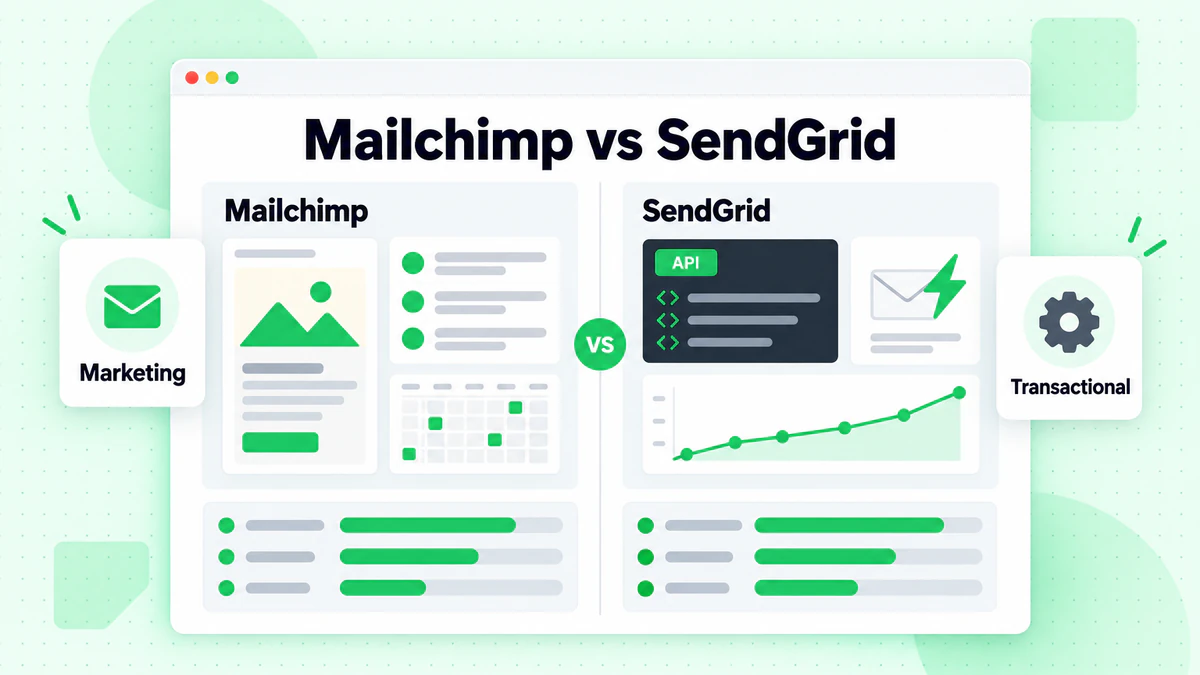
Mailchimp and SendGrid solve different email problems. Mailchimp is built for marketers who want campaigns, templates, automations, and reporting in one interface. SendGrid, part of Twilio, is closer to email infrastructure: it shines when your team sends password resets, receipts, alerts, and other transactional messages through an app.
Quick Comparison
| Factor | Mailchimp | SendGrid |
|---|---|---|
| Best For | Small businesses, marketers | Developers, transactional email |
| Ease of Use | Very easy | Moderate (technical) |
| Marketing Features | Strong campaign builder, templates, journeys | Basic to moderate unless paired with other Twilio tools |
| Transactional Email | Available via Transactional Email/Mandrill | Excellent core strength |
| API Quality | Good | Excellent |
| Free/Entry Option | Free for up to 250 contacts and 500 emails/month on current marketing pricing | Free trial model with daily send cap on entry access |
| Starting Paid Price | Essentials from $13/month; Standard from $20/month on Mailchimp's current pricing | Paid plans are primarily structured around send volume on SendGrid's pricing |
For most small businesses, the choice is straightforward: pick Mailchimp if email is run by a marketer, founder, or generalist who needs newsletters, promos, simple journeys, and cleaner reporting without relying on engineering. Pick SendGrid if email is tied to your product and reliability, API control, and transactional workflows matter more than campaign polish. In our review, the biggest practical split was not "features" in the abstract—it was who owns email day to day. Mailchimp feels like a marketing workspace; SendGrid feels like infrastructure. Using both makes sense when one team owns lifecycle marketing and another owns app-triggered email.
The pricing difference is also more important than the headline starting price. Mailchimp's public plans are contact-based, with its marketing pricing showing a Free tier up to 250 contacts and 500 emails per month, Essentials from $13/month for 500 contacts, Standard from $20/month for 500 contacts, and Premium from $350/month on its pricing page. That works well for a local business with 400 subscribers sending a weekly newsletter. SendGrid pricing is more volume-oriented, which is often a better fit for product teams sending account emails or high-frequency system messages through its email API plans. A small SaaS app with 8,000 users may not want to pay for a marketing-style contact database if most messages are receipts, verifications, and password resets.
How We Evaluated Mailchimp vs SendGrid
We compared the two platforms across the criteria that change the buying decision: marketing features, transactional email depth, pricing model, ease of use, API and developer experience, integrations, deliverability controls, and fit for small businesses versus technical teams.
We also weighted the comparison by operational reality rather than feature checklists. In our review, that meant asking questions like: Who will build campaigns? Who will own setup and troubleshooting? Does the team need native automation and reporting, or mostly a reliable sending layer? How painful does pricing become after the contact list grows or after the application starts sending at scale?
What stood out to us is that these tools overlap just enough to confuse buyers. Both can send email, but they are not equally good at the same job. Mailchimp is stronger when email is part of a broader marketing program. SendGrid is stronger when email is part of your product stack.
Company Background
Understanding each company's origins helps explain their focus.
Mailchimp
Founded in 2001, Mailchimp grew from a side project into the most recognized email marketing brand. Acquired by Intuit in 2021 for $12 billion, it has evolved from pure email marketing into an all-in-one marketing platform. Its strength lies in accessibility—making email marketing approachable for non-technical users.
SendGrid
Founded in 2009, SendGrid started as a developer-focused email delivery service. Acquired by Twilio in 2019 for $3 billion, it maintains strong developer credentials while expanding marketing capabilities. Its strength lies in reliable email delivery infrastructure and API excellence.
Features Comparison
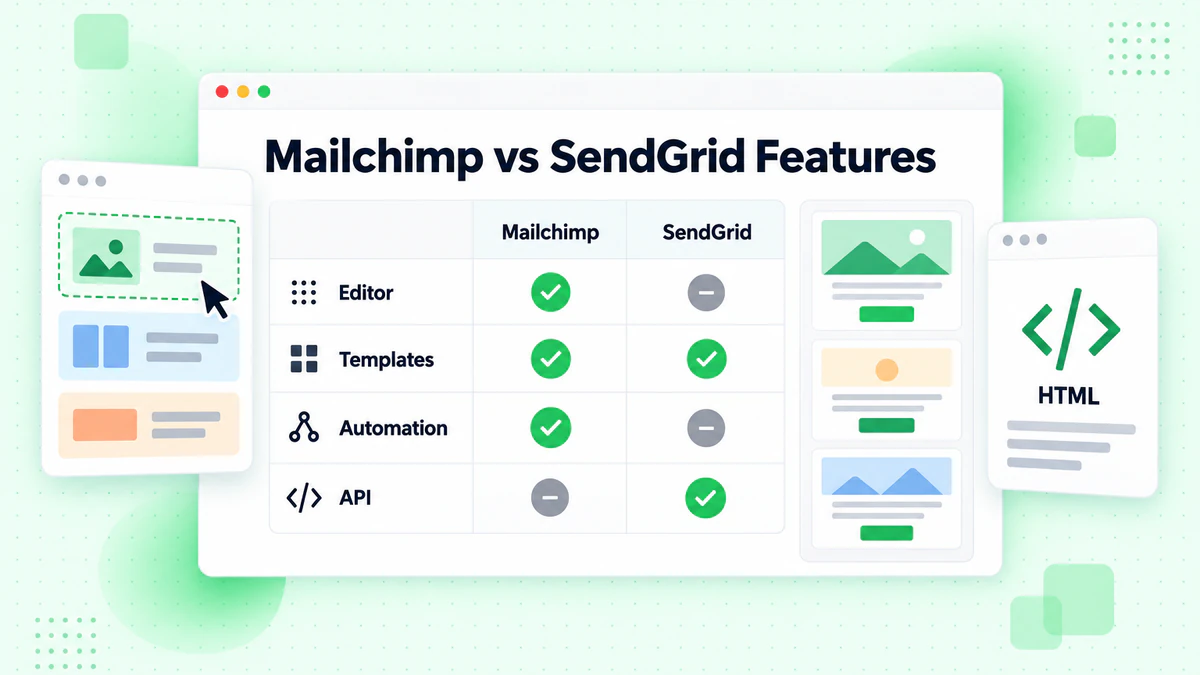
Email Builder and Templates
Mailchimp:
- Intuitive drag-and-drop editor
- 100+ pre-designed templates
- Content blocks and layouts
- Mobile preview built-in
- Creative Assistant AI
- HTML editing available
SendGrid:
- Marketing Campaigns editor
- Design Library templates
- Dynamic content support
- Module-based editing
- HTML and code editor
- Less template variety
Winner: Mailchimp. Its editor is more polished, templates more numerous, and the overall design experience is smoother for marketers.
Marketing Automation
Mailchimp:
- Customer Journey Builder
- Pre-built automation templates
- Triggered emails (abandoned cart, welcome)
- Date-based automations
- RSS-to-email
- E-commerce automations
SendGrid:
- Automation Beta/Marketing features
- Basic trigger-based automations
- Less advanced than Mailchimp
- Improving, but still catching up
- Better via Segment integration
Winner: Mailchimp. Its automation capabilities are significantly more developed and user-friendly. If you want a broader primer on this category, Cometly's page is a useful overview of how marketing automation fits into attribution and campaign workflows.
Transactional Email
Mailchimp:
- Transactional Email add-on (Mandrill)
- Separate pricing from marketing
- Good for basic transactional needs
- Less developer-focused
SendGrid:
- Industry-leading transactional API
- Event webhooks
- Dynamic templates
- Inbound parse
- Email activity tracking
- Subuser management
Winner: SendGrid by far. Transactional email is SendGrid's core strength. If you need reliable programmatic email sending, SendGrid is superior.
API and Developer Experience
Mailchimp:
- REST API available
- Good documentation
- Libraries for major languages
- Webhook support
- Marketing-focused endpoints
SendGrid:
- Excellent REST API
- Outstanding documentation
- Official SDKs for 7+ languages
- Event webhook streaming
- Detailed delivery tracking
- Subuser and API key management
Winner: SendGrid. Its developer experience is consistently praised as best-in-class.
SMS Marketing Capabilities
Mailchimp and SendGrid are not equal here. Mailchimp's core strength is still email-first marketing, and SMS availability depends on Mailchimp's own product rollout and supported regions rather than being a universal default inside every account. SendGrid, by itself, is not really an SMS marketing platform; SMS usually enters the picture through the broader Twilio ecosystem rather than native SendGrid campaign tooling. Twilio documents SMS and omnichannel messaging separately through its messaging products.
For marketers, that distinction matters. Mailchimp is easier when you want one interface for audience management and promotional campaigns. For developers, Twilio plus SendGrid can be more flexible, but it also means stitching together separate systems for email and SMS. In our review, this was one of the clearest examples of marketer-facing convenience versus developer-facing control.
Omnichannel Marketing Support
Mailchimp is the stronger all-in-one marketing option because it is designed around audiences, campaigns, customer journeys, and commerce-oriented triggers in one platform, as shown across its marketing platform features. SendGrid is better understood as an email delivery layer that becomes more omnichannel only when paired with other Twilio products, customer data tools, or third-party integrations.
That means Mailchimp is usually the better fit for a small team running email promotions, landing pages, simple automations, and audience segmentation from one login. SendGrid can support a broader customer communications stack, but only if your team is comfortable assembling that stack. If you want omnichannel without extra architecture work, Mailchimp is usually simpler. If you want email plus programmable messaging inside a custom product environment, SendGrid plus Twilio is usually more extensible.
Segmentation and Personalization
Mailchimp:
- Audience segments
- Tags and groups
- Predicted demographics
- Customer lifetime value segments
- Behavioral targeting
- E-commerce segments
SendGrid:
- Contact lists and segments
- Custom field filtering
- CSV-based segmentation
- Less advanced than Mailchimp
- Basic personalization
Winner: Mailchimp. Its segmentation is more advanced, especially for non-technical users.
Analytics and Reporting
Mailchimp:
- Campaign performance dashboard
- Click maps
- Comparative reports
- Revenue tracking
- Social media analytics
- Audience insights
SendGrid:
- Email Activity Feed
- Statistics dashboard
- Category-based tracking
- Engagement metrics
- Bounce and block tracking
- Export capabilities
Winner: Tie. Mailchimp has better marketing analytics; SendGrid has better delivery analytics.
Integrations
Mailchimp:
- 300+ integrations
- E-commerce (Shopify, WooCommerce)
- CRM connections
- Social media
- Zapier support
- Website builders
SendGrid:
- Twilio ecosystem
- Segment integration
- CRM basics
- Zapier support
- Fewer marketing integrations
- Better infrastructure integrations
Winner: Mailchimp for marketing integrations; SendGrid for developer/infrastructure integrations.
Pricing Comparison
Mailchimp Pricing
Free Plan:
- Up to 250 contacts
- 500 emails/month
- Basic templates
- Limited automation
- Mailchimp branding
Essentials (Starting $13/month):
- 5,000-50,000 contacts
- Email scheduling
- A/B testing
- 24/7 email support
Standard (Starting $20/month):
- All Essentials features
- Customer Journey Builder
- Send Time Optimization
- Behavioral targeting
- Custom templates
Premium (Starting $350/month):
- All Standard features
- Advanced segmentation
- Comparative reporting
- Phone support
- Priority support
SendGrid Pricing
Free Plan:
- 100 emails/day forever
- APIs, SMTP relay, webhooks
- Email activity feed
- 30-day email activity storage
Essentials (Starting $19.95/month):
- 50,000 emails/month
- Design editor
- A/B testing
- Ticket support
Pro (Starting $89.95/month):
- 100,000+ emails/month
- Email validation credits
- Subuser management
- Dedicated IP option
- Phone support
Premier (Custom):
- High volume
- Dedicated support
- SLA guarantees
- Custom integrations
Price Comparison by Volume
| Contacts/Volume | Mailchimp | SendGrid |
|---|---|---|
| Starter/Free | Free (250 contacts) | Free (100/day) |
| 10,000 contacts | ~$100/month | ~$89.95/month |
| 50,000 contacts | ~$350/month | ~$89.95-249/month |
| 100,000+ | $700+/month | Custom |
Note: Mailchimp charges by contacts; SendGrid charges by email volume. This pricing difference affects how you compare the two services overall.
| Contacts/Volume | Mailchimp | SendGrid |
|---|---|---|
| Starter/Free | Free (500 contacts) | Free (100/day) |
| 10,000 contacts | ~$100/month | ~$89.95/month |
| 50,000 contacts | ~$350/month | ~$89.95-249/month |
| 100,000+ | $700+/month | Custom |
Deliverability
Both platforms have strong deliverability, but they approach it differently.
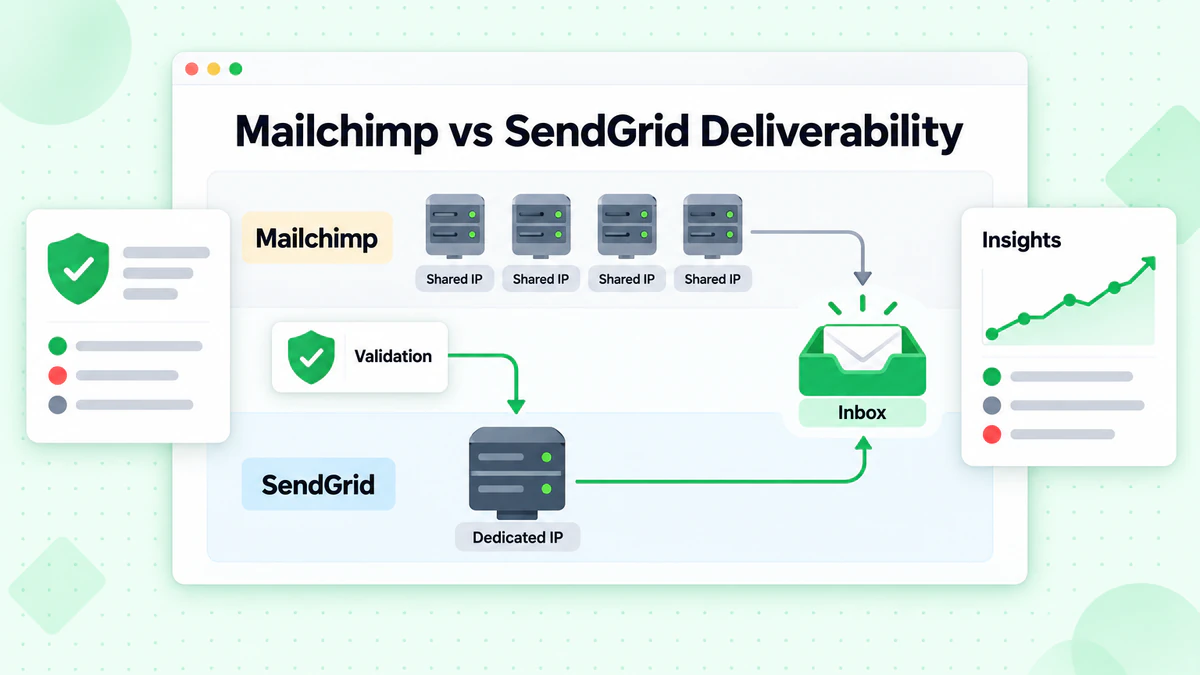
Mailchimp Deliverability
- Shared IP pools by default
- Omnivore abuse prevention
- Content optimization suggestions
- Engagement-based sending
- Dedicated IPs on premium
SendGrid Deliverability
- Shared and dedicated IP options
- Email Validation service
- Deliverability Insights
- Reputation monitoring
- Compliance expertise
Recommendation: Both have good deliverability. Regardless of platform, use email verification to maintain clean lists and maximize inbox placement.
Use Case Comparison
Choose Mailchimp If:
You're a small business or marketer:
- Non-technical users benefit from Mailchimp's intuitive interface
- Marketing-focused features are more relevant
You prioritize ease of use:
- Building campaigns without coding
- Visual automation builder
- Drag-and-drop simplicity
You need all-in-one marketing:
- Website builder included
- Social media posting
- Landing pages
- Customer journey mapping
You run an e-commerce store:
- Strong Shopify/WooCommerce integration
- Abandoned cart automation
- Product recommendations
- Revenue tracking
Example users: Local businesses, online stores, content creators, marketing teams without developers.
Choose SendGrid If:
You're a developer or technical team:
- API-first development
- Custom integration needs
- Programmatic email requirements
You need transactional email:
- Order confirmations
- Password resets
- Account notifications
- System alerts
You need both marketing and transactional:
- Single platform for all email
- Consistent sender reputation
- Unified analytics
You're building a SaaS product:
- Email functionality in your app
- Scalable infrastructure
- Developer-friendly tools
You send high volume:
- Volume-based pricing benefits
- Dedicated IP management
- Subuser organization
Example users: SaaS companies, developers, enterprise with technical teams, apps needing transactional email.
Migration Considerations
Migration is not just about moving lists and templates. The more important question is whether your current setup matches the operating model of the new platform. Moving to Mailchimp is usually easier if your team wants prebuilt campaign tools, marketer-friendly automations, and less engineering involvement. Moving to SendGrid makes more sense when you want your application or backend systems to own email logic through APIs, templates, webhooks, and infrastructure controls documented in its developer docs.
Migrating to Mailchimp
What's Easy:
- Contact import via CSV
- Most ESPs have export options
- Template rebuilding with drag-and-drop
- Integration re-connection
Challenges:
- Historical engagement data doesn't transfer
- Automations must be rebuilt
- Tags/segments need recreation
- Learning new interface
Migrating to SendGrid
What's Easy:
- Contact upload via API or CSV
- Dynamic template creation
- Integration via API
Challenges:
- Marketing features less mature
- May need to rebuild automation logic
- Learning API-centric approach
- Less hand-holding for non-technical users
For teams in APAC, EMEA, and Canada, the practical evaluation criteria shift slightly. Confirm where account data is handled, what compliance and security documentation is available, how sender authentication and dedicated IP options are managed, and whether support resources match your team's language and workflow needs. Mailchimp provides public security and privacy information through its security and privacy resources, while Twilio publishes broader platform trust material in its Trust Center. In our view, EMEA teams usually care more about approval paths, documentation clarity, and compliance workflows; APAC teams often put more weight on integration flexibility and sending performance across mixed systems; and Canadian teams commonly look for a practical balance of privacy assurances and easy deployment. The differences are often less about the logo on the contract and more about how the account is configured, what regions your recipients are in, and whether your team needs localization or developer control.
Best Practices for Both Platforms
Maintain List Quality
Regardless of platform, email verification is essential:
- Verify emails at signup
- Clean lists before migration
- Regular bulk verification
- Remove bounced and inactive addresses
BillionVerify integrates with both platforms to maintain list quality.
Authentication Setup
Both platforms support and require:
Follow each platform's authentication guides carefully.
Segmentation Strategy
Mailchimp: Use built-in segment builder with engagement and e-commerce data.
SendGrid: Use custom fields and lists; consider Segment for advanced segmentation.
Making Your Decision
Small business sending newsletters and promotions
Choose Mailchimp if email is mainly a marketing channel. The operational advantage is obvious: your team can create campaigns, manage audiences, build simple automations, and read reports without relying on a developer. Budget-wise, Mailchimp is usually the more natural starting point for a smaller contact list, but the contact-based model becomes more noticeable as you grow. Mailchimp's own pricing shows entry-level access on the marketing plans page, while third-party pricing comparisons highlight how costs can climb materially as lists expand on the Mailchimp pricing breakdown.
The likely pain point after 6 to 12 months is cost creep tied to audience growth rather than send volume. That is especially frustrating for businesses with a large list but modest sending frequency. What stood out to us here is that Mailchimp feels great early, then forces a more serious pricing conversation once your list stops being small.
SaaS or app sending transactional email
Choose SendGrid if your core need is transactional email. The tradeoff is that setup is more technical, but you get a platform built around APIs, event data, template control, and infrastructure-level sending. Budget logic is cleaner for product teams because you are typically paying based on sending needs rather than marketing contact storage, which aligns better with receipts, password resets, onboarding messages, and system alerts.
The likely pain point after 6 to 12 months is not price first—it is orchestration. If a non-technical marketing team later wants richer campaigns, forms, or customer journeys, SendGrid on its own can feel sparse. In our review, SendGrid created more setup friction at the beginning, but it was also the easier recommendation once the email job became product-critical.
Teams that need both marketing and transactional infrastructure
Use both when marketing and application email have clearly different owners and requirements. Mailchimp can run newsletters, promotions, and customer journeys; SendGrid can handle product-triggered messages and infrastructure-heavy sending. The tradeoff is complexity: you now manage two systems, two data flows, and stricter governance around audience sync and suppression logic.
Budget-wise, this mixed model often makes sense once a business reaches the point where a single platform is doing two jobs poorly. The likely pain point after 6 to 12 months is operational coordination—keeping branding, suppression rules, and reporting aligned across platforms. Still, if you need polished marketing plus serious transactional reliability, this is often the most realistic setup rather than a compromise.
Frequently Asked Questions
Is Mailchimp or SendGrid better for small businesses?
For most small businesses running newsletters, promotions, or simple automations, Mailchimp is usually the better fit because it is easier to use and more marketing-focused. SendGrid is a better fit when the business is technical, sends a lot of app-driven email, or cares more about API control than campaign design.
Can SendGrid replace Mailchimp for marketing?
Sometimes, but not always comfortably. SendGrid can handle basic marketing campaigns, yet it usually feels thinner than Mailchimp for templates, audience workflows, and marketer-friendly automation. If your team wants an all-in-one email marketing platform, Mailchimp is the safer choice.
Do Mailchimp and SendGrid support SMS?
Mailchimp has stronger marketer-facing campaign tooling, but SMS availability depends on product and regional support. SendGrid itself is primarily email-focused; SMS generally comes through the wider Twilio ecosystem rather than native SendGrid marketing features.
Which platform is better for transactional email?
SendGrid is the better choice for transactional email. It was built around developer workflows such as APIs, webhooks, and scalable sending, while Mailchimp's transactional option is more of an add-on than the center of the product.
Does it make sense to use both Mailchimp and SendGrid?
Yes, especially for companies that split marketing email from product email. Many teams use Mailchimp for campaigns and lifecycle marketing while using SendGrid for receipts, password resets, notifications, and other application-triggered messages.
What should regional teams in APAC, EMEA, and Canada check before choosing?
Confirm data handling details, available trust documentation, authentication setup, support expectations, and how easily the platform fits your local compliance workflow. For some teams the deciding factor is not a feature list but whether the platform matches their approval process, localization needs, or integration stack.
Conclusion
Mailchimp and SendGrid serve different primary needs. Mailchimp excels at accessible, marketing-focused email for non-technical users. SendGrid excels at reliable, developer-friendly email infrastructure with strong transactional capabilities.
Key Takeaways:
- Different Strengths: Mailchimp = marketing ease; SendGrid = developer power.
- Pricing Models Differ: Mailchimp charges by contacts; SendGrid by volume.
- Use Case Matters: Choose based on your actual needs, not brand recognition.
- Deliverability Needs Help: Both benefit from email verification to maintain list quality.
- You Can Use Both: Many organizations use Mailchimp for marketing and SendGrid for transactional.
Whatever you choose, maintain data quality with BillionVerify's email verification to maximize deliverability on either platform.
For more ESP comparisons, see: