



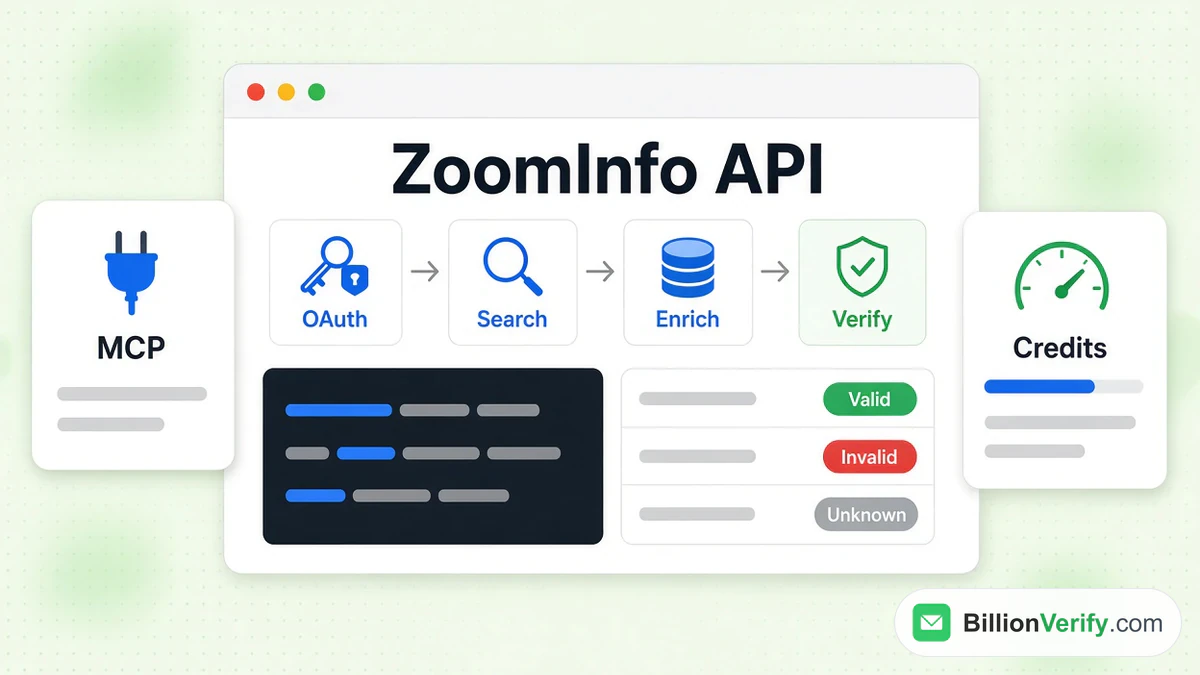
The ZoomInfo API lets your own software look up ZoomInfo's company and contact records, load complete profiles into a CRM, read buying signals and run AI research. Developers reach ZoomInfo in three ways: a REST interface over HTTPS, the ZoomInfo MCP server for AI assistants, and a terminal client. ZoomInfo says all three share a single sign-in and credit balance.
This guide covers what ZoomInfo offers developers, where the ZoomInfo API documentation lives, how authentication works, the main endpoint groups, API pricing, ZoomInfo MCP and the separate Chorus API. It ends with a safe way to check enriched email addresses ahead of a campaign. Every fact comes from ZoomInfo's own documentation and pricing screens, read in October 2026. We are not affiliated with ZoomInfo. BillionVerify is an email verification service, and we write about the tools that feed sales lists.
Key facts (checked October 2026):
- ZoomInfo documents its current API at docs.zoominfo.com, which opens at docs.gtm.ai. The older Enterprise API is labeled "Legacy" and is being deprecated.
- The current API signs requests through OAuth 2.0 apps, and every call goes to https://api.zoominfo.com/gtm.
- Finding records is free. Enriching a record spends one credit the first time, and the record stays covered for 12 months on contract plans.
- GTM.ai publishes self-serve ZoomInfo API pricing: free starter credits at signup, then paid top-ups.
- ZoomInfo MCP lives at https://mcp.zoominfo.com/mcp and works with Claude, ChatGPT, Cursor, Codex and other MCP clients.
ZoomInfo API: The Quick Answer
Yes. ZoomInfo offers an API, and it has changed a lot. Older tutorials describe a Java-era service with a username, a password and a JSON Web Token. ZoomInfo's own legacy documentation now warns that this service is "in the process of being deprecated" and tells developers to build new work on the new one.
Today's ZoomInfo API sits behind the GTM.ai developer site. You create an app, pick scopes, trade your credentials for a bearer token and call endpoints under one base URL. From there you can query records with filters, pull full profiles for chosen ones, read intent, scoops and news for target accounts, run AI briefings, and manage GTM Studio audiences.
Your plan decides which endpoints open for you, and it decides pricing too. ZoomInfo's overview says so plainly: "Your subscription determines which API scopes and endpoints you can access, and rate limits apply to all authenticated requests."
What the ZoomInfo API Can Do
ZoomInfo's overview describes three jobs for developers: build integrations, find companies and contacts, and react to change with webhooks. The documentation says that with REST requests, the MCP server or the terminal client you can reach "100M+ companies, 500M+ professionals, and 50+ real-time buying and business signals."
The reference groups the endpoints into families. This table lists them, with the plain-language job of each.
| Family in the reference | What it is for |
|---|---|
| Data V1 | Lookup lists, plus company, contact, intent, news and scoop records |
| Context V1 | Account summaries, insights, lookalike accounts and people, plus your own GTM setup |
| GTM Studio V1 | Audiences, folders, columns and rows, with an enrichment job per audience |
| Marketing V1 | Audience uploads for ZoomInfo Marketing |
| Platform V1 | Exports and engagement records |
| Agent V1 | Start ZoomInfo's AI agents and read their runs |
| Data Quality V1 | Parse, normalize, segment and score lists before they reach a CRM |
Data V1 is the core, and it follows a pattern the documentation repeats on several pages. First, a lookup returns the exact values that filters accept, such as an industry name or a management level. Second, a search finds matching records. Third, an enrich request returns the full profile for the records you choose.
ZoomInfo API Documentation: Where to Read It
There are two places to read the ZoomInfo API documentation, and mixing them up is the most common mistake. The first is the current developer site, whose tabs are Get Started, Recipes, API Reference and MCP. The second is the old Enterprise site at api-docs.zoominfo.com, kept for existing integrations.
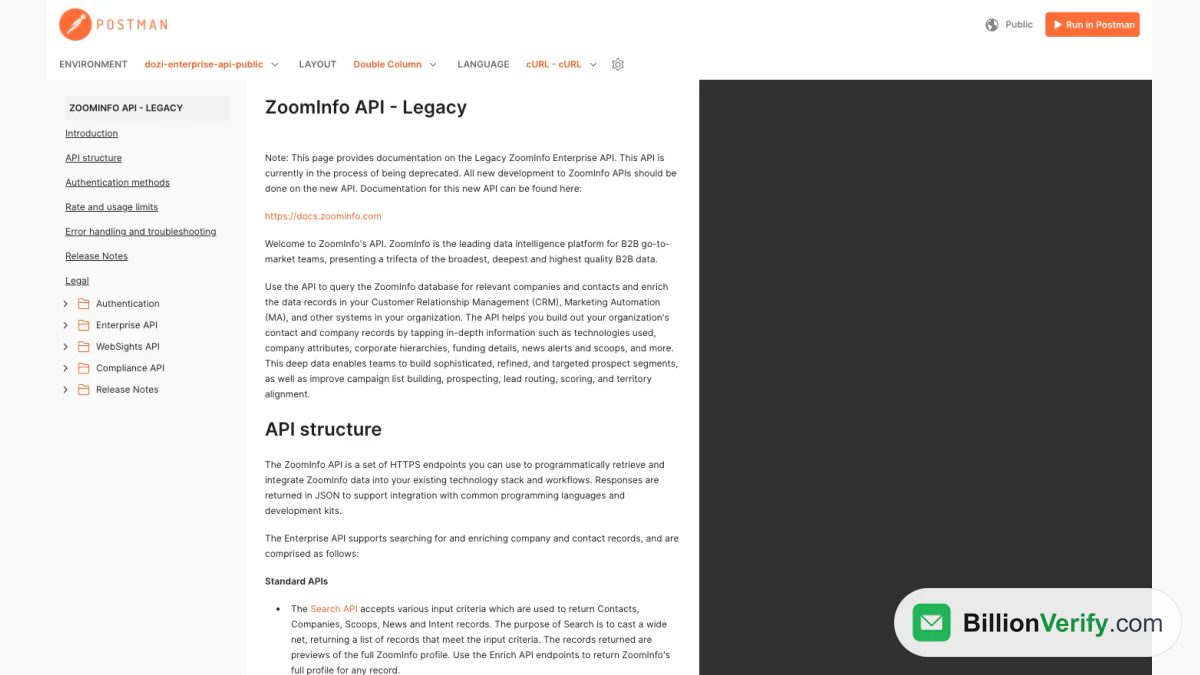
Screenshot: the legacy ZoomInfo API documentation. The note at the top points new work to the new site.
The legacy site is titled "ZoomInfo API - Legacy". It still explains the older Standard endpoints (Search, Enrich, Lookup and Usage), the Scaling endpoints (Webhooks and Bulk), the WebSights service and the Compliance service. It also covers PKI and username-and-password sign-in, where the issued token stays valid for an hour. An integration built on those instructions can keep running for now, but a new project should start on the current site. Neither site lists prices, so ZoomInfo API pricing lives in the pricing section below and in your contract.
The current documentation is easy to read by machine too. Its llms.txt file lists every article, and the site says you can add .md to any address to get Markdown. The reference also publishes an OpenAPI specification, so you can import the contract into a tool such as Postman. The reference lets you paste a bearer token and try real calls from the page.
A word of caution applies to trying calls from the reference. The documentation article on test access warns that calls made with tokens from the Developer Portal "are treated as real production requests". They spend credits and count against limits, so test with small batches.
How ZoomInfo API Authentication Works
The new ZoomInfo API uses OAuth 2.0. The documentation says OAuth lets an application reach ZoomInfo "without sharing passwords or long-lived API-key credentials." Before you can call anything, you create an application. Enterprise customers do this in the ZoomInfo Developer Portal. Self-serve users do it from the Developer tab on GTM.ai. Either route needs a GTM.ai or Enterprise license with access turned on.
Creation takes a few minutes. You enter a name, an optional logo and a description, choose an authentication method, add redirect URLs if you need them, and select scopes. After you click Create App, ZoomInfo issues the app's credentials, an ID and a secret. The documentation tells you to store both securely and never expose them in browser code.
There are two kinds of app and two OAuth flows:
| App type | Authorization Code Flow (PKCE) | Client Credentials Flow |
|---|---|---|
| Standard app, for your own team | Supported | Supported |
| Partner app, for approved partners serving many customers | Supported | Not supported |
Pick the flow by asking who is acting. Use the Authorization Code Flow with PKCE when your app calls ZoomInfo for a signed-in person. ZoomInfo requires the S256 challenge method, and the flow returns an access token plus a refresh token. Use the Client Credentials Flow for backend services, scheduled jobs and syncs. No person signs in, so you must choose an integration user, and ZoomInfo attributes every request to that user.
The token request for server-to-server work is one POST. Basic authentication is the recommended way to send the credentials.
POST https://api.zoominfo.com/gtm/oauth/v1/token
Authorization: Basic <client_id:client_secret, base64>
Content-Type: application/x-www-form-urlencoded

grant_type=client_credentials
The response holds an access_token, an expires_in value in seconds, the scope list and a token_type of Bearer. The sample in the documentation shows expires_in as 1000, so cache tokens and refresh them on a timer instead of asking for a new one on every call. Each later request sends Authorization: Bearer <access_token>.
ZoomInfo OAuth Scopes
Scopes decide what a token may touch, and you should request only what the app needs. The records scopes are where most teams start.
| Scope value | What it opens |
|---|---|
| api:data:company | Company records and corporate hierarchy |
| api:data:contact | Contact records and org charts |
| api:data:intent | Intent signals |
| api:data:news and api:data:scoops | News articles and scoops |
| api:audience:read and api:audience:manage | Read or manage GTM Studio and Marketing audiences |
| api:data-quality:execute | Run the Data Quality prepare pipeline |
A call that needs a scope your token lacks fails with a 403 and the code ZI0002. ZI0003 is different: it means your package leaves the endpoint out. You fix the first problem in the Developer Portal. The second needs your ZoomInfo account manager.
Main Endpoint Categories
Most integrations touch four kinds of endpoints, and the cost differs between them. Lookup calls and searches never spend credits. Enrichment does. This table covers the calls that matter first.
| Call | What it does | Cost |
|---|---|---|
| Lookup | Lists accepted filter values such as industries and management levels | Free |
| Search Contacts | Finds people by role, location, company traits and signals | Free |
| Search Companies | Finds accounts by industry, size, location and technology | Free |
| Enrich Contacts | Returns full contact profiles, 25 per request at most | One credit for each new record |
| Enrich Companies | Returns firmographics, 25 per request at most | A single credit when the record is new |
| Enrich Intent | Returns buying-intent signals for a company | Credits |
| Account and Contact Research | AI briefings that combine ZoomInfo and your CRM context | AI credits |
The filter list is long. ZoomInfo's "Companies & Contacts" article says the company side supports more than 40 filter groups and the contact side more than 25. Company filters cover identity, firmographics, size, location, technology, corporate structure and quality flags. Contact filters cover name, job title, job function, management level, location and a contact accuracy score you can use as a floor.
A few conventions help before you write code. Requests and responses use the JSON:API content type, application/vnd.api+json. Searches page through results with page[number] and page[size]. Enrich requests need an outputFields list, and a requiredFields list drops records that lack a key field such as email. Each enrich result carries a matchStatus, for example FULL_MATCH or NO_MATCH, and LIMIT_EXCEEDED means your account has run out of credits.
Rate Limits and Throughput
Limits protect the service and shape how quickly you can load a list. ZoomInfo ties the per-second ceiling to your package, and that package is part of your API pricing.
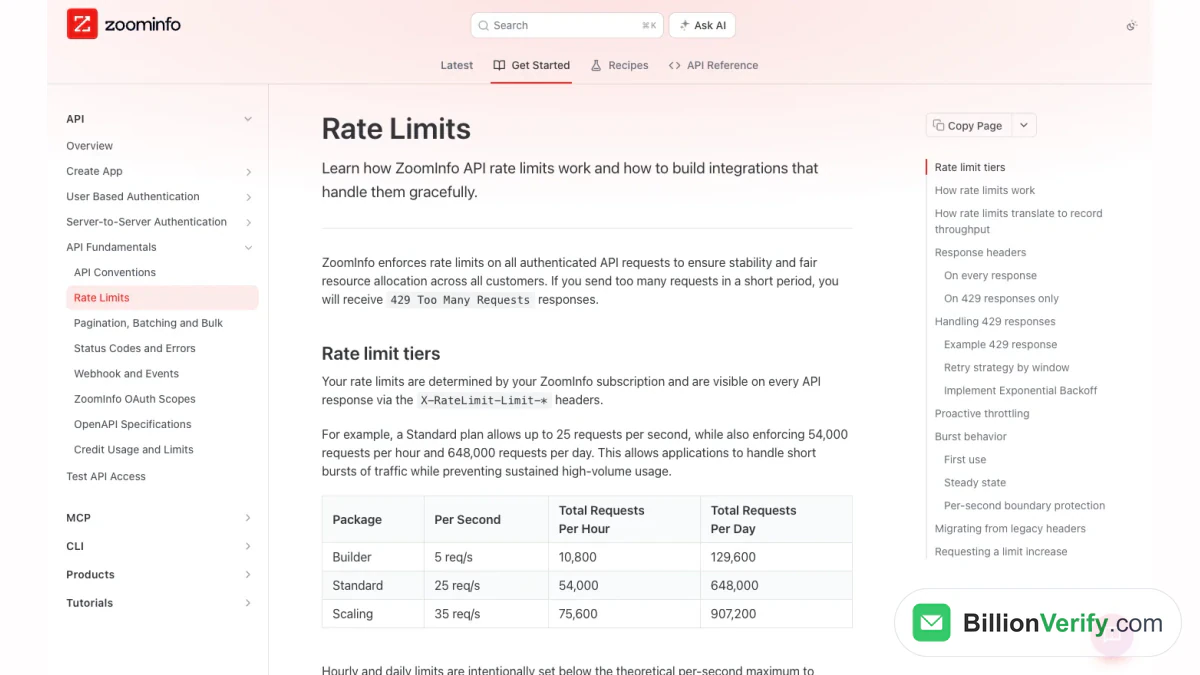
Screenshot: ZoomInfo's article on limits, with the three package tiers.
| Package | Per second | Per hour | Per day |
|---|---|---|---|
| Builder | 5 requests | 10,800 | 129,600 |
| Standard | 25 requests | 54,000 | 648,000 |
| Scaling | 35 requests | 75,600 | 907,200 |
Every request is checked against all three windows at once. If any window is empty, you get a 429. ZoomInfo says rejected requests do not use quota, so retrying after a hit does not burn what is left. A separate credit article also lists premium add-ons at 30 and 35 per second above the default of 25.
Responses carry headers that show where you stand, such as X-RateLimit-Limit-Second and X-RateLimit-Remaining-Hour. A 429 adds Retry-After, a rejected-bucket header and a reset timestamp. The two older headers without a window suffix are marked deprecated, with removal set for 2027-01-01, so move any code that reads them.
The caps apply to requests, not to records. A search call returns up to 25 records through REST but only 10 through MCP or the CLI, so the Standard ceiling moves 625 records a second one way and 250 the other. For retries, use a short exponential backoff after a per-second hit, and pause until Retry-After after an hourly or daily hit. Raising a cap is a pricing conversation with your account team, because higher ceilings come as add-ons or larger packages.
ZoomInfo API Pricing and Credits
Teams ask about ZoomInfo API pricing more than almost anything else, and the answer has two parts. Enterprise pricing is quoted as annual volume through an account manager, and no price list is posted. Self-serve API pricing is public, because GTM.ai publishes it.
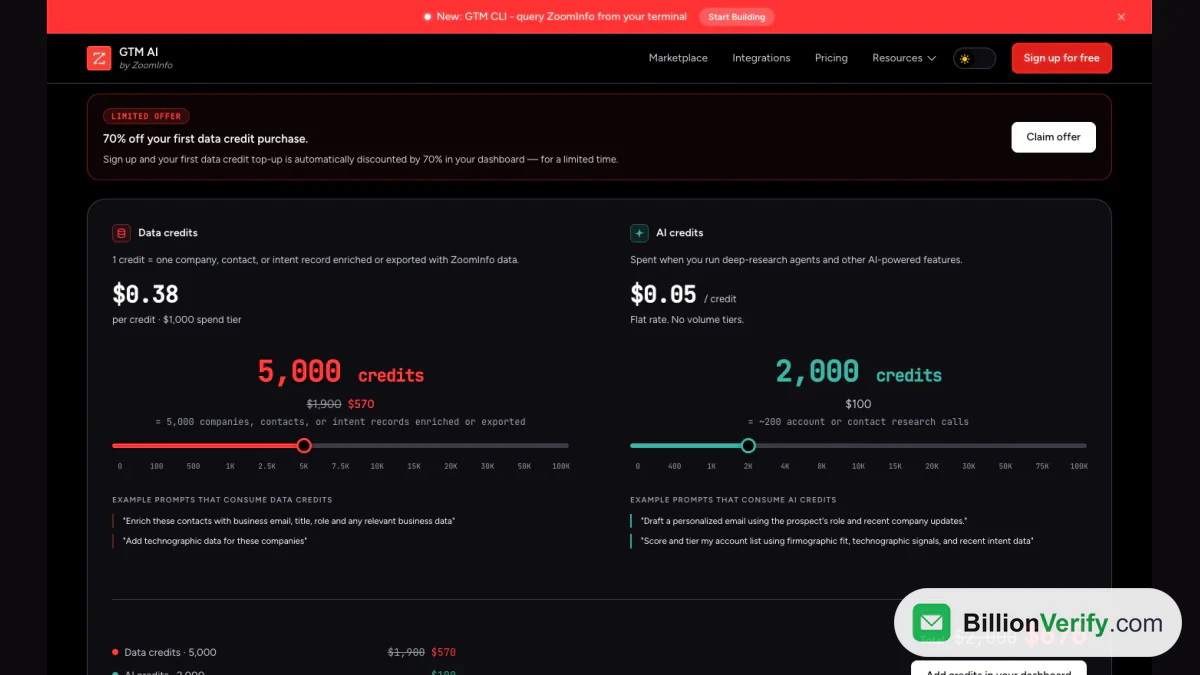
Screenshot: GTM.ai pricing with its two credit sliders.
The GTM.ai pricing screen says platform access is always included: MCP access, REST access and CLI access, with free lookup, search and find-similar calls. The free tier is capped at five requests a second and five apps. A new account gets 1,000 credits of each kind with no credit card. After that, pricing is pay-as-you-go, with top-ups from $20, no contract and no seat fees.
Two kinds of credit exist:
- Data credits pay for enrichment. A credit covers a single company, contact or intent record enriched or exported. The slider showed $0.38 per credit at its default 5,000-credit setting, listed as $1,900 before a limited-time 70% discount on a first purchase.
- AI credits pay for research and other AI actions. The screen lists a flat $0.05 each, and 2,000 of them cost $100, which it equates to about 200 account or contact research calls.
The same pricing model covers every surface. REST requests, the CLI and ZoomInfo MCP all draw from a shared credit balance, and searching stays free in each. Pricing for the Data Quality service follows the same idea: parsing, validating and normalizing an email cost nothing, while segment runs, score runs, address verification and phone line type spend credits. Data Quality is in beta, and the documentation says beta usage is billed at full rate with no introductory allowance.
Credit rules matter more than the sticker price in any ZoomInfo API pricing comparison. ZoomInfo's credit documentation says a record enriched for the first time in a rolling 12-month period costs one credit, and the record is then placed Under Management for a year. While it stays under management, enriching it again costs nothing extra, though each request still counts toward your record limit. The pricing FAQ adds that this guarantee is an Enterprise benefit that does not apply to the free tier, and that every credit expires 12 months after it is granted.
Because lookups and searches are free, the cheapest workflow under this pricing model is to query wide, rank the results and enrich only what you will use. ZoomInfo's agent guidance says the same, advising agents to "avoid enrichment loops" and to confirm before enriching 25 contacts, since the batch may use up to 25 credits.
For the legacy service, API pricing lives in your contract. Its Usage endpoint and response headers report a request limit, a record limit and a unique-record limit for the contract term. Ask your account team for those figures, because the public documentation only shows sample values.
ZoomInfo MCP: Connect an AI Assistant
ZoomInfo MCP is the hosted Model Context Protocol server that lets an AI assistant call ZoomInfo directly. A ZoomInfo license is required, and your plan, limits and credits all apply to MCP use, so there is no separate ZoomInfo MCP pricing. The server needs a client that supports Streamable HTTP and OAuth, plus a browser for the first-time sign-in.
The ZoomInfo MCP documentation covers many clients. In Claude Code, you can install the official plugin with claude plugin install zoominfo@claude-plugins-official, or add the server by hand with claude mcp add --transport http zoominfo https://mcp.zoominfo.com/mcp. Then run /mcp to sign in. Codex has a plugin route and a custom route. Cursor and VS Code take a short JSON entry with the server address. Claude, ChatGPT and Perplexity list ZoomInfo as a native connector, so you add it from the connector menu and sign in with your ZoomInfo credentials.
One rule stands out. ZoomInfo "prohibits data accessed through MCP to be used for AI model training," and asks you to turn model training off in your AI account before you connect.
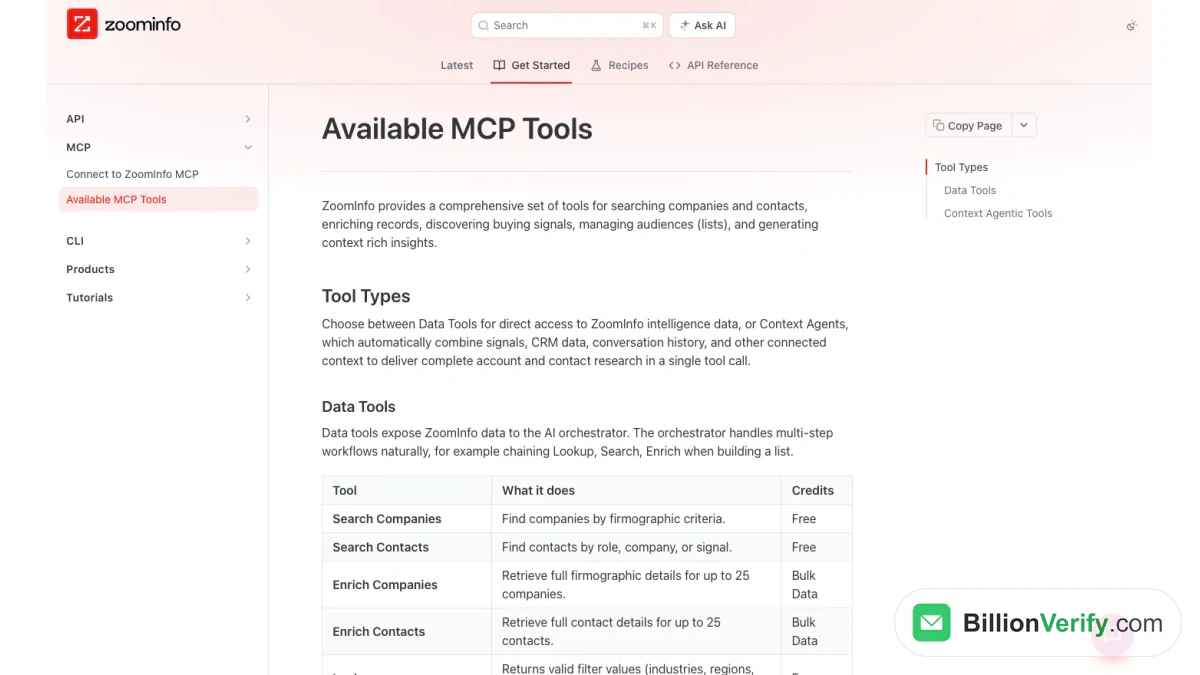
Screenshot: the list of ZoomInfo MCP tools with their credit type.
The tools fall into two kinds. Data tools expose records to your assistant, which chains them step by step. Context agents run a sub-agent that blends ZoomInfo records with your CRM and call history.
| Tool | What it does | Credit type |
|---|---|---|
| Search Companies, Search Contacts | Find records by criteria | Free |
| Lookup | Shows allowed filter values | Free |
| Find Similar Companies, Find Similar Contacts, Find Recommended Contacts | Lookalike and outreach-ready lists | Free |
| Search Intent, Search Scoops | Spot accounts by signal | Free |
| Enrich Companies, Enrich Contacts | Full profiles for up to 25 records | Bulk data |
| Enrich Intent, Enrich Scoops, Enrich News | Signals for one company | Bulk data |
| Account Research, Contact Research | AI briefing for one company or person | AI action |
A prompt such as "find VPs of Sales at fintech companies" costs nothing, because it only searches. A prompt such as "enrich these 50 contacts and push them to Salesforce" spends credits. The GTM.ai pricing FAQ makes the same split: in ZoomInfo MCP, the tool that gets called decides the charge.
ZoomInfo also ships a command-line client on the same backend as ZoomInfo MCP, with the same sign-in and credits. You install it with Homebrew (brew install zoominfo/gtm-ai/gtm-ai-cli) or npm, run gtm auth login, and call commands such as gtm companies search and gtm contacts enrich. Output can be JSON, CSV, YAML or a table.
A Worked Example: Find, Then Enrich
The ZoomInfo API documentation includes a tutorial that finds Marketing Directors at software companies in California. It uses three calls in order: lookup, search and enrich. The commands below follow the tutorial's field names, so replace the sample values with your own.
First, the search. It costs nothing and returns match hints, not email addresses.
curl --request POST \
  --url 'https://api.zoominfo.com/gtm/data/v1/contacts/search?page%5Bnumber%5D=1&page%5Bsize%5D=25' \
  --header 'accept: application/vnd.api+json' \
  --header 'content-type: application/vnd.api+json' \
  --header 'authorization: Bearer <access_token>' \
  --data '{"data":{"type":"ContactSearch","attributes":{"state":"California","managementLevel":"Director","jobFunction":"Marketing","requiredFields":"email"}}}'
The response lists people with fields such as firstName, jobTitle, contactAccuracyScore and booleans like hasEmail, plus an id for each person. Second, enrich only the IDs you want, up to 25 per call.
curl --request POST \
  --url 'https://api.zoominfo.com/gtm/data/v1/contacts/enrich' \
  --header 'content-type: application/vnd.api+json' \
  --header 'authorization: Bearer <access_token>' \
  --data '{"data":[{"type":"ContactEnrich","attributes":{"personId":"4191419698"}}],"outputFields":["firstName","lastName","jobTitle","email"],"requiredFields":["email"]}'
Each result includes a matchStatus. A FULL_MATCH comes back with the fields you asked for. A NO_MATCH comes back with empty attributes. ZoomInfo's reference says that when it fails to find a record, or returns an error, no credit is charged.
Two habits keep this cheap. Look up values before you search, because a free-text industry or title that lookup does not know returns a 400 with the code PFAPI0006. And save the enriched IDs, because ZoomInfo recommends caching them for the Under Management window.
Common ZoomInfo API Errors
The documentation lists every error code. These four cover most failures.
| Status and code | Meaning | What to do |
|---|---|---|
| 400, PFAPI0006 | A filter value is not valid | Look the value up and use it exactly as listed |
| 401, ZI0001 | The token is invalid or expired | Fetch a new token or use the refresh token |
| 403, ZI0002 or ZI0003 | Missing scope, or the package lacks the endpoint | Add the scope, or ask your account manager |
| 429, ZI0004 | Too many requests | Back off, then retry after the Retry-After delay |
Server errors are different. A 500 deserves a retry after a delay, and a 504 deserves a smaller request next time. The credit article says 400, 401 and 403 should not be retried until you fix the cause.
The ZoomInfo Chorus API
Chorus is a separate ZoomInfo product for call recording and conversation intelligence, and it has its own interface. The ZoomInfo Chorus API lives on a different site from the pages above, at api-docs.chorus.ai, and it does not use the OAuth app model. Chorus API documentation covers users, engagements and recordings.
Its introduction calls the Chorus API a REST API that can retrieve data about your users, retrieve data about your engagements (meetings and dialer calls), upload new recordings and delete recordings. Authentication is by token. Each Chorus user can generate one in Personal Settings, if their role allows it, and the token goes in the Authorization header. Recordings marked private are not returned, and your Chorus access-control settings apply to every request.
ZoomInfo Chorus API Documentation Transcripts
The most common question is about call text: the words spoken on a recorded call. The menu on the Chorus site lists Conversations, Engagement filter and Emails among its groups, so open Conversations for the current field list. The introduction we read does not name a transcript endpoint. Zoom's guide on moving Chorus recordings to Zoom Revenue Accelerator shows a conversation response that holds the transcript as utterances inside the recording object.
If you need both kinds of records, plan for two credentials: an OAuth app for the main service and a per-user token for Chorus. The two do not share limits or credits. For call text, start on the Chorus site, not on docs.gtm.ai. Every Chorus endpoint needs a Chorus token, so ask your Chorus admin for access first. The pages we read list no public Chorus API pricing, so ask your admin about cost too.
Verify Emails from the ZoomInfo API Before You Send
An enrich call gives you an email address. It does not tell you whether the mailbox will accept your message today. ZoomInfo is direct about this in its Data Quality documentation. For email, that product supports parse, validate and normalize only, and the text says: "there is no email verification or bounce checking." It adds that validation is structural. It confirms an address has an @ and a domain, not that the address will avoid a bounce.
That gap is where a verification step belongs. A simple pipeline looks like this:
- Query for free and rank the results.
- Enrich only the contacts you plan to reach, with email in requiredFields.
- Send the returned addresses to a verification service.
- Keep valid results, review catch-all and unknown ones, and drop invalid ones.
- Load the cleaned list into your CRM or sequencer.
BillionVerify covers step three with a REST interface and a hosted MCP server. Everything below comes from our documentation at billionverify.com/docs. The base URL is https://api.billionverify.com/v1, and your key goes in the BV-API-KEY header. A single request checks a single address:
curl -X POST https://api.billionverify.com/v1/verify/single \
  -H "BV-API-KEY: sk_xxx" -H "Content-Type: application/json" \
  -d '{"email":"jane@company.com","check_smtp":true}'
The response reports a status such as valid, invalid or catchall, along with flags for disposable, role and catch-all addresses. A bulk call takes up to 50 addresses at once. For a big export, upload a CSV, TXT or XLSX file, follow the job until it finishes, then download the results. Webhooks can tell your system when a file job completes.
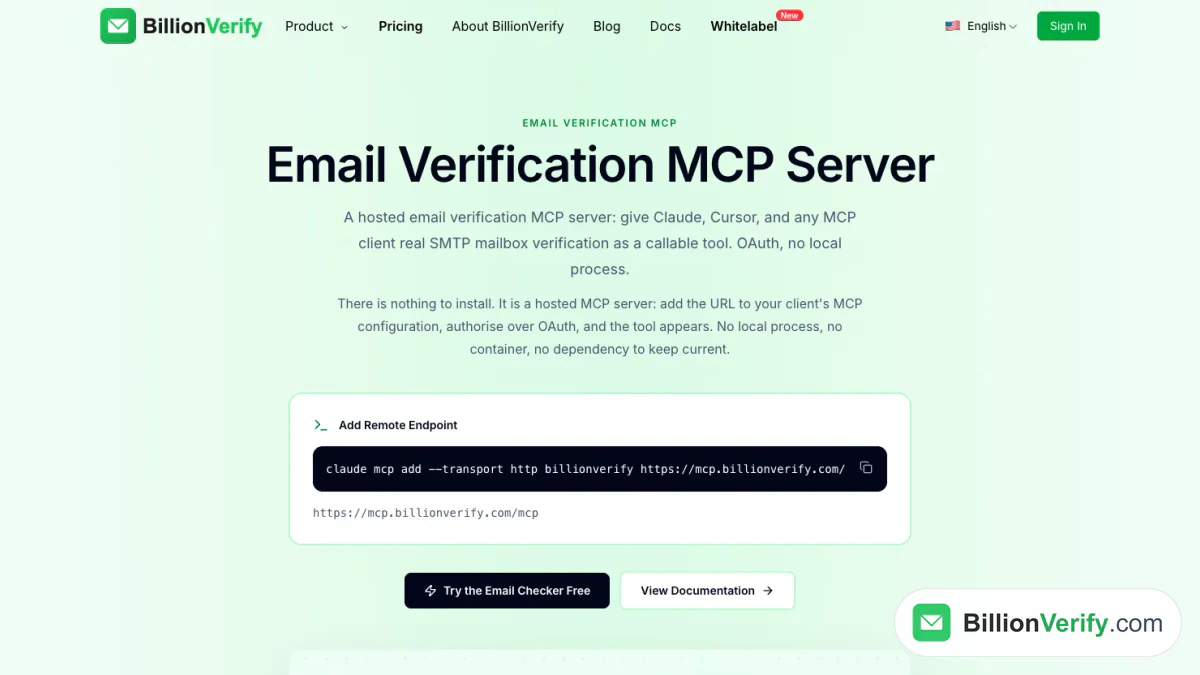
Screenshot: the BillionVerify MCP server overview, with the command that adds it to Claude Code.
If your team already works through an assistant, the same checks run from MCP. BillionVerify's remote server at https://mcp.billionverify.com/mcp signs in with OAuth. Its tools verify a single address or a batch of 50, read your balance, follow a file job, create download links and manage webhooks. An assistant can therefore query ZoomInfo through ZoomInfo MCP and then check the results through ours, in one chat.
On pricing, a valid or invalid result uses a credit, an unknown result is free, and re-checking within 24 hours is free. You get 20 free credits every day you use your account, up to 600 a month. They never expire, and no card is needed. For a walkthrough aimed at exports, see our page on ZoomInfo email verification.
Two free tools help with single records. A reverse email lookup shows the domain and public signals behind an address. A phone number validator checks whether a direct dial from an enrich call is valid for its country and shows the line type.
Tips for Building on ZoomInfo
A few habits drawn from the ZoomInfo API documentation save credits and time:
- Use lookup values for every enumerated filter, as the error table above suggests.
- Rank results before you enrich, using fields like the contact accuracy score and hasEmail.
- Enrich in batches of 25, and cache the IDs you already hold.
- Read the remaining-quota headers and slow down before you reach a cap. Check API pricing again before a large load.
- Request the narrowest scopes, and keep the client secret on a server.
For background on the company, read our ZoomInfo guide. If a teammate cannot reach the web app that creates your app, our ZoomInfo login guide covers sign-in, SSO and two-step verification.
FAQs
Does ZoomInfo have an API?
ZoomInfo has an API, and its documentation sits at docs.zoominfo.com. The current version signs in through OAuth apps. The older Enterprise service carries a Legacy label and is being retired.
Where is the ZoomInfo API documentation?
The ZoomInfo API documentation is at docs.zoominfo.com, which now opens docs.gtm.ai. The legacy Enterprise pages remain at api-docs.zoominfo.com, and Chorus has its own site at api-docs.chorus.ai.
How much does the ZoomInfo API cost?
ZoomInfo API pricing depends on how you buy. GTM.ai lists self-serve pricing, with 1,000 credits of each type to start and $20 top-ups. Enterprise contract pricing is quoted by ZoomInfo sales.
Is the ZoomInfo API free?
The ZoomInfo API is free to start on GTM.ai, with a starting balance and no credit card. Lookups and searches cost nothing, and enrichment spends credits once the starter amount runs out.
How do I get a ZoomInfo API key?
The current ZoomInfo API has no single key. You create an app in the Developer Portal, or on the Developer tab of GTM.ai, and ZoomInfo hands you credentials. The legacy version used a client ID with a private key, or a username and password.
What are the ZoomInfo API rate limits?
The ZoomInfo API allows five calls a second on Builder, 25 on Standard and 35 on Scaling. Each package also has an hourly and a daily cap, and a 429 response tells you which window you hit.
What is ZoomInfo MCP?
ZoomInfo MCP is a hosted server that lets AI assistants query and pull ZoomInfo records through natural language. It needs a ZoomInfo license and an OAuth sign-in, and ZoomInfo MCP charges the same credits as the REST calls.
Does ZoomInfo MCP cost extra?
ZoomInfo MCP has no separate pricing. Tools that only search are free, and tools that enrich or run research spend credits from the same balance as a REST request.
What is the ZoomInfo Chorus API?
The ZoomInfo Chorus API is the REST interface for Chorus, the conversation intelligence product. It reads users and engagements, and it can upload or delete recordings. It uses per-user tokens, not the OAuth apps of the main service.
Where can I find ZoomInfo Chorus API documentation transcripts?
Call transcripts belong to the Chorus API, not the main ZoomInfo API. Check the Conversations group on api-docs.chorus.ai for current fields, and get a token from your Chorus admin before you test.
Can I get email addresses from the ZoomInfo API?
You can get business emails by enriching a contact through the ZoomInfo API, and a requiredFields entry for email skips records that lack one. ZoomInfo's own Data Quality product does not verify deliverability, so check the addresses before sending.
Should I verify emails returned by ZoomInfo?
Addresses that ZoomInfo returns should be verified before a campaign, because people change jobs between updates. BillionVerify's REST interface and MCP server check each address and report catch-all, unknown, disposable and role results separately.
Watch: How to Validate a Phone Number: Free Phone Number Validator
Watch: Free Reverse Email Lookup: What It Shows and What It Can't