



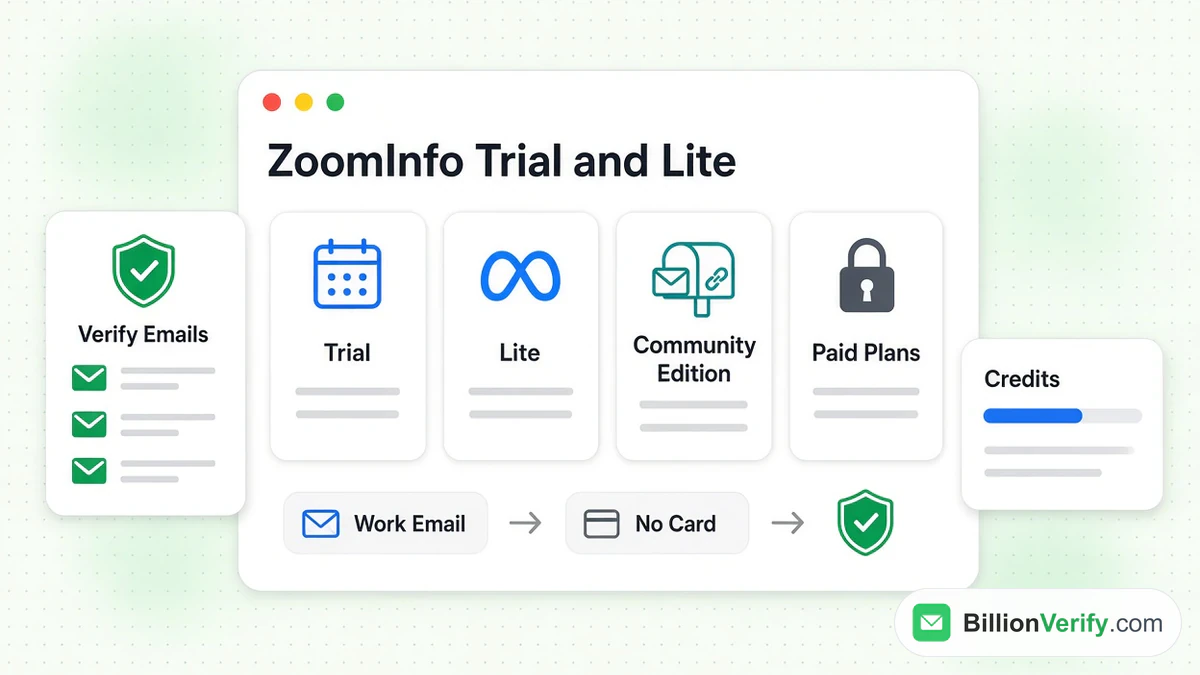
Does ZoomInfo offer a free trial? Yes. The trial page says it usually lasts a week. You fill in a short form and confirm a work address. You do not need a payment card. ZoomInfo also runs a separate free plan called ZoomInfo Lite, and Lite has an upgrade named ZoomInfo Community Edition. Not sure where to source contacts? Compare review sites vs B2B databases for prospecting before you commit.
This guide covers every free way into ZoomInfo. It explains how to get a ZoomInfo free trial and how long the trial lasts. It shows what you can use during the week, how the trial ends and what ZoomInfo Lite and ZoomInfo Community Edition really are. Every fact comes from ZoomInfo's own pages, as listed on its site in October 2026. Where zoominfo.com blocked our browser, we read copies saved by the Internet Archive. ZoomInfo can change these terms at any time.
We are not affiliated with ZoomInfo. BillionVerify is an email verification service. If you want the big picture first, read our ZoomInfo guide. It explains what ZoomInfo is and how it works.
Key facts (checked October 2026):
- ZoomInfo's trial page puts the usual trial at 7 days and warns that the length can vary.
- ZoomInfo states that no credit card is required to begin its trial, only a form and a verified work address.
- ZoomInfo's Lite FAQ describes ZoomInfo Lite as a free version whose monthly credits do not roll over.
- ZoomInfo's Lite FAQ says ZoomInfo Community Edition raises that allowance if you connect an email account or CRM and contribute contacts.
- ZoomInfo's pricing FAQ says each export of a contact or company profile costs one credit.
- BillionVerify's free tier gives 20 credits each day you use it, up to 600 a month, never expires and needs no credit card.
Is There a ZoomInfo Free Trial?
Yes. ZoomInfo's "Start your free trial" page offers one. The page promises "limited time access to ZoomInfo's platform features at no cost." ZoomInfo adds that "no charges will occur during the trial period."
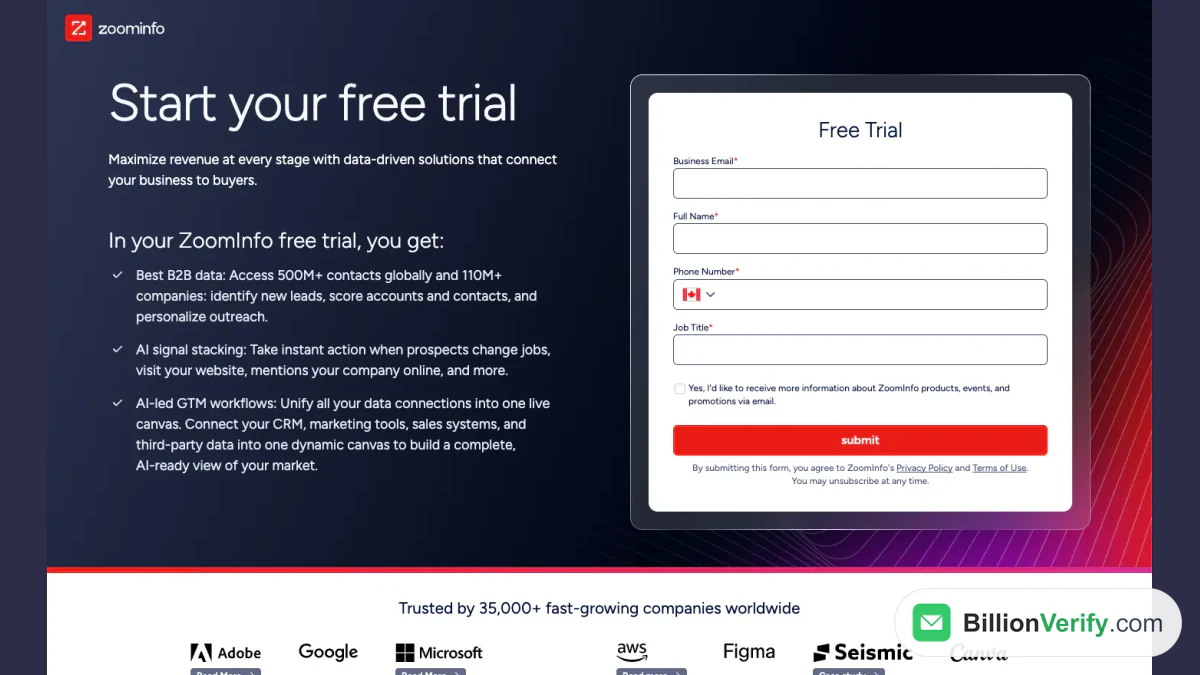
Screenshot: the ZoomInfo free trial page with its sign-up form.
The pricing page repeats the offer. It shows a "Start free trial" button under each of its three sales plans: ZoomInfo Professional, Copilot Advanced and Copilot Enterprise. So the trial is open for the full platform, not for one small product.
Four ways to start free
ZoomInfo has more than one free route. Each one works differently.
| Route | Cost | Card needed? | Length | Best for |
|---|---|---|---|---|
| ZoomInfo free trial | Free | No | Typically 7 days | Testing the full platform |
| ZoomInfo Lite | Free | No | No end date | Light, ongoing lookups |
| ZoomInfo Community Edition | Free | No | No end date | More credits, if you share contacts |
| GTM.AI developer credits | Free | No | Not stated | Developers and AI agents |
The GTM.AI offer is "1,000 data + 1,000 AI credits free," according to the GTM.AI site. GTM.AI is ZoomInfo's developer site for its API, CLI and MCP server.
Which one should you pick?
Start with the trial if you want to see the real product. Start with ZoomInfo Lite if you need a small number of lookups every month. Use ZoomInfo Community Edition only if you are comfortable connecting a work inbox or your CRM. The sections below explain each option.
How to Get a ZoomInfo Free Trial
You can get a ZoomInfo free trial in a few minutes. ZoomInfo describes the process as "just fill out the form and verify your business email." Here are the steps.
- Open the trial page on zoominfo.com.
- Type your name, job title, phone number and work address into the form. ZoomInfo marks all four fields as required.
- Read the Privacy Policy and Terms of Use that the form links to. Submitting means you agree to them.
- Look at the optional box. It asks if you want product news and promotions by email. It is not ticked by default.
- Press submit, then verify your business email as ZoomInfo instructs.
What the form needs
The form wants four details. The phone field starts with a country flag.
ZoomInfo confirms that a person may follow up. Its FAQ says: "Can I talk to a sales rep during the trial? Absolutely, our team is available to answer questions or help tailor the solution to your needs." A rep is optional help, not a condition of the trial.
Use a company address
ZoomInfo asks you to confirm a business address. Use the address on your company domain. A work address also keeps the later steps simple, because your company, title and address all match.
Where else can you get a ZoomInfo free trial?
You can start from the pricing page too. Click "Start free trial" under the plan you want. ZoomInfo also shows "Free trial" buttons across its site menus and solution pages. They all lead to the same offer.
How Long Is the ZoomInfo Free Trial?
The trial usually lasts 7 days. The FAQ on the trial page answers it directly: "ZoomInfo typically offers a 7-day free trial for new users." During that time you "can explore core features such as contact and company data, sales intelligence tools, basic search functionality, and more."
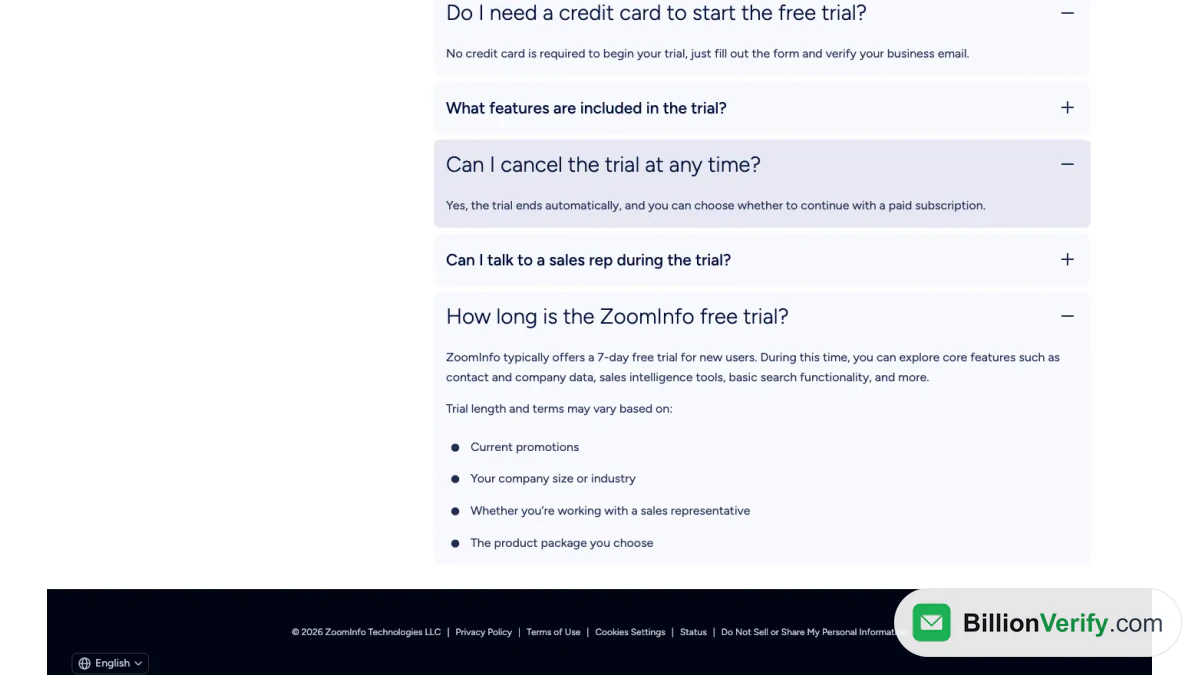
Screenshot: the FAQ section at the bottom of the same page.
What can change the 7 days?
The word "typically" matters. ZoomInfo says the length and terms "may vary based on" four things:
- Current promotions.
- Your company size or industry.
- Whether you are working with a sales representative.
- The product package you choose.
So 7 days is the usual figure, not a guarantee. Your trial may run longer or shorter if a sales rep sets it up. ZoomInfo does not list those variations. The reliable answer for your account is the end date ZoomInfo gives you when the trial starts. Ask for it in writing.
Seven days go fast
A week is short for a tool of this size. Plan the week before you click submit. A seven-day plan appears further down this page. The idea is simple: prepare your target accounts first, so every minute inside the product counts.
What You Get During the ZoomInfo Free Trial
ZoomInfo's trial page lists three things you get. Here they are in ZoomInfo's own words, with a plain explanation.
- Best B2B data. "Access 500M+ contacts globally and 110M+ companies: identify new leads, score accounts and contacts, and personalize outreach."
- AI signal stacking. "Take instant action when prospects change jobs, visit your website, mentions your company online, and more."
- AI-led GTM workflows. "Unify all your data connections into one live canvas," linking your CRM, marketing tools and sales systems.
The FAQ adds what is included. "The trial includes access to core platform features such as contact and company search, intent signals, and email outreach, with usage limits."
The limits are not published
Notice the last four words: "with usage limits." ZoomInfo does not say on its trial or pricing pages how many records you can export in one week. Ask the team for the number when you start, and write it down. A known limit lets you choose your best targets first.
How credits work
ZoomInfo's pricing FAQ explains credits. "ZoomInfo credits represent the consumption (export) of a professional or company profile." Each export costs one credit. A credit is used "only when a user exports a contact or company profile from the platform to a CSV file or an application."
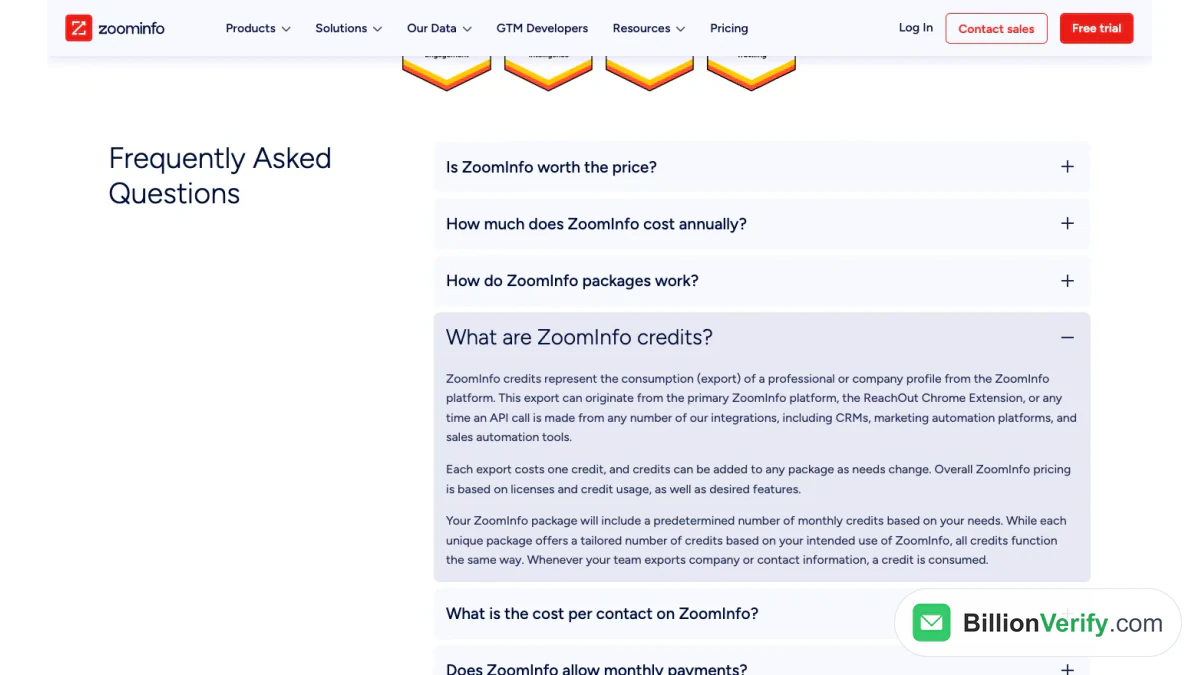
Screenshot: the credits answer in the pricing page FAQ.
The same answer says exports can start in the main platform, the Chrome extension or an integration such as a CRM. So searching is one thing. Exporting is what uses credits. Keep that in mind when you plan the week.
Can you talk to ZoomInfo during the trial?
Yes. The FAQ says ZoomInfo's team can answer questions during the trial. That is the best time to ask about the limits, the plans you saw and how the paid offer is priced.
What Happens When the Trial Ends
The trial ends by itself. When it ends, nothing else happens unless you buy. The FAQ asks: "Can I cancel the trial at any time?" The answer: "Yes, the trial ends automatically, and you can choose whether to continue with a paid subscription."
That answer has three practical effects.
- There is nothing to cancel in billing. ZoomInfo asks for no card, so no card can be charged.
- Nothing renews by default. The week ends on its own, and you choose whether to buy.
- A paid plan starts only when you agree. The pricing FAQ says the sales team will "work with you on payment frequency and options."
How to cancel a ZoomInfo free trial
Because the trial ends automatically, cancelling is mostly a matter of doing nothing. If you spoke with a sales rep, tell the rep you do not plan to buy. That stops follow-up calls. You can also use the unsubscribe link in any ZoomInfo marketing email.
Before the week ends
Do these things in the last two days:
- Export the records you need, within your credit limit.
- Save the filters you used, so you can repeat the search later.
- Ask the sales rep for a written quote if you are still deciding.
- Check every email address before you send anything.
ZoomInfo's public pages do not say what happens to saved lists after the trial. Treat your work as temporary, and keep your own copy.
What if you want to continue?
If you want more, ZoomInfo's sales team prices a paid plan. The pricing FAQ says the price "is based on" features, the number of licenses and credit usage. The pricing page shows no dollar amounts.
What Is ZoomInfo Lite?
ZoomInfo Lite is the free version of ZoomInfo. The Lite FAQ defines it this way: "a free version of the ZoomInfo platform that provides ongoing access to our world-class B2B database." ZoomInfo says it is "designed for individual professionals and small teams."
The homepage calls Lite "a permanent free plan that requires no credit card and no commitment." The annual report says the same in other words. It calls Lite a freemium product with "a set amount of monthly credits."
So ZoomInfo Lite differs from the trial in one important way. The trial ends after about a week. Lite has no end date.
What is ZoomInfo Lite good for?
Does ZoomInfo have a free version that fits a small team? Yes. Lite fits small, steady use, and it is how most people use ZoomInfo for free. A single seller who checks a few contacts each month can live on a Lite allowance. A larger team that runs outbound sequences will outgrow it. ZoomInfo does not publish the size of the allowance. It calls it a "standard monthly allowance."
Who can use ZoomInfo Lite?
ZoomInfo sets two rules.
- A verified work address. "Anyone with a valid business email address can sign up."
- A new user. Lite "is available to professionals who are not current or past subscribers to ZoomInfo's premium enterprise services."
Two more rules matter. A personal address does not work. The FAQ says: "To ensure the quality of the ZoomInfo database, a valid business email domain is required for all Lite and Community Edition accounts." And you do not need to share anything: "You can sign up for a standard ZoomInfo Lite account and access the database using your monthly credits without sharing any data."
How to get a ZoomInfo free account
A ZoomInfo free account means a Lite sign-up. You can open a ZoomInfo free account without any card. The Lite FAQ links to a sign-up page at signup.zoominfo.com. You register, then you choose a plan. After that, the monthly credits on your ZoomInfo free account are yours to use.
Is a ZoomInfo free account hard to open? The rules above are the only ones ZoomInfo lists. If you pay for ZoomInfo today, or paid in the past, Lite is not open to you.
How monthly credits behave
The FAQ describes the refresh: "Your credit balance refreshes on your last credit grant date. Credits do not roll over, so be sure to use your full allotment to maximize your prospecting." In plain words, use your allowance each month. Unused ones disappear.
ZoomInfo Lite login
The Lite FAQ does not list a separate address for a ZoomInfo Lite login. The general ZoomInfo sign-in is login.zoominfo.com. Our ZoomInfo login guide explains the sign-in options and the second verification step. Start there if your sign-in fails.
What Is ZoomInfo Community Edition?
ZoomInfo Community Edition is the upgrade inside Lite. The FAQ explains: "Community Edition members receive increased monthly credits and expanded features in exchange for contributing business contact data."
ZoomInfo Community Edition costs nothing, like Lite. The price you pay is access. You connect a work mailbox or CRM so ZoomInfo can learn from the business contacts in it.
The name comes from ZoomInfo's contributor community. The FAQ says you can "join the Community within ZoomInfo Lite." Community members get the larger allowance, and the community gives business contacts in return. A member who leaves loses only the extra credits.
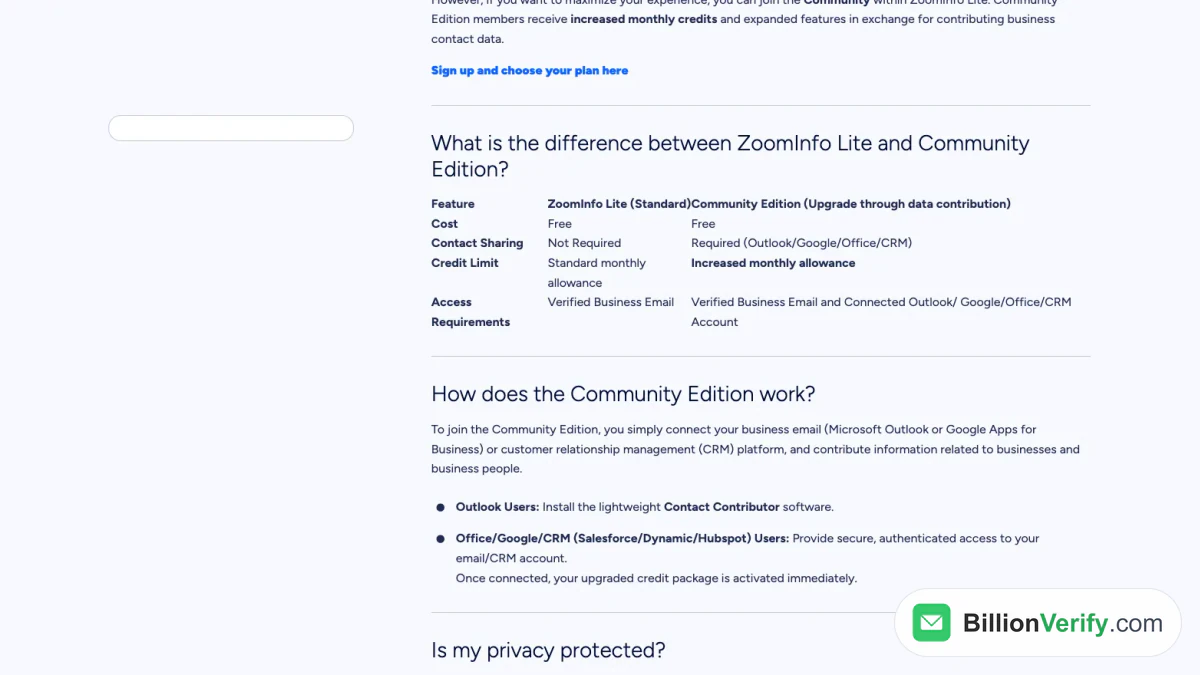
Screenshot: the comparison table in ZoomInfo's Lite FAQ.
ZoomInfo Lite vs ZoomInfo Community Edition
The FAQ compares the two in a table. Here is the same comparison.
| Feature | ZoomInfo Lite (Standard) | ZoomInfo Community Edition |
|---|---|---|
| Cost | Free | Free |
| Contact sharing | Not required | Required (Outlook, Google, Office or CRM) |
| Credit limit | Standard monthly allowance | Increased monthly allowance |
| Access requirements | Verified business email | Verified business email plus a connected email or CRM account |
How ZoomInfo Community Edition works
To join, you "connect your business email (Microsoft Outlook or Google Apps for Business) or customer relationship management (CRM) platform, and contribute information related to businesses and business people."
The steps depend on your setup.
- Outlook users install "the lightweight Contact Contributor software."
- Office, Google and CRM users give "secure, authenticated access to your email/CRM account." The named CRMs are Salesforce, Dynamics and HubSpot.
ZoomInfo adds: "Once connected, your upgraded credit package is activated immediately."
Is ZoomInfo Community Edition discontinued?
No. We found no sign that ZoomInfo Community Edition has ended. The FAQ page, as listed in October 2026, describes it as current. The address of that page still ends in "community-edition," even though its title reads "ZoomInfo Lite FAQs."
The wording has changed over time. A copy of the same FAQ from February 2025 does not use the name at all. It tells you to "gain free access to ZoomInfo through ZoomInfo Lite" in three steps. After you accept the terms, you install the Lite local application, which connects to your email provider. The app uses natural language processing to find business contact information. The October 2026 FAQ now separates the standard Lite account from the Community Edition upgrade.
The annual report also pairs the two names. It calls Lite a free community edition.
What ZoomInfo says about privacy
ZoomInfo answers the privacy question directly. "We only identify professional contact info and related metadata." Its system "ignores personal domains (e.g., @gmail.com or @yahoo.com)." And it is "designed to capture non-sensitive, professional details."
The February 2025 FAQ adds a step for the people in your contact list. After ZoomInfo's validation, "every professional receives a notification with instructions on how to claim, manage, update, or remove their profile before ever being added to ZoomInfo's platform."
You can undo the choice. "You can revert to a standard Lite account at any time by uninstalling the software or revoking access." The cost: "you will lose the extra Community Edition credits." You keep the standard balance.
Who should join ZoomInfo Community Edition?
That depends on what you are willing to connect. ZoomInfo gets business contact data from the account you connect. You get a bigger credit allowance. If your inbox holds client or partner details you do not want to share, stay on standard Lite.
Is ZoomInfo Free?
Part of ZoomInfo is free, and the full platform is not. Searches such as "is ZoomInfo free" and "does ZoomInfo have a free version" lead to the same answer. Does ZoomInfo have a free version beyond the trial? Yes, it is Lite. Does ZoomInfo offer a free trial as well? Yes, both are open to new users. You can use ZoomInfo for free through Lite, and the trial covers the rest.
- Free: Lite, ZoomInfo Community Edition, the trial and the GTM.AI developer credits. A ZoomInfo free account is simply a Lite account.
- Paid: the sales plans, meaning Professional and the two Copilot tiers.
The homepage FAQ puts it this way. ZoomInfo is "free to start with consumption credits based on usage." It adds: "ZoomInfo doesn't charge by fixed seat tiers: teams pay for the credits they use, so cost scales with how much data and how many workflows they run."
The same FAQ answers "Can I try ZoomInfo for free?" Its answer: yes, Lite is "a permanent free plan," and you can also start a trial of the full platform.
What the paid plans include
The pricing page lists what each paid plan includes. ZoomInfo Professional lists exports, mobile numbers, business emails, CRM integrations, the Chrome extension and the mobile app. Copilot Advanced lists "all Professional tier features" plus buyer intent signals, website visitors and workflows. Copilot Enterprise adds real-time intent signals, custom integrations and a dedicated customer service manager.
ZoomInfo does not say which of these features Lite includes. Look inside your own account after you sign up.
ZoomInfo Free vs Paid Plans
This table puts the free routes and the paid plans side by side. All entries come from ZoomInfo's pages.
| Free trial | ZoomInfo Lite | Community Edition | Paid plans | |
|---|---|---|---|---|
| Length | Typically 7 days | No end date | No end date | By contract |
| Card | Not required | Not required | Not required | Sales-led |
| Work address | Required | Required | Required | Not stated |
| Credits | Usage limits | Standard monthly allowance | Increased monthly allowance | Set in your package |
| Data sharing | None stated | Not required | Required | None stated |
| Sales contact | Optional | Not stated | Not stated | Yes |
The "paid plans" column rests on the pricing page. ZoomInfo packages differ by licenses, features and credits, and ZoomInfo quotes them case by case.
How to Use ZoomInfo for Free
You can use ZoomInfo for free in a few steps. The best way to use ZoomInfo for free combines more than one route.
- Start with Lite. Sign up with your work address. It has no end date, so there is no rush.
- Decide on Community Edition. Connect your mailbox only if you accept the data trade.
- Time the trial. Start it when you have a clear list of target accounts and a week to work.
- Spend credits on exports. Searching is cheap. Exporting uses credits.
- Verify every export. Check each address before the first send.
A seven-day plan for the trial
A trial is short. This plan makes the week count.
- Before day 1: write your ideal customer in one paragraph. List 30 target accounts. Pick the job titles you need.
- Day 1: sign in, note the end date and ask the rep for the credit limit.
- Day 2: search companies with filters for industry, size and location.
- Day 3: try intent signals on your target list.
- Day 4: find decision-makers and export the best contacts.
- Day 5: connect the CRM, or test the Chrome extension.
- Day 6: verify the exported addresses and count the results.
- Day 7: decide: buy, stay on Lite or leave.
What to measure
Count what matters. How many of your 30 target accounts did ZoomInfo cover? How many contacts did you export? How many of those addresses passed verification? Those numbers show the true cost per usable contact.
Other Free Options Besides ZoomInfo
If a ZoomInfo free account is not enough, other tools have free tiers too. Apollo.io is the closest, and it also lets you try Basic and Professional for 14 days. Its Free plan has no end date and needs no card. Each user gets 900 credits a year, released at 75 a month. Our ZoomInfo vs Apollo comparison sets the two free plans side by side.
The free plan of any contact database has the same trade. You get a small credit allowance. The data still goes stale. Run a verifier on each export, whichever tool it came from.
Check Emails From Your Trial
A trial gives you contacts. It does not promise that each inbox is live today. People change jobs. Domains accept all mail and hide dead mailboxes. A bounced first campaign can hurt your sender reputation.
So check every address you export, whether it came from the trial, Lite or Community Edition. Our page on ZoomInfo email verification explains how to clean a ZoomInfo list.
BillionVerify checks each address in layers:
- Syntax: is the address written correctly?
- Domain and MX records: does the domain receive mail?
- SMTP: does the mail server accept this mailbox?
- Catch-all: does the domain accept any address? We report catch-all as its own result.
- Disposable and role addresses: is it a throwaway inbox or a shared box like info@?
You get 20 free credits every day you use your account, up to 600 a month. They never expire, and no credit card is needed. A valid or invalid result uses one credit. Unknown results are free. A re-check within 24 hours is free too.
Two free tools help with single checks. A reverse email lookup shows the domain, organization and public signals behind an address. A phone number validator checks whether a direct dial from your trial is valid for its country and shows the line type.
Check your own sending domain too
Verified addresses still need a sender that mailbox providers trust. Before the first campaign, check that your domain signs its mail. BillionVerify's free DKIM checker looks up the record for any domain and selector.
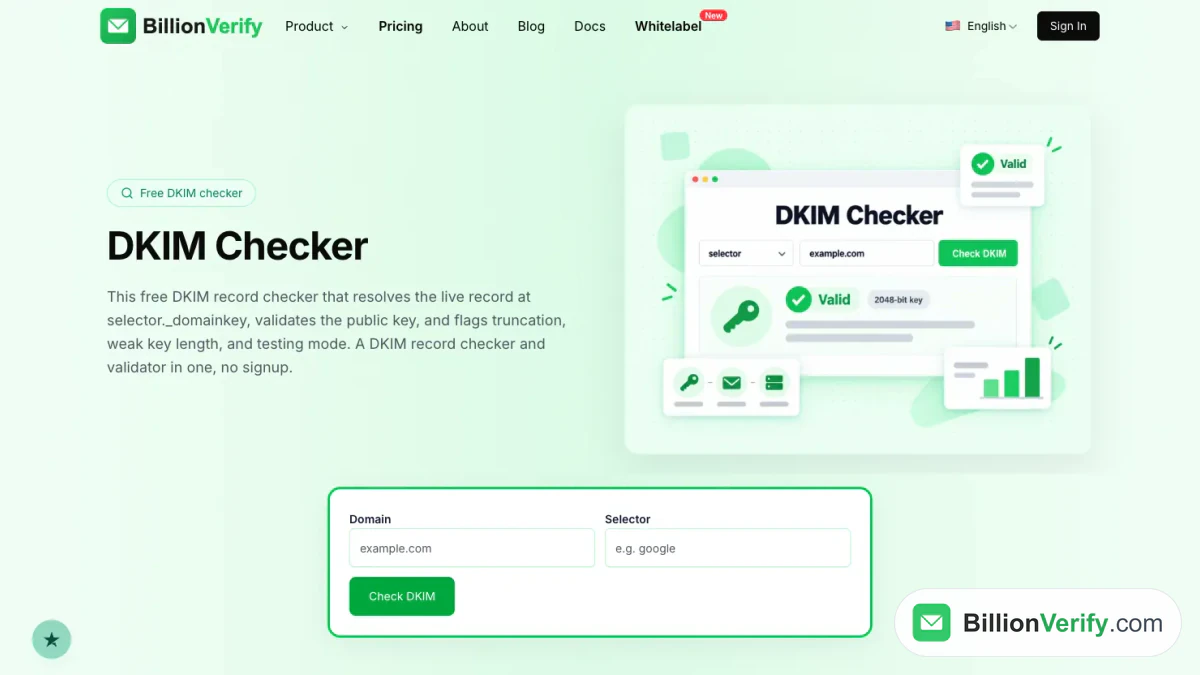
BillionVerify's DKIM checker reads the live record for a domain and selector.
Common Mistakes With a Trial
Most problems come from a short list of habits.
- Starting too early. The clock begins when you submit. Prepare your accounts first.
- Using a personal address. A work address is mandatory, and Lite refuses personal domains.
- Exporting without a plan. Each export uses a credit. Pick your best contacts first.
- Forgetting the end date. The week ends automatically. Your saved work may go with it.
- Ignoring the sales rep. A rep can tell you the credit limit and the length for your account.
- Mailing unchecked addresses. Bad addresses bounce. Run a verifier first.
- Joining Community Edition by accident. It asks you to connect a mailbox. Read the prompt.
Checklist
| When | Check |
|---|---|
| Before | Work address ready, target list written |
| Before | Decide whether Lite alone is enough |
| Start | Submit the form and confirm your address |
| Day 1 | Note the end date and ask about the credit limit |
| During | Search, filter and export only your best contacts |
| Day 6 | Verify the exported emails |
| End | Choose a paid plan, keep Lite or walk away |
| After | Unsubscribe from sales emails if you will not buy |
FAQs
Does ZoomInfo offer a free trial?
Yes, ZoomInfo offers a free trial. ZoomInfo's trial page offers limited-time access to the platform at no cost, and the pricing page has "Start free trial" buttons for each sales plan.
How long does the ZoomInfo free trial last?
According to ZoomInfo's FAQ, the ZoomInfo free trial is a one-week offer in most cases. The length can change with promotions, company size or industry, a sales rep and the package you choose.
Do I need a credit card for the ZoomInfo free trial?
No, the ZoomInfo free trial does not need a credit card. ZoomInfo says you only need the form and a confirmed address.
How do I get a ZoomInfo free trial?
You get a ZoomInfo free trial by submitting the form on ZoomInfo's trial page. The form asks for a business email, full name, phone number and job title, and then you verify your email.
What is included in the ZoomInfo free trial?
The ZoomInfo free trial includes searching companies and contacts, plus intent data and outreach tools, all within usage limits. ZoomInfo does not publish those limits on its trial page.
Can I cancel the ZoomInfo free trial?
A ZoomInfo free trial stops by itself, so you do not need to cancel a payment. ZoomInfo's FAQ says you can then choose whether to buy. If a rep contacted you, say that you will not buy.
What is ZoomInfo Lite?
ZoomInfo Lite is a free version of ZoomInfo with ongoing access to its B2B database. ZoomInfo describes it as a permanent free plan that needs no card, with a fixed monthly credit allowance.
What is ZoomInfo Community Edition?
ZoomInfo Community Edition is the Lite upgrade that gives more monthly credits in return for business contacts from a linked inbox. You join through Outlook, Google, Office or a CRM, and you can revert to standard Lite at any time.
Is ZoomInfo free?
Part of ZoomInfo costs nothing, and the rest does not. Lite, Community Edition and the trial are free. The sales plans are paid and priced by ZoomInfo's team.
Is ZoomInfo Community Edition free?
Yes, ZoomInfo Community Edition is free. Its community pays with data, not money: members share the business contacts found in a connected inbox or CRM. Community members get a larger monthly allowance than standard Lite users.
Can I use ZoomInfo for free forever?
You can use ZoomInfo for free for as long as you like through Lite, because the plan never expires. The trial is the part that runs out. Community members keep their extra credits only while the connection stays active.
Does ZoomInfo have a free version?
Yes, ZoomInfo has a free version called ZoomInfo Lite. It needs a business email, it is not open to past or current premium subscribers and unused credits expire each month.
Can I use a personal email for a ZoomInfo free account?
No, a personal email does not work for a ZoomInfo free account. ZoomInfo says Lite and Community Edition both need a work domain, and it names Gmail and Yahoo as personal ones.
Can I get a second ZoomInfo free trial?
ZoomInfo's public pages do not describe a second ZoomInfo free trial. They say trial terms vary, so ask the sales team. Lite is separate and is closed to past premium subscribers.
Should I verify emails exported from a ZoomInfo trial?
Addresses pulled from a ZoomInfo trial should be verified before you send, because contacts change jobs between data updates. BillionVerify reports catch-all, unknown, disposable and role addresses as separate results.
Watch: How to Validate a Phone Number: Free Phone Number Validator
Watch: Free Reverse Email Lookup: What It Shows and What It Can't