


Is GMX down? Only GMX can confirm it. The provider's German help site shows the GMX status at the top of each screen. If it reports no problems and you still cannot get in, the cause most likely sits on your side.
This guide shows where the GMX status lives and what to test next. It covers the browser, the mobile app and mail clients that use IMAP. It also explains what happens to messages that reach you while talk of GMX mail not working spreads. All GMX facts come from its help sites, as of the check above. We are not affiliated with GMX. BillionVerify is an email verification service. For a short definition of the provider, read what GMX is in our glossary.
Key facts (checked October 2026):
- The GMX status on hilfe.gmx.net is GMX's stated source for reliable news on problems.
- Per hilfe.gmx.net, a blue notice names the cause when GMX problems are reported.
- According to hilfe.gmx.net, trouble does not have to block every way into an account.
- For login or delivery problems, GMX asks customers to wait, because many of them can be affected.
- The SMTP standard, RFC 5321, requires a sending server to queue and retry mail it cannot deliver.
- BillionVerify charges nothing when a verification result is unknown.
How to Check the GMX Server Status
Where the GMX Status Appears
Open hilfe.gmx.net, GMX's "Hilfe & Kontakt" site. The GMX status sits under the breadcrumb. A blue strip reading "Aktueller Status: Keine Störungen" means GMX lists no problems at that moment. When something breaks, it explains why.
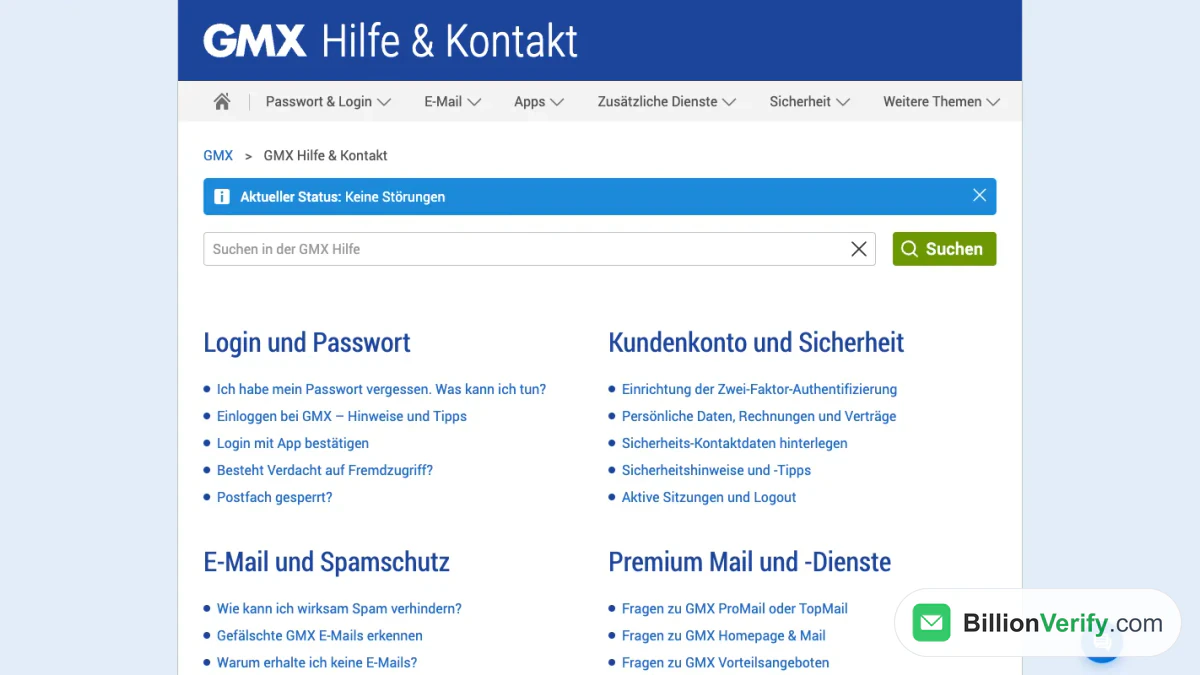
Screenshot: the strip on the home page of hilfe.gmx.net.
Each help screen repeats it, so you need no special address. GMX also wrote a short article that explains the strip.
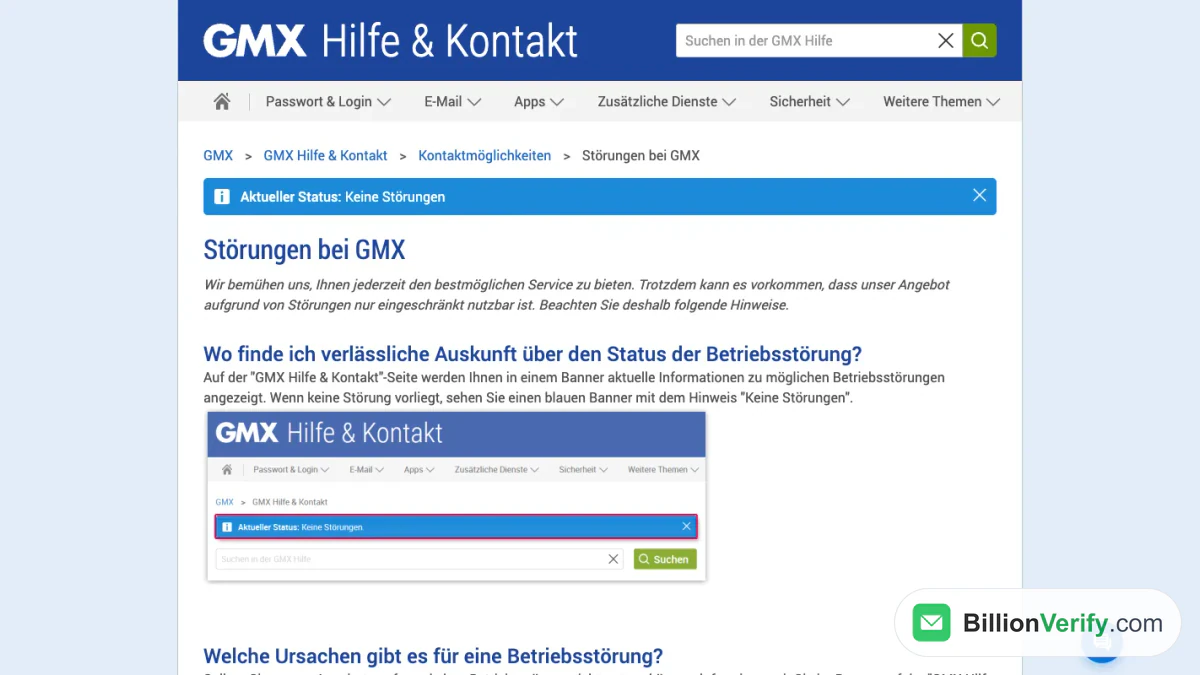
Screenshot: the outage explainer on hilfe.gmx.net.
The English site at support.gmx.com points to the same message. One article there says each help screen carries a server information message in its upper section. The pages we opened showed none, so use the German site for the check.
What the Strip Leaves Out
GMX links to no standalone website for GMX server status. The strip is the one place it points to. It lists no earlier problems and no times.
Trackers run by other companies exist as well. They collect reports from users. A burst of reports hints at GMX problems on the server side. It does not prove that GMX is down. Treat trackers as a second glance, never as the answer.
Test a Second Way In
A fault need not cut every route into your account. Try these three before you give up:
- Sign in through a browser at gmx.com or gmx.net.
- Open the GMX Mail app on a phone or tablet.
- Read your mail in an email program over IMAP or POP3.
If one route works and another fails, the whole service is not down. Look at the broken route. If all three fail and the GMX status names a cause, GMX is down, and waiting is the right move.
When GMX Not Working Means Only Your Setup
A quiet GMX status points at your device, your settings or your account. The next parts follow GMX's own articles.
A Browser Will Not Log In
Start with plain causes. A typo or Caps Lock is common. A password filled in by the browser can be out of date. Old saved data and damaged cookies are on the provider's list too. Clear the saved login, delete the cookies and try again. None of these problems appear in the GMX status.
One cause surprises people. A saved bookmark to the login screen can fail, and so can a tab left open for hours. Go to the GMX website and click "Zum Postfach" at the bottom on a computer. On a phone, tap Login at the top right.
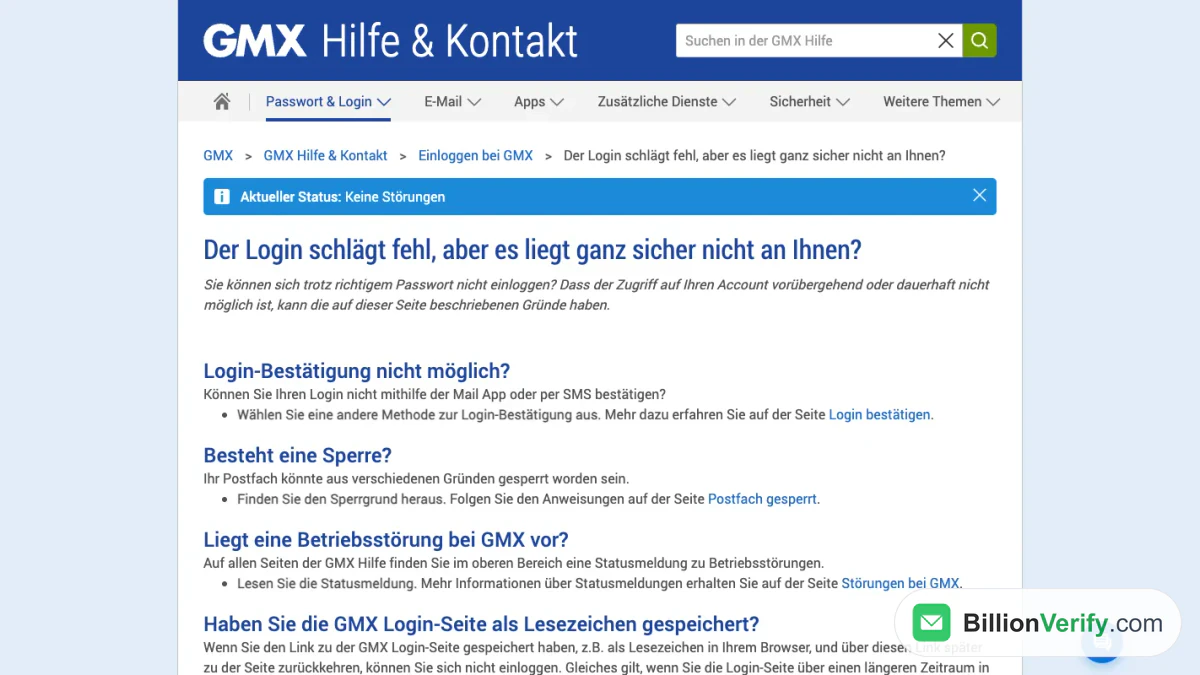
Screenshot: the help article on logins that fail despite a correct password.
Our GMX login guide lists the sign-in page for each domain and the reset steps. Most GMX login problems end there.
A lock can also stop you. Your mail account may be locked for several reasons. After more than a year without use, GMX may hand the name to someone else, and then it cannot be recovered.
The App Will Not Open the Mailbox
Old app versions use a login method that GMX no longer supports. Update the program first. Then update the phone's system if you can. The listed minimum systems are Android 5 and iOS 12.
Some locks show no message on the phone. Such problems stay local too. Log in with a browser and read the notice that shows after you sign in to your mail.
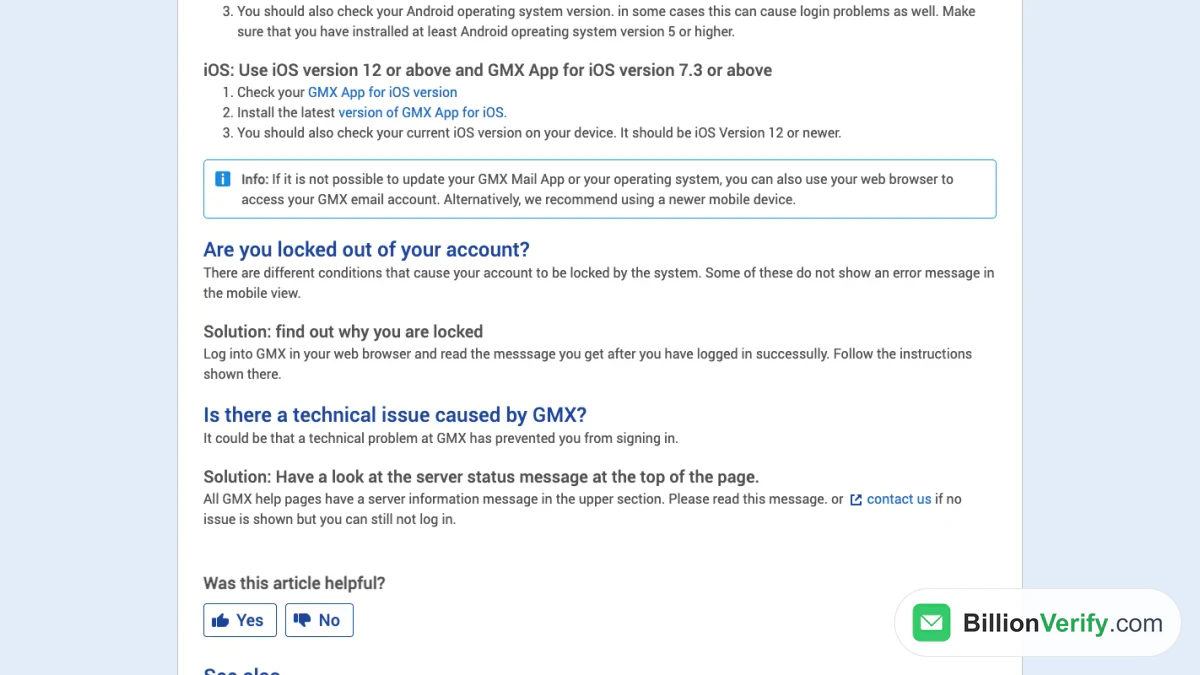
Screenshot: the English article on phone and tablet logins.
That page ends with one more tip. Read the server message first. If it shows nothing but the login still fails, contact GMX. Our GMX app guide covers installing the app and fixing sign-in trouble.
An Email Program Cannot Connect
Outside programs need access switched on in the account. It is off by default and turns itself off after a long period of non-use. An app password is also required when two-factor sign-in is on.
The servers refuse TLS 1.0 and 1.1, so an old client may fail for that reason. Compare the host names and ports with our IMAP and SMTP settings guide.
If the browser works and only the client fails, the account is fine. The server settings are the cause, and the GMX server itself is fine.
What Becomes of Mail Sent to You During a Fault
Nothing is lost at once. The sender's own server does the work, even if a GMX mail not working period lasts for hours. Section 4.5.4.1 of RFC 5321 states: "mail that cannot be transmitted immediately MUST be queued and periodically retried by the sender."
The same section adds two numbers. The retry interval "SHOULD be at least 30 minutes". Retries go on until delivery works or the sender gives up. The standard adds that "the give-up time generally needs to be at least 4-5 days."
These are general rules for any mail server, not GMX promises. Every sender picks its own limits. We found no GMX text about how inbound mail is handled in such a case.
So a short stretch of GMX problems is usually harmless. If a sender reports a bounce, ask for a resend.
Contact GMX When the Strip Shows Nothing
For this case GMX gives a clear instruction. If no GMX problems are listed but you cannot use your account, write to the help chat. It is the speech-bubble icon at the bottom right of the help page.
Phone numbers, chat times and other options differ by country. Our GMX customer service guide lists them.
Sending to GMX Users: Temporary Errors Versus Hard Bounces
Senders feel such faults too. A campaign to GMX addresses can hit errors that look alarming. Most are no reason to delete anyone.
SMTP splits error replies into two classes. The first class means "the error condition is temporary, and the action may be requested again." For the second, the client "SHOULD NOT repeat the exact request."
The same line appears in the provider's own text on bounce messages. A code in the 400 range is temporary, and the email will usually arrive later. A code in the 500 range means delivery fails unless something changes.
| Reply class | Meaning | What to do with the address |
|---|---|---|
| 4yz (temporary) | The recipient side could not accept the message now | Keep it and let your sending tool retry |
| 5yz (permanent) | The message cannot be delivered as sent | Check it and remove it if the mailbox does not exist |

BillionVerify's chart of the two bounce types.
A fault normally causes the first kind. A mistyped or dead mailbox causes the second. If your list holds gmx.com, gmx.net, gmx.de or gmx.at contacts, sort them before you send. Then trouble on the GMX server side is not confused with a bad entry on yours.
BillionVerify's email verifier checks one entry. Bulk email verification handles a list. Here is what to know:
- valid and invalid results cost 1 credit each, and unknown results are free
- a free re-check is available within 24 hours
- catch-all entries get their own label and are not counted as valid
- the free tier adds 20 credits per active day, up to 600 a month, and they never expire
- a REST API, an MCP server and 25+ integrations are available
- the servers are in France (EU), and a DPA can be signed
Our reverse email lookup shows the domain and public profiles tied to an entry. If you also collect phone numbers, our phone checker shows whether a number is valid for its country. We make no claim about how GMX answers checks.
FAQs
Where can I see the GMX server status?
GMX shows it in a blue strip at the top of hilfe.gmx.net, its German-language site. The same strip appears on every screen there.
Does GMX have an official status page?
GMX has an official article about outages, and the strip is its display. That article names the strip as the reliable source. Trackers by other companies are not official.
Is GMX email down if the web login works but my mail client fails?
No. A working browser login shows that the account and servers answer. The cause then sits in the client: switched-off outside access, a missing app password or an old TLS version.
Why is GMX not working only for me?
A saved bookmark, damaged cookies, an old app version and a lock each break access for one person. GMX documents all four of these problems.
Will I lose messages that people send me meanwhile?
Not by default. The sending server queues the message and tries again. Each sender's settings decide how long it keeps trying.
Should I delete a contact after one temporary error?
No. A temporary error means delivery can still work later. Remove a contact after a permanent error such as an unknown user, not after one failed attempt.
Should I verify GMX addresses before a campaign?
Yes. A check before sending separates dead and mistyped entries from healthy ones. BillionVerify labels each one valid, invalid, catch-all or unknown, and the unknown ones cost nothing.