




You can verify an email address without sending email by asking three questions in order. Is the text shaped like an email address? Does its domain publish a mail exchanger in DNS? Will that host accept this recipient? The last question uses the opening of a normal SMTP conversation: your program connects, names a sender, names the recipient with RCPT TO, reads the reply and leaves before any message is transferred. A clear yes or no from the destination settles most cases, but not all of them.
This guide walks through each layer, the reply codes that matter, and the situations where the answer stays uncertain. Every rule is quoted from the RFCs themselves and from the providers' own documentation, read on the RFC Editor site and the vendors' help centers in November 2026. Every code sample was run with Python 3.15 and Node.js 26 before publication. The SMTP examples talk to a test server on our own machine, not to anyone's production mail system. We have no connection with Google, Microsoft, the Postfix project or any standards body cited here, and providers revise their help pages, so recheck a rule before you build on it. BillionVerify is an email verification service, and the last section shows how it labels the results nobody can settle.
Key facts (checked November 2026):
- RFC 5321, section 3.3, says an SMTP server returns a 550 reply to RCPT when the recipient is known not to be a deliverable address.
- The same section warns that some servers do not perform recipient verification until after the message text is received, so a 250 at that stage is not proof that an inbox exists.
- RFC 7505 defines the null MX record, a single MX with preference 0 and the target ".", which states that a domain accepts no email at all.
- RFC 6647, the greylisting applicability statement, recommends that servers accept a retry within a window that by default runs from one minute to 24 hours.
- The Postfix address verification guide warns that some sites may denylist you when you probe them too often, especially for addresses that do not exist.
What You Can Learn Without Sending a Message
Each layer of the check answers its own narrow question, and passing it says nothing about the next. A syntax test reads characters and needs no network. A DNS query shows whether the domain exists and where its email is routed. The SMTP layer asks the destination host about a single recipient. None of them tells you whether the person who typed the email address can read that inbox.
The table lists the layers in the order a careful pipeline runs them. The cost column shows why the order matters: each step is slower than the last, so you only pay for the slow step when the cheap ones pass.
| Layer | Question it answers | What it costs | What it cannot tell you |
|---|---|---|---|
| Syntax | Is the string well formed? | Microseconds, no network | Whether anything behind it exists |
| DNS and MX | Does the domain exist and accept email? | One or two DNS queries | Whether this inbox exists |
| SMTP RCPT TO | Will the receiving host take this recipient? | A TCP connection to port 25 | Whether a later filter will bounce it |
| Confirmation | Does the owner read the inbox? | A real message and a click | Nothing more; this is the only proof of ownership |
The phrase "without sending" refers to the first three rows. They let you drop most bad entries from a signup form or an imported file while nothing leaves your domain. Bounces count against the domain you send from, so it is cheaper to catch a dead email address at the DNS or SMTP stage than to learn about it from a bounce. A confirmation email still has its place for new signups, because only a click proves the person behind the email address is real and willing.
Step 1: Check the Syntax Locally
Start with the format, because it costs nothing and filters typing slips instantly. RFC 5322, section 3.4.1, defines an email address as a local part, an @ sign and a domain name. The SMTP standard adds length limits: 64 octets before the @ and 254 usable octets for the whole string. Input that breaks these rules can be rejected without a single network call.
Keep this layer permissive. A pattern that is too strict turns away real customers with an apostrophe, a plus tag or a long ending such as .photography, and those users simply leave. Our guide to email syntax validation covers the rules, the regular expressions that get them wrong, and tested code in several languages, so this article does not repeat them.
A single rule from the syntax layer matters again later. Section 2.4 of RFC 5321 says the mailbox name must be treated as case sensitive, while domains follow normal DNS rules and are not. A verifier should therefore send the part before the @ exactly as typed. Lowercasing it before the probe changes the question you are asking.
Step 2: Look Up the Domain's MX Records
Once the format passes, find out where email for the domain goes. Section 5.1 of RFC 5321 sets the procedure every sending client follows, and a verifier should follow the same steps. The client first asks DNS for MX records. A name that does not exist must be reported as an error. If the lookup fails temporarily, the message must be queued and retried later.
An MX record has two parts, set out in clause 3.3.9 of RFC 1035: a preference number and the name of a host willing to act as a mail exchange. Lower numbers are preferred. When several records share a preference, the SMTP rules tell senders to pick among them at random to spread the load. A careful probe follows the same order, so it reaches the host that a real delivery would reach.
The possible outcomes of an MX lookup
The lookup can end in five ways, and each leads to a different verdict. The table pairs them with the rule behind each.
| DNS result | Meaning | Verdict for the address |
|---|---|---|
| NXDOMAIN | No such name in DNS | Invalid (SMTP standard, 5.1) |
| One or more MX records | Email goes to the listed hosts | Go on to the SMTP check |
| No MX, but an A or AAAA record | The host itself acts as an implicit MX | Probe that host next |
A single MX of 0 . | Null MX: no email accepted | Invalid (RFC 7505) |
| Timeout or server failure | Temporary DNS error | Unknown; try again later |
This fallback surprises people. Section 5.1 says that if the MX list is empty, the domain is treated as if it had an MX record of preference 0 pointing to itself. So a domain without any MX records can still receive email, as long as it has an A or AAAA record. The fallback applies only when no MX exists; if records are present but none is usable, the lookup has failed.
The null MX is the opposite case. RFC 7505 gives a domain a way to say it never receives email, so that mistyped addresses fail at once instead of hours or days later. It also says a relay rejecting a recipient for that reason should reply 556 with the enhanced status code 5.1.10. You can see it on the reserved names example.com and example.org, which publish exactly this record.
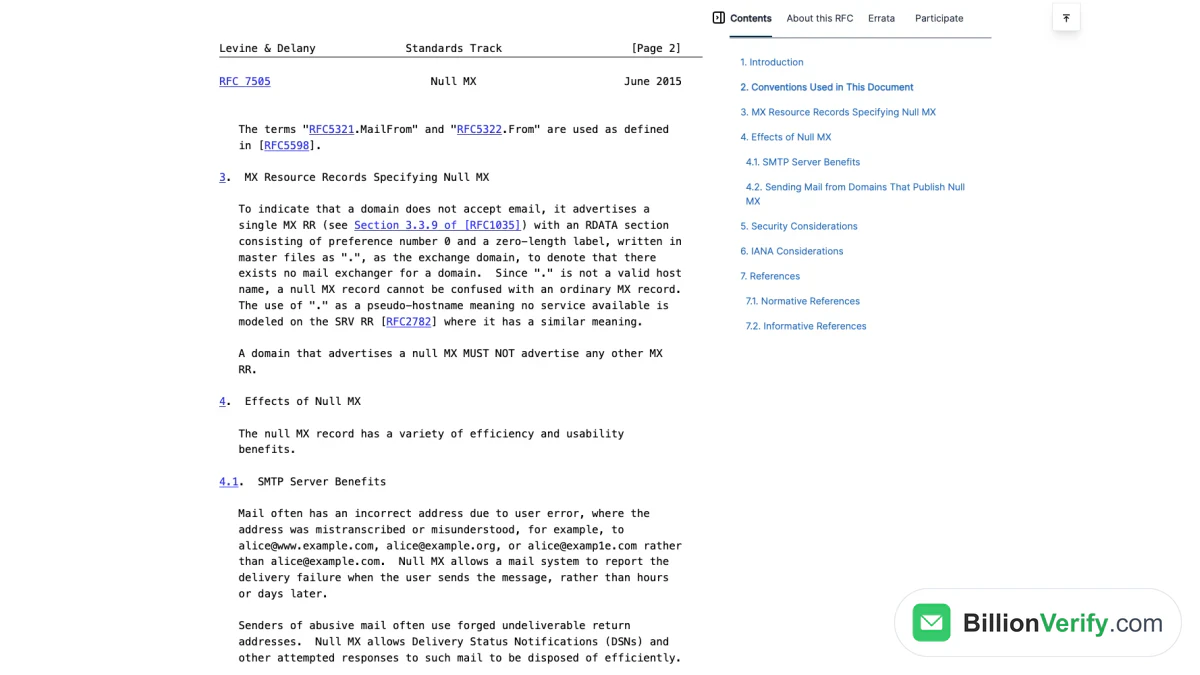
Screenshot: Section 3 of the 2015 standard that defines the record saying a domain takes no mail, captured 2026-11-21.
Python example with dnspython
The function below applies that order with dnspython's resolver. It was run with dnspython 2.9 in November 2026; the output is printed below the code.
import dns.exception
import dns.resolver

def mail_route(domain: str) -> str:
    """Describe where mail for a domain would go, following RFC 5321 section 5.1."""
    try:
        answer = dns.resolver.resolve(domain, "MX")
    except dns.resolver.NXDOMAIN:
        return "invalid: domain does not exist"
    except (dns.resolver.NoNameservers, dns.exception.Timeout):
        return "unknown: temporary DNS failure, retry later"
    except dns.resolver.NoAnswer:
        # No MX records: the domain itself acts as an implicit MX if it has an address.
        for rtype in ("A", "AAAA"):
            try:
                dns.resolver.resolve(domain, rtype)
                return f"routable: no MX, implicit MX via its {rtype} record"
            except (dns.resolver.NoAnswer, dns.resolver.NXDOMAIN):
                continue
        return "invalid: no MX and no address record"
    records = sorted((r.preference, r.exchange.to_text()) for r in answer)
    if records == [(0, ".")]:
        return "invalid: null MX, the domain accepts no mail"
    preference, host = records[0]
    return f"routable: {len(records)} MX, first try {host} (preference {preference})"

for domain in ["gmail.com", "example.com", "neverssl.com", "no-such-domain-7f3a.com"]:
    print(f"{domain:24} {mail_route(domain)}")

# gmail.com                routable: 5 MX, first try gmail-smtp-in.l.google.com. (preference 5)
# example.com              invalid: null MX, the domain accepts no mail
# neverssl.com             routable: no MX, implicit MX via its A record
# no-such-domain-7f3a.com  invalid: domain does not exist
Gmail publishes five MX hosts, and the preference-5 host comes first. The reserved example.com returns the null MX. The third domain publishes no MX records, so the fallback sends its email to the host's own A record. The made-up name fails with NXDOMAIN, which is a permanent answer, while a timeout would only mean "try once more later".
Node.js example with the built-in resolver
Node needs no extra package. Its dns.promises.resolveMx() returns objects with exchange and priority, and it reports a null MX as a lone record with an empty exchange.
import { promises as dns } from "node:dns";

async function hasAddress(domain) {
  for (const lookup of [dns.resolve4, dns.resolve6]) {
    try {
      if ((await lookup(domain)).length > 0) return true;
    } catch {
      // try the next record type
    }
  }
  return false;
}

async function mailRoute(domain) {
  let records;
  try {
    records = await dns.resolveMx(domain);
  } catch (error) {
    if (error.code === "ENOTFOUND") return "invalid: domain does not exist";
    if (error.code !== "ENODATA") return `unknown: ${error.code}, retry later`;
    records = [];
  }
  if (records.length === 0) {
    return (await hasAddress(domain))
      ? "routable: no MX, implicit MX via its address record"
      : "invalid: no MX and no address record";
  }
  if (records.length === 1 && records[0].priority === 0 && records[0].exchange === "") {
    return "invalid: null MX, the domain accepts no mail";
  }
  records.sort((a, b) => a.priority - b.priority);
  return `routable: ${records.length} MX, first try ${records[0].exchange}`;
}

for (const domain of ["outlook.com", "example.org", "neverssl.com", "no-such-domain-7f3a.com"]) {
  console.log(domain.padEnd(24), await mailRoute(domain));
}

// outlook.com              routable: 1 MX, first try outlook-com.olc.protection.outlook.com
// example.org              invalid: null MX, the domain accepts no mail
// neverssl.com             routable: no MX, implicit MX via its address record
// no-such-domain-7f3a.com  invalid: domain does not exist
For a one-off check you do not need code at all. An MX lookup shows the records for any domain in the browser, and our article on MX record validation explains the record types in more depth. Either way, a domain that fails here never needs the slower SMTP step.
Step 3: Ask the Mail Server With RCPT TO
The SMTP check reuses the first half of a normal delivery. Section 3.3 of RFC 5321 splits a mail transaction into three steps: MAIL gives the sender, RCPT commands give the recipients, and DATA transfers the content. Data must not be sent unless the server answers DATA with 354. A verifier quits at that point, so no message ever exists on the far side.
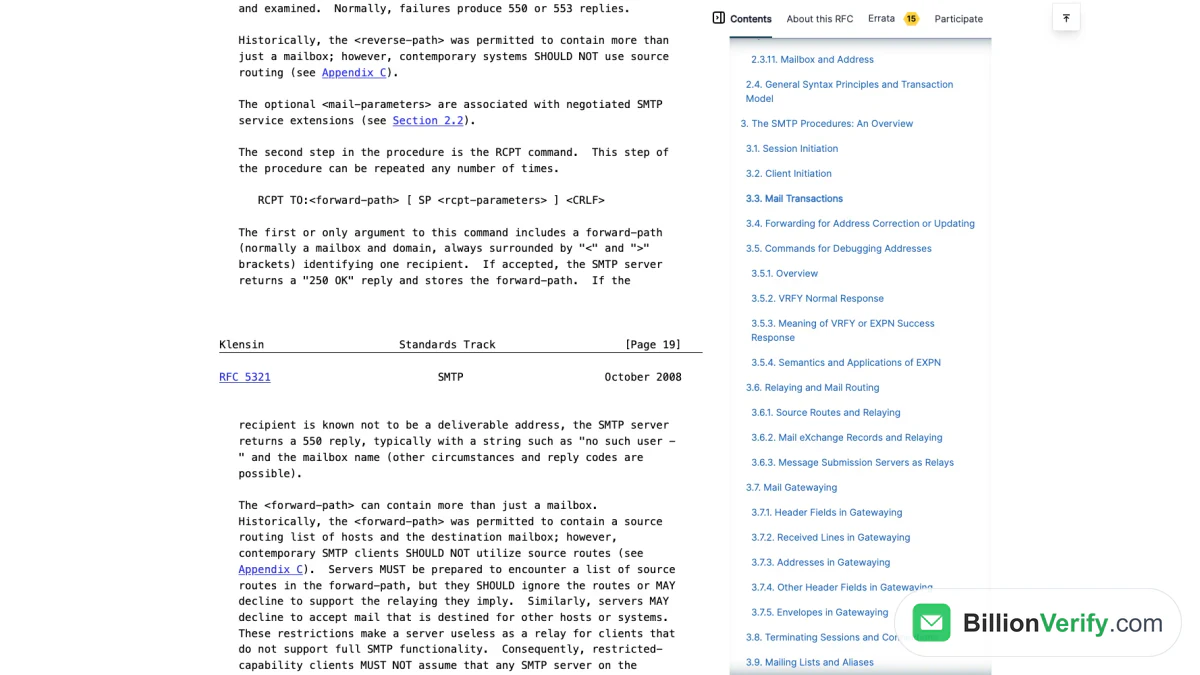
Screenshot: Section 3.3 of the SMTP standard on RCPT replies and the 550 code, viewed 21 Nov 2026.
The client then cleans up. RSET, from clause 4.1.1.5, aborts the current transaction and makes the server discard the stored sender and recipients. QUIT closes the session. The far end has logged a connection, but there is nothing to deliver and nothing lands in the inbox.
The SMTP conversation, line by line
The transcript below is a real session against the test server described in the next subsection. Lines starting with C: come from the client and lines starting with S: from the server. Python's smtplib sends commands in lowercase, which the standard allows, since verbs are not case sensitive.
S: 220 1.0.0.127.in-addr.arpa Python SMTP 1.4.6
C: ehlo verifier.sender.test
S: 250-1.0.0.127.in-addr.arpa
S: 250-SIZE 33554432
S: 250-8BITMIME
S: 250-SMTPUTF8
S: 250 HELP
C: mail from:<probe@sender.test>
S: 250 OK
C: rcpt to:<bob@strict.test>
S: 550 5.1.1 No such user here
C: rcpt to:<ana@strict.test>
S: 250 2.1.5 OK
C: rset
S: 250 OK
C: quit
S: 221 Bye
The server rejected the first recipient with 550 and the enhanced code 5.1.1, and accepted the second with 250. The RCPT step may repeat, so a single session can ask about several recipients. That is efficient, but the same standard lets a server hang up when it sees many such commands for invalid addresses, so keep the batch small.
A test server you can run on your own machine
Probing real providers to learn the protocol is a bad idea, for reasons covered in the limits section below. A local server with made-up domains behaves the same way and harms no one. The script uses aiosmtpd 1.4 and the .test suffix, which RFC 2606 reserves for testing.
# Local test server for four made-up .test domains. Run: python test_mx.py
import time
from aiosmtpd.controller import Controller

MAILBOXES = {"ana@strict.test", "ana@grey.test"}
first_seen = set()  # greylisting tuples: (client IP, MAIL FROM, first RCPT)
passed = set()      # client IPs that retried successfully (RFC 6647, section 5)

class Handler:
    async def handle_RCPT(self, server, session, envelope, address, rcpt_options):
        domain = address.rpartition("@")[2].lower()
        ip = session.peer[0]
        if domain == "policy.test":
            return "550 5.7.1 Delivery not authorized, message refused"
        if domain == "grey.test" and ip not in passed:
            if getattr(session, "greylisted", False):
                return "451 4.7.1 Greylisted, try again later"
            first = envelope.rcpt_tos[0] if envelope.rcpt_tos else address
            if (ip, envelope.mail_from, first) not in first_seen:
                # RFC 6647 suggests a retry window that opens after about a minute; skipped here.
                first_seen.add((ip, envelope.mail_from, first))
                session.greylisted = True
                return "451 4.7.1 Greylisted, try again later"
            passed.add(ip)
        if domain == "catchall.test" or address.lower() in MAILBOXES:
            envelope.rcpt_tos.append(address)
            return "250 2.1.5 OK"
        return "550 5.1.1 No such user here"

controller = Controller(Handler(), hostname="127.0.0.1", port=2525)
controller.start()
print("test server listening on 127.0.0.1:2525")
try:
    while True:
        time.sleep(3600)
except KeyboardInterrupt:
    controller.stop()
Each made-up domain imitates a real behavior. strict.test rejects unknown recipients, catchall.test takes whatever name you give it, policy.test refuses the client for a policy reason, and grey.test defers the first attempt the way RFC 6647 describes. Its greylisting follows the recommendation in part 5 of that document: the tuple is the client IP, the sender and the first recipient, and a client that retries successfully is allowed from then on.
Probing with Python's smtplib
The client below uses the standard smtplib module. For each entry it opens a session, asks about the real recipient first and a random decoy second, then resets and quits. The decoy is the catch-all test: if an inbox that cannot exist is accepted, an acceptance of the real one proves nothing.
import secrets
import smtplib

def rcpt_probe(mx_host, recipients, port=25, sender="probe@sender.test"):
    """Run EHLO, MAIL FROM and one RCPT TO per recipient, then RSET and QUIT.
    DATA is never sent, so no message exists to deliver."""
    with smtplib.SMTP(mx_host, port, local_hostname="verifier.sender.test", timeout=15) as smtp:
        smtp.ehlo()
        code, text = smtp.mail(sender)
        if code != 250:
            return {r: (code, text.decode()) for r in recipients}
        replies = {}
        for recipient in recipients:
            code, text = smtp.rcpt(recipient)
            replies[recipient] = (code, text.decode())
        smtp.rset()
    return replies

def verdict(address, mx_host, port=25):
    domain = address.rpartition("@")[2]
    decoy = f"{secrets.token_hex(8)}@{domain}"  # a mailbox that should not exist
    replies = rcpt_probe(mx_host, [address, decoy], port)  # real address first
    code, text = replies[address]
    if code >= 500:
        enhanced = text.split()[0] if text else ""
        if enhanced in {"5.1.1", "5.1.2", "5.1.10"}:  # RFC 3463 / RFC 7505 address errors
            return f"invalid ({code} {text})"
        return f"unknown: refused for another reason ({code} {text})"
    if code >= 400:
        return f"unknown, retry later ({code} {text})"
    decoy_code = replies[decoy][0]
    if decoy_code < 300:
        return "catch-all: the server accepts any local part"
    if decoy_code < 500:
        return "unknown: the catch-all test was deferred"
    return f"valid ({code} {text})"

for address in ["ana@strict.test", "bob@strict.test", "ana@catchall.test",
                "ana@policy.test", "ana@grey.test"]:
    print(f"{address:18} {verdict(address, '127.0.0.1', port=2525)}")
print(f"{'ana@grey.test':18} {verdict('ana@grey.test', '127.0.0.1', port=2525)}  <- retry")

# ana@strict.test    valid (250 2.1.5 OK)
# bob@strict.test    invalid (550 5.1.1 No such user here)
# ana@catchall.test  catch-all: the server accepts any local part
# ana@policy.test    unknown: refused for another reason (550 5.7.1 Delivery not authorized, message refused)
# ana@grey.test      unknown, retry later (451 4.7.1 Greylisted, try again later)
# ana@grey.test      valid (250 2.1.5 OK)  <- retry
Two details in this code are deliberate. The real recipient goes first, because greylisting keys on the first recipient, and a random decoy in that position would be greylisted again on every retry. And a 550 counts as invalid only when its enhanced code points at the address; the policy rejection gets the same 550 but says nothing about whether the inbox exists. Against a live domain, mx_host comes from Step 2 and the port is 25.
Why VRFY is not the shortcut it looks like
SMTP has a command built for this question. Clause 3.5 covers VRFY, which asks the server to confirm a user name, and forbids a 250 reply unless the name was actually verified. In theory that is cleaner than a half-finished transaction.
In practice, clause 7.3 lets sites disable VRFY for security reasons. A site that does so must answer 252, a code that means "cannot verify, but will accept and attempt delivery". So a 252 tells you nothing about the inbox. That clause also notes that RCPT can often reveal the same information, which is why verifiers use it instead.
Reading the SMTP Reply Codes
Every reply starts with three digits, and clause 4.2.1 gives the first digit the most weight. A 2yz reply means the command succeeded. A 4yz reply is a temporary failure, and the client should try again. A 5yz reply is permanent, and the client should not repeat the same request. For a probe, that first digit already sorts most answers into accept, retry or reject.
The table lists the codes you are most likely to see after RCPT TO, with their wording from clause 4.2.3 and how a verifier should treat them.
| Code | RFC 5321 wording (abridged) | How to treat it |
|---|---|---|
| 250 | Requested mail action okay, completed | Accepted; valid unless the domain is a catch-all |
| 251 | Not local; will forward | Accepted for forwarding |
| 252 | Cannot VRFY user, but will accept message | No information about the recipient |
| 450 | Mailbox busy or blocked for policy | Temporary |
| 451 | Requested action aborted: local error | Retry after a delay |
| 452 | Insufficient system storage | Later attempt may work |
| 550 | Mailbox unavailable: missing, access denied, or policy | Check the enhanced code first |
| 551 | User not local; try another path | No longer served here |
| 552 | Exceeded storage allocation | The inbox exists but is full |
| 553 | Mailbox name not allowed, e.g. syntax incorrect | Invalid |
| 554 | Transaction failed | Usually a rejection of the client |
The 550 row is the trap. The standard itself lists "mailbox not found, no access, or command rejected for policy reasons" under that single code. Enhanced status codes from RFC 3463 separate those cases. X.1.1 means "Bad destination mailbox address", the recipient does not exist. X.1.2 says the target system does not exist or cannot accept email. X.7.1 means "Delivery not authorized, message refused", which is a verdict on the sender, not on the recipient.
Providers publish their own wording for these codes. Google's list of Gmail SMTP errors and codes shows 550 5.1.1 with the text "The email account that you tried to reach does not exist". Microsoft's documentation on Directory-Based Edge Blocking shows that Exchange Online rejects an invalid recipient at the network edge with "550 5.4.1 Recipient address rejected: Access denied". Both mean the recipient is unknown, yet the enhanced codes differ, so a verifier needs per-provider knowledge on top of the RFCs. Our guide to SMTP email verification goes deeper into reading these replies.
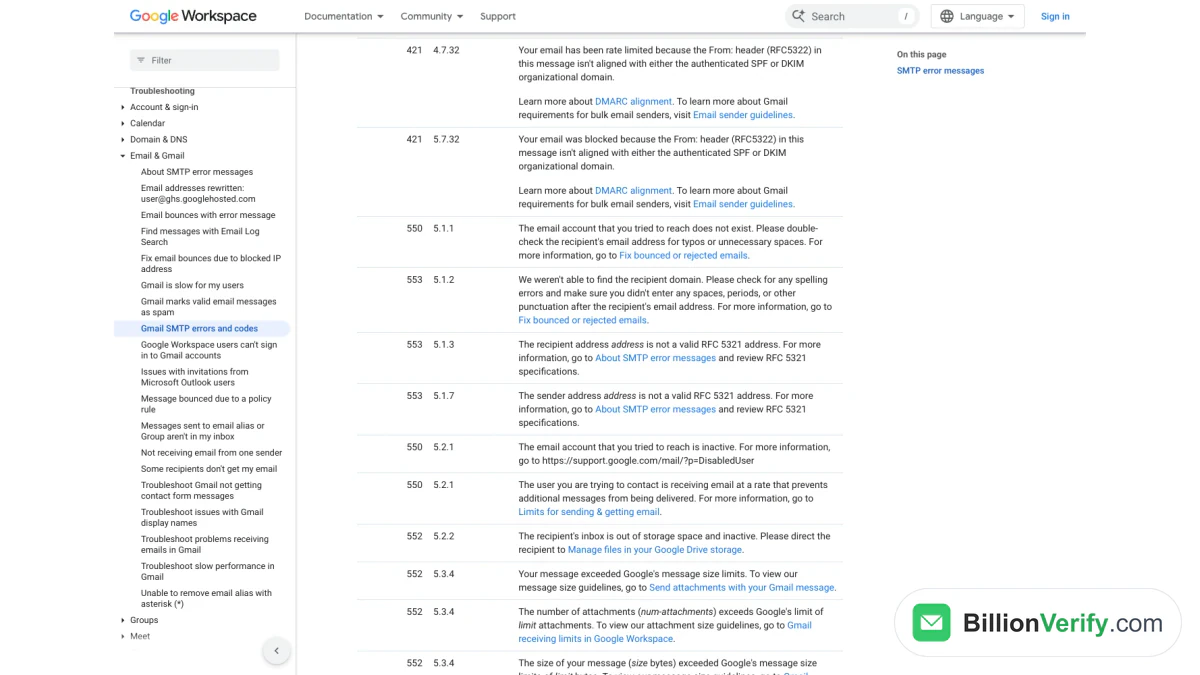
Screenshot: Google Workspace Help list of failure codes for Gmail delivery, retrieved on 21 November.
Where SMTP Probing Breaks Down
The RCPT check is strong evidence, not proof. Several well-documented behaviors produce an answer that looks clear and is not, or produce no answer at all. The sections below cover each one with the source that describes it.
Catch-all domains
A catch-all domain accepts mail for every possible name, so each answer is 250. Google Workspace documents this as an admin setting: its help page on how to get misaddressed email in a catch-all mailbox describes routing messages sent to non-existent or incorrect addresses into one shared inbox. On such a domain the probe cannot tell a real employee from a typo.
Microsoft 365 has a similar state for different reasons. The same Microsoft page tells administrators migrating to Exchange Online to keep the domain on "Internal relay" until all valid recipients exist in the service, and edge blocking only works once the domain is switched to "Authoritative". While it stays on internal relay, the edge does not reject unknown recipients. The random-decoy test in the code above is how a verifier notices either case, and our article on catch-all email detection covers the technique in detail.
Servers that accept now and bounce later
Some hosts say yes first and check the recipient afterwards. Section 3.3 is explicit that, in practice, some servers wait until the content has arrived before checking recipients, and that such servers should then return a failure message. The Postfix documentation describes the same gap from the sender's side: mail can bounce after a preferred MTA accepts the recipient, or even after it accepts the message content. Postfix adds that its own verification does not work with sites that report the failure only at the end of DATA.
There is no way to see this behavior short of a real delivery. A probe that ends early gets a 250 and reports the recipient as accepted. This is the main reason a verifier's "valid" means "the destination took it", and why a bounce can still happen.
Greylisting
Greylisting is a deliberate temporary failure. The applicability statement calls it degraded service for an unknown source, usually a 4yz reply that a legitimate sender will retry and much spamware will not. In RCPT greylisting, the server returns 4yz to all commands for the rest of the session when it has not seen the client, sender and recipient combination before.
For a verifier, a greylisted reply is "unknown", never "invalid". The cure is a retry inside the window the server accepts. RFC 6647 tells servers to honor retries that arrive within that one-minute-to-a-day range, and clause 4.5.4.1 of the SMTP standard says a sending client should wait at least 30 minutes between delivery attempts. A verifier that gives up on the first 451 marks good addresses as bad.
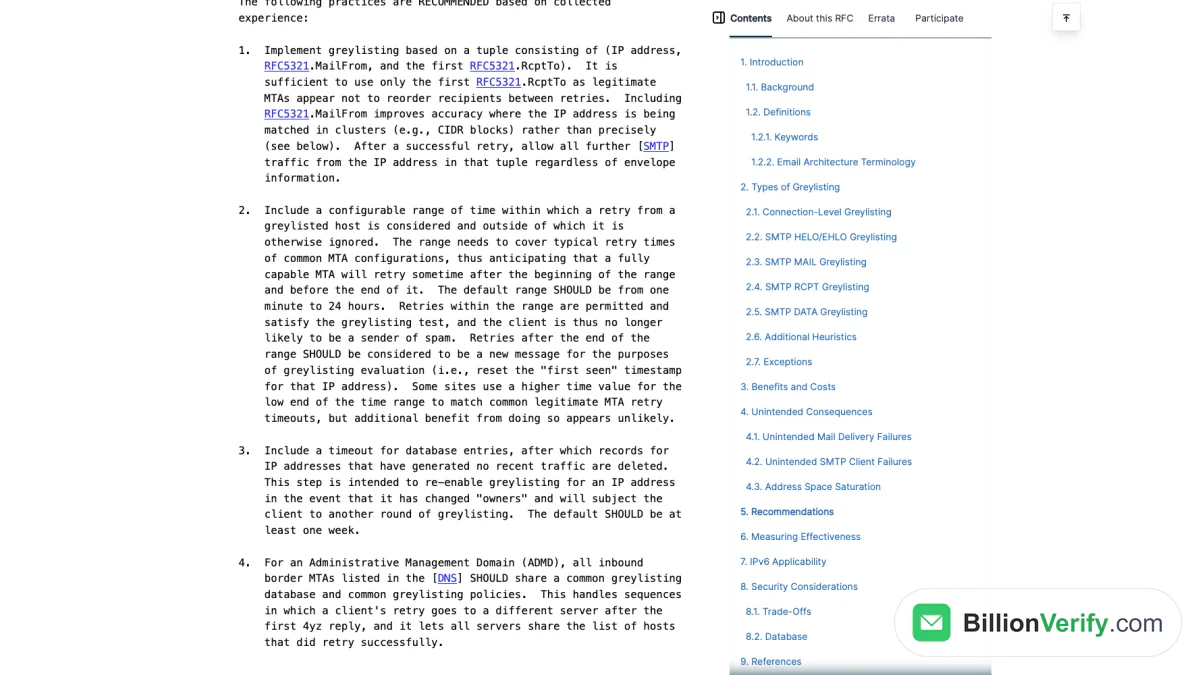
Screenshot: RFC 6647 recommendations on the retry range for greylisted senders, taken 11/21/2026.
Rate limits and blocks
Mail systems defend themselves against probing. Under clause 7.8 of RFC 5321, a server that sees a large number of RCPT commands with invalid addresses may drop the session after an appropriate number of 550 replies. Google's error list includes 450 4.2.1 for a user who is receiving email too quickly, and 4.7.28 replies for an unusual rate of email from your IP. The Postfix guide is the bluntest about probes: a site may put you on a denylist for doing it too often.
These defenses turn a working check into a source of false answers. A blocked probe looks like a refused one unless you study the enhanced code and text carefully. Spread probes over time, reuse cached results, and treat a policy refusal as "unknown" rather than "invalid".
Port 25 is often closed
Many networks will not let you open that port at all. Google Cloud's guide to sending email from an instance states that connections to destination TCP port 25 are blocked when the destination is outside your VPC network, due to the risk of abuse. The Amazon EC2 documentation says EC2 allows outbound traffic on port 25 only to private IPv4 addresses by default, and that you can request removal of the restriction. Ports 465 and 587 do not help, since they are for submitting mail to your own provider, not for talking to the recipient's MX.
Your sender identity is checked too
The destination judges you as well as the recipient. The MAIL FROM value in a probe should be real and able to receive replies. Clause 4.5.5 reserves the empty reverse path <> for bounce notifications, and says every other message should carry a valid one. RFC 7505 adds that many receiving systems reject mail with an invalid return path. If your sender domain publishes a null MX, a probe can be refused for reasons that have nothing to do with the recipient.
Authentication checks run at the same stage. RFC 7208, the SPF specification, recommends checking the HELO identity and requires checking the MAIL FROM identity when HELO gives no definitive result. A probe sent from a machine that the sender's SPF record does not authorize can therefore fail at MAIL FROM, before RCPT is ever reached.
Turning the Evidence Into a Verdict
The layers produce evidence, and a verifier has to turn it into a single label for each email address. The safest rule is to report only what the evidence proves and to keep "I could not tell" as its own answer. Mixing uncertain results into "valid" makes a list look cleaner than it is, and the bounces arrive later anyway.
The table summarizes the mapping used in the code above. It matches the way the RFCs describe each reply.
| Evidence | Label | Reason |
|---|---|---|
| Syntax fails | Invalid | Cannot be routed at all |
| NXDOMAIN, null MX, or neither MX nor A record | Invalid | DNS rules out delivery |
| 5yz with X.1.1, X.1.2 or 5.1.10 at RCPT | Invalid | No such recipient |
| 5yz for policy, or 554 for the client | Unknown | The refusal concerns the sender |
| 4yz, timeout or closed port | Unknown | Retry inside the greylisting window |
| Random decoy also accepted | Catch-all | A yes that means nothing |
| Real recipient accepted, decoy rejected | Valid | Strongest evidence short of a delivery |
Notice what the last row does not promise. Even "valid" means the recipient got past the RCPT stage, and the standard allows that server to reject the message later. That is why a careful verifier never claims a level of certainty it cannot show, and why a confirmation email remains the final word for new signups.
Running all of this yourself is entirely possible, and the code above is a fair starting point. The hard parts are operational: an IP that mail systems trust, retry scheduling around greylisting, per-provider knowledge of reply codes, and pacing that keeps you off denylists.
How BillionVerify Reports the Uncertain Results
BillionVerify runs the same four layers described here and labels the unclear outcomes honestly instead of folding them into "valid". A catch-all domain comes back as its own category, catchall, never as valid. Results the destination would not settle, such as greylisting, rate limits or a policy refusal, come back as unknown, and unknown results cost nothing. Valid and invalid results cost a credit each, and a file you fix and upload again within 24 hours is rechecked free.

For one email address at a time, the BillionVerify Email Checker runs a live SMTP check and reports disposable, role and catch-all flags separately, with no signup. A free online email verification tool on the same site shows the syntax, MX and mailbox steps for a single entry and allows 20 checks per IP every 24 hours. For files and automation, bulk email verification and the REST API apply the same layers, and a free account gets 20 credits on each day it is used, up to 600 a month, with no credit card. The verification reasons reference lists every reason code the API can return, including null_mx, mailbox_not_found, smtp_greylisted and catch_all_domain.
The request below follows the API quickstart and was run with a real key in November 2026. The first entry sits on a domain with a null MX. The second is a made-up recipient on our own domain, which is set up as a catch-all.
import json
import os
import urllib.request

def verify(email: str) -> dict:
    request = urllib.request.Request(
        "https://api.billionverify.com/v1/verify/single",
        data=json.dumps({"email": email}).encode(),
        headers={"BV-API-KEY": os.environ["BV_API_KEY"],
                 "Content-Type": "application/json"},
        method="POST",
    )
    with urllib.request.urlopen(request, timeout=60) as response:
        return json.load(response)["data"]

for email in ["test@example.com", "no-such-user-7q2x@billionverify.com"]:
    data = verify(email)
    print(email, data["status"], data["reason"], data["is_catchall"])

# test@example.com invalid null_mx False
# no-such-user-7q2x@billionverify.com catchall catch_all_deliverable True
The second result is the point of this whole article. The far end accepted an inbox that does not exist, and the response says so with catchall instead of calling it valid. If you send to such addresses, watch their bounces separately. When an email address checks out but you still want to know who stands behind it, a reverse email lookup reads the domain, organization, mail routing and any public profile behind it. If the same form collects phone numbers, a phone number validator checks whether each number is valid for its country and normalizes it to E.164 before you store it.
FAQs
Does checking an address notify the recipient?
No. The check stops after RCPT TO and never sends DATA, so no message is created and nothing reaches the inbox. The far end may log the connection, as it logs every SMTP session, but the owner sees nothing.
Can I check if an email exists with complete certainty?
No method short of a delivered message and a reply gives certainty. Catch-all setups accept everything, some hosts check recipients only after the body arrives, and greylisting delays answers. A layered check removes many bad entries before you send, and a confirmation email settles ownership.
What does an "unknown" result mean?
It means the receiving side gave no usable answer about the recipient. Common causes are greylisting, rate limiting, a refusal aimed at the client rather than the inbox, or a closed port. Many unknowns resolve on a later retry, so they belong in a separate list, not in the invalid pile.
Why does a catch-all result count as risky rather than valid?
Because that kind of yes is automatic. Such a host answers 250 to any name, including one that cannot exist, so the probe cannot separate a real employee from a mistake. Some of those messages will reach a person, and others will be discarded or bounced later.
Why can't I connect to port 25 from my cloud server?
Many cloud providers restrict that outbound port by default because of abuse. Google Cloud blocks it to destinations outside your network, and Amazon EC2 allows it only to private addresses unless you request an exception. Without it you cannot reach a recipient's MX, so the SMTP step needs a host where the port is open.
Is an SMTP check the same as sending a test message?
No. A test message completes DATA and delivers real content, which can bounce and count against your domain. An SMTP check ends the transaction before DATA and resets it, so there is nothing to bounce. That difference is the whole reason the check exists.
Watch: Email Checker: How to Check an Email Address for Free