


Chapter 1 of 7 · What Wiza's status means
About BillionVerify
BillionVerify tells you whether an email address is real before you send to it: syntax, domain and MX, a live SMTP check, and separate flags for disposable, role and catch-all addresses.
Try the free Email CheckerAbout this video
This video uses sample data, not real Wiza data. Column names come from the Wiza help center. BillionVerify is not affiliated with or endorsed by Wiza. File verification needs a paid account.
Video transcript
What Wiza's status means
Wiza's email status says valid or risky. Here's what risky really means, and what to do before those rows reach your sender. A Wiza list has an email_status column. Each lead is valid, risky, or has no email found. Next to it sits an email type: work, personal or generic. Valid is the easy one. Risky doesn't mean bad. It means Wiza couldn't tell you either way. Risky rows also cost you nothing, so they're easy to keep. That means most lists you pull can carry this group.
Two options from Wiza
Wiza's guide gives you two options. Leave them out, which works when your market is huge. Or mix them in, eighty percent valid and twenty percent risky. Either way, you're treating every risky row the same. There's a step before either one. Find out which risky rows are safe, which are catch-all, and which should go.
Valid has a date
Wiza's verification article lists checks from syntax through SMTP and catch-all detection. So your valid rows have been through a proper test. The catch is when. That test ran the day you built the list. Sit on it for a few weeks, and valid only describes the past. One more trap. Skip Duplicates works folder by folder. Export into a new folder, and the same person comes back. So if you combine files, remove the repeats first. You can also trim the list first. On the configure page, Accepted email types lets you drop Generic before the scan runs, so fewer shared inboxes reach your file.
Download and verify
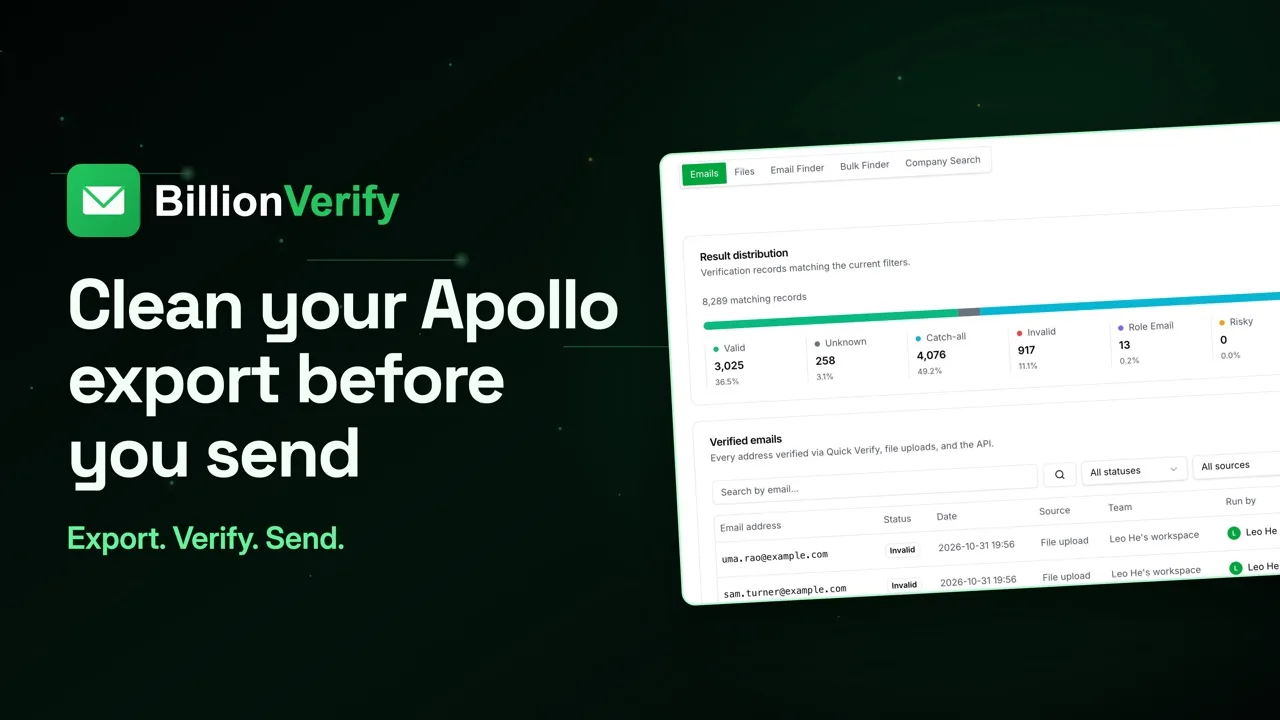
Open your finished list in Wiza and take the all contacts download. That's the one with the status column. Leave the CRM dropdown alone for now, and delete rows with no email. Drag it into File List Verify. Hit Verify, then go do something else. You'll get an email at the end. This breakdown comes from larger sample lists, not Wiza data. It shows how the list divides up.
Route each row
Your file keeps Wiza's columns and gains ours. Now each risky row has its own answer: valid, catch-all, invalid or unknown. Send valid as normal. Catch-all gets its own lower-volume send. Role gets a shared-inbox message, and that's where generic addresses usually end up. Park unknown. Suppress invalid and disposable.
What it costs
Here's our billing. Catch-all and role count as results, and each result takes one credit. No charge for unknown, disposable or bad syntax. Files need a paid account. Buying credits once, in any amount, unlocks that.
Get started free
20 free credits every day you use your account, up to 600 a month. No credit card required. Start at billionverify.com.
Featured in this video
Wiza Email VerificationWiza Email Verification: verify Wiza exports before sending. Output from the Wiza LinkedIn Sales Navigator workflow needs an SMTP check before outreach.Try Wiza Email VerificationMore in B2B Leads
All email verification videos
BillionVerify pricing
Start free, then pay for what you verify. Pick a plan or buy credits once.
Billed yearly $76.80 for the first year, then $96
Save 60%$0.00032 / per credit
All 240,000 credits arrive at once. Use them anytime.
Choose your credits
Included in every paid plan
- 240,000 credits / year
- Single email verification
- Bulk email verification
- Email Finder
- Bulk Email Finder
- Company Search
- Live SMTP mailbox check
- Real-time API + batch processing
- CSV & Excel upload support
- Comprehensive verification reports
- Workspaces and teams with spend limits
- Credits never expire
Try the AI email verification features
20 free credits every day you log in, up to 600 a month. Free AI first email verification across every feature, no credit card.
Native MCP Server integration · Catch-all reported separately · Free tier, no credit card