



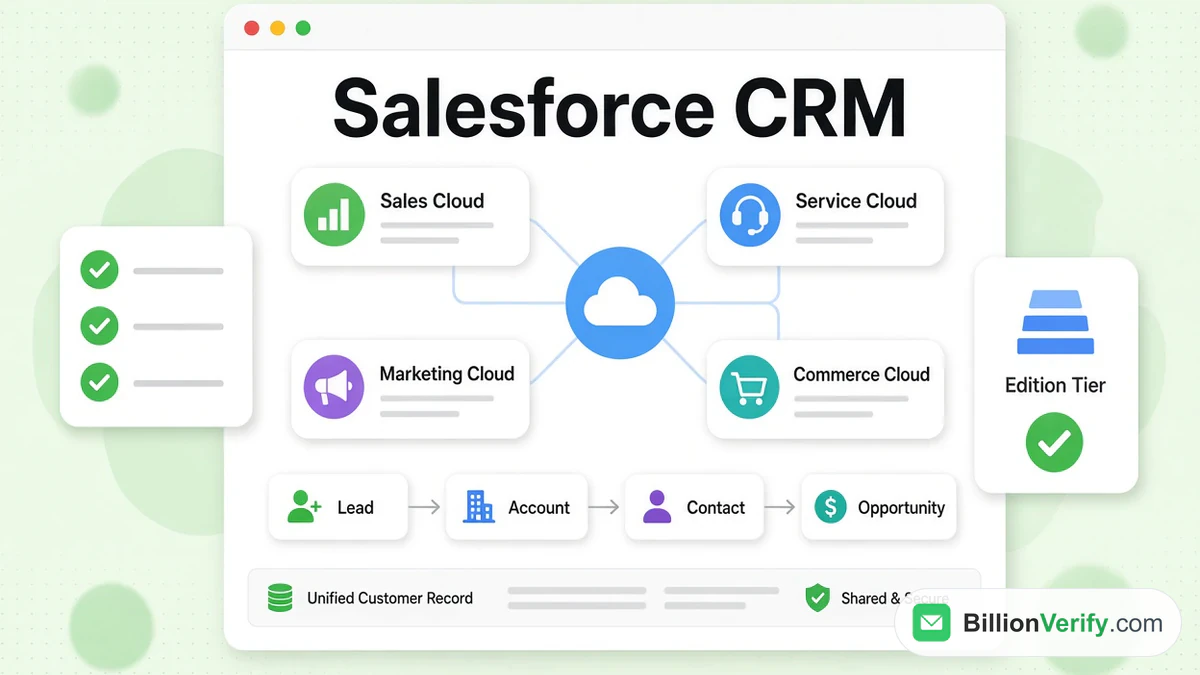
Salesforce CRM is a cloud customer relationship management platform that stores every person and company you sell to, tracks each deal, and records the service and marketing work around them. Salesforce is a CRM first, and over the years it has grown into a wider platform with service, marketing, commerce and AI products on top of the same customer data. On its own site, Salesforce calls it "the world's #1 AI CRM" and says it unites sales, service, marketing, commerce and IT on one integrated platform.
This guide explains the CRM in plain terms. It covers what the product includes, the four records that sit at the heart of Salesforce, the Sales Cloud editions with the prices Salesforce lists today, and how Salesforce compares with HubSpot. It then shows how to start, with a free trial or a free developer environment, and how to keep bad email addresses out of the system. Every Salesforce fact comes from salesforce.com, the Salesforce developer documentation or Trailhead, read in November 2026. Salesforce changes its editions and prices often, so confirm the numbers on the day you buy.
We are not affiliated with Salesforce. BillionVerify is an email verification service. For a shorter overview of the company and its product range, read our guide to what Salesforce is.
Key facts (checked November 2026):
- Salesforce CRM software is the customer relationship management product from Salesforce, which says on its site that it opened in 1999, pioneering SaaS.
- The four core Salesforce CRM records are Lead, Account, Contact and Opportunity, as defined in the Salesforce Object Reference.
- Its pricing page puts Sales Cloud at $25 (Starter Suite), $100 (Pro Suite), $195 (Core), $395 (Advanced) and $550 (Max) a month for each user.
- Salesforce offers a free trial of Sales Cloud with no credit card, and a free Developer Edition for building apps.
- The developer documentation notes that an email address on a Lead or Contact can carry bounce data, but only after a message has already bounced.
- BillionVerify can check a list before it is imported, and unknown results are not charged.
What Salesforce CRM Does
CRM stands for customer relationship management. Salesforce describes it as an AI-powered technology that helps companies stay connected to customers, streamlines processes for employees and improves profitability. In practice a CRM is the shared record of who your customers and prospects are and what has happened with each of them. Salesforce says a CRM lets you store contact information, identify sales opportunities, record service issues and manage marketing campaigns in one central location that is available to stakeholders across the company.
That definition explains why the same product serves very different teams. A sales rep sees the next call and the open deals. A support agent sees the open cases for the same person. A marketer sees which campaign brought them in. Everyone reads and writes to one customer record instead of keeping private spreadsheets, which is the main reason teams adopt the CRM in Salesforce. When people ask whether Salesforce is a CRM or a bigger platform, the honest answer is both: the CRM is the core data and process layer, and the other products plug into it.
Salesforce also gives its own history on its company page. It says it opened its doors in 1999, pioneering software as a service, and names Marc Benioff as chair, CEO and co-founder. The CRM page adds that its industry solutions are built on more than 25 years of industry-specific experience, covering healthcare, retail, high tech and the public sector among others. Salesforce publishes customer stories on that page, including Engine, Good360, Precina and reMarkable, but gives no total customer count there.
The CRM in Salesforce: Clouds and Platform
The CRM in Salesforce is sold as a set of products, which it calls clouds, plus platform pieces that connect them. On the CRM page the main headings are Agentforce, Sales Cloud, Service Cloud, Marketing Cloud and Commerce Cloud, followed by Data 360, Slack, MuleSoft and AgentExchange. Each cloud reads from the same customer data, which is the reason Salesforce talks about a single, shared view of every customer.
Sales Cloud
Sales Cloud is the part most people mean when they say Salesforce CRM software. Salesforce says it powers the entire sales process and brings AI agents and human reps together at every step. The lowest tiers cover records for prospects, companies, people and deals, plus lead routing and AI that keeps mail, calendar and contacts in step. Higher tiers add quoting, forecasting, seller programs and more AI, and the editions section below lists them with their prices.
Service Cloud and Marketing Cloud
Service Cloud handles the support side. Salesforce says it unites agents, human expertise and trusted data for one seamless experience across the customer journey. Marketing Cloud covers campaigns: Salesforce says teams work with agents to plan and create campaigns, optimize them and orchestrate experiences across channels. If email marketing is your main interest, our guide to email marketing tools compares the dedicated platforms that many teams connect to Salesforce.
Commerce Cloud, Agentforce and the platform
Commerce Cloud connects ecommerce, point of sale and order management. Agentforce is Salesforce's agentic AI layer, which it says works across the entire CRM in Salesforce. The same page describes AgentExchange as a marketplace for partner apps. The CRM page also says the CRM connects to tools such as Slack, Claude and Teams, so work can happen where people already are.
Core Salesforce CRM Objects
Salesforce stores information as objects, which behave like tables of records with their own fields. The Object Reference in the developer documentation lists hundreds of standard objects, but four of them carry almost every sales process, namely leads, accounts, contacts and opportunities. Understanding how they relate is the quickest way to see how the CRM in Salesforce is organized.
| Object | Salesforce's definition | How it connects |
|---|---|---|
| Lead | "Represents a prospect or lead." | Becomes a company, a person and a deal on conversion |
| Account | An organization or person involved with your business, such as customers, competitors and partners | Can have a parent account; contacts and opportunities attach to it |
| Contact | A person associated with an account | Sits under an account; can report to another contact |
| Opportunity | A sale or pending deal | Links to an account and a contact |
Lead
Leads are prospects who have not yet been qualified. The Lead object has two required fields: the last name and the company. It also holds the lead's email address, phone number, title, industry, annual revenue, number of employees and the origin or source of the lead. The Status field uses a picklist that your administrator defines, and the Rating field stores the lead's rating.
Leads have one more detail that matters for teams with routing rules. The IsUnreadByOwner field is true if the lead owner has not yet viewed or edited the lead, so reps can see which assigned leads they have not touched. Leads can also be assigned to users by assignment rules, which is how a form submission ends up in front of the right person.
Account
Most accounts are companies, though with person accounts an account can be an individual. The Object Reference gives it a wide scope: customers, rivals and partners can all be accounts. The account name is required and can be up to 255 characters. Accounts can point to a parent account, which is how a company with several subsidiaries is modelled.
Person accounts deserve a short note. They let a business that sells to consumers store a person without a company, and the Object Reference lists person accounts as disabled by default. A business that sells to other businesses usually leaves them off and works only with company accounts.
Contact
A contact is a person who belongs to an account. The Contact object stores the email address, the phone numbers and the account it belongs to, and it can point to another contact through a reports-to relationship, so you can map who works for whom inside a customer. The last name is the only required field.
Opportunity
An opportunity is a pending sale. It attaches to an account, can link to a contact, and can carry a campaign and a contract. Opportunities are what forecasts and pipeline reports are built from. Salesforce's lower-tier editions list opportunity management in the feature set, and the Pro Suite adds quoting and forecasting on top of it.
Converting a lead
Lead conversion is the step where the four objects of the CRM in Salesforce meet. The Object Reference explains that leads have a special state to indicate that they have been converted into an account, a contact and an opportunity. Users can convert leads in the Salesforce interface, and developers can call the convertLead() method from an application. After conversion the lead is read only, though you can still query it, and only users with the View and Edit Converted Leads permission can update it.
Conversion writes its result onto the lead through six fields: ConvertedAccountId, ConvertedContactId, ConvertedDate, ConvertedOpportunityId, IsConverted and Status. A converted lead is no longer available in the Leads tab, although you can still include it in reports. One rule surprises developers: you cannot convert a lead through the API by changing Status to a converted value. The conversion has to go through the convert call or the interface.
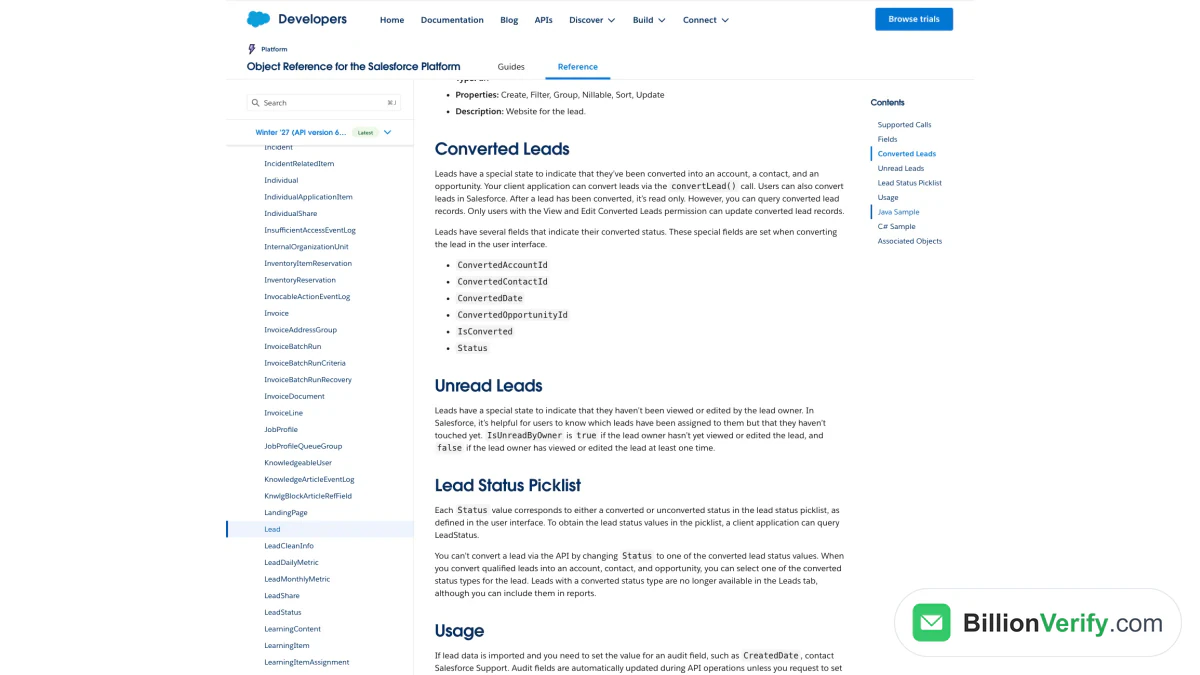
Screenshot: the Converted Leads section of the Lead object in the Salesforce Object Reference, November 2026.
Salesforce CRM Editions and Pricing
Salesforce lists Sales Cloud prices in US dollars for each user, each month. In November 2026 the pricing page shows two entry suites aimed at smaller teams, followed by three higher editions. Salesforce adds that the page is provided for information purposes only and is subject to change, and that you should contact a sales representative for detailed pricing information.
| Edition | Price (USD per user per month) | Billing as listed | What Salesforce lists |
|---|---|---|---|
| Starter Suite | $25 | Monthly or annually | The core CRM records, sales flows, routing for leads, AI that syncs emails, events and contacts, dynamic email marketing and analytics |
| Pro Suite | $100 | Annually | Everything in Starter plus greater customization and automation, sales quoting and forecasting, access to AgentExchange, Premier Support as an add-on |
| Core | $195 | Annually | Built-in AI, Slack Business+, Tableau Next, Momentum and Premier Success |
| Advanced | $395 | Annually | Everything in Core plus enhanced security, more AI and expanded data capacity, Sales Programs, Backup and Recover, Archive, Data Detect and Security Center |
| Max | $550 | Annually | Everything in Advanced plus the full suite of AI, Agentforce for Sales and Agentforce Coworker, Spiff, Sales Planning, Maps and Slack Enterprise+, with 2.75M Flex Credits per org per year |
The comparison table on the same page also lists a Free Suite at $0, with Slack Free as its Slack tier. The Starter Suite page adds two details worth reading before you plan a budget: the $25 figure is a starting price, and transaction fees apply. It also says the Pro Suite is billed annually and requires a contract. Max has no free trial link, only a contact-us button.
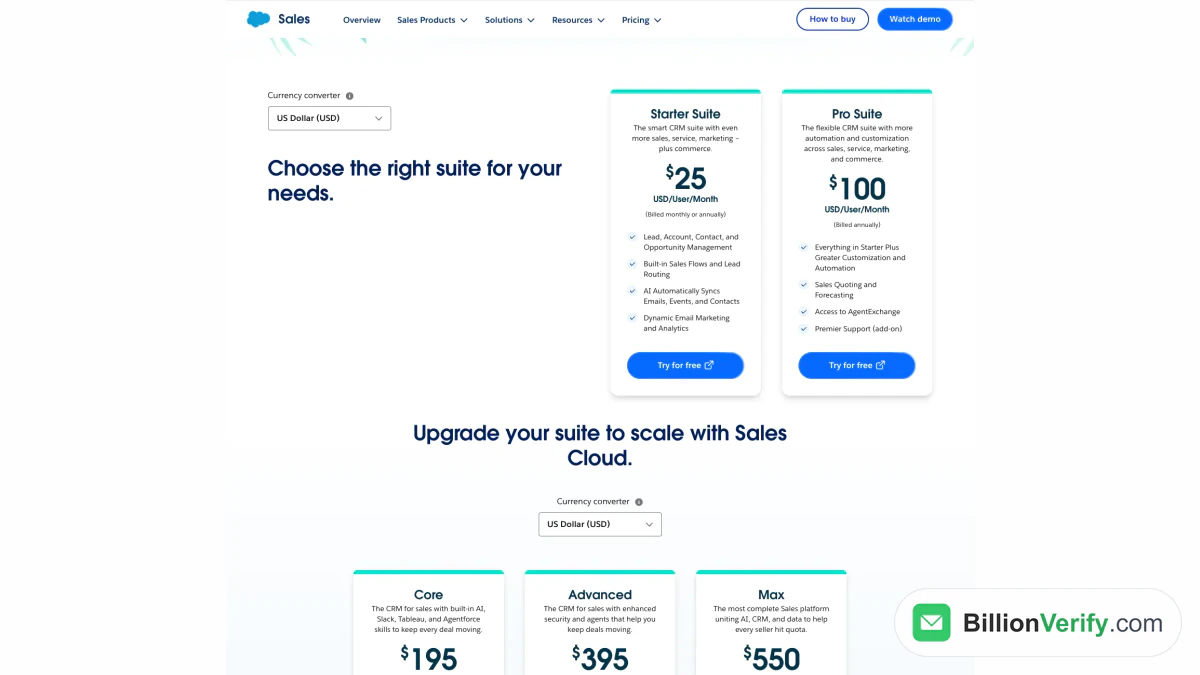
Screenshot: the Sales Cloud pricing page on salesforce.com, November 2026. Starter Suite and Pro Suite sit above the three higher editions.
Add-ons and success plans
Several products are priced on top of an edition. The same pricing page lists Agentforce for Sales from $125, Sales Programs from $100, Revenue Intelligence from $220 and Revenue Cloud from $200, all for each user each month, and Partner Relationship Management from $10 per login. AI can be added to Core and above. Every licence includes the Standard Success Plan, which gives access to knowledge articles, documentation, Trailhead and the Global Trailblazer Community, while the Premier Success Plan is included with Core, Advanced and Max.
The other clouds have their own pricing pages, so a team that buys several of them adds the lists together. The table above covers only the sales side.
Salesforce CRM Software Compared With Other CRMs
Salesforce is not the only choice, and the clearest difference between CRMs is how they are packaged. Salesforce sells editions by the seat and limits its trial to 30 days. HubSpot, the CRM most often compared with it, says its CRM is "100% free with no expiration date" with no credit card required, and lists paid tiers that start at $15 (Starter), $50 (Professional) and $75 (Enterprise) a seat on its CRM page. HubSpot says the $15 Starter price is a discount for new customers that can be discontinued at any time. Our guide to what HubSpot is covers its products in the same way.
Those two sets of numbers are not directly comparable, because the editions bundle different things. Salesforce's lowest suites include sales flows, lead routing and email marketing in one price, while its higher editions add AI, Slack, analytics and security features. Read both HubSpot's CRM page and Salesforce's pricing page against your own list of required features, and count the users, not just the licence price, when you weigh the CRM in Salesforce against its rivals. Other products such as Zoho CRM, Pipedrive and Microsoft Dynamics also compete here, and each has its own pricing page.
Two practical differences come from Salesforce's own materials. First, the Salesforce platform is built to be customized: the developer documentation lists an API call set that includes create, update, upsert, query and merge for objects like Lead and Account, so developers can connect other systems. Second, the company positions the CRM in Salesforce as a platform for large organizations as well as small ones, with an enterprise section on the CRM page and an SMB section that points to Starter Suite.
How to Get Started With Salesforce CRM Software
Salesforce gives three ways to start, and the right one depends on whether you want to run a real sales process or learn the platform. The trial is for evaluating the product with your own team. Starter Suite is the entry paid suite. The Developer Edition is a free environment for developers.
The 30-day trial
Salesforce says you can try Sales Cloud free for 30 days, with no credit card and nothing to install. The sign-up page lists what the trial includes: pre-loaded data or the option to upload your own, pre-configured processes, reports and dashboards, guided experiences for sales reps, leaders and administrators, and online training and on-demand webinars for onboarding new hires. The form asks for your name, job title, company, company size, country, email and phone number, and you agree to the Main Services Agreement.
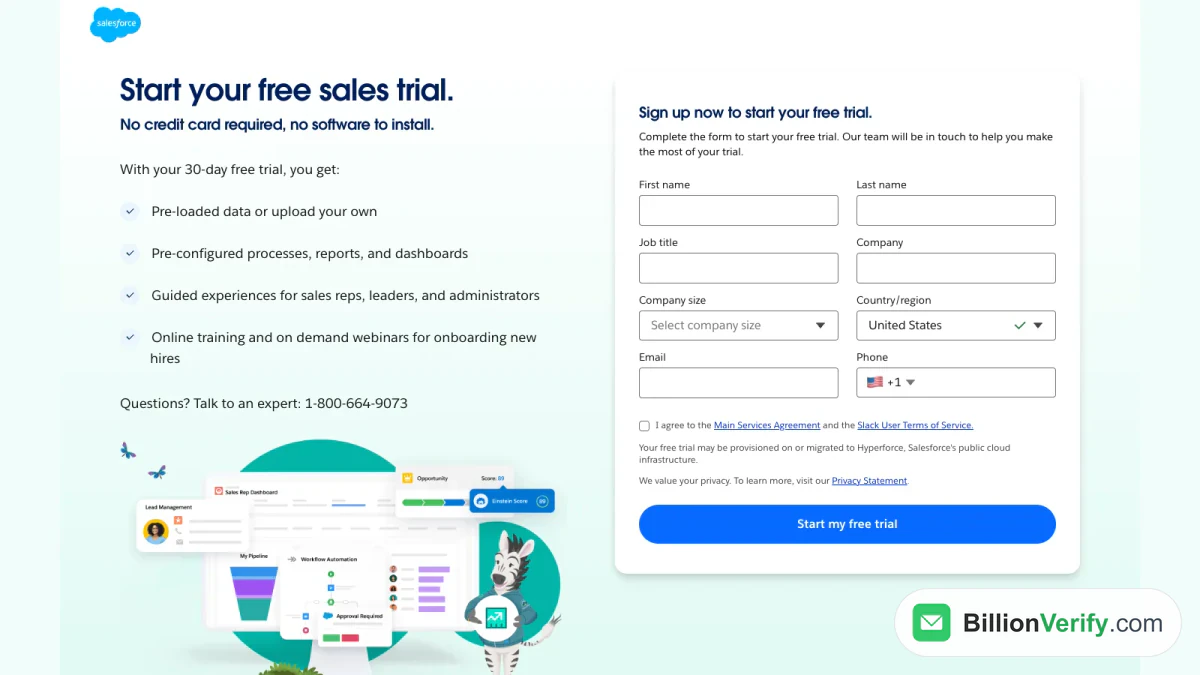
Screenshot: the free trial sign-up form for Sales Cloud on salesforce.com, as of November 2026.
Starter Suite
Starter Suite is the turnkey option for lean businesses. Its page describes guided onboarding and support so a team can start automating from day one, and the suite lists assistive AI with an employee agent, email nurture campaigns, lead scoring and a free Slack workspace connected to your CRM. Because the Starter plan allows monthly payment, it is the lowest-commitment paid route on the pricing page.
Developer Edition
The Developer Edition sign-up describes a free Salesforce Platform environment that includes Agentforce and Data 360. It is meant for people who build apps and agents, not for running a sales team. The sign-up text adds that Salesforce may limit the use of generative AI features and may terminate any org that has been inactive for 45 days, so treat it as a sandbox rather than a home for real customer data.
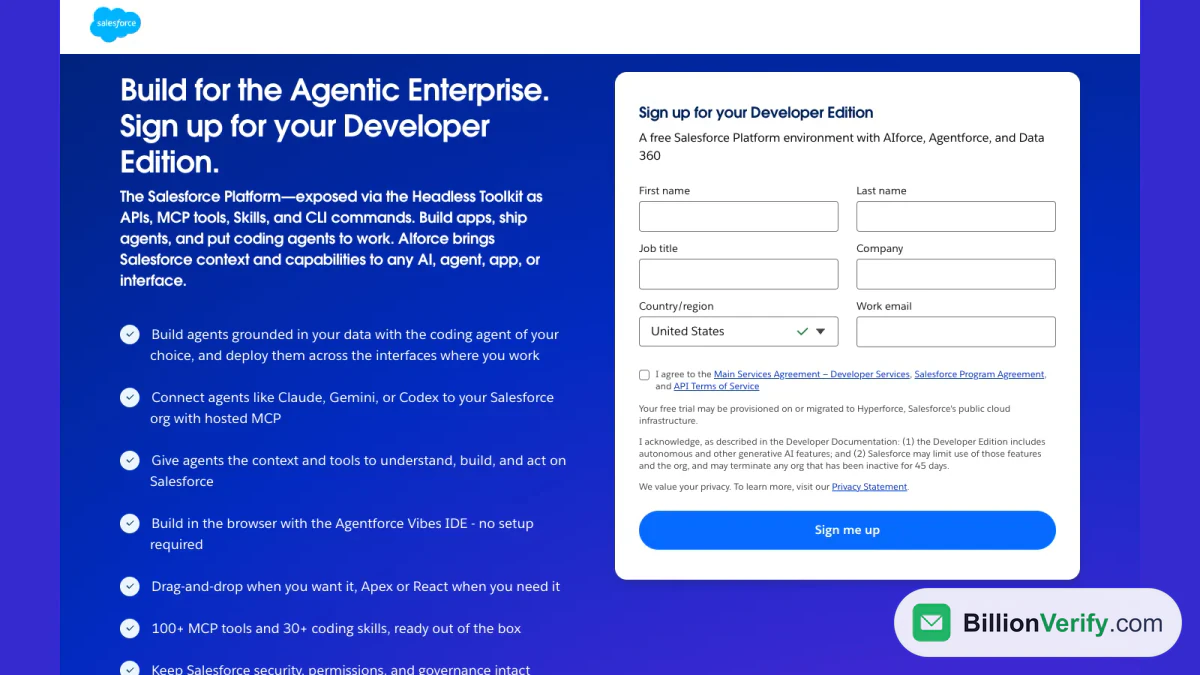
Screenshot: the Developer Edition sign-up form on developer.salesforce.com, as of November 2026.
Importing your first records
Most teams start by loading an existing list. Salesforce's Trailhead module on data import says the Data Import Wizard can import up to 50,000 records at a time into standard objects such as accounts, contacts and leads, as well as custom objects. For larger volumes the same module points to Data Loader, which it says can import up to 150 million records and can use the Bulk API. You open the wizard from Setup through Quick Find.
Trailhead is also direct about preparation. It says to clean up the import file for accuracy and consistency, which means removing duplicates, deleting unnecessary information, correcting errors and enforcing naming conventions, and it recommends testing with a small file before the full import. That advice is where an email check belongs, and the next section shows how.
Check Email Addresses Before They Enter Salesforce
A CRM is only as good as its contact data, and the email address is the field most likely to go wrong. People mistype it on forms, change jobs, or use throwaway mailboxes. Salesforce does track what happens afterwards. The Object Reference notes that when bounce management is activated and an email sent to a lead bounces, the Lead record stores the date and time and the reason. Contacts also carry a bounce date, a bounce reason and a flag for whether the email resulted in a soft or hard bounce. The reference adds that email bounce functionality is not triggered by record updates.
That design means Salesforce learns about a dead address after the message has failed, which is exactly the moment the sender's reputation takes the hit. A cold or campaign send to an unchecked import produces hard bounces, and mailbox providers read a pile of hard bounces as a sign of a careless sender. The cheaper moment to find a bad address is before the record is created.
A routine for any import
- Export the list you plan to import, or the leads and contacts you already hold, from a report or with Data Loader. Keep the email column and the record ID.
- Upload the file to bulk email verification. Each address returns a result such as valid, invalid, catch-all, unknown, disposable or role.
- Import the valid rows. Our catch-all verifier explains why catch-all addresses are a separate bucket: a server that accepts everything cannot confirm that one mailbox exists.
- Drop invalid rows, and hold unknown rows for a retry instead of treating them as good.
- Re-run the list on a schedule, because records age as people change jobs.
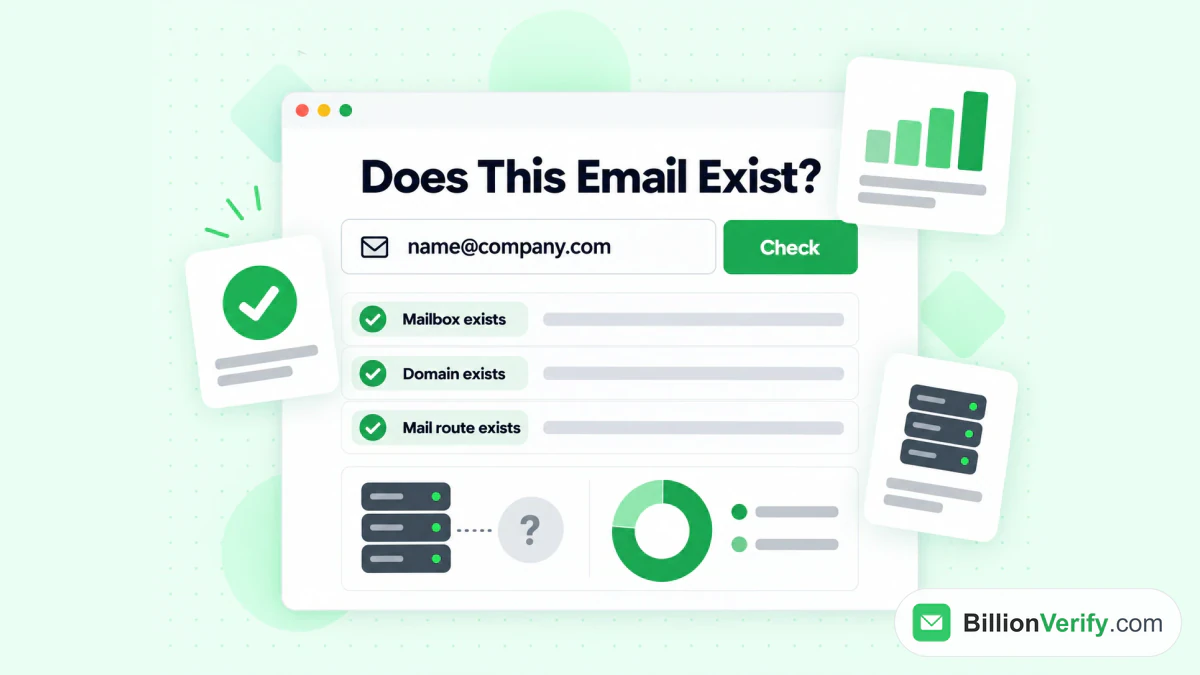
BillionVerify checks that the mailbox, the domain and the mail route exist before an address is added to the CRM.
Verify inside Salesforce
You can also verify at the moment a record is created. The BillionVerify Salesforce integration describes the routes: the REST API, an n8n community node and Integrately, with a Salesforce Flow for running the check asynchronously. The result is written back to a custom field on the Salesforce record, and that field can drive list views, campaign filters and flow criteria. The same page describes the bulk route for existing contacts: export a report, run it through the bulk API, and import the status back with the import wizard or Data Loader. Our longer walkthrough, BillionVerify for Salesforce, shows the setup in more detail.
How BillionVerify charges
- Free credits: 20 every day you use your account, up to 600 a month. They never expire. No credit card is needed.
- Clear answers only: valid, invalid, catch-all, disposable and role results use one credit each.
- Unknown is free: if a mail server will not give a clear answer, you pay nothing.
- Free re-checks: checking the same address again within 24 hours costs nothing.
For a single record, our email verifier runs syntax, domain, MX and SMTP checks without sending a message. Two more free tools help when a record looks odd. A reverse email lookup reads the domain, organization and mail routing behind an address, and a phone number validator checks whether a number is valid for its country and shows the line type. When the problem is a missing address rather than a bad one, our Email Finder returns a verified work email from a name and company domain, but it needs a paid account.
Salesforce CRM Setup Checklist
Use this order when you set up Salesforce as a CRM, whether you start from the trial or a paid suite:
- Decide which edition you need from the pricing table, and count users.
- Start the trial and invite the people who will use it, so you test with real roles.
- Decide how leads arrive: web forms, imports or an integration, and who owns each lead.
- Clean the file first. Remove duplicates, correct errors and check every email address before import.
- Import a small test file with the wizard, check the mapping, then load the full list.
- Set up lead statuses and lead assignment, and convert a test lead to see which records it creates.
- Turn on bounce management so Salesforce records failed sends, and review those records each month.
- Re-verify your email data on a schedule and after every large import.
FAQs
Is Salesforce a CRM or a platform?
Salesforce is a CRM at its core, and it also sells a platform around it. Its own site describes one integrated platform for every customer-facing team and for IT, so the sales tools, the support tools and the developer platform all work from one customer record.
How much does Salesforce CRM software cost?
On its pricing page, Salesforce lists $25 a user for Starter Suite, $100 for Pro Suite, $195 for Core, $395 for Advanced and $550 for Max, all monthly rates. Starter can be paid either monthly or yearly, the others are billed annually, and Salesforce says the page is subject to change.
Is there a free Salesforce CRM?
There is a free Sales Cloud trial that runs for 30 days and asks for no card. There is also a free Developer Edition for developers. The pricing comparison table also includes a Free Suite priced at $0. Salesforce does not describe any of these as a permanent free plan for a full sales team, so check the current terms before relying on one.
What are the main objects in Salesforce CRM?
Four objects carry most of the work. A lead is a prospect, accounts are the companies or people you do business with, contacts are the people tied to them, and an opportunity is a deal in progress.
What happens to a lead when you convert it?
Salesforce creates three records from the lead, one each for the company, the person and the deal, and the lead becomes read only. The conversion fields on the lead point to the three new records, and converted leads leave the Leads tab but remain available in reports.
Does Salesforce check whether an email address is real?
The developer documentation describes bounce management, which records a bounce date and reason on a lead or contact after an email fails. It does not describe a check that runs before the first send, so a verification step before import or at record creation is how you catch bad addresses early.
How many records can the Data Import Wizard load?
Salesforce's Trailhead module sets the wizard limit at 50,000 records per import. For bigger files it recommends Data Loader and says that tool can handle up to 150 million records.
How do I start learning Salesforce CRM software?
Open the Developer Edition or the Sales Cloud trial and explore with the pre-loaded data. Every Salesforce licence also brings standard support resources such as documentation and knowledge articles.
Watch: How to Export Past Email Finder Results From Find History
Watch: Bulk Email Verification: How to Verify an Email List From a File